Colorful Blocks 1.21+
The Colorful Blocks Addon expands Minecraft Bedrock and MCPE building options with a wide range of decorative color blocks. It’s designed for builders who want cleaner designs, better color matching, and more creative freedom without changing vanilla gameplay or performance.
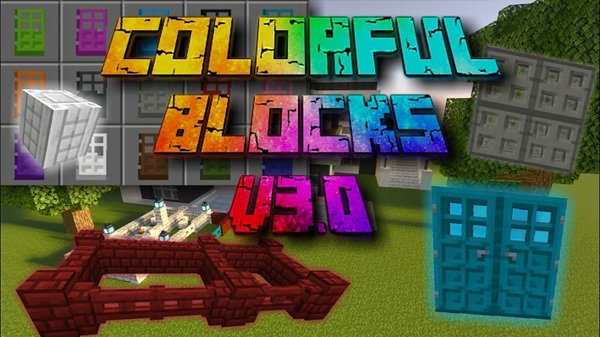
Colorful Blocks Addon – Expanded Color Pack for Builders
If you enjoy building in Minecraft Bedrock Edition and often feel limited by the default color selection, the Colorful Blocks Addon was made for you. This addon expands the vanilla block palette with a wide range of decorative color blocks, giving builders more freedom to shape creative ideas without changing core gameplay.
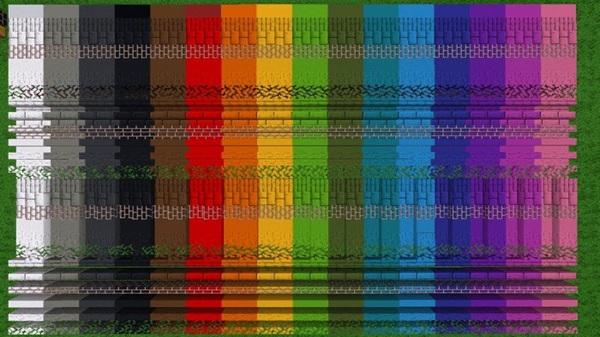
Designed specifically for MCPE and Bedrock players, the Colorful Blocks Addon focuses on visual enhancement, stability, and ease of use. Whether you build modern houses, detailed interiors, or large creative maps, this addon helps your worlds look cleaner, more organized, and more expressive.
Main Features of Colorful Blocks Addon
Before downloading any Minecraft addon, most players want to know one thing: what does it actually add? This section breaks down the core features of the Colorful Blocks Addon and explains how each one improves the building experience in a simple, practical way.
Expanded Color Palette for Building
The Colorful Blocks Addon introduces many additional color options that go beyond vanilla blocks. These new shades make it easier to match colors precisely, create smoother gradients, and avoid awkward compromises when designing walls, floors, or decorations.
Multiple Decorative Block Variants
All blocks included in this addon are designed with construction in mind. Textures remain consistent and clean, which is especially useful for modern builds, interiors, and large-scale projects where visual balance matters.
Builder-Friendly Creative Mode Access
Every block is available directly in the Creative Mode inventory, so you can start building immediately. There’s no complicated setup, no extra steps, and no learning curve.
Vanilla-Style Block Behavior
Despite the expanded visuals, the blocks behave like normal Minecraft blocks. You place them, break them, and build with them exactly as you would expect in Bedrock Edition.
Lightweight and Mobile-Optimized
Performance is a key focus. The Colorful Blocks Addon runs smoothly on mobile devices, making it suitable for phones and tablets without causing lag or long loading times.
Safe Addon Design
The addon does not replace or overwrite any existing Minecraft blocks. This makes it safer to use alongside other building addons and reduces the risk of world-related issues.
Available Blocks & Color Variants
Variety is the heart of this addon. Instead of relying on a small set of repeating colors, the Colorful Blocks Addon gives you access to a broader and more flexible selection.
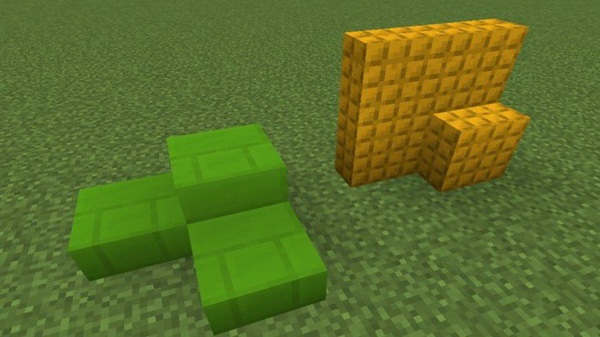
The addon includes decorative blocks designed for construction and design-focused gameplay. You’ll find a mix of bright tones, softer shades, and darker colors that work well together. All blocks follow a consistent visual style, which helps maintain a clean look across builds.
This consistency is especially valuable when working on pixel art, themed builds, or city projects where uniform design plays a major role.
How the Addon Works In-Game (MCPE)
One of the strengths of the Colorful Blocks Addon is how naturally it fits into the game. After activation, everything feels familiar.
Once enabled, the blocks appear in the Creative Mode inventory, usually under construction or decoration categories. You can select and place them just like any vanilla block. No commands, tools, or special mechanics are required.
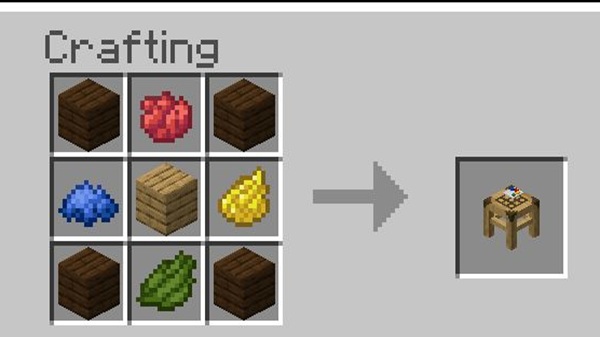
If you play in Survival Mode, availability may depend on how the addon is configured. In most cases, Creative Mode offers the full experience.
Best Use Cases for Builders
The Colorful Blocks Addon shines in situations where visual clarity and color control matter most. Builders commonly use it for:
-
Modern houses and clean interior designs
-
City builds with organized districts
-
Pixel art, murals, and decorative walls
-
Creative maps, hubs, and lobby areas
-
Color-coded projects for structure and style
If you enjoy planning builds by theme or palette, this addon quickly becomes a core part of your creative workflow.
Compatibility & Performance
Compatibility and stability are especially important for MCPE players. This addon is designed with those needs in mind.
-
Supports Minecraft PE / Bedrock Edition
-
Works on Android, iOS, Windows, and consoles
-
Compatible with modern versions (1.19 and newer)
-
Optimized for smooth mobile performance
-
Works in both singleplayer and multiplayer worlds
-
Safe to use alongside most building-focused addons
Tips for Better Building Results
A few small habits can help you get more value from the Colorful Blocks Addon:
-
Choose a limited color palette for each build
-
Use similar tones to create visual harmony
-
Combine with shaders or texture packs for extra depth
-
Organize large projects by color zones
-
Avoid removing the addon from worlds with placed blocks
These practices help keep builds clean and consistent over time.
Known Limitations & Notes
To keep expectations clear, here are a few important notes:
-
The addon is primarily designed for Creative Mode
-
Survival crafting may be limited or unavailable
-
It focuses on visuals only, not gameplay mechanics
-
Removing the addon from active worlds may cause missing blocks
-
Future updates may expand color options or block types
Final Summary for Builders
The Colorful Blocks Addon is a reliable and practical choice for Minecraft Bedrock builders who want more control over color without sacrificing performance or simplicity. It enhances creative freedom while staying true to vanilla-style gameplay, making it suitable for both casual and dedicated builders.
If your goal is to build cleaner, more expressive worlds on MCPE, this addon fits naturally into your creative toolkit.
How to Install on MCPE / Bedrock Edition
Installing the Colorful Blocks Addon is straightforward, even if you’re new to addons. Follow these steps:
-
Download the addon file (
.mcaddonor.mcpack) -
Open the file to import it into Minecraft
-
Create a new world or edit an existing one
-
Activate the addon under Resource Packs and Behavior Packs
-
Enable experimental features if prompted
-
Start the world and begin building
The process works the same on Android, iOS, and other Bedrock platforms.