Expansive Biomes 1.21+
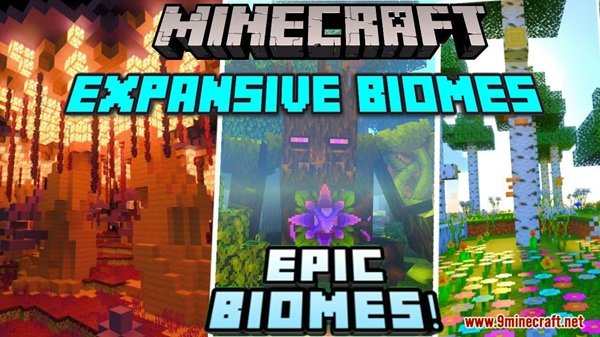
Expansive Biomes Addon enhances the Minecraft Bedrock Overworld by improving biome layout, terrain flow, and exploration variety. Designed for MCPE players, it delivers a more natural and immersive world without changing core gameplay or performance balance.
Expansive Biomes Addon – Enhanced Overworld Design
If you enjoy exploring Minecraft worlds but feel that the Overworld starts to look repetitive after a while, Expansive Biomes Addon offers a refined solution. This addon is designed for Minecraft Bedrock Edition (MCPE) and focuses on improving how biomes and terrain are generated, without changing the core gameplay you already enjoy.
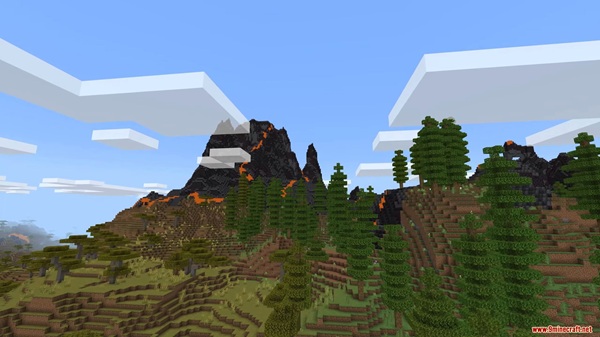
Instead of adding complicated mechanics or heavy systems, Expansive Biomes Addon enhances the structure, flow, and visual balance of the Overworld. The result is a world that feels more natural, more immersive, and more enjoyable to explore—especially on mobile devices where performance matters.
What Makes the Overworld Feel Enhanced
The idea behind Expansive Biomes Addon is simple: improve the way the Overworld is designed so that exploration feels smoother and more rewarding. Rather than introducing extreme changes, the addon refines existing world generation to create better connections between biomes and landscapes. The following elements work together to shape that experience.
More Natural Biome Distribution
With Expansive Biomes Addon enabled, biomes feel better spaced and less repetitive. As you explore, you’re less likely to encounter the same terrain patterns over and over. This makes long journeys feel more interesting and gives each region its own identity, which is especially noticeable in survival worlds.
Improved Terrain Flow and Landscape Shape
Terrain generation feels more balanced overall. Hills, plains, and elevated areas connect more smoothly, creating landscapes that feel planned rather than random. For builders, this means fewer flat or awkward areas to fix before starting a base.
Smoother Transitions Between Biomes
One of the most noticeable improvements is how biomes transition into one another. Instead of sharp borders, the world feels more gradual and cohesive. This enhances immersion, particularly when traveling long distances by foot, boat, or elytra.
A More Immersive Exploration Experience
Because landscapes are more connected and varied, exploration becomes enjoyable for longer periods. Each new area feels worth discovering, without losing the familiar Minecraft style that MCPE players expect.
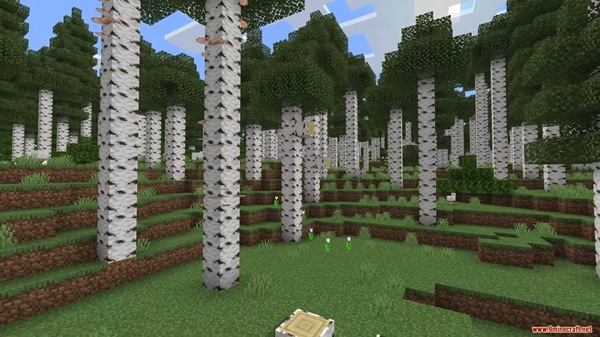
Better Environments for Building and Settling
Enhanced terrain naturally creates better locations for bases, villages, and long-term builds. You can focus more on designing your structures and less on reshaping the land to make it usable.
Core Features of Expansive Biomes Addon
To support the improved Overworld design, Expansive Biomes Addon includes several carefully balanced features. These changes are designed to work together without affecting gameplay mechanics.
-
Expanded and refined biome generation
-
Improved terrain balance and elevation
-
Smoother transitions between regions
-
Vanilla-friendly world generation
-
No impact on survival or creative mechanics
All features are optimized for Minecraft Bedrock Edition and tested with MCPE performance in mind.
In-Game Experience on MCPE
Once you start a new world with Expansive Biomes Addon enabled, the improvements are easy to notice. Exploration feels more dynamic, and traveling across the map reveals landscapes that feel more intentional and varied.
In survival mode, this makes choosing a base location more enjoyable. In creative mode, builders gain access to terrain that inspires larger and more detailed projects. Most importantly, the addon runs smoothly on MCPE, making it suitable for everyday play on mobile devices.
World Generation Behavior
Because this addon modifies world generation, it’s important to understand how it behaves. Knowing this helps you avoid confusion and get the best results.
-
Creating a new world is strongly recommended
-
Changes apply only to newly generated chunks
-
Existing areas in old worlds remain unchanged
This approach ensures stability and protects existing builds from unexpected terrain changes.
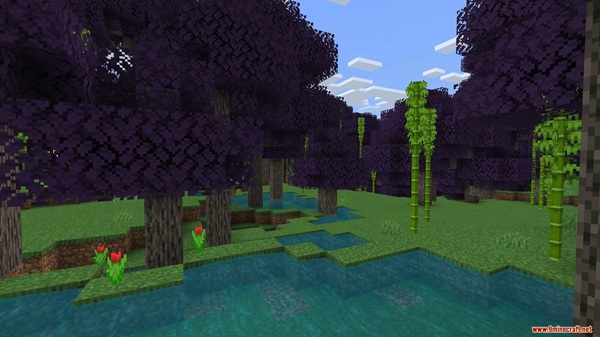
Compatibility & Supported Versions
Expansive Biomes Addon is designed specifically for modern Bedrock environments and works across multiple devices.
-
Supports Minecraft Bedrock Edition (MCPE)
-
Compatible with phones, tablets, and Windows Bedrock
-
Works well with most texture packs and visual enhancements
-
Not recommended alongside other biome or terrain generation addons
Using multiple world-generation addons at the same time may lead to unexpected results.
Performance & Optimization for Mobile
Performance is a major focus of Expansive Biomes Addon. The addon avoids heavy systems and keeps resource usage balanced, which is important for mobile gameplay.
For the best performance on MCPE:
-
Use a moderate render distance on lower-end devices
-
Avoid stacking multiple world-generation addons
-
Combine with optimized texture packs if needed
Tips for the Best Experience
A few simple tips can help you get the most out of the addon:
-
Always start a fresh world
-
Explore farther from spawn to see full biome variety
-
Take time to scout locations before building
-
Pair with visual packs that complement natural landscapes
Final Thoughts: Who This Addon Is For
Expansive Biomes Addon is a strong choice for MCPE players who enjoy exploration, building, and long-term survival worlds. It enhances the Overworld in a subtle but meaningful way, making Minecraft feel more immersive without sacrificing performance or simplicity.
If you want a refined world-generation experience that fits naturally into Minecraft Bedrock Edition, Expansive Biomes Addon delivers exactly that.
Installation Guide (MCPE & Bedrock Edition)
Installing Expansive Biomes Addon is straightforward and familiar to most MCPE players:
-
Download the addon file (.mcaddon or .mcpack)
-
Open the file to import it into Minecraft
-
Create a new world
-
Enable the addon under Behavior Packs (and Resource Packs if included)
-
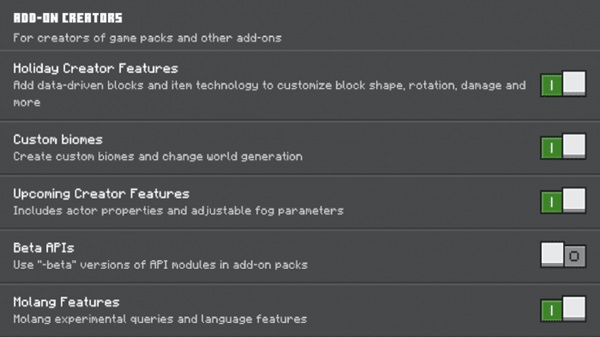
Enable Experimental Features if required
-
Start the world and begin exploring
The process works on Android, iOS, and Windows Bedrock.