Frost and Flames 1.21+
The Frost and Flames Addon transforms your MCPE world with elemental dragons, new structures, rare loot, and a complete taming and riding system. Explore biomes, hatch your own dragons, and unlock powerful gear in this ultimate Bedrock fantasy adventure.
Frost and Flames Addon: Ultimate Elemental Dragon Pack
If you want your Minecraft Bedrock world to feel alive with fantasy creatures, rare loot, and powerful elemental abilities, the Frost and Flames Addon is one of the most exciting ways to transform your gameplay. This pack turns your MCPE world into a dragon-filled adventure where exploration, survival, and creature-raising come together in a smooth, mobile-friendly experience.
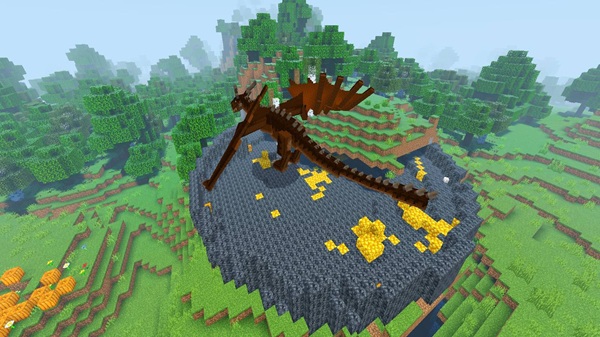
Below is a complete guide to help you understand how the addon works and how to make the most of the elemental dragons waiting for you in your world.
Introduction to Frost and Flames Addon
The Frost and Flames Addon brings a fresh layer of fantasy to Minecraft PE by adding elemental dragons, new structures, and a full taming and riding system. Whether you prefer exploring large biomes, building themed bases, or raising mythical creatures, this addon expands the possibilities of your survival world.
Before diving into the details, here’s who the addon is perfect for and what makes it stand out.
Key Features of the Addon
The Frost and Flames Addon comes packed with content designed for adventure-minded MCPE players. Below is a quick overview of the main features you’ll interact with as you explore your newly enhanced world.
These features introduce new survival paths, combat challenges, and progression systems that fit naturally into Minecraft Bedrock gameplay.
Core Highlights
-
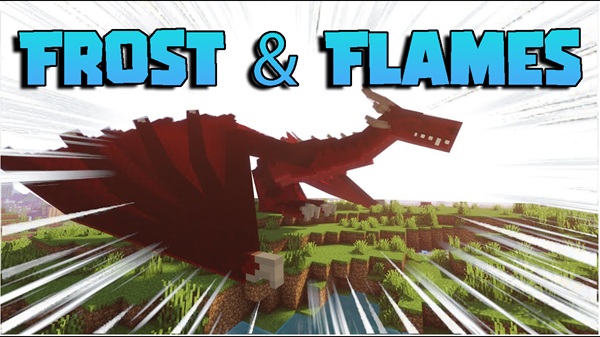
Elemental dragons including Fire, Ice, and Lightning species
-
Dragon eggs that can be found, hatched, and raised
-
Taming and riding mechanics designed for mobile controls
-
High-tier armor sets and elemental weapons
-
New world structures such as nests, lairs, shrines, and treasure zones
-
A full progression loop from discovering dragons to crafting elite gear
Elemental Dragon Types & Abilities
The dragon roster is the soul of the Frost and Flames Addon. Each dragon species behaves differently, offering a mix of combat styles, biome variations, and unique rewards.
Below you’ll find a breakdown of the elemental dragons, including how they spawn and what abilities make each one worth hunting — or taming.
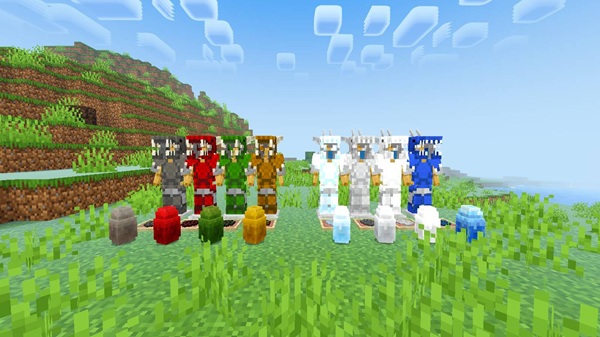
Fire Dragons
-
Spawn in warm overworld biomes
-
Use flame breath and wide-area burn effects
-
Drop fire-aligned scales, bones, and materials
-
Best fought with ranged attacks
Ice Dragons
-
Appear in snowy plains, ice lakes, and tundra regions
-
Use frost breath that slows or weakens players
-
Drop ice scales and frost materials used for protective armor
-
Easier to spot thanks to their cold-toned textures
Lightning Dragons
-
Rare, fast, and extremely aggressive
-
Shoot electric breath or chain lightning
-
Drop lightning items needed for advanced weapons
-
Considered late-game encounters
Dragon Stages
Dragons grow stronger as they age:
-
Smaller dragons attack quickly but are weaker
-
Larger dragons deal more damage and have higher loot value
Environmental Behavior
Each dragon type has biome advantages:
-
Fire Dragons thrive in dry areas
-
Ice Dragons gain benefits in cold biomes
-
Lightning Dragons prefer high or open terrain
Dragon Eggs, Hatching & Growing Your Dragons
Taming starts with finding the right egg. Every dragon species has unique eggs that players can collect and hatch.
Growing a dragon is one of the most rewarding parts of the Frost and Flames Addon experience, especially once your first hatchling begins following you around the world.
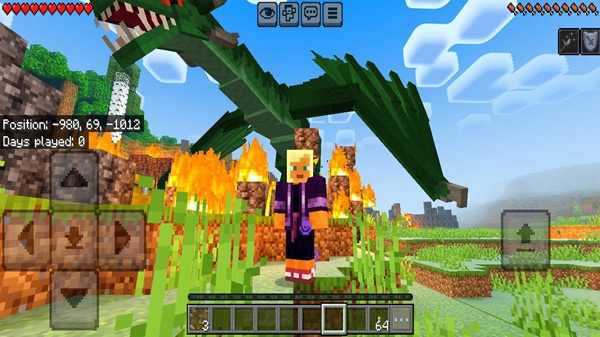
How to Get Dragon Eggs
-
Rare drop from dragons
-
Found inside nests and lairs
-
Hidden in world structures that appear in matching biomes
How to Hatch Eggs
-
Place the egg in a safe area.
-
Wait for the hatching timer to pass.
-
Protect the egg during the process.
Raising Baby Dragons
-
Feed them meat to grow
-
Some versions use items like Dragon Meal
-
Growth increases size, health, and abilities
Taming, Riding & Controlling Dragons
Once fully grown, your dragon can be tamed and used as a mount. This is where gameplay becomes truly dynamic.
With the right approach, your dragon becomes one of the strongest allies in your MCPE world, able to travel fast and defend you from mobs.
How to Tame Dragons
-
Feed your dragon until heart particles appear
-
Keep them safe while they mature
Riding Your Dragon
-
Interact with the dragon when it’s fully grown
-
Add a saddle if your version requires it
-
Use mobile controls for flight
Using Dragon Abilities
-
Hold the appropriate item to trigger breath attacks
-
Aim and activate the “use” button
-
Ideal for clearing mobs or defending your base
Gear, Weapons & Crafting Materials
Slaying or raising dragons unlocks access to powerful materials.
These crafting items help you create some of the strongest armor and weapons available in MCPE gameplay.
Armor Sets
-
Fire Scale Armor
-
Ice Scale Armor
-
Lightning Scale Armor
Each set offers elemental defenses or added durability.
Elemental Weapons
-
Fire weapons apply burn effects
-
Ice weapons slow enemies
-
Lightning weapons hit fast and hard
Crafting Materials
-
Dragon Bones
-
Dragon Blood
-
Elemental Shards
Structures & World Generation Additions
The Frost and Flames Addon introduces new worldgen elements that encourage exploration.
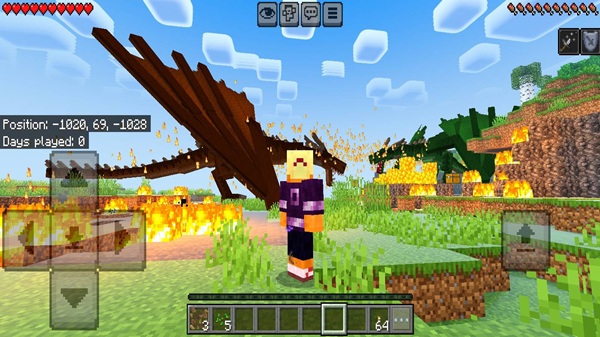
Every structure you find adds another piece to your dragon-rider journey, offering loot, eggs, and clues about the world’s elemental creatures.
Types of Structures
-
Dragon nests
-
Elemental lairs
-
Treasure shrines
-
Biome-themed ruins
These locations usually include loot chests, eggs, or unique environmental details.
Conclusion
The Frost and Flames Addon brings elemental dragons, rare loot, and deep progression to MCPE in a way that feels both accessible and epic. Whether you enjoy taming creatures, exploring new structures, or crafting powerful gear, this addon gives you everything you need to build your own fantasy-themed survival world. It’s a great fit for players who want more depth without sacrificing the simplicity that makes Minecraft Bedrock so enjoyable.
How to Install Frost and Flames Addon on MCPE
Installing the addon is simple and works smoothly on mobile.
Follow the steps below to ensure the addon loads correctly and all dragons spawn as intended.
Installation Steps
-
Download the
.mcaddonor.mcpackfile. -
Tap to import into Minecraft PE.
-
Activate the Resource Pack and Behavior Pack.
-
Enable Experimental Features (Holiday Creator Features, etc.).
If dragons don’t appear, double-check experimental settings and pack activation.