
AG’s Morph Mobs 1.21+
AG’s Morph Mobs Addon lets you transform into different mobs in Minecraft Bedrock and MCPE, adding new movement styles, gameplay options, and creative possibilities for survival, creative, and multiplayer worlds.
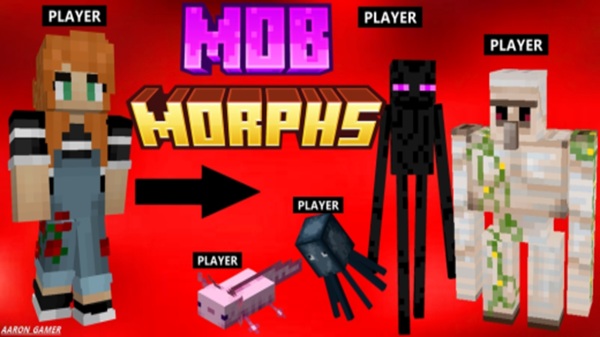
AG’s Morph Mobs Addon – Transform Into Any Mob
AG’s Morph Mobs Addon is a feature-rich Minecraft Bedrock addon that allows you to transform into different mobs directly inside your world. Instead of always playing as the default character, you can step into the role of a mob and experience Minecraft from a completely new angle. Movement, interaction, and gameplay flow all change depending on the form you choose.
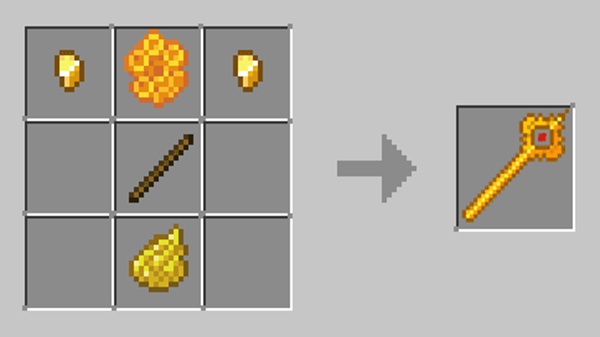
Built specifically for MCPE and Bedrock Edition, AG’s Morph Mobs Addon focuses on smooth performance, accessibility, and gameplay variety. Whether you play on your phone during short sessions or manage a longer survival world, this addon fits naturally into everyday Minecraft play without overwhelming you.
Key Features at a Glance
This section highlights what you can expect at a practical level before diving deeper into mechanics. These features explain why AG’s Morph Mobs Addon stands out among Bedrock addons.
-
Transform into many different Minecraft mobs
-
Each mob provides unique movement or gameplay behavior
-
Fully usable in Survival and Creative Mode
-
Designed for MCPE and Bedrock platforms
-
Simple transformation system that feels natural
-
Works in single-player, multiplayer, and Realms
Together, these features make the addon easy to start with, while still rewarding longer play sessions.
How Mob Transformation Works In-Game
Understanding how morphing works is essential, especially for MCPE players who value simplicity. This section explains the process step by step, without technical complexity.
Unlocking Mob Transformations
In AG’s Morph Mobs Addon, you don’t need complicated menus or commands. Mob forms are unlocked through regular gameplay interactions. This approach keeps the experience immersive and makes the addon feel like a natural extension of Minecraft rather than a separate system.
Transforming Into a Mob
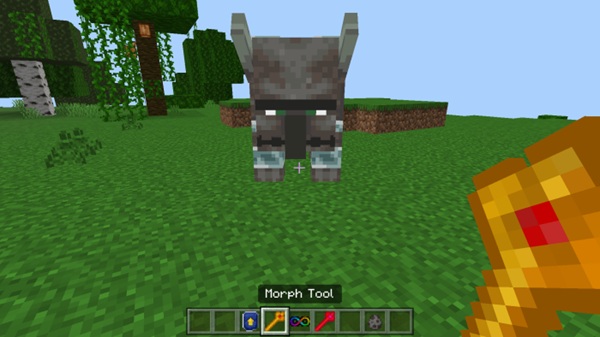
Once a morph is available, transforming is quick. You activate the morph and your character immediately takes the shape of the chosen mob. The transition is smooth, making it easy to switch forms during exploration or building.
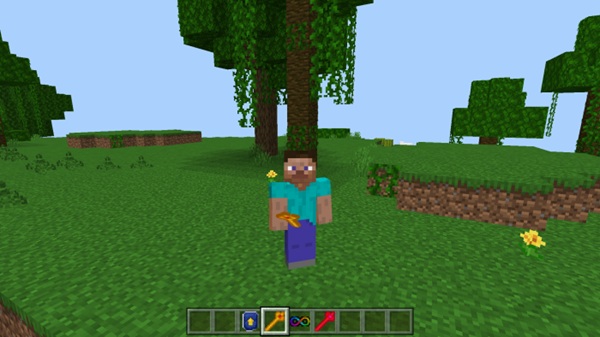
What Changes When You Morph
When you transform:
-
Your appearance matches the selected mob
-
Your movement reflects that mob’s behavior
-
Certain interactions feel different compared to normal player form
This ensures that morphing affects gameplay, not just visuals.
Using Mob Abilities
Some mob forms include special traits, such as unique movement styles or interaction advantages. These abilities add variety and encourage you to experiment with different forms depending on what you’re doing.
Returning to Your Normal Player Form
You can return to your normal player form at any time. This flexibility keeps gameplay comfortable and prevents situations where you feel locked into one form.
Using Morphs in Survival, Creative, and Multiplayer
AG’s Morph Mobs Addon works consistently across:
-
Survival Mode, where morphs support exploration and progression
-
Creative Mode, ideal for testing and building
-
Multiplayer and Realms, where other players can see your morphs
Gameplay Benefits of Transforming Into Mobs
Mob transformation isn’t just a novelty. It changes how you approach Minecraft and opens up new gameplay possibilities.
-
Exploration: Different movement styles help you navigate terrain creatively
-
Survival utility: Certain mob traits are useful in specific environments
-
Creative freedom: Builders can design and test from new perspectives
-
Roleplay: Ideal for themed worlds and character-based play
-
Multiplayer interaction: Adds variety to shared experiences
AG’s Morph Mobs Addon enhances gameplay without replacing Minecraft’s original balance.
Compatibility & Supported Versions
Before installing, it’s helpful to know where the addon works best.
-
Compatible with Minecraft Bedrock / MCPE
-
Supported platforms:
-
Android
-
iOS
-
Windows 10/11
-
Consoles using Bedrock Edition
-
-
Works in multiplayer and Realms
-
Updated Minecraft versions are recommended for stability
Devices with higher RAM generally provide smoother performance, especially in multiplayer worlds.
Tips for the Best MCPE Experience
A few simple habits can improve your experience with AG’s Morph Mobs Addon:
-
Test morphs in Creative Mode before survival use
-
Always keep a way to return to normal form
-
Lower render distance on older devices
-
Avoid combining multiple morph addons
-
Update the addon when Minecraft updates
These tips help keep gameplay stable and enjoyable on mobile.
Who This Addon Is Best For
AG’s Morph Mobs Addon is well suited for:
-
Casual MCPE players looking for variety
-
Survival players who enjoy new mechanics
-
Creative builders and roleplayers
-
Multiplayer and Realm communities
-
Players who like experimenting without complex mods
It’s designed to be accessible while still offering depth.
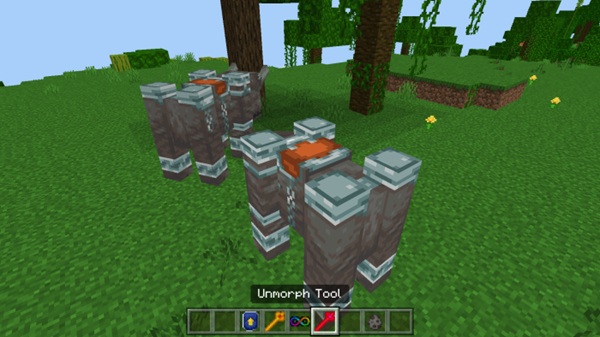
Final Thoughts
AG’s Morph Mobs Addon – Transform Into Any Mob adds a flexible and engaging layer to Minecraft Bedrock gameplay. By letting you experience the world as different mobs, the addon refreshes exploration, creativity, and multiplayer interaction while remaining easy to use on MCPE.
If you enjoy discovering new ways to play Minecraft without straying too far from the vanilla experience, AG’s Morph Mobs Addon is a solid and rewarding choice.
How to Install AG’s Morph Mobs Addon on MCPE
Installation is straightforward, which is especially important for mobile players. Follow these steps to get started quickly:
-
Download the addon file compatible with Minecraft Bedrock
-
Import the file into Minecraft (tap to open on mobile)
-
Create a new world or edit an existing one
-
Activate both the Behavior Pack and Resource Pack
-
Start the world and confirm the addon is active
No advanced setup is required, making the addon beginner-friendly.











