
Auto 3S60RU 1.21+
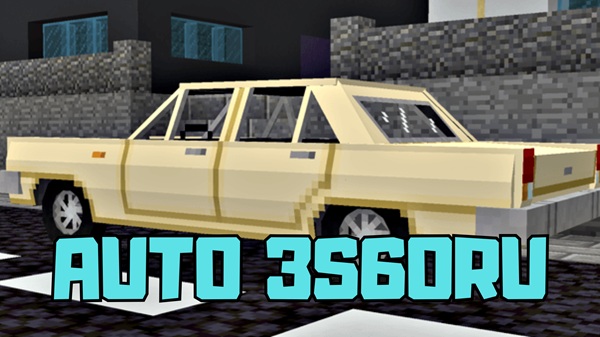
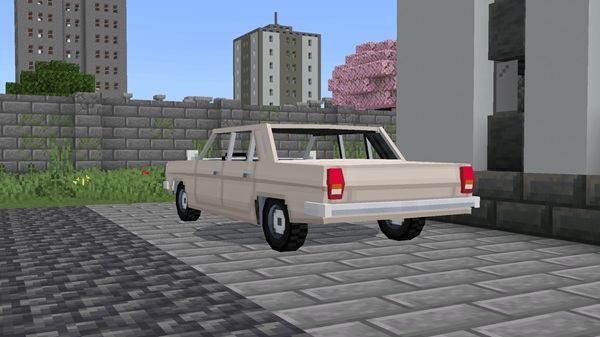
Experience the Auto 3S60RU Addon for Minecraft Bedrock (MCPE) — a realistic 4-seat car with storage, repair features, and smooth performance that lets you and your friends explore the world together without limits.
Auto 3S60RU Addon – Drive Together, Explore Without Limits
The Auto 3S60RU Addon is where functionality meets creativity in Minecraft Bedrock (MCPE).
It transforms travel from a repetitive task into a shared adventure. This addon introduces a realistic four-seat car, offering multiplayer excitement, mobile storage, and balanced survival gameplay.
Whether you’re exploring vast deserts, driving through your modern city build, or hauling resources from your mine, the Auto 3S60RU Addon keeps your journey smooth and social — a perfect mix of practicality and freedom.
Experience the Auto 3S60RU Addon
Before installing the addon, it helps to understand why it stands out among vehicle mods for Minecraft Bedrock. Below are the features that make it a favorite among creative players and survival adventurers alike.
A Retro Sedan Reimagined for Minecraft
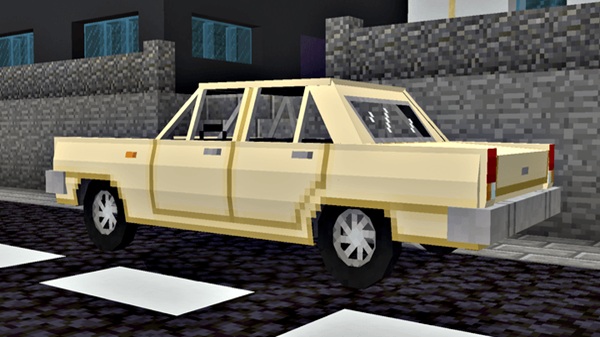
The Auto 3S60RU Addon takes inspiration from a Soviet-era D-class sedan, designed with Minecraft’s blocky simplicity in mind. It blends nostalgia with modern realism, making it both visually authentic and performance-friendly across devices.
Four Seats, Endless Adventures
With four functional seats, you and your friends can explore biomes together or enjoy city drives in multiplayer worlds. The shared experience of exploration gives Minecraft a new social dimension — because every great journey deserves company.
Storage That Travels with You
A highlight of this addon is its 27-slot trunk — essentially a moving chest on wheels. Store mined ores, tools, or food during expeditions and keep your inventory light while you travel farther than ever.
Repair and Maintain Your Ride
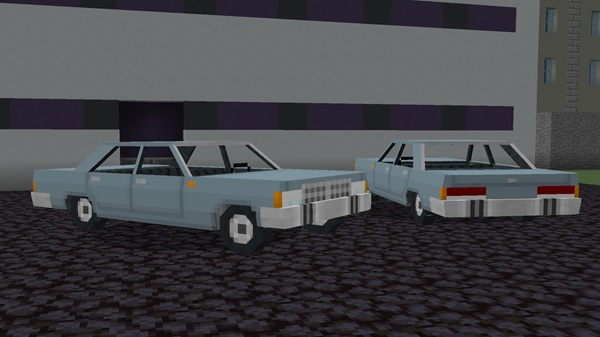
The car is repairable using in-game materials such as copper, iron, gold, or netherite ingots. This keeps it balanced within survival mode and adds a touch of realism to your mechanical adventures.
Realistic Sound and Smooth Animation
Engine sounds modeled after Minecraft’s Iron Golem give it an industrial feel, while optimized lighting and animation ensure fluid driving — even on mid-range mobile devices.
Why Players Love the 3S60RU Experience
Players enjoy its simple setup, immersive sound, and authentic multiplayer feel. It fits neatly into any world — from creative showcases to survival challenges — without disrupting the vanilla experience.
How It Works in Minecraft Bedrock
Once installed, the Auto 3S60RU Addon is easy to operate. This section helps you understand how to spawn, drive, and maintain your vehicle smoothly.
Spawning the Vehicle
You can summon the 3S60RU through the /summon command or find its spawn egg in the creative inventory. Tap or right-click to enter, and you’re ready to roll.
Driving and Controls
The controls are intuitive: move forward, steer, and brake using Minecraft’s standard motion keys. You can also switch between first-person and third-person for cinematic driving views.
Maintenance System
The vehicle gradually takes wear with use or damage. Repair it using iron nuggets, redstone dust, or gold ingots to restore durability and keep it road-ready in survival gameplay.
Compatibility and Performance
| Feature | Details |
|---|---|
| Edition | Minecraft Bedrock / MCPE |
| Versions | 1.20 – 1.21+ |
| Devices | Android, iOS, Windows 10/11 |
| Multiplayer | Fully Supported |
| Performance | Optimized for low-lag gameplay |
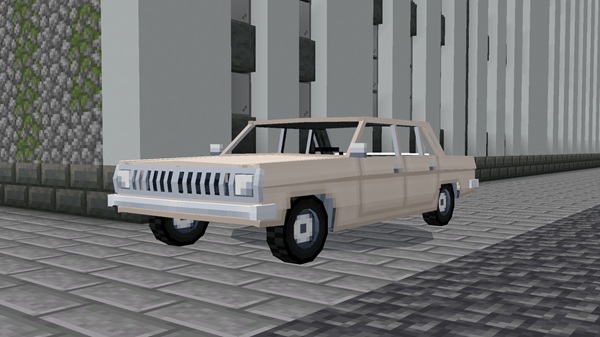
Lightweight yet detailed, the Auto 3S60RU Addon ensures smooth performance even on mobile devices, making it a perfect addition for Realms and LAN servers.
Creative Ways to Enjoy the Addon
The 3S60RU isn’t just a car — it’s a creative tool. Here are ways you can make the most of it in your world.
Multiplayer Adventures
Plan road trips, transport supplies, or explore new terrain with friends. It encourages teamwork and makes every trip memorable.
Roleplay Builds
Use it to populate city maps, garages, or suburban environments. Its realistic design makes it ideal for modern builds and server roleplays.
Cinematic Projects
Content creators can use it for machinimas, trailers, or build showcases, adding realism and storytelling power to Minecraft videos.
Tips and Best Practices
-
Keep repair materials in your inventory during long drives.
-
Use the trunk for storing valuable or bulky resources.
-
Combine with modern road or city packs for more realism.
-
Avoid duplicate entity IDs if using multiple vehicle addons.
-
Back up your world before testing new features or updates.
Why Players Love It
The Auto 3S60RU Addon has become a favorite among players because it balances aesthetics, function, and smooth performance. It gives builders realism, explorers mobility, and survival players utility — all without breaking the core Minecraft experience.
It’s light, responsive, and incredibly easy to use. Whether you play solo or with friends, this addon brings a sense of connection and creativity that every MCPE player will appreciate.
Conclusion – Drive Together, Explore Without Limits
The Auto 3S60RU Addon embodies Minecraft’s spirit — creativity, freedom, and exploration. It’s more than a mod; it’s an experience that connects players through shared journeys and discovery.
So grab your keys, gather your friends, and hit the blocky roads. With this addon, every drive becomes a story — and every story, an adventure without limits.
Installation Guide – Get on the Road Fast
Installing the Auto 3S60RU Addon is straightforward and beginner-friendly. Follow these simple steps to bring it into your world:
-
Download the
.mcaddonfile from a trusted Minecraft source. -
Open the file — it will automatically import into Minecraft.
-
Go to Settings → Behavior Packs (and Resource Packs if required) and activate both.
-
Enable Experimental Features, such as Holiday Creator Features or Custom Biomes.
-
Launch your world, spawn the car, and enjoy your ride!
This addon installs directly through Minecraft’s import system — no third-party tools or unsafe downloads required.











