
Biome Compass Reimagined 1.21+
Discover how the Biome Compass Reimagined Addon transforms exploration in Minecraft Bedrock (MCPE). Use archaeology, trading, and smart navigation tools to locate every biome with purpose and adventure.
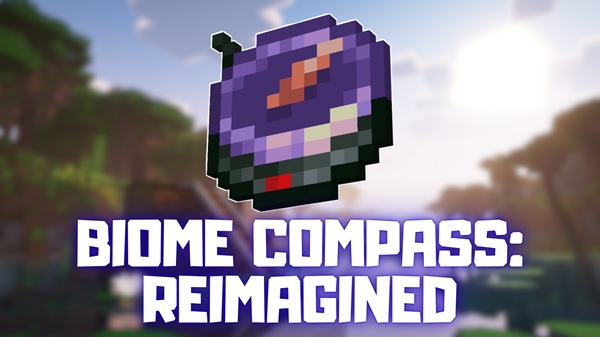
Biome Compass Reimagined Addon – Explore the World with Purpose
The Biome Compass Reimagined Addon redefines exploration in Minecraft Bedrock Edition (MCPE). Instead of wandering endlessly through forests and deserts, this addon gives you a structured, story-driven way to discover every biome. You don’t just find a place — you earn it through curiosity, effort, and adventure.
Inspired by Minecraft’s archaeology system, the addon encourages players to dig deep — literally — uncovering fragments of ancient knowledge that unlock new possibilities. It’s built for explorers, survival fans, and creative builders who want their journeys to have meaning.
Main Features – Smart Exploration, Balanced Design
The Biome Compass Reimagined Addon combines innovation with balance, ensuring every feature feels like a natural extension of the game. Let’s explore what makes it stand out.
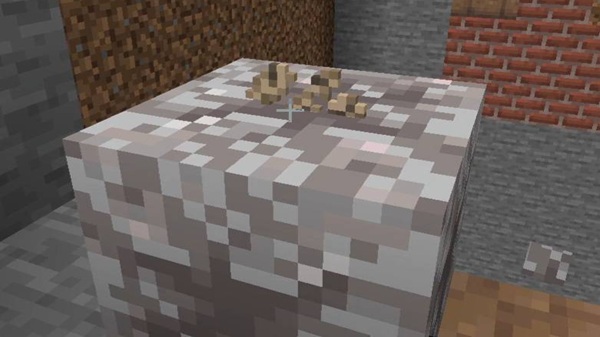
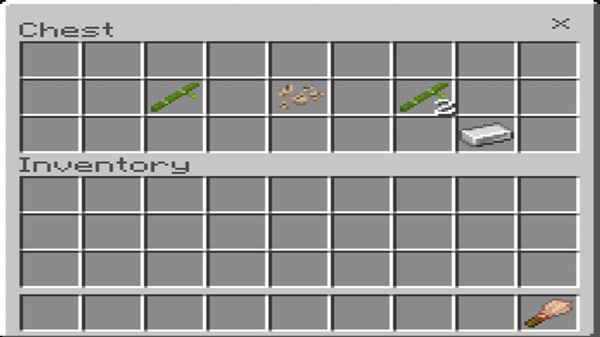
Exploration begins with archaeology. Use a brush on suspicious sand or gravel to discover Torn Ancient Notes. These rare items are more than collectibles — they unlock the compass’s power, connecting discovery to tangible progress. Every note you uncover moves you one step closer to mastering navigation.
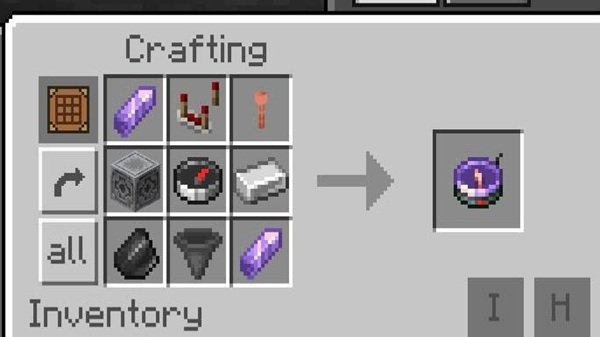
You can craft your first compass using amethyst shards, redstone dust, and lodestone fragments — materials easy to gather early in survival. This design keeps the experience fair and engaging from the start, without needing commands or rare ingredients.
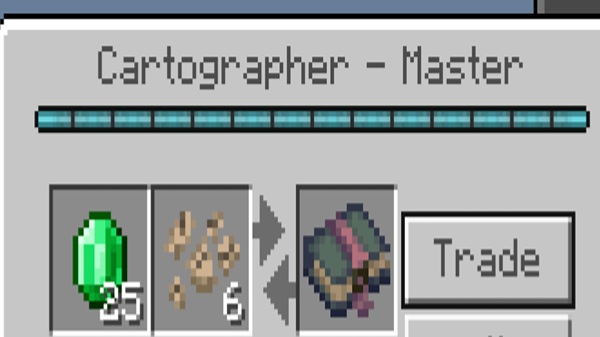
Trade your Torn Notes with a Master-Level Cartographer Villager to obtain the Restored Book of the Ancient Traveler. This item acts as a refined biome locator, giving you the power to track any biome while fitting perfectly into the villager trading system.
Each search with the book consumes a bit of durability. When it wears down, you can repair it with more Torn Notes. This mechanic encourages sustainable play and makes archaeology an ongoing part of your journey.
No new menus. No confusing commands. The addon uses Minecraft’s native mechanics, ensuring smooth performance on mobile, console, and PC. It’s lightweight, stable, and completely compatible with survival gameplay.
The addon’s real strength lies in how it feels. Each biome you discover tells a story of patience and discovery. The reward isn’t instant gratification — it’s the satisfaction of purposeful exploration.
How It Works In-Game – From Discovery to Mastery
Exploring with this addon follows a simple but meaningful loop:
- Craft the Biome Compass from basic materials.
- Brush suspicious sand and gravel to find Torn Ancient Notes.
- Trade with Cartographers until one reaches Master level.
- Acquire the Restored Book of the Ancient Traveler.
- Select a biome and follow your compass pointer.
- Repair your book using additional Torn Notes.
Each step feels connected — blending survival, trading, and exploration into one rewarding cycle.
Compatibility Information – Play Without Limits
| Platform | Support | Notes |
|---|---|---|
| Android / iOS | ✅ Full Support | Optimized for touch control |
| Windows 10/11 | ✅ Full Support | Perfect for builders and explorers |
| Xbox | ✅ Supported | Syncs through your account |
| Switch / PS | ❌ Not Supported | Addon imports unavailable |
The addon is light on resources, ensuring smooth FPS even on low-end devices. It also works perfectly in Realms and local worlds, provided all players have it activated.
Tips for Explorers – Make Every Journey Count
Maximize your adventure with these smart strategies:
- Search deserts, rivers, and coastal areas for the best Torn Note yield.
- Build a paper farm to speed up Cartographer leveling.
- Group biome hunts to conserve durability and time.
- Combine this addon with navigation aids like a Map HUD.
- Always carry a spare compass or book for long expeditions.
- Use it creatively to plan builds — from jungle temples to ice fortresses.
Why Players Love This Addon – Exploration with Meaning
Players adore the Biome Compass Reimagined Addon because it restores the thrill of true exploration. It feels balanced, immersive, and perfectly aligned with Minecraft’s core philosophy — discovery through effort.
Whether you’re a builder searching for the perfect palette or a survivalist chasing rare resources, this addon transforms each step into progress. It’s more than a tool; it’s a reminder that the best adventures are those you earn.
Conclusion – Explore Smarter, Discover Deeper
The Biome Compass Reimagined Addon offers the perfect balance of challenge and creativity. It helps you explore efficiently while preserving the excitement of discovery.
Every Torn Note unearthed tells a story.
Every biome discovered marks another chapter in your adventure.
So, pick up your brush, craft your compass, and explore your Minecraft world with purpose.
Installation Guide – Setting It Up in MCPE
Requirements:
- Minecraft Bedrock Edition 1.20 – 1.21+
- Experimental Features (Beta APIs) enabled
- Enough storage space for addon files
Steps to Install:
- Download the
.mcaddonor.mcpackfile. - Tap (mobile) or double-click (PC) to import it.
- Enable both Behavior and Resource Packs in your world settings.
- Activate Experimental Features before loading the world.
- Test by crafting the Biome Compass to confirm success.
Troubleshooting:
- If it doesn’t appear, re-enable Experimental Features.
- For performance issues, restart Minecraft or test in a fresh world.











