
Brown Streak 1.21+
Experience Brown Streak Addon, the realistic train mod for Minecraft Bedrock (MCPE). Build railways, ride across biomes, and bring life to your world with cinematic motion and smooth performance.
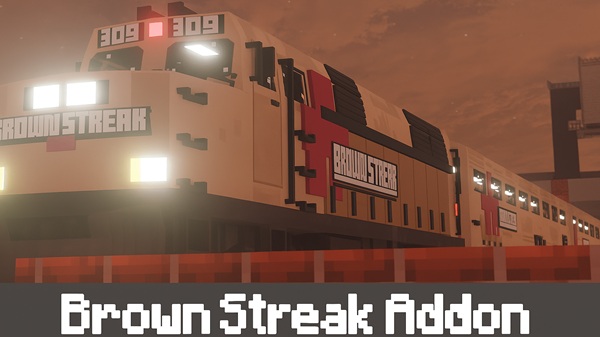
Brown Streak Addon – Realistic Rails, Endless Adventure
The Brown Streak Addon transforms Minecraft Bedrock Edition (MCPE) into a world in motion.
Inspired by high-speed rail systems, it adds a fully functional, realistic train that lets you travel across your builds in style.
Whether you’re expanding a city map or exploring distant biomes, this addon combines technical realism, creative storytelling, and multiplayer fun — giving every track purpose and every journey meaning.
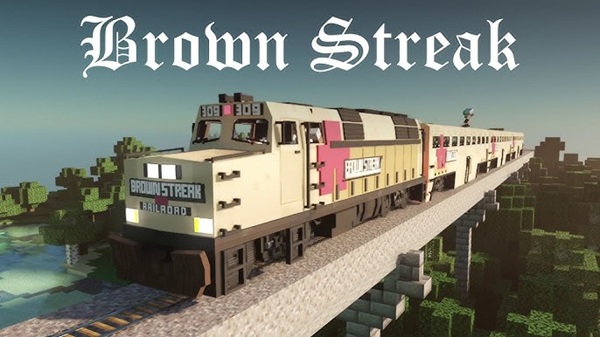
Main Features – Bringing Realistic Rails to Life
The Brown Streak Addon blends art and engineering, delivering both stunning visuals and smooth gameplay. Here’s what makes it stand out inside MCPE.
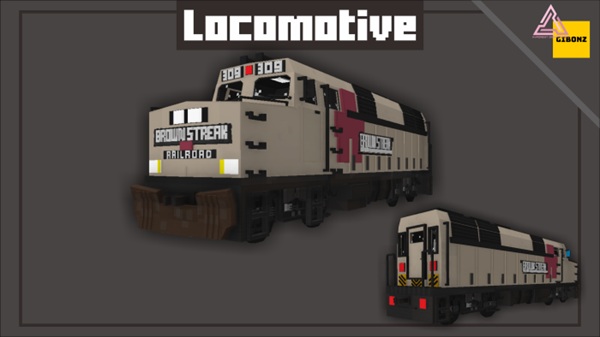
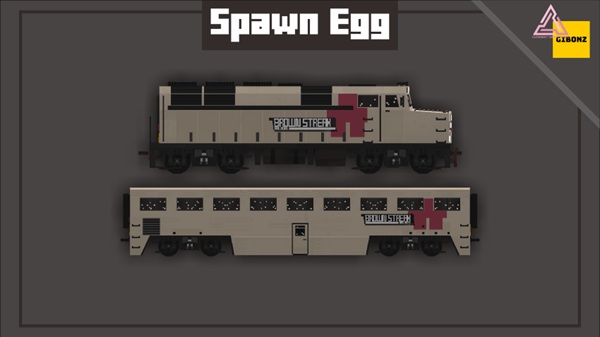
A lifelike 3D model reproduces modern locomotive design with clean textures, proportionate scale, and fine detailing. Despite its realism, it remains lightweight, running fluidly even on mobile devices.
Animated wheels, pistons, and lights synchronize perfectly with the train’s movement. Subtle suspension effects and headlight illumination enhance immersion, especially during night rides or cinematic recordings.
Players can sit inside, drive the locomotive, or ride as passengers. Controls are intuitive, windows transparent, and cabin elements reactive — making the experience feel truly alive, especially in multiplayer sessions.
Spawn the locomotive and cars separately to design your own configurations — from short shuttles to long express routes. It works seamlessly with railway control addons for automated systems.
Built with mobile efficiency in mind, the addon uses Level-of-Detail (LOD) optimization and weighs only about 1.2 MB. Expect steady FPS across Android, iOS, Windows, and console platforms.
Multiple players can operate or board the train together without lag. Perfect for creative servers, city roleplays, or adventure worlds where transportation becomes part of the story.
How It Works In-Game – From Rails to Adventure
Once installed, the Brown Streak Addon becomes a natural part of your Minecraft world.
Spawn it with spawn eggs or simple commands, take the driver seat, and watch the world glide by. The controls allow smooth acceleration, realistic braking, and cinematic camera angles.
It’s also compatible with automated rail systems, letting you schedule stops or run multi-station routes.
From the hum of its engine to the glow of its headlights, every ride feels like a personal story on rails.
Compatibility and Performance
| Category | Details |
|---|---|
| Game Version | Minecraft Bedrock 1.20 – 1.21 + |
| Platforms | Android / iOS / Windows 10 / 11 / Xbox / PS4 / PS5 |
| File Size | ≈ 1.2 MB |
| RAM Needed | 2 GB min / 4 GB recommended |
| Performance | LOD optimized / High FPS / Low lag |
| Multiplayer | Stable & synchronized |
| Compatibility | Works with railway control addons |
Built for cross-platform stability, it delivers consistent visual quality and performance for solo creators and large servers alike.
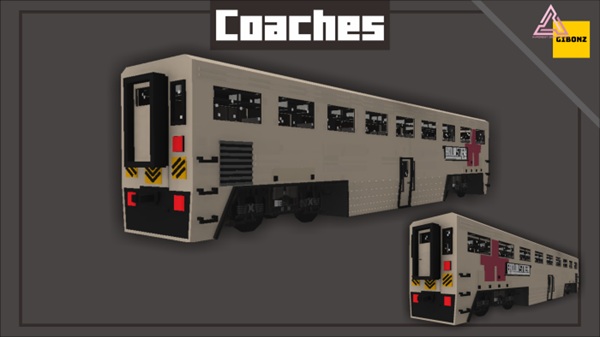
Tips & Creative Uses – Build Your Own Adventure
The Brown Streak Addon isn’t just a mod — it’s a creative tool that inspires new builds and stories.
- City Builders: Design elevated tracks, bridges, and downtown stations.
- Roleplay Servers: Assign train drivers or schedule passenger routes.
- Cinematic Makers: Capture time-lapse journeys through your custom worlds.
- Explorers: Link distant biomes with a scenic cross-map railway.
- Shader Users: Combine lighting packs for breathtaking realism.
Every new track can become the path to your next great Minecraft memory.
Troubleshooting & Common Fixes
- Train Not Spawning: Enable all experimental options.
- Missing Textures: Verify both packs are active.
- Lag on Mobile: Lower render distance or disable extra addons.
- Multiplayer Desync: Make sure all players use the same version.
- Import Errors: Re-download if installation was interrupted.
Tip: Always keep a backup of your world before testing new addons.
Why Brown Streak Addon Redefines MCPE Travel
Static worlds turn dynamic when movement enters the picture.
This addon adds motion, realism, and collaboration to Minecraft Bedrock. Builders gain functional transport; explorers gain new perspectives. Its polished design and stable performance make it a must-have for anyone who values creativity blended with realism.
Conclusion – Where Realism Meets Imagination
The Brown Streak Addon proves that detail and adventure can coexist.
It’s fast, immersive, and beautifully optimized — an addon that transforms travel into storytelling.
So grab the driver seat, lay the tracks, and let your Minecraft world move with purpose.
Realistic rails. Endless adventure. Your journey starts now.
Installation Guide – Easy Setup for MCPE Players
Installing the Brown Streak Addon is fast and beginner-friendly:
- Download the
.mcaddonor.mcpackfile. - Open it with Minecraft Bedrock — import begins automatically.
- Enable both Behavior Pack and Resource Pack in your world settings.
- Turn on Experimental Features if requested.
- Restart the game and spawn the train to test.
Troubleshooting:
If textures fail to load or entities don’t appear, ensure the packs are active and your game version is 1.20 – 1.21 or newer.











