
Build Pack 1.21+
The Build Pack Addon transforms the building experience in Minecraft Bedrock by allowing you to instantly place fully-built structures and expand your world faster. Discover its features, installation steps, compatible devices, and tips to build efficiently.
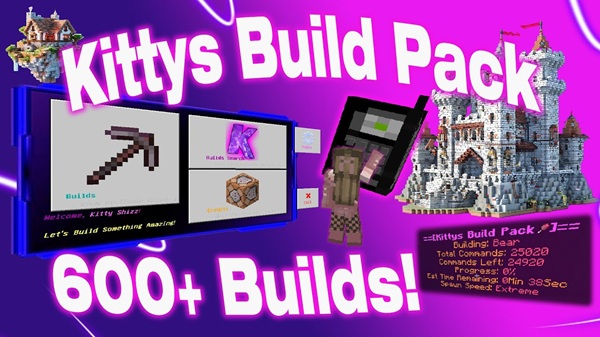
Build Pack Addon – Build Faster, Dream Bigger
If building in Minecraft Bedrock Edition inspires you, but long construction sessions hold you back, the Build Pack Addon offers a completely new approach. Instead of placing blocks manually, this addon lets you instantly spawn pre-built structures and transform your world in minutes. Whether you're designing a survival town, a roleplay server, or a giant creative city, this addon empowers you to build faster and dream bigger while staying focused on creativity, world planning, and visual storytelling.
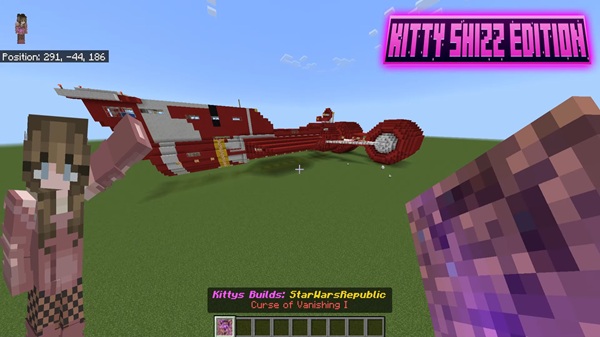
What Makes the Build Pack Addon Special
The Build Pack Addon is more than a tool—it's a world-building shortcut designed to help you bring ideas to life smoothly and efficiently. It removes the slow, repetitive process of construction and gives you complete control over scale, style, and placement.
Why it changes the way you build:
-
Faster structure creation with less resource grinding
-
Better creativity flow
-
Easier world development for mobile players
-
Ideal for both beginners and experienced builders
It gives you freedom to expand, experiment, and explore new concepts without being slowed down by the usual building limitations.
Main Features Overview
The Build Pack Addon offers a set of core features that dramatically speed up building while keeping the gameplay simple and accessible.
Massive Pre-Built Structure Collection
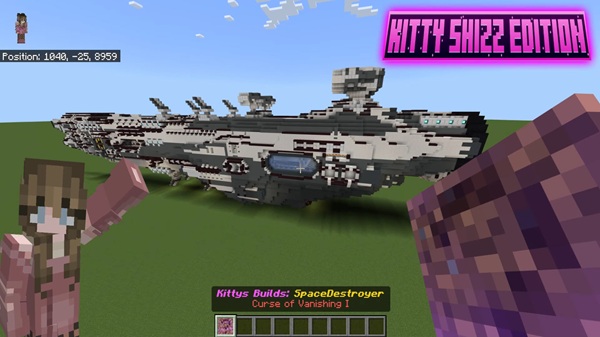
With over 400 themed structures available, you can instantly place:
-
houses
-
bases
-
farms
-
towers
-
shops
-
decorations
-
landscape elements
Quick & Simple Placement System
Spawn full builds with a single placement item.
Choose a structure, preview it, then confirm.
Organized Structure Categories
Structures are neatly arranged, making it easy to find what you need at the right moment.
Adjustable Placement Settings
Fine-tune:
-
height
-
rotation
-
starting position
before generating the structure.
Optimized for Mobile & Low-Spec Devices
The Build Pack Addon is lightweight and efficient, offering smooth performance even on older devices.
How It Works In-Game
This addon is designed to be intuitive and user-friendly from the moment you install it.
After activating the Build Pack Addon, you’ll receive a structure selection item. Use it to browse categorized structures inside a simple in-game menu. Select a structure, preview placement, then confirm it.
The generated structure can then be:
-
edited
-
expanded
-
customized
-
decorated
so your build always reflects your personal style.
Structure Categories Included
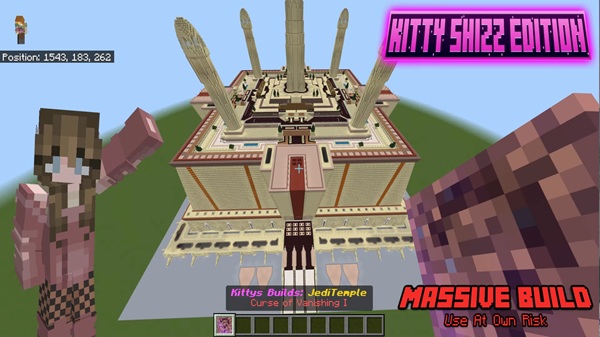
The Build Pack Addon includes a wide range of structure types suitable for different playstyles and world themes. These categories help you place builds intentionally, not randomly.
Common structure types include:
-
Starter homes
-
Medieval structures
-
Modern buildings
-
Decorative elements
-
Environmental pieces
-
Farming facilities
-
Pathways, walls, bridges & more
This variety lets your world grow naturally and visually.
Required Experimental Features
To ensure all structures function properly, make sure the following are enabled:
-
Holiday Creator Features
-
Additional Modding Capabilities
-
GameTest Framework
Without these, some structures may not appear.
Compatibility & Performance
The Build Pack Addon is compatible with current Minecraft Bedrock versions and supports:
-
Android
-
iOS / iPadOS
-
Windows Bedrock
It works in:
-
Creative mode
-
Survival mode
-
Adventure mode
-
Multiplayer worlds (if all players activate it)
Lower render distance improves performance on mobile.
Best Practices & Helpful Tips
To get the most out of the Build Pack Addon:
-
Plan structure placement ahead
-
Test structures in Creative first
-
Adjust height carefully
-
Combine builds for towns
-
Customize interiors afterward
-
Keep backups for safety
These small habits lead to smoother world development.
Final Thoughts
The Build Pack Addon gives you power over your world’s growth. It saves time, encourages creativity, and helps you shape expansive environments effortlessly. Whether you're building a simple settlement or a realm-wide kingdom, this addon lets you dream boldly and construct quickly.
Build faster. Dream bigger.
And let your world become something unforgettable.
Installation Guide (All Platforms)
Installing the Build Pack Addon is straightforward, no matter which device you’re using.
Just import the file, activate the packs, and begin building.
Windows
-
Download
.mcaddon -
Open to import
-
Enable in world settings
Android
-
Download
.mcaddon -
Tap to open with Minecraft
-
Activate Behavior & Resource packs
iOS / iPadOS
-
Download via cloud storage
-
Open with Minecraft
-
Activate packs
Enable packs before launching the world.











