
Cappie Dweller 1.21+
Discover how the Cappie Dweller Addon transforms Minecraft Bedrock (MCPE) into a living, reactive world. Explore hidden lairs, adaptive AI, and intelligent survival experiences beneath your world.
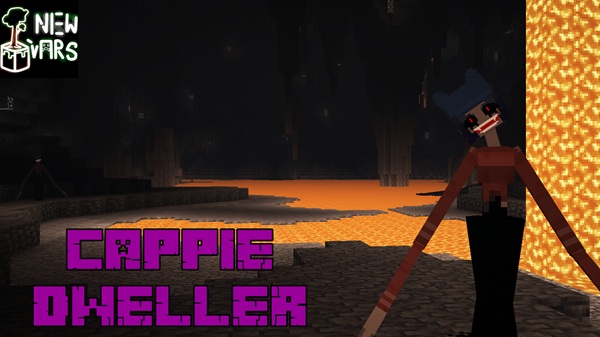
Cappie Dweller Addon – A Living Mystery Beneath Your World
If you’ve ever explored Minecraft’s underground wondering what might be listening in the dark, the Cappie Dweller Addon invites you to find out.
Built for Minecraft Bedrock Edition (MCPE), this addon introduces an intelligent underground entity that reacts, observes, and adapts to your actions.
Instead of cheap scares, it creates a slow-burn tension through smart AI, subtle sound, and unpredictable encounters — turning ordinary cave runs into immersive journeys of discovery and survival strategy.
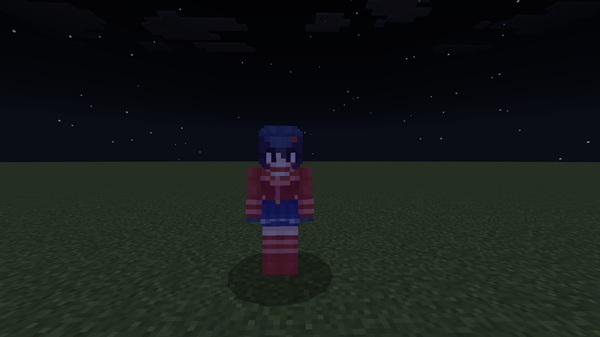
A New Kind of Presence – What Is the Cappie Dweller?
Every world in Minecraft has life, but the Cappie Dweller feels different.
It’s not just another mob; it’s an adaptive life-form that studies how you move, build, and light your surroundings.
You might notice a flicker deep in the cave or hear a faint sound when you mine — gentle hints that you’re not alone down there.
Its behavior doesn’t rely on aggression. The Dweller adjusts naturally, building suspense without chaos.
This balance makes it ideal for MCPE explorers who love immersive gameplay that’s mysterious, interactive, and safe for all players.
Main Features – What Makes This Addon Stand Out
The Cappie Dweller Addon transforms exploration into an evolving experience. Each feature deepens immersion, encourages curiosity, and fits seamlessly into Minecraft’s vanilla balance.
Intelligent AI That Reacts to Players
The Dweller uses advanced AI to sense motion, sound, and light.
If you linger too long in one place or wave your torch too boldly, it notices.
Its reactions feel organic — cautious one moment, bold the next — ensuring no two encounters ever play the same.
Three Distinct Behavior Phases
-
Observation Phase – Watches from the dark, analyzing your presence.
-
Standoff Phase – Becomes visible when noticed, holding a tense silence.
-
Engagement Phase – Decides whether to advance or retreat depending on your reaction.
These shifting moods create a cinematic rhythm that keeps gameplay suspenseful but not overwhelming.
Environmental Awareness and Reactions
Unlike static mobs, the Cappie Dweller interacts intelligently with the environment.
It navigates slopes, climbs blocks, and responds to torchlight or footsteps.
This responsiveness encourages you to plan your path and lighting carefully during exploration.
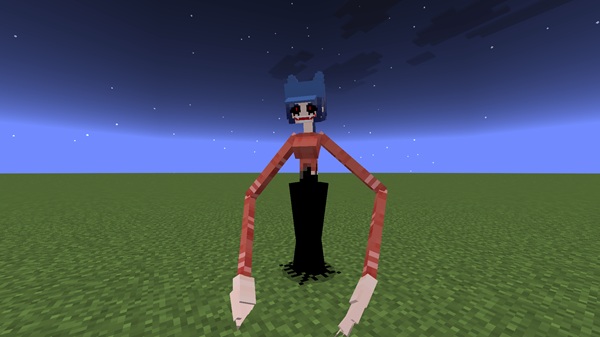
The Hidden Lair and the Smiling Moth Mechanic
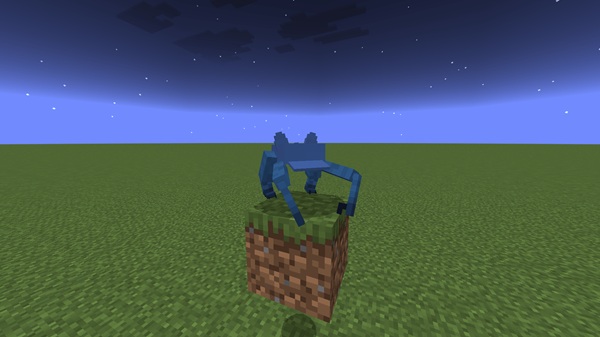
A mysterious in-game element called the Smiling Moth hints at the Dweller’s origins.
Players who capture and release it can trace clues leading toward the creature’s lair — a secret space that rewards those brave enough to investigate.
Designed for Immersion, Not Intimidation
The addon enhances atmosphere through fog layers, echoing sounds, and subtle pacing.
It doesn’t rely on horror visuals but on emotion — curiosity, tension, and discovery.
Everything is tuned to keep MCPE gameplay balanced and enjoyable.
Optimized for Smooth MCPE Performance
Despite its complexity, the addon is optimized for performance.
Whether you’re on Android, iOS, or console, Cappie Dweller Addon runs smoothly with minimal lag, supporting Minecraft Bedrock 1.18 – 1.20+ and working flawlessly with survival or shader packs.
How It Works In-Game – Every Encounter Feels Alive
The Cappie Dweller integrates seamlessly into your existing world.
You won’t always see it, but you’ll feel its presence — a sound in the dark, a flicker of light, or a movement just out of reach.
Its behavior changes depending on your actions: move quietly, and it may observe; approach boldly, and it might respond.
These moments create organic storytelling inside your own gameplay.
Simple mining sessions evolve into living encounters where curiosity becomes both risk and reward.
Compatibility and Performance
| Category | Details |
|---|---|
| Supported Versions | Minecraft Bedrock 1.18 – 1.20+ |
| Platforms | Android, iOS, Windows 10/11, Consoles |
| Performance | Optimized for smooth mobile and console play |
| Multiplayer Support | Fully supported when all players use the addon |
The Cappie Dweller Addon is lightweight, compatible with most exploration packs, and carefully coded to ensure stable gameplay.
Survival Tips and Exploration Advice
Before diving into the deep, a few strategies will help you master the experience:
-
Move slowly and pay attention to the world’s sounds.
-
Torches light the path — but may also draw attention.
-
Explore with friends for extra awareness and safety.
-
Track environmental cues; they often reveal when the Dweller is near.
-
Follow the Smiling Moth only if you’re ready to uncover its mystery.
These tactics make every adventure safer, smarter, and far more rewarding.
Why Players Love the Cappie Dweller Addon
MCPE players praise this addon for turning caves into living stories.
It adds atmosphere, replayability, and emotional tension without disrupting Minecraft’s simplicity.
Explorers appreciate its realism, builders love the mood it adds to their worlds, and content creators use it to craft immersive survival narratives.
Because it integrates naturally, it feels like part of Minecraft itself — a perfect fit for anyone who values depth over difficulty.
Final Thoughts – The Mystery That Keeps Minecraft Alive
The Cappie Dweller Addon brings back the sense of discovery that defines Minecraft.
It’s not about fear — it’s about feeling the world breathe around you.
Each torch, step, and sound becomes meaningful when something unseen listens back.
For MCPE adventurers who want exploration to feel alive again, this addon delivers.
Step into the dark, trust your instincts, and remember: in Minecraft, even the silence has a story.
Installation Guide – Setting Up the Cappie Dweller Addon
Setting it up on Minecraft Bedrock (MCPE) is simple:
-
Download the Cappie Dweller Addon (.mcaddon or .mcpack).
-
Open the file directly with Minecraft — it will import automatically.
-
Go to Settings → Behavior Packs → Resource Packs and enable both.
-
Turn on Experimental Features if prompted.
-
Launch or create a world, and start exploring the unknown beneath you.
Tip: For multiplayer sessions, make sure every participant installs the same version to avoid desync issues.











