
City Streets+ 1.21+
Transform your MCPE cities with the City Streets+ Addon. Build realistic roads, intersections, and street decorations effortlessly while adding vibrant, detailed urban environments to your Minecraft world. Perfect for creative builders and roleplay enthusiasts looking to elevate their city designs.
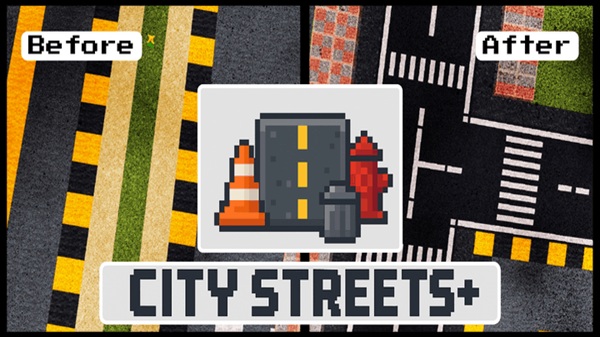
City Streets+ Addon Ultimate Creative Street Pack – MCPE Guide
The City Streets+ Addon is a powerful tool for Minecraft Bedrock Edition (MCPE) players looking to transform ordinary streets into vibrant, realistic urban landscapes. With this addon, you can go beyond plain concrete roads and create fully functional streets, intersections, and decorative city elements. Whether you’re building a sprawling downtown, a suburban neighborhood, or a complex highway system, City Streets+ Addon gives you everything you need to elevate your city-building projects in Minecraft.
This guide will walk you through its key features, in-game mechanics, installation, compatibility, and practical tips, ensuring you get the most out of your street-building experience.
Key Features of the Addon
The City Streets+ Addon packs a wide range of blocks and decorative elements, turning basic MCPE worlds into realistic urban environments. Its features are designed to support both creativity and efficiency, giving you professional-grade tools for city planning and design.
Road Variants
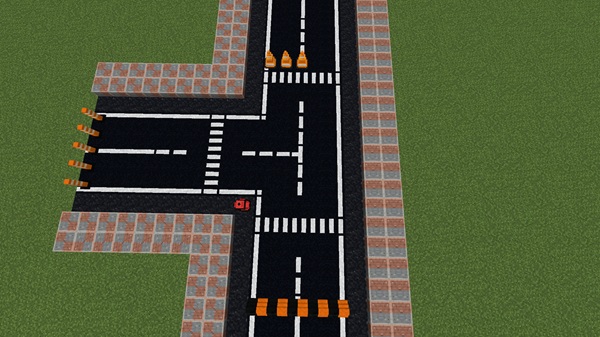
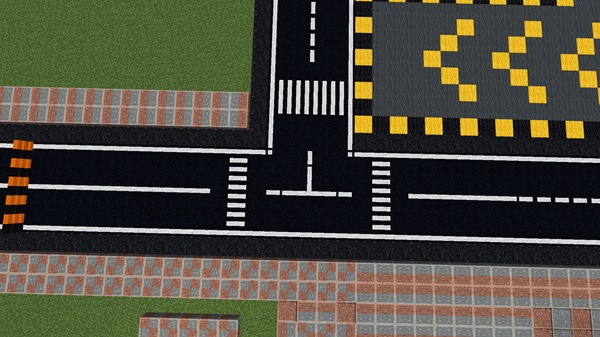
City Streets+ includes a variety of road blocks, from straight lanes to curved roads and multi-lane intersections. Each block comes with lane markings, arrows, crosswalks, and speed bumps, allowing for detailed traffic systems. With these options, you can design highways, narrow streets, and complex urban layouts that feel realistic and visually appealing.
Street Decorations & Infrastructure
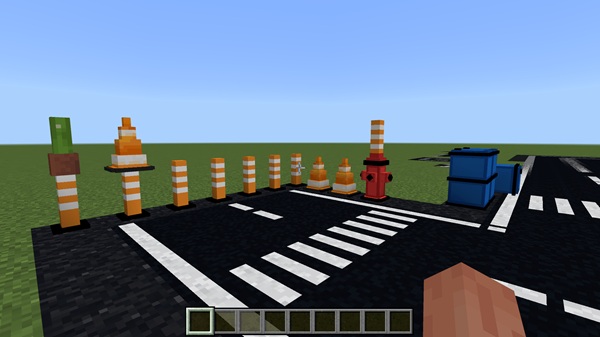
Make your city feel alive with traffic cones, bollards, street signs, lamp posts, and essential urban features like manhole covers, fire hydrants, and trash cans. These elements enhance both aesthetics and realism, helping your streets look functional and lived-in, rather than empty or repetitive.
Colored Concrete Options
Choose from black, blue, yellow, and green concrete to match different city zones. Industrial areas, residential neighborhoods, or eco-friendly districts can each have their unique color, making city organization easier and more visually interesting.
High-Detail Aesthetic Effects
Optimized for mobile and Bedrock devices, City Streets+ delivers smooth performance without compromising detail. When paired with shader packs, you can enjoy realistic street lighting, reflections, and nighttime ambience, adding depth and immersion to your city.
Future Expansion Potential
The addon continues to grow, with upcoming road types, decorative elements, and sign variations. Future updates ensure that your city-building experience evolves, offering fresh creative options and long-term engagement.
How It Works In-Game
Understanding how City Streets+ functions makes your city-building faster and more efficient.
Stonecutter Crafting System
The addon uses the stonecutter as a crafting hub. Place your colored concrete in the stonecutter and select the desired road or marking variant. This system is intuitive and quick, ideal for large-scale city projects.
Block Placement & Orientation
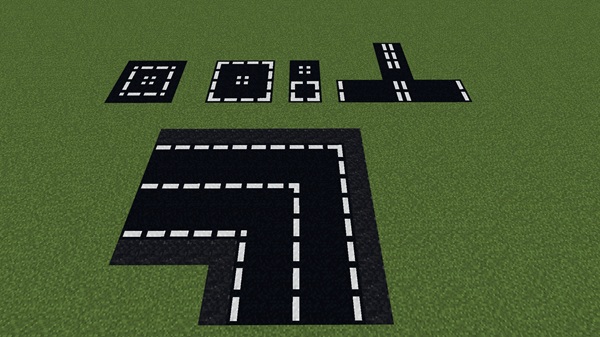
Road blocks can be rotated and aligned for continuous streets, intersections, and roundabouts. This flexibility allows for precise layouts and professional-looking urban environments.
Customization & City Layout Tips
Mix and match road types, markings, and colors to define districts and zones. Layer decorative blocks for added realism, creating streets that are not only functional but visually engaging.
Compatibility
-
MCPE Versions: Optimized for 1.20+, fully compatible with 1.21.
-
Devices: Android, iOS, Windows 10/11, Xbox, Nintendo Switch.
-
Multiplayer: Works in LAN and Realms; all players must have the addon installed.
-
Performance Tips: Avoid conflicts with other road-focused mods; consider disabling shaders for large cities to improve performance.
Tips & Tricks for Optimal Use
-
Plan Your Layout: Test intersections and road widths before building large districts.
-
Shader Integration: Use shaders for realistic lighting and street reflections.
-
Color Coordination: Assign concrete colors to zones for organized city design.
-
Combine Addons: Enhance streets with vehicles, furniture, or decorative packs.
-
Inventory Organization: Categorize road types and decorative elements to speed up building.
-
Backups: Save copies of your world before major expansions to avoid losing progress.
Creative Inspiration
City Streets+ Addon encourages imagination and experimentation. Ideas include:
-
Downtown districts: Multi-lane grids with intersections.
-
Suburbs: Curved streets, sidewalks, and parks.
-
Highways: Connect distant city areas efficiently.
-
Roleplay scenarios: Schools, marketplaces, bus stops, and pedestrian zones.
Combine these layouts with other decorations to create a fully immersive city environment.
Conclusion
The City Streets+ Addon Ultimate Creative Street Pack is essential for any MCPE player looking to build realistic, organized, and visually impressive cities. With diverse road types, decorations, color options, and future expansions, you have all the tools to bring your urban vision to life.
Start building your dream city today, explore creative street layouts, and share your creations with friends or the Minecraft community. With City Streets+, every street you place brings your world closer to perfection.
Installation Guide
Getting City Streets+ Addon up and running is simple and straightforward:
-
Download – Get the
.mcaddonor.mcpackfile from a trusted source. -
Open the File – Tap or double-click the file to import it into Minecraft.
-
Activate Packs – Enable both Resource Packs and Behavior Packs in your world settings.
-
Enable Experimental Features (if required) – Turn on Beta APIs if the addon prompts you.
-
Access Blocks – All roads, markings, and decorative elements are available in Creative inventory or via the stonecutter.











