
Colorful TNTs 1.21+
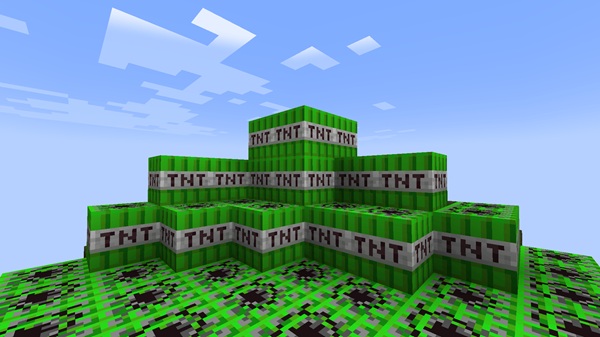
Bring your MCPE maps to life with the Colorful TNTs Addon! This addon adds vibrant TNT blocks in multiple colors, perfect for creative maps, mini-games, and visually stunning explosions in Minecraft Bedrock Edition. Easy to install, mobile-friendly, and compatible with survival or creative mode, it’s the ultimate tool for map makers, content creators, and casual players looking to add fun and flair to their worlds.
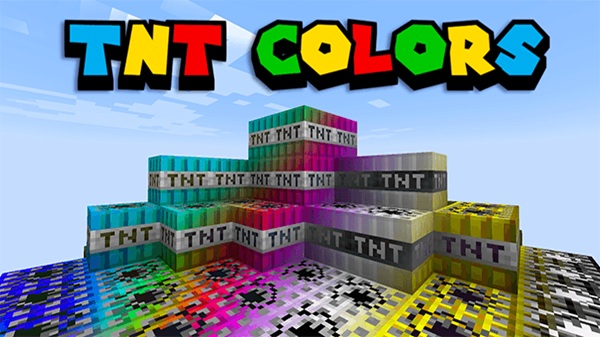
Colorful TNTs Addon – Explosive Colors for Creative Maps
Minecraft Bedrock Edition (MCPE) encourages creativity and playful experimentation, but sometimes the standard TNT blocks just don’t inspire much excitement. The Colorful TNTs Addon transforms your in-game explosions into a colorful, visually striking experience. With a wide range of TNT colors and versatile mechanics, this addon allows you to design creative maps, mini-games, and aesthetic setups while keeping gameplay balanced and mobile-friendly.
Whether you’re a casual MCPE player, a map designer, or a content creator, this addon enhances your world with vibrant TNT blocks, giving you more ways to experiment and express your creativity.
Key Features of Colorful TNTs Addon
The Colorful TNTs Addon is designed to bring both visual appeal and functional enhancements to Minecraft. Each feature ensures that TNT is not only fun but also practical for creative map-making, team mini-games, and survival adventures. Below, we explore its core capabilities in detail.
Variety of TNT Colors
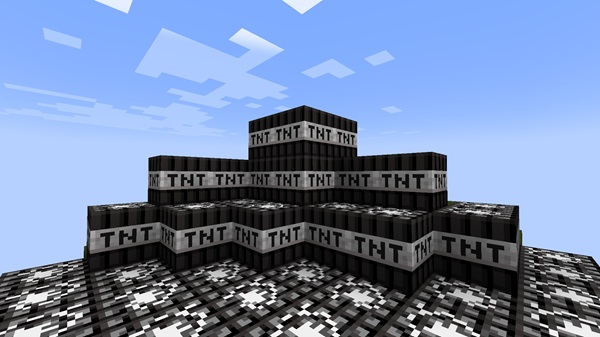
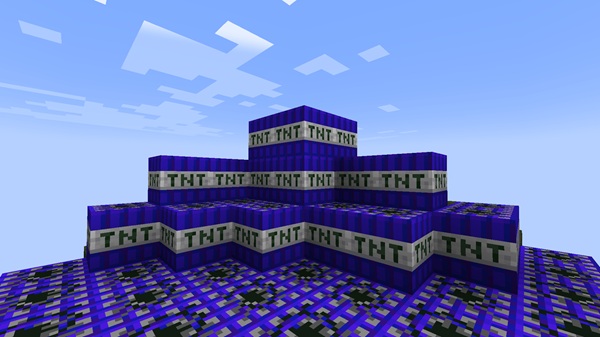
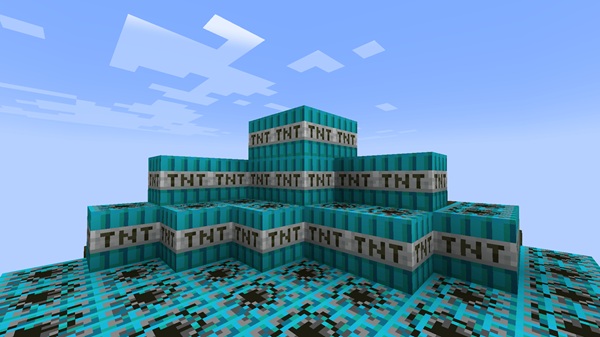
This addon provides a rich palette of TNT blocks, including Blue, Green, Yellow, Purple, Black, White, and Rainbow variants. Each color can be used to:
-
Organize gameplay and team setups in mini-games
-
Highlight sections of your maps for puzzles or challenges
-
Add aesthetic value for decorative explosions
Using color creatively can transform ordinary TNT into a visual storytelling tool for your Minecraft worlds.
Vanilla-Friendly Mechanics
Unlike some overpowered mods, Colorful TNTs retains the standard TNT explosion radius and timing. This ensures:
-
Predictable gameplay for survival and creative maps
-
Balanced mini-game mechanics for fair team challenges
-
Safe experimentation without destroying your builds
By staying close to vanilla mechanics, the addon is perfect for players of all skill levels.
Custom Textures and Design
Each TNT block is carefully crafted to match Minecraft’s default textures, so your colorful TNT blends naturally into your builds. This prevents blocks from looking out of place while still adding a distinct, vibrant visual effect.
Survival Crafting Support
Colored TNT can be crafted in survival mode by combining:
-
A standard TNT block
-
The corresponding dye (e.g., TNT + Lapis Lazuli = Blue TNT)
This feature encourages resource management and experimentation, allowing players to incorporate TNT colors naturally into survival gameplay.
Creative Inventory Access
All TNT colors are available in Creative mode, enabling map makers and creators to:
-
Place blocks quickly for testing or decorative purposes
-
Set up visually striking explosions without worrying about gathering materials
-
Mix TNT colors for artistic effects or mini-game setups
Mobile and Device Optimization
Designed for Android, iOS, iPad OS, Windows 10/11, and consoles, the addon is lightweight and highly optimized. Explosions run smoothly even on low-end devices, and multiplayer worlds remain stable when using multiple TNT types.
How the Addon Works In-Game
Using the Colorful TNTs Addon is intuitive and requires no advanced setup. The SAPO paragraph: Before diving into installation, it helps to understand how TNT behaves in your world and how you can creatively leverage colors.
Placement and Ignition
-
Place TNT like standard blocks
-
Ignite with Flint & Steel, Redstone signals, or Fire Charges
-
Works reliably in both creative and survival worlds
Explosion Mechanics
-
Explosion radius matches vanilla TNT
-
Predictable outcomes for mini-games or map challenges
-
Can safely chain TNT for aesthetic effects
Creative Uses
-
Color-code TNT for team challenges or competitive maps
-
Build chain reactions for visually appealing sequences
-
Use colors strategically in puzzles, traps, or artistic builds
This flexibility makes the addon a powerful tool for both casual players and content creators.
Compatibility & Device Support
To ensure smooth gameplay, it’s important to know which versions and devices are fully supported.
-
Minecraft Versions: 1.20–1.21+
-
Devices: Android, iOS, iPad OS, Windows 10/11, and consoles
-
Multiplayer/Realms: Works if all players have packs installed
-
Conflict Warnings: Avoid using other addons that modify TNT blocks or identifiers
This makes the addon reliable for solo play, cooperative maps, and multiplayer adventures.
Creative Tips & Use Cases
Colorful TNTs Addon isn’t just functional—it’s a creative playground. Here are some ways to maximize its potential in your MCPE worlds.
-
Mini-Games: Use colors to differentiate teams (Red vs Blue TNT)
-
Map-Making: Incorporate TNT into puzzles, obstacle courses, or themed zones
-
Content Creation: Record visually striking explosions for video content
-
Safe Experimentation: Test TNT layouts and chain reactions without compromising world integrity
-
Artistic Effects: Mix colors for rainbow explosions, patterns, or decorative zones
These applications make it a must-have for map designers, mini-game hosts, and creative players.
FAQ / Troubleshooting
-
TNT not appearing? Ensure both Resource and Behavior Packs are active
-
Explosions not working? Confirm Experimental Gameplay is enabled
-
Multiplayer issues? Check all players have the addon installed
-
Device lag? Limit simultaneous TNT detonations on lower-end devices
Conclusion
The Colorful TNTs Addon brings creativity, color, and fun to your MCPE worlds. From building vibrant mini-games to designing visually striking maps, this addon is lightweight, balanced, and mobile-friendly. Mix TNT colors, experiment with chain reactions, and explore new ways to enhance your Minecraft Bedrock experience.
With predictable mechanics, aesthetic variety, and broad compatibility, this addon is a top choice for MCPE players, map makers, and content creators alike.
Installation Guide (MCPE / Bedrock Edition)
Installing Colorful TNTs Addon is straightforward, even for beginners. Following these steps ensures that the addon works correctly on all supported devices.
Download the Addon
-
Download
.mcaddonor.mcpackfiles from a trusted source -
Make sure to obtain both the Resource Pack and the Behavior Pack
Import to Minecraft
-
Mobile (iOS/Android): Tap the downloaded file → “Open with Minecraft”
-
Windows 10/11: Double-click the file to import automatically
Activate the Packs
-
Create a new world or edit an existing one
-
Resource Packs > My Packs: Activate Colorful TNTs Addon
-
Behavior Packs > My Packs: Activate it as well
Enable Experimental Features
-
Some features require Experimental Gameplay:
-
Holiday Creator Features
-
Custom Biomes (if necessary)
-
Beta APIs for Minecraft 1.21+
-
-
Note: Achievements will be disabled when experimental features are enabled











