
Consumable Apples Expansion 1.21+
The Consumable Apples Expansion Addon upgrades Minecraft Bedrock/MCPE with 8 craftable apples that grant quick buffs for mining, underwater exploring, trading, defense, and mobility—plus a few risky bites for players who enjoy risk-reward gameplay.
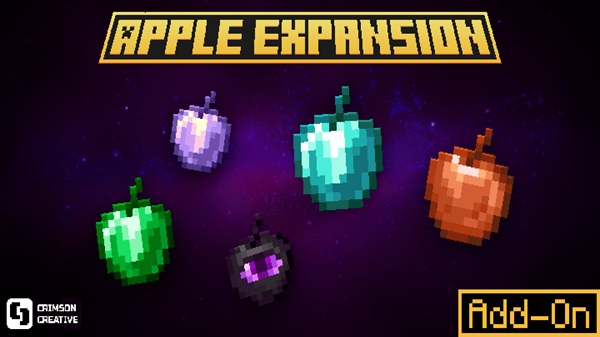
Consumable Apples Expansion Addon: 8 Buff Apples, Big Risk
The Consumable Apples Expansion Addon is for the kind of Bedrock/MCPE player who wants food to do more than refill hunger. You know the moment: you’re deep in a cave, your pickaxe is ready, and you wish you had a quick boost without setting up brewing. This addon turns that wish into a simple, survival-friendly system—eight new apples you can craft from familiar materials, each giving a short buff that fits a specific job.
What makes the Consumable Apples Expansion Addon stand out is the balance. You get powerful utility (think mining speed, underwater breathing, trading boosts), but you also get “Big Risk” options—apples that can come with an unwanted surprise. It’s the same feeling as opening a risky chest in an adventure map: exciting when it works, memorable when it doesn’t.
At a Glance
Here’s the quick overview before we dive into the apples and how to use them on MCPE.
| Item | Details |
|---|---|
| Addon Type | Behavior Pack + Resource Pack |
| Platforms | Minecraft Bedrock / MCPE (Android, iOS, Windows) |
| Recommended Version | Bedrock 1.21+ (older versions may vary) |
| Experiments | May be required (creator/experimental toggles) |
| Multiplayer | Works in hosted worlds/Realms when packs are enabled |
| Style | Vanilla+ (simple, survival-friendly) |
Core Features
This is the “why install it” section. The Consumable Apples Expansion Addon focuses on practical buffs, quick crafting, and effects that feel at home in Minecraft Bedrock Edition.
-
8 new consumable apples with clear roles: mining, underwater, trading, defense, mobility, and high-power situations
-
Vanilla-style crafting (no new crafting blocks or complicated systems)
-
Potion-like effects without needing to rely on brewing every time
-
Risk/reward gameplay on select apples for challenge lovers and multiplayer moments
-
MCPE-friendly design (lightweight compared to world-gen or heavy mechanic mods)
If you like terms like Vanilla+ addon, Bedrock survival addon, custom food, buff items, or RPG-style progression, this is exactly that—without feeling bloated.
The 8 Buff Apples Explained
This section is where you’ll feel the addon’s real value. Each apple in the Consumable Apples Expansion Addon is built for a specific situation, so you can treat them like a mini “loadout” system: grab the right apple for the right job, then keep moving.
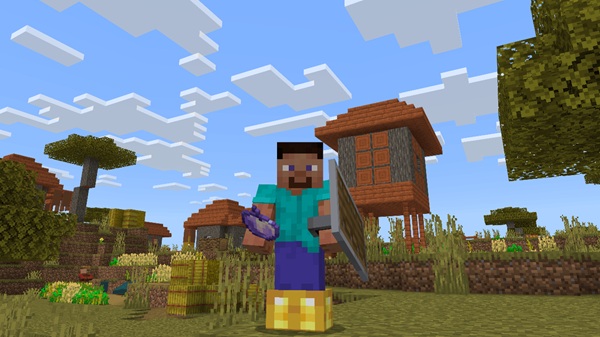
Amethyst Apple (Mining Boost)
-
Effect: Haste (30 seconds)
-
Best for: Strip mining, clearing tunnels, fast resource runs
-
In-game tip: Eat it right before you commit to a long dig line. It’s most useful when you’re already set up with a pickaxe and torches.
-
Why it matters: Haste is one of the most noticeable buffs in survival. This apple makes mining feel smoother, especially on mobile where saving time matters.
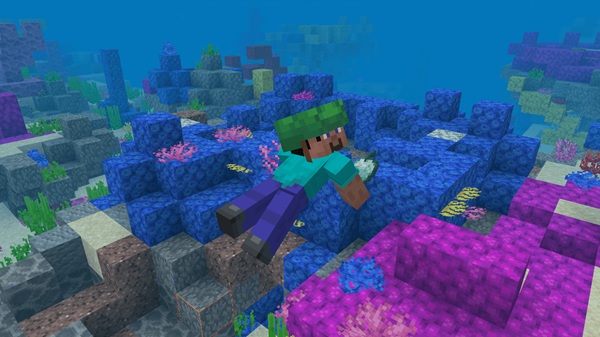
Prismarine Apple (Quick Underwater Utility)
-
Effect: Water Breathing (20 seconds)
-
Best for: Quick dives, monument scouting, underwater loot checks
-
In-game tip: Use it for short tasks—grab a chest, mine a few blocks, surface. It’s not meant to replace long potions; it’s meant to reduce prep time.
-
Why it matters: Underwater exploration is common in Bedrock worlds, but potion prep can slow you down. This apple keeps the pace up.
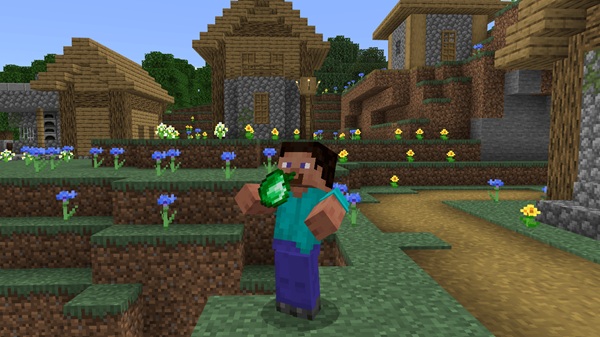
Emerald Apple (Trading & XP Utility)
-
Effect: Hero of the Village (30 seconds) + XP orbs drop
-
Best for: Villager trading sessions and quick “discount windows”
-
In-game tip: If you’ve got a trading hall, this apple is a fast way to make a short session feel rewarding—especially when you just need that one book trade.
-
Why it matters: Trading is a core Bedrock survival loop. This apple supports that loop without forcing you into raid-based mechanics every time.
Iron Apple (Defense for Early–Mid Game)
-
Effect: Resistance (32 seconds)
-
Best for: Caving, night travel, risky exploration before top-tier gear
-
In-game tip: Eat it before you drop into a cave or enter a dense area. Because it takes longer to eat than some foods, timing matters—use it early, not during panic.
-
Why it matters: On MCPE, quick defense helps you recover from mistakes. This apple gives you a buffer while you’re still building your armor set.
Copper Apple (Speed With Risk)
-
Effect: Speed (15 seconds)
-
Risk factor: Small chance of an unwanted surprise effect
-
Best for: Quick escapes, repositioning, PvP movement, fast travel bursts
-
In-game tip: Use copper speed in open areas. If you’re near lava, cliffs, or tight builds, save it for later.
-
Why it matters: Speed is always useful, but the Consumable Apples Expansion Addon makes it interesting by attaching risk. You’re choosing between safety and momentum.
Ender Apple (Teleport Mobility)
-
Effect: Short-range teleport (about 15 blocks forward)
-
Best for: Escapes, gap-crossing, tricky movement moments
-
In-game tip: Test it in a flat area first. Teleport-style movement can behave differently depending on where you’re aiming, and tight spaces can cause bad outcomes.
-
Why it matters: Mobility tools are popular in Bedrock addons because they create “highlight moments.” This is the apple that can turn a bad situation into a smart getaway.
Diamond Apple (High-Cost, High-Impact Buff Stack)
-
Effects (example set):
-
Regeneration IV (30s)
-
Absorption III (2m)
-
Resistance I (3m)
-
Strength I (1m)
-
Speed II (15s)
-
-
Best for: Tough encounters, emergency survival moments, high-pressure runs
-
In-game tip: Don’t waste it on small fights. Treat it like a “save button” you keep for moments you can’t afford to lose.
-
Why it matters: This is the premium payoff. The diamond apple supports the “progression” side of the Consumable Apples Expansion Addon—rarer materials, stronger results.
Suspicious Apple (Looks Safe, Isn’t Always)
-
Effect: Regeneration (8 seconds) + chance of an unwanted drawback
-
Best for: Challenge runs, multiplayer dare moments, playful chaos
-
In-game tip: If you’re in a world you care about, don’t test it next to your main base. Try it in an open area first.
-
Why it matters: This apple is part of the addon’s identity. It adds tension and unpredictability in a way that keeps the gameplay fresh.
Big Risk Mechanics Explained
The “Big Risk” part of the title isn’t just decoration—it’s a content hook and a gameplay hook. The Consumable Apples Expansion Addon uses risk on certain apples to keep buffs from feeling automatic.
Here’s how to explain it clearly to readers:
-
Risk exists to balance power. If every buff were safe and cheap, survival would get too easy.
-
Risk creates stories. In multiplayer, someone eats a risky apple and the outcome becomes a moment everyone remembers.
-
Risk is optional. You can lean on safer apples (like Iron, Amethyst, Prismarine) and only use risky ones when you feel confident.
Quick safety habits (especially for MCPE):
-
Test risky apples in a fresh world or a safe open area.
-
Avoid using them near builds you care about.
-
Keep backup copies of important survival worlds before trying new behavior packs.
Crafting & Progression Guide
Crafting is intentionally familiar. The Consumable Apples Expansion Addon generally follows the classic “upgrade food” logic: combine an apple with a matching resource to create a new variant. That makes it easy for mobile players—no complicated systems to learn.
Common crafting pattern (version-dependent):
-
1 Apple + 8 matching materials → special apple
-
Example: 8 Iron Ingots + 1 Apple → Iron Apple
-
Example: 8 Diamonds + 1 Apple → Diamond Apple
-
Because recipes can differ by update, it’s smart to treat crafting like a small discovery loop. If you don’t see a recipe book entry, try the “surround the apple” pattern first.
Recommended progression path:
-
Early game: Iron Apple, Amethyst Apple
-
Mid game: Prismarine Apple, Emerald Apple, Copper Apple
-
Late game: Ender Apple, Diamond Apple, Suspicious Apple
That progression matches how Bedrock players naturally collect materials. You’re not forced into one path—you build your apple kit around how you play.
Compatibility & Multiplayer Notes
Compatibility is one of the reasons this addon fits the “Vanilla+ Bedrock addon” category. It adds items and effects without changing world generation.
-
Bedrock version: Best on 1.21+. Older versions may have missing icons or behavior differences.
-
Devices: Android, iOS, Windows Bedrock are typically supported.
-
Multiplayer/Realms: Works when the host world has the packs enabled correctly.
-
Other addons: Usually compatible, but if you run multiple addons that heavily change food systems, you may see overlaps.
If your goal is a stable MCPE survival world, this is a good addon type to add because it doesn’t rewrite how the world is built.
Troubleshooting (MCPE Specific)
Most issues come from pack activation or pack order. Here are quick fixes that work for MCPE readers.
-
Missing textures or icons
-
Activate the Resource Pack and move it higher in the pack list.
-
-
Apples not showing up
-
Confirm the Behavior Pack is enabled in the world.
-
Check Experiments if the addon requires them.
-
-
Recipes not working
-
Try Creative Mode search to confirm items exist.
-
Re-import the addon if the world is using an older pack version.
-
-
World feels unstable
-
Always keep a backup before adding or removing behavior packs.
-
FAQ
Here are quick answers readers often need when installing the Consumable Apples Expansion Addon on MCPE.
-
Does this work on MCPE (Android/iOS)?
Yes, it’s made for Minecraft Bedrock/MCPE platforms. -
Do I need experimental features?
Sometimes. If items don’t appear, turn on the creator/experimental toggles in world settings. -
Is it survival-friendly?
Yes. The addon follows a balanced progression with stronger apples costing rarer materials. -
Can I use it in multiplayer?
Yes, as long as the host world has the behavior/resource packs enabled.
How to Install on MCPE (Bedrock Edition)
Installation matters on mobile, and a clean setup reduces 90% of issues. Here’s the simple process that works for most Minecraft Bedrock / MCPE addons like the Consumable Apples Expansion Addon.
-
Import the addon
-
Tap the
.mcaddonor.mcpackfile and open it with Minecraft.
-
-
Activate the Behavior Pack
-
Create a new world (or edit an existing one).
-
Go to Behavior Packs and activate Consumable Apples Expansion Addon.
-
-
Activate the Resource Pack
-
Go to Resource Packs and activate it as well (this controls textures/icons).
-
-
Enable experiments if required
-
In the world settings, toggle on the creator/experimental settings (names vary by version).
-
-
Load into the world
-
Open your inventory and search for the new apples in Creative Mode if you want to confirm everything imported correctly.
-
Small MCPE tip: If you use multiple resource packs, place the addon’s resource pack higher in the list so the apple textures don’t get overridden.











