
Crunch 1.21+
Enhance Minecraft Bedrock Edition with the Crunch Addon. Experience immersive footsteps, visual effects, and survival boosts that make every step and block break more exciting.
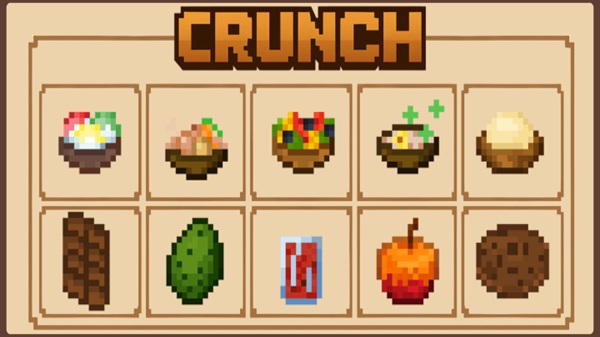
Crunch Addon – Immersive Footsteps, Visuals, and Survival Boosts
Minecraft Bedrock Edition is a game where every detail shapes your adventure. Still, the default experience sometimes feels a little too quiet, a little too plain. The Crunch Addon changes that by adding immersive footsteps, lively visual effects, and balanced survival boosts. It transforms small, everyday actions into meaningful moments, making your MCPE worlds more alive and engaging.
The Crunch Addon is packed with details that enhance both immersion and survival. Below are the core features that make it stand out in MCPE.
Every movement feels different. Whether you sneak, walk, sprint, jump, or mine, the addon introduces distinct crunchy sounds that make each action satisfying. Even routine survival tasks now feel fresh and dynamic.
Movement across terrain isn’t just about sound. Sprinting on sand or gravel stirs up dust clouds, while breaking crunchy blocks scatters small debris particles. These effects are subtle, blend with vanilla textures, and create a deeper sense of realism.
A small but clever HUD element appears on your screen: the Crunch-O-Meter. As you walk and mine, the bar fills with crunch points. When full, it rewards you with temporary perks such as speed or night vision. The gauge then resets, creating an enjoyable cycle that encourages exploration.
The survival perks are short, lasting about 10–30 seconds. They’re balanced so they don’t break the game but add a little thrill when needed. Imagine sprinting faster across plains or seeing clearly inside dark caves — the Crunch Addon offers those little boosts at just the right time.
Despite its immersive systems, the addon is lightweight and runs smoothly on mobile devices. You can toggle particles, adjust sound volume, or hide the HUD altogether. It’s designed to fit different playstyles and hardware capabilities, ensuring both casual and dedicated players can enjoy it.
To get the most out of the Crunch Addon, you need to understand how its two parts work together.
- Resource Pack: Handles textures, sounds, and visual effects.
- Behavior Pack: Powers the HUD system and perk mechanics.
By walking or mining, you generate crunch points that feed into the Crunch-O-Meter. Once it’s filled, perks activate automatically, then expire after a short duration. You can fine-tune the experience in the world’s settings, controlling sound intensity, particle effects, or perk frequency. This flexibility makes it easy to adapt the addon to your style.
Before installing, make sure your device and game version are ready for the Crunch Addon.
- MCPE Versions: Tested on versions 1.19 – 1.21; newer updates may also work.
- Platforms: Compatible with Android, iOS, Windows 10/11, and Nintendo Switch.
- Recommended Devices: At least 1 GB of free RAM and a GPU that supports OpenGL ES 3.0.
- Performance Tips: If your game lags, disable particles or lower sound settings for smoother play.
To make the most of the Crunch Addon, keep these simple tips in mind:
- Play With Headphones – The full range of crunchy sounds becomes much more immersive with good audio.
- Combine With Biome Packs – Add more depth by pairing Crunch with biome or environment addons for snow, desert, or cave enhancements.
- Multiplayer Fun – The addon works well on servers, where all players share the perks. It’s ideal for roleplay or survival challenges with friends.
- Troubleshooting – If the Crunch-O-Meter doesn’t appear, check that both packs are enabled. Restart MCPE to reload textures if visuals don’t show correctly.
The Crunch Addon doesn’t just add sounds or visuals — it enriches how you interact with your world. Breaking blocks feels more rewarding, footsteps carry weight, and survival perks add energy to your journey. Best of all, it’s lightweight, easy to install, and works smoothly across devices. Whether you’re new to addons or an experienced player looking for immersion, Crunch Addon fits perfectly into any Bedrock adventure.
With the Crunch Addon, even the smallest actions become memorable. Footsteps echo with life, visuals spark with detail, and perks give you moments of excitement. It’s an addon that doesn’t overwhelm but instead enhances what you already love about Minecraft Bedrock Edition. If you want to make every step, block break, and sprint matter, Crunch Addon is the perfect upgrade.
Installation Guide for MCPE
Getting started with the Crunch Addon only takes a few minutes. Here’s the step-by-step process:
- Download the Packs – Obtain both the Resource Pack (.mcpack) and the Behavior Pack (.mcaddon).
- Import into Minecraft – Open the files on your device to import them directly into Bedrock Edition.
- Activate in Settings – In Global Resources, activate the Crunch Resource Pack. Then, in your chosen world, activate both packs under Resource Packs and Behavior Packs.
- Enable Experimental Features – Some settings like Custom Items or Holiday Creator Features may need to be toggled.
- Launch and Play – Enter your world and start enjoying the immersive Crunch experience.











