
Damage & Health Indicators 1.21+
The Damage & Health Indicators Addon improves combat clarity in Minecraft Bedrock Edition by showing clear health indicators and damage feedback. It helps MCPE players better understand gameplay interactions without changing balance or performance.
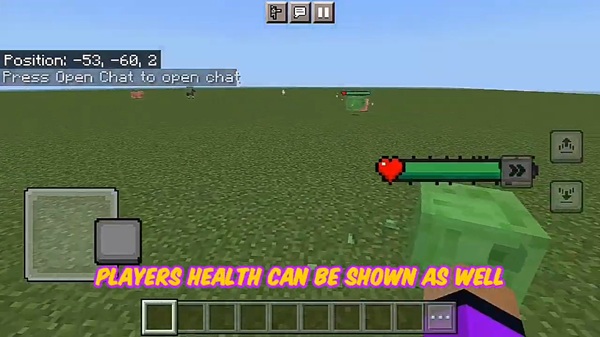
Damage & Health Indicators Addon – Clear Combat Feedback
The Damage & Health Indicators Addon is a practical quality-of-life addon for Minecraft Bedrock Edition (MCPE) that focuses on one important goal: helping you understand combat more clearly. Instead of relying on guesswork, this addon gives you visual feedback that makes every interaction easier to read and manage.
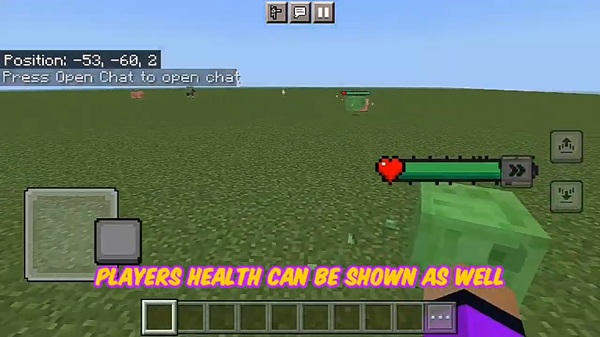
If you have ever wondered how close a mob is to defeat, or why certain encounters feel unpredictable, this addon was made for you. Designed with mobile players in mind, the Damage & Health Indicators Addon fits naturally into survival gameplay while keeping performance smooth and gameplay balanced.
What the Damage & Health Indicators Addon Does
At its core, the Damage & Health Indicators Addon improves how information is presented during gameplay. Rather than changing how Minecraft works, it enhances what you can see and understand while playing.
This addon introduces clear visual indicators that reflect existing mechanics. Everything you see already exists in the game—you just get better feedback.
Main functions include:
-
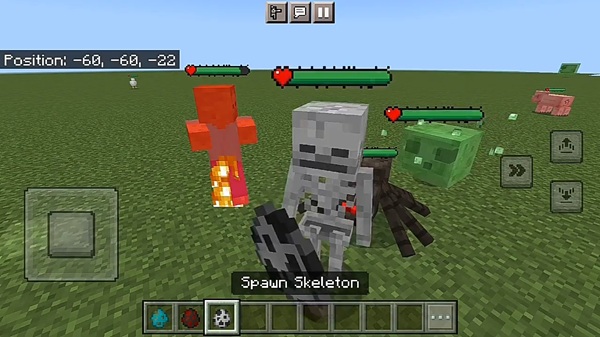
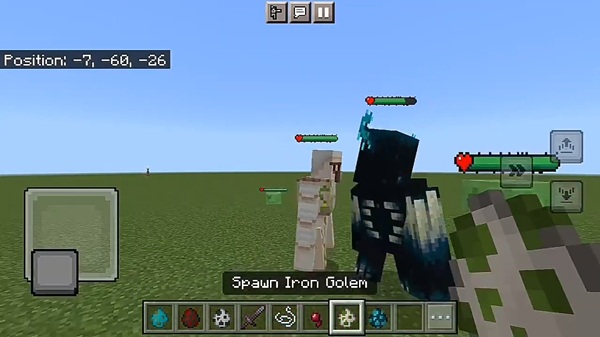
Showing health indicators above entities
-
Displaying damage feedback during interactions
-
Activating automatically once enabled in a world
-
Preserving vanilla Minecraft balance and mechanics
The result is a cleaner, more readable combat experience, especially useful on smaller MCPE screens.
Key Features (Clarity-Focused)
Every feature in the Damage & Health Indicators Addon is designed to support readability and ease of use. There are no unnecessary systems or complex menus—just helpful visual feedback.
Key highlights include:
-
Real-time health indicators that update smoothly
-
Visible damage feedback during combat interactions
-
Support for vanilla mobs and compatible custom entities
-
Lightweight performance, suitable for low-end devices
-
Simple setup with minimal configuration
These features work together to keep your screen informative without becoming cluttered.
How It Improves Combat Feedback
Combat in Minecraft can sometimes feel unclear, especially during fast encounters. This section explains how the Damage & Health Indicators Addon improves that experience through better visual communication.
Clear Visual Understanding During Combat
Health indicators make it easier to understand what is happening at a glance. You can quickly see progress during encounters, which helps you stay focused instead of guessing outcomes.
Reduces Guesswork in Survival Gameplay
In survival mode, uncertainty often leads to mistakes. By showing clear health feedback, the addon helps you decide when to continue, pause, or adjust your approach—making encounters feel more controlled.
Helps Players Learn Game Mechanics Naturally
Seeing damage feedback in real time allows you to understand how tools, enchantments, and effects behave. Over time, this visual learning helps you improve without tutorials or external guides.
Improves Readability Without Changing Game Balance
The Damage & Health Indicators Addon does not increase damage or weaken enemies. It simply presents information more clearly, keeping gameplay fair and familiar.
Makes Combat Feel More Responsive
Clear feedback makes actions feel more immediate. When you understand what’s happening, interactions feel smoother and more satisfying—especially during longer play sessions.
How It Works In-Game
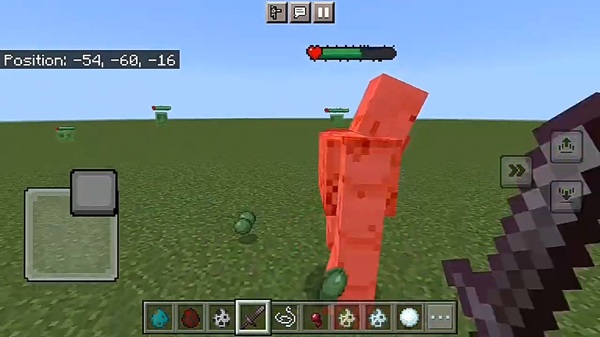
Once enabled, the addon blends seamlessly into normal gameplay. There are no menus to manage or buttons to press during combat.
In-game behavior includes:
-
Indicators appearing during interactions
-
Health visuals updating in real time
-
Feedback fading naturally when no longer needed
-
No interruptions to immersion
Everything happens automatically, allowing you to focus on playing.
Compatibility & Performance
The addon is built to work smoothly across modern Bedrock platforms and devices.
-
Minecraft Versions: Recommended for Bedrock 1.19+
-
Supported Platforms: Android, iOS, Windows 10/11
-
Performance: Optimized for mobile and low-end devices
-
Multiplayer: Works in worlds that allow behavior packs
This makes the addon suitable for both casual play and long-term survival worlds.
Best Use Cases
The Damage & Health Indicators Addon fits naturally into many playstyles, including:
-
Survival worlds where clarity improves confidence
-
Adventure and RPG-style maps
-
Addon-based worlds with custom entities
-
Players learning combat mechanics
-
Casual multiplayer sessions with friends
It adds value without forcing changes to how you already play.
Helpful Tips & Notes
To ensure the best experience:
-
Activate the addon in the correct pack section
-
Restart the world if indicators do not appear
-
Check load order when using multiple addons
-
Test in a new world when troubleshooting
-
Keep Minecraft updated for compatibility
These small steps help avoid common setup issues.
Summary: Who This Addon Is For
The Damage & Health Indicators Addon is ideal for players who want clearer feedback without altering Minecraft’s core experience. It’s especially useful for MCPE users who value readability, balance, and smooth performance.
If you enjoy understanding your gameplay better and prefer calm, informative improvements, this addon is a reliable addition to your Minecraft world.
How to Install on MCPE (Bedrock Edition)
Installing the Damage & Health Indicators Addon on MCPE is straightforward. Follow these steps to get started:
-
Download the addon file (
.mcaddonor.mcpack) -
Open the file to import it into Minecraft
-
Create a new world or edit an existing one
-
Activate the Behavior Pack
-
Enable the Resource Pack if included
-
-
Turn on required world settings if prompted
-
Start the world and let it load
Tip: Restarting the world after activation can help ensure proper loading.











