
Damage Indicator 1.21+
Damage Indicator Addon enhances Minecraft Bedrock combat by showing real-time damage numbers and health indicators, giving players clear RPG-style feedback without changing vanilla gameplay.
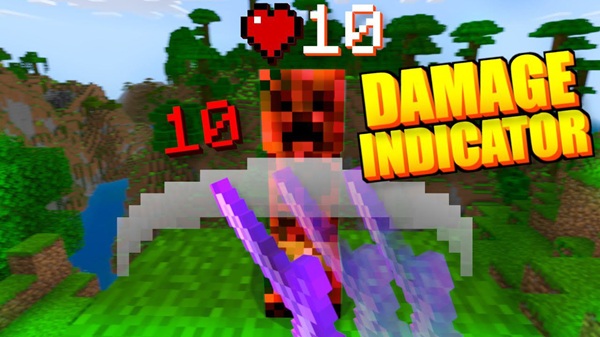
Damage Indicator Addon – Real-Time RPG Combat Display
Combat in Minecraft Bedrock Edition often relies on instinct. You hit, you hear a sound, you see an animation—but you rarely know how effective that hit really was. This is exactly where Damage Indicator Addon steps in. By adding a real-time RPG combat display, this addon gives you clear visual feedback during fights, helping you understand damage and health at a glance.
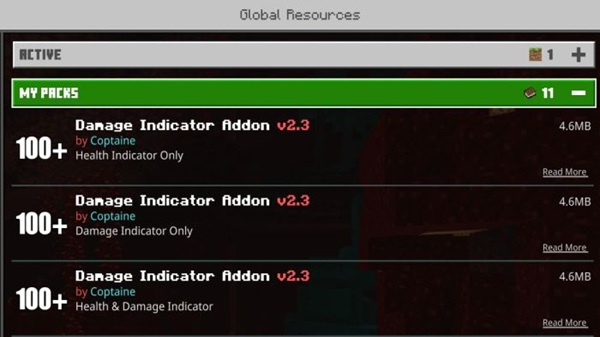
Built for MCPE and Bedrock players, Damage Indicator Addon focuses purely on visuals. It does not change damage values, mob behavior, or game balance. Instead, it improves awareness and immersion, making combat feel more responsive, informative, and satisfying—especially on mobile devices where clarity matters most.
Core Features at a Glance
Before diving into how the addon works in detail, it helps to understand what Damage Indicator Addon actually adds to your game. These features are designed to improve readability without overwhelming your screen.
-
Floating damage numbers when entities take damage
-
Real-time health display using bars, heart icons, or both
-
RPG-style combat feedback without modifying vanilla mechanics
-
Lightweight resource-pack-focused design
-
Optimized for MCPE performance and small screens
Together, these features turn combat into something you can read, not just react to.
How the Real-Time Combat Display Works
This is the heart of the Damage Indicator Addon experience. Instead of guessing, you can see exactly what happens during combat, moment by moment. The system is designed to stay informative while remaining subtle.
Damage Numbers Appearing on Hit
Whenever you hit a mob or player, a floating number appears above the entity. This number reflects the actual damage dealt, based on the game’s own calculations. The indicator shows instantly, stays visible for a short time, and then fades out smoothly.
For example, if you switch from a stone sword to an enchanted weapon, you will immediately notice higher damage values. This makes upgrades feel more meaningful.
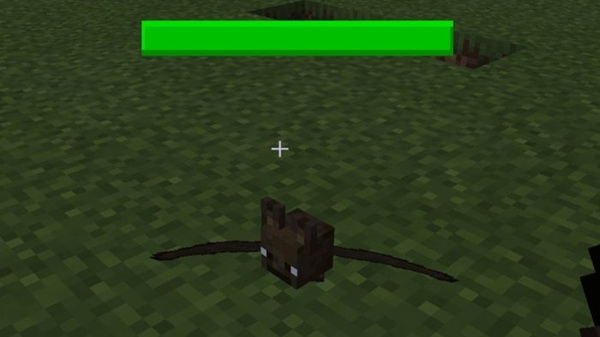
Real-Time Health Bars and Heart Indicators
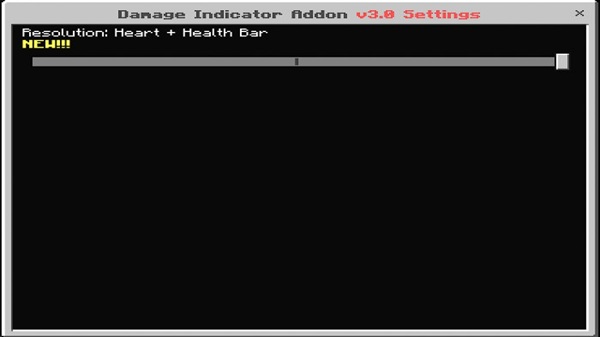
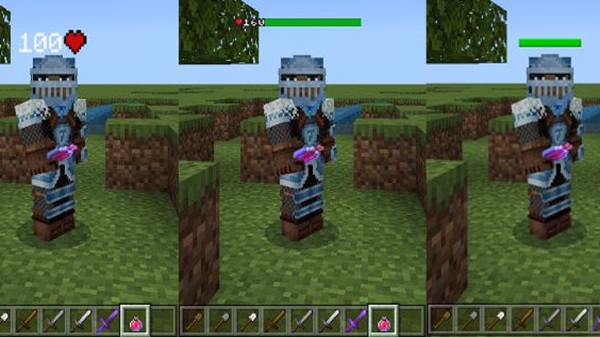
Alongside damage numbers, the addon can display remaining health using visual indicators such as bars, hearts, or a combined view. These indicators update live as damage is dealt.
This helps you judge progress during combat, especially against stronger mobs, and decide whether to keep attacking or reposition.
RPG-Style Visual Feedback Explained
By combining damage numbers and health indicators, combat starts to feel closer to an RPG system. You can clearly connect each hit to visible progress, which adds satisfaction and immersion.
Importantly, this is visual feedback only. The Damage Indicator Addon does not alter how combat works behind the scenes.
Damage Display Rules and Limitations
To keep the screen clean, the addon applies a few display limits. Very high damage values are visually capped (for example, shown as “100+”). If an enemy is defeated in one hit, only the final damage value is displayed.
These rules help prevent visual clutter during intense gameplay.
Visibility Conditions and Render Distance
Damage indicators appear only within a set range, usually around 20 blocks. If an entity becomes invisible or moves out of range, indicators stop displaying.
This ensures the system stays efficient and does not distract you unnecessarily.
What Players Will Notice During Fast Combat
During fast-paced encounters, indicators remain visible just long enough to be useful. They do not stack excessively and fade naturally, allowing you to stay focused on movement and timing rather than the UI.
RPG Feel Without Changing Vanilla Balance
One reason many players choose Damage Indicator Addon is its respect for vanilla gameplay. All damage values, health mechanics, and combat rules remain unchanged.
This makes the addon suitable for:
-
Survival worlds
-
Adventure maps
-
RPG-style experiences
-
Multiplayer environments
You get better awareness without affecting fairness or difficulty.
Best Use Cases for MCPE Players
Different players use the addon in different ways. Some common and effective use cases include:
-
Improving combat clarity in survival mode
-
Enhancing immersion in RPG or adventure maps
-
Testing weapons, enchantments, and addons
-
Practicing PvP damage awareness
-
Making combat easier to read on mobile screens
If you play on a phone or tablet, the visual feedback can feel especially helpful.
Compatibility & Performance
The addon is built with Bedrock performance in mind.
-
Compatible with modern Minecraft Bedrock versions
-
Works on Android, iOS, Windows, and consoles
-
Lightweight and mobile-friendly
-
Supports multiplayer and Realms when all players use the pack
For best stability, testing in a new world is recommended when combining multiple addons.
Tips, Limitations, and Best Practices
To get the best experience, keep these points in mind:
-
Place the addon correctly in the pack load order
-
Ensure all players use the pack in multiplayer
-
Remember that overkill damage shows only the final hit
-
Test alongside other addons for visual compatibility
-
Disable the pack in peaceful gameplay if visuals are unnecessary
These small steps help maintain smooth performance.
Final Thoughts
Damage Indicator Addon brings clarity and immersion to Minecraft Bedrock combat without changing how the game works. By showing real-time damage and health information, it helps you make better decisions, feel progression more clearly, and enjoy combat—especially on MCPE.
If you value RPG-style visuals, clean design, and practical feedback, this addon fits naturally into your Minecraft experience.
Installation Guide (MCPE / Bedrock)
Getting started with Damage Indicator Addon is straightforward and does not require extra tools.
-
Download the addon file (
.mcpackor.mcaddon). -
Open the file to import it into Minecraft.
-
Activate it under Resource Packs (and Behavior Packs if required).
-
Enable experimental options only if stated by the addon version.
-
Enter your world and test combat.
The process is designed to be beginner-friendly.











