
DarkLands 1.21+
DarkLands Addon transforms your MCPE world into a permanent Nightfall survival challenge. You’ll face stronger mobs, dark biomes, deadly dungeons, and high-risk exploration that pushes your Minecraft Bedrock skills far beyond vanilla.
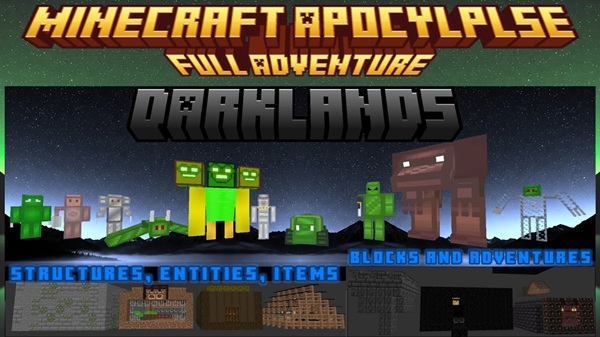
DarkLands Addon: Survive the Nightfall World in MCPE
If you’ve reached that point where vanilla MCPE survival feels a bit too safe, DarkLands Addon is built to shake you out of your comfort zone. Instead of bright days and peaceful biomes, you get a dark, hostile Nightfall world full of dangerous mobs, dungeons, and high-stakes exploration. In this guide, I’ll show you how this MCPE / Minecraft Bedrock addon completely changes the way you play survival.
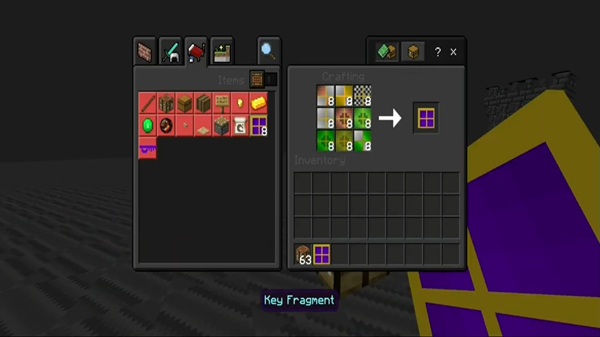
How DarkLands Addon Changes MCPE Survival
DarkLands Addon doesn’t just add a few new mobs and call it a day. It rewires the whole survival experience: the lighting, the mood, the way you build your base, even how you plan a simple trip outside. Let’s break down what actually changes once you spawn into the Nightfall world.
From Bright Overworld to Nightfall World
In regular MCPE, you spawn in a bright Overworld with a full day of sunlight to prepare. With DarkLands Addon, it feels like the sun never quite rises.
The world looks like it’s stuck at permanent dusk. Lighting is dim, colors are heavier, and even familiar blocks feel different under the dark sky. You lose that “safe daytime window” you usually rely on to gather wood, food, and tools.
Instead of a patchwork of cheerful biomes, the Nightfall world feels like one big, cohesive dark adventure map. It’s still Minecraft Bedrock Edition, but the atmosphere pushes you toward survival, exploration, and dungeon-style gameplay rather than casual building.
Your First Minutes in a DarkLands World
Those first few minutes set the tone. You don’t see blue skies and flowers. You see shadows, strange silhouettes, and often hostile mobs already wandering around.
Your priorities flip instantly:
-
Grab wood and basic materials fast.
-
Craft a wooden or stone weapon early.
-
Find a temporary shelter before mobs close in.
-
Look for caves, cliffs, or spots that are easy to defend.
Food still matters, but staying alive matters more. You can’t just wander and punch trees for fun. DarkLands turns your first day into a high-pressure survival test, not a gentle tutorial.
A simple scenario: you spawn, see a dark structure in the distance, hear mobs nearby, and feel that familiar little spike of tension. That’s the Nightfall world working exactly as intended.
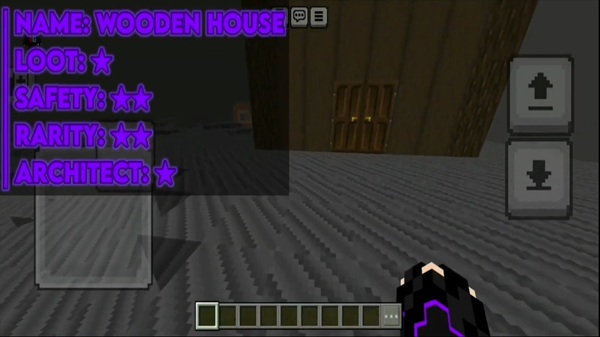
Rethinking Safety: Bases, Shelter and Safe Zones
Your usual glass box house on a flat field? In DarkLands, that’s basically an invitation to get swarmed.
The constant low light and tougher mobs force you to take base design seriously. You’ll quickly discover that the safest bases are:
-
Fortified bases with walls, gates, and chokepoints.
-
Elevated shelters on cliffs, platforms, or towers.
-
Underground bunkers dug into hills or caves.
Light becomes your best defensive tool. Torches, lanterns, and other light sources don’t just look good—they create safe zones. A lit perimeter wall or path can be the difference between a secure home and a constant ambush.
Over time, most players naturally evolve their DarkLands base into layered defenses:
-
Outer walls and fences
-
Inner safe courtyard
-
Lookout spots for ranged attacks
-
Escape tunnels for emergency retreats
The addon nudges you into building bases that actually fit a dangerous survival world.
Exploration Under Pressure: Traveling in the Dark
In DarkLands, stepping out of your base always carries weight. The world is permanently dim and hostile, so exploration never feels fully “safe.”
To stay alive, you’ll start to:
-
Memorize landmarks and terrain features to avoid getting lost.
-
Place torches or markers to create lit travel routes.
-
Pack extra food, tools, and blocks for longer trips.
-
Travel with a clear goal instead of wandering randomly.
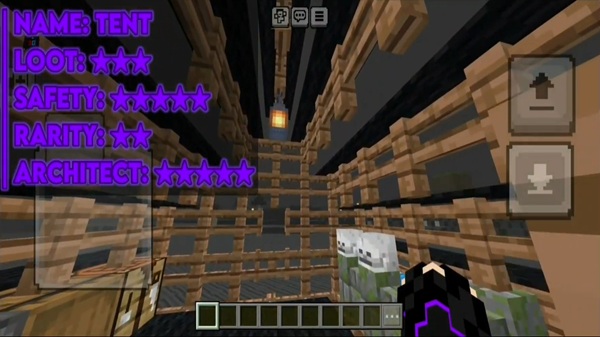
Suddenly, heading to a dungeon, Horror Treasure House, or arena feels like a mission, not a stroll. Every trip becomes:
-
Plan →
-
Travel carefully →
-
Engage or scout structures →
-
Return home with loot (if you make it).
When things go wrong and mobs overwhelm you, retreat becomes a smart move, not a failure. DarkLands rewards players who know when to pull back, upgrade gear, and try again.
Combat in DarkLands: Stronger Mobs, Higher Stakes
Combat is where DarkLands Addon really shows its teeth. You’re not just dealing with standard zombies and skeletons anymore. New hostile mobs roam the Nightfall world, often with higher damage, tricky behavior, or tougher stats.
To survive fights consistently, you’ll need to:
-
Use shields to block heavy hits and projectiles.
-
Upgrade armor as soon as possible—leather and chainmail won’t cut it for long.
-
Use terrain: fight from high ground, doorways, and narrow corridors.
-
Avoid being surrounded near structures and dungeons.
Battles around DarkLands structures can feel like mini wave encounters. You might clear a room, heal, move to the next, and repeat. Losing a fight in a remote dungeon can mean dropping valuable loot in a very dangerous place, so every health bar matters.
Combat stops being a background annoyance and becomes a core survival mechanic you prepare for.
Loot, Dungeons and the New Progression Loop
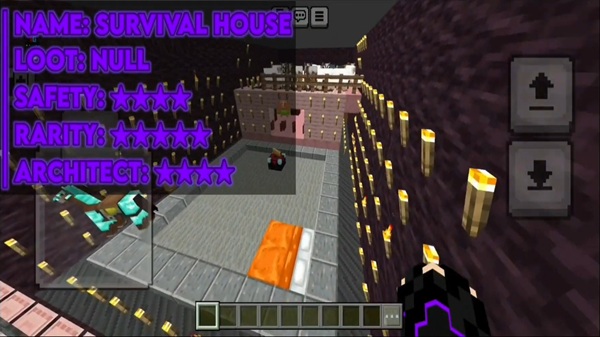
DarkLands Addon doesn’t just crank up difficulty—it also gives you strong reasons to take those risks. Structures like Horror Treasure Houses, dungeons, and arenas become your main progression milestones.
When you venture into these areas, you’ll often find:
-
Chests with rare loot and resources.
-
New addon items that make survival and combat easier.
-
Materials to craft better weapons, armor, and tools.
Soon you fall into a new progression loop:
-
Gear up enough to survive a structure.
-
Enter, clear rooms, and fight your way through.
-
Grab loot and new items.
-
Use those upgrades to tackle harder locations.
Instead of pure mining and enchanting, you’re playing a dungeon-crawler style survival in MCPE, where every successful run into a DarkLands structure pushes you deeper into the Nightfall world.
Late-Game Survival: Mastering the Nightfall World
Stick with DarkLands long enough and the world that once terrified you starts to feel like home turf. With strong gear, secure bases, and experience, you stop just surviving and start mastering the Nightfall world.
Late-game play often looks like:
-
Clearing every major dungeon, Horror Treasure House, and arena.
-
Building efficient farms for new mobs and resources.
-
Expanding into multiple fortified outposts across the map.
-
Setting personal challenges: no-death runs, minimal gear runs, timed dungeon clears.
For MCPE players who feel like they’ve “done it all” in vanilla, DarkLands Addon adds a satisfying extra layer of endgame content that stretches the life of your world.
Solo vs Co-op Survival in DarkLands
How you experience DarkLands depends a lot on how you play.
Solo survival is intense and methodical. Every choice is yours: when to explore, when to raid, when to retreat. Surviving a tough dungeon run and making it back with loot is incredibly satisfying when you do it alone.
Co-op survival turns the Nightfall world into a full campaign for you and your friends. You can:
-
Split roles between builders, scouts, and fighters.
-
Raid dungeons together and cover each other in combat.
-
Share loot and resources across a network of bases.
On shared Bedrock worlds or Realms, DarkLands Addon works beautifully as a season theme. Everyone starts in the same Nightfall world and slowly pushes its boundaries together, creating stories you’ll talk about long after the world is gone.
Whether you go solo or co-op, DarkLands Addon transforms MCPE from a relaxed sandbox into a focused, dark survival experience—and that’s exactly what makes it worth installing.
Installation Guide for MCPE / Bedrock Edition
Follow these easy steps to install the System Shields Addon:
-
Download the
.mcaddonor.mcpackfile. -
Open it directly on your device to import it into Minecraft.
-
In your world settings, activate both:
-
Resource Pack
-
Behavior Pack
-
-
Enable recommended experimental toggles:
-
Holiday Creator Features
-
Molang Features
-
After that, load your world and start crafting your shields.











