
Dexter Craft 1.21+
Bring a clean, modern lab style into your MCPE world with the Dexter Craft Addon. This powerful prop and atmosphere bundle helps you build bright, polished interiors and immersive themed environments with ease.
Dexter Craft Addon Modern Lab Atmosphere & Prop Bundle
The Dexter Craft Addon brings a fresh modern-lab aesthetic to Minecraft Bedrock Edition, giving you the tools to build bright, polished interiors and immersive roleplay environments. If you enjoy transforming your world with realistic props, clean textures, and creative lighting tricks, this addon offers a compact but powerful toolkit for builders, map creators, and survival players alike.
Overview of the Dexter Craft Addon
To understand what makes this addon special, it helps to look at its focus: modern atmosphere, clean building styles, and functional decorative props that fit naturally into MCPE worlds.
The Dexter Craft Addon is a streamlined decoration and build pack that enhances your world with a clean, minimalist lab theme. Instead of overwhelming you with dozens of complex mechanics, it gives you simple, versatile tools that elevate interior design.
This addon appeals to a wide range of MCPE players:
-
Builders who enjoy clean and modern structures
-
Roleplayers who want immersive rooms for storytelling
-
Adventure map creators designing high-tech or mystery-themed spaces
-
Survival players looking for a unique, thematic base style
It’s lightweight, mobile-friendly, and updated for the latest MCPE versions.
Modern Lab Atmosphere Features
The Dexter Craft Addon centers around atmosphere — how your rooms look, feel, and guide the player’s eye. These features help you create a convincing, bright, and sterile environment.
Clean, Sleek Interior Design
You get smooth blocks, simple lines, and bright surfaces that make labs, research rooms, or high-tech bases easy to build. The textures stay clutter-free, giving your interiors a polished look.
Hidden Lighting & Glow Effects
The addon’s signature Plastic Block lets light pass through without revealing the source. Place glow blocks behind walls or ceilings to create:
-
Evenly lit rooms
-
Fluorescent panel effects
-
Pure, minimalistic light setups
This technique is especially useful if you prefer clean ceilings with no lanterns or torches.
Ambience & Mood Setting
With the right prop placement and lighting, you can shift your build’s mood — from bright research labs to quiet observation areas. The addon helps you build spaces that feel purposeful and organized.
Prop Bundle Breakdown
The heart of the Dexter Craft Addon lies in its wide selection of themed props. Each one is crafted to enhance immersion and make your lab environments more believable.
Decorative Lab Props
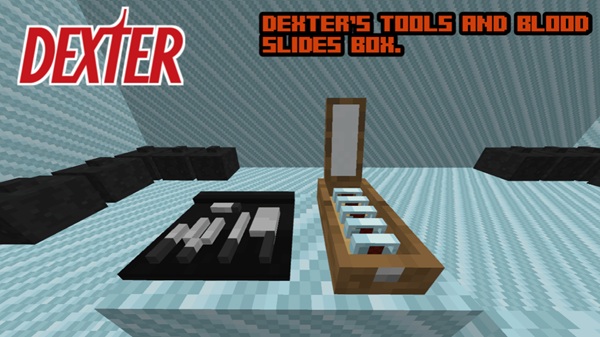
The pack includes work tables, tool displays, and neat workstation elements. These props instantly add depth and make your rooms feel functional and lived in.
Workspace & Equipment-Themed Blocks
Use these blocks to create:
-
Analysis stations
-
Organized preparation areas
-
Specialized work zones
They help define the purpose of each room and improve visual clarity.
Scene Composition Items
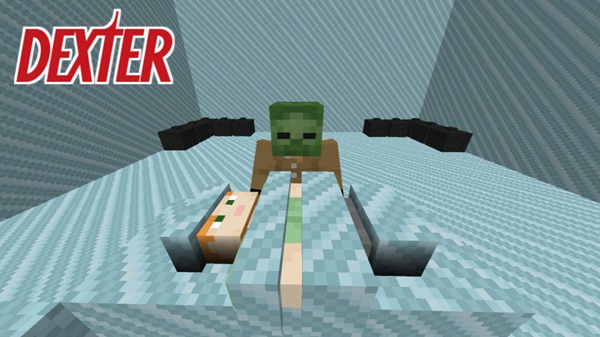
Neutral mannequin-style figures let you stage scenes for adventure maps or cinematic builds. They’re optimized for performance, so they won’t slow your world down.
Structural & Atmosphere Props
Build hallways, clean rooms, and observation areas using props that reinforce the modern-lab theme. These elements tie your design together and support consistent visual identity.
Prop Synergy Tips
Combine props with the Plastic Block and hidden lighting for maximum effect:
-
Workbench corners with overhead glow
-
Minimalist observation rooms
-
Symmetrical clean rooms
Used together, the props produce a cohesive and immersive workspace.
Survival & Creative Mode Integration
The Dexter Craft Addon supports both survival progression and creative freedom, making it flexible no matter how you play MCPE.
Crafting Compatibility
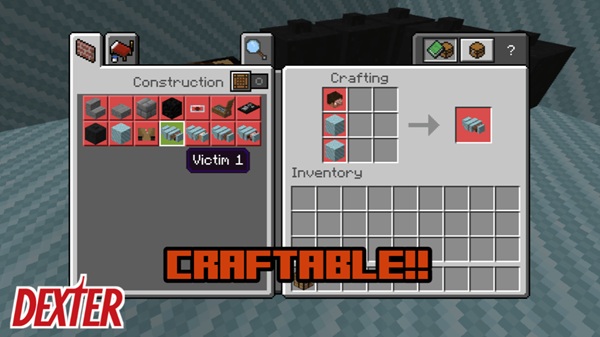
Core items can be crafted in Survival Mode using accessible recipes. This ensures you can build your themed base without relying completely on Creative Mode.
Creative Inventory Placement
Props and blocks are neatly grouped inside the Creative inventory, making them easy to find for builders, roleplayers, and map designers.
Balanced Gameplay Additions
The addon doesn’t introduce overpowering items. Instead, it focuses on balanced decoration and atmosphere tools that blend seamlessly with other MCPE addons.
Building With the Dexter Craft Addon
Once you start building with the addon’s tools, you’ll notice how easily they fit into modern or futuristic environments.
Lighting Techniques
Use the Plastic Block to hide:
-
Sea Lanterns
-
Glowstone
-
Other light sources
You’ll get bright, even lighting without visible fixtures.
Layout & Room Design
Try these layout ideas:
-
Long hallways with side props
-
Open workspaces with symmetric work tables
-
Clean central labs with defined zones
Good spacing keeps your rooms from looking cluttered.
Aesthetic Tips for Modern Labs
Neutral colors like white, grey, and light blue help sell the modern look. Stick to orderly arrangements, symmetry, and minimal clutter for the best results.
Performance & Compatibility Notes
The Dexter Craft Addon is light and efficient, making it a safe addition to most worlds.
-
Props are optimized to reduce lag
-
Works well with other modern-building addons
-
Avoid placing too many mannequins in one spot for best performance
-
Fully compatible with the latest MCPE versions
Final Thoughts
The Dexter Craft Addon gives you a clean, atmospheric toolkit for building modern labs, futuristic bases, and immersive roleplay environments. Its props, lighting tricks, and balanced design make it a great choice for MCPE players who love high-quality interiors. Whether you're decorating your survival base or crafting an intricate adventure map, this addon brings your ideas to life with clarity and style.
Installation Guide (MCPE 1.20–1.21+)
Installing the Dexter Craft Addon is simple and works across most Bedrock-supported devices.
Download & Import Steps
-
Download the
.mcaddonfile. -
Tap it on mobile or open it on Windows.
-
Wait for MCPE to confirm the import.
Activating Packs
-
Enable the Resource Pack
-
Enable the Behavior Pack
-
Continue through any achievement warnings
Required Experimental Settings
Turn on:
-
Holiday Creator Features
-
Custom Blocks / Upcoming Features
This ensures all props load properly.
Compatible Devices
The addon works on:
-
Android
-
iOS / iPadOS
-
Windows 10/11
-
Consoles via Realms
It’s optimized for low-end and mid-range hardware.











