
Dharkcraft Clothes 1.21+
The Dharkcraft Clothes Addon adds high-quality, wearable clothing to Minecraft PE, allowing you to customize your character in-game with stylish outfits designed for MCPE and Bedrock Edition.
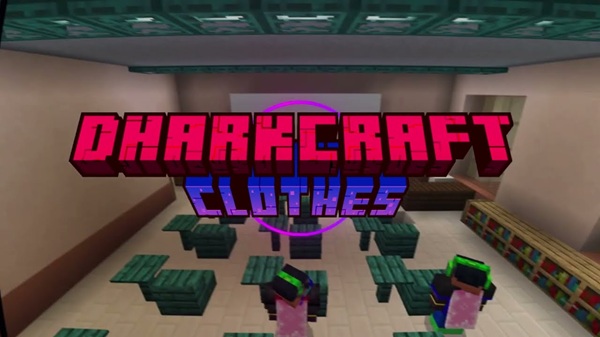
Dharkcraft Clothes Addon – High-Quality Clothing for MCPE
The Dharkcraft Clothes Addon is a character customization addon built for Minecraft PE (Bedrock Edition) players who want more freedom in how their character looks inside the game. Instead of relying only on skins or the limited appearance of vanilla armor, this addon introduces wearable clothing items that you can equip directly in-game.
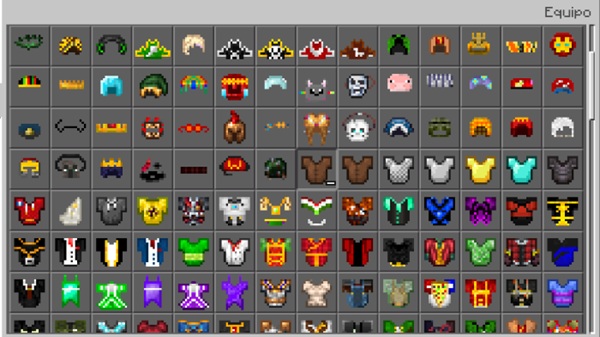
If you enjoy roleplay, creative building, or simply want your character to stand out in survival worlds, the Dharkcraft Clothes Addon adds a new layer of visual identity while staying compatible with MCPE performance limits. It focuses on quality, balance, and accessibility, making it suitable for both casual and long-term Bedrock players.
Main Features
The Dharkcraft Clothes Addon is built around one core idea: give players meaningful visual customization without complicating gameplay. Each feature works together to keep the experience smooth, intuitive, and suitable for mobile devices.
High-Quality Wearable Clothing
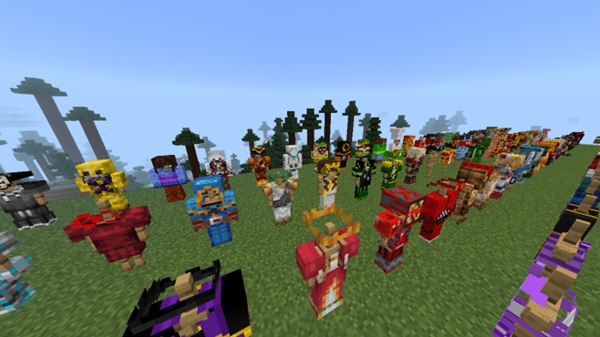
The addon adds a variety of wearable clothing items designed to enhance your character’s appearance while staying consistent with Minecraft’s art style. Textures are clean, models are well-aligned, and outfits display correctly during normal gameplay.
Clothing looks especially good in third-person view, making it ideal for screenshots, roleplay scenes, and multiplayer worlds where appearance matters.
Designed Specifically for MCPE
Unlike many addons that struggle on mobile devices, the Dharkcraft Clothes Addon is designed with Minecraft PE and Bedrock Edition in mind. It avoids heavy systems and focuses on smooth performance across Android, iOS, and Windows Bedrock.
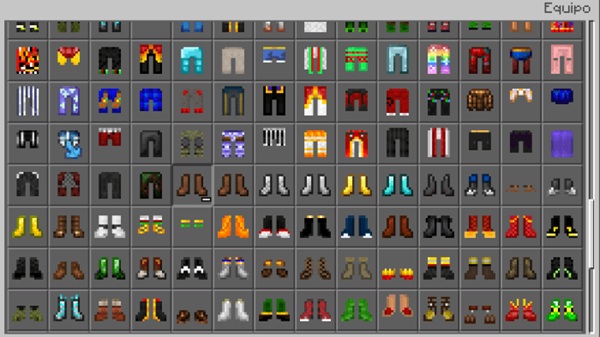
You don’t need external launchers or skin editors. Everything works directly inside Minecraft, using systems MCPE players are already familiar with.
In-Game Equippable Clothing System
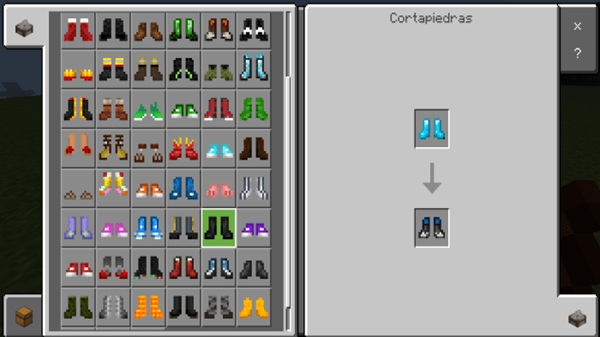
All clothing items function as in-game equipment, meaning you can equip them just like other usable items. You don’t need to leave the world or edit your skin to change outfits.
This approach makes the addon easy to understand, even if you’re new to addons. You craft or access the clothing, equip it, and see the result instantly.
Supports Multiple Playstyles
The Dharkcraft Clothes Addon fits naturally into different types of gameplay:
-
Creative Mode: Useful for builders, map creators, and showcase worlds
-
Survival Mode: Adds visual variety to long-term progression
-
Roleplay Worlds: Ideal for uniforms, themed outfits, and character roles
Because it doesn’t force a specific way to play, you can decide how deeply you want to use it.
Lightweight and Performance-Friendly
Performance matters on MCPE, especially on older phones or tablets. This addon is lightweight and designed to minimize impact on FPS and world loading times.
Most players can run it smoothly alongside other addons, making it suitable for everyday gameplay and multiplayer sessions.
Multiplayer and Realms Compatibility
The Dharkcraft Clothes Addon works in multiplayer worlds, allowing other players to see equipped outfits correctly. It can also be used on Minecraft Realms, as long as players accept the resource pack when joining.
This makes it a solid choice for small servers, shared worlds, and roleplay communities.
How the Addon Works In-Game
Once installed, the addon adds clothing items that can be obtained through standard gameplay methods, such as crafting or Creative inventory access, depending on the version you’re using.
Each clothing piece appears directly on your character model when equipped. You can mix and match different items to create your own style, whether you’re building a city, exploring a survival world, or participating in roleplay events.
For the best visual experience, switching to third-person view lets you fully see how outfits look while moving, building, or interacting with other players.
Compatibility & Performance
The Dharkcraft Clothes Addon is compatible with modern Minecraft Bedrock / MCPE versions and works on a wide range of devices. It supports singleplayer, multiplayer, and Realms gameplay.
If you notice performance issues on older devices, lowering render distance or reducing the number of active addons can help maintain smooth gameplay.
Who This Addon Is For
This addon is a good fit if you are:
-
An MCPE player who wants better character customization
-
A roleplay player creating stories or themed worlds
-
A creative builder showcasing maps or cities
-
A survival player who enjoys visual variety
-
A server owner adding cosmetic options for players
Its flexible design allows it to fit into many Minecraft playstyles.
Tips for Best Experience
-
Use third-person view to enjoy clothing visuals
-
Avoid running multiple clothing addons at once
-
Back up your world before updating the addon
-
Adjust graphics settings on older devices
-
Pair with creative or roleplay worlds for added immersion
Final Notes
The Dharkcraft Clothes Addon offers a reliable and well-balanced way to customize your character in Minecraft PE. By focusing on quality, compatibility, and performance, it provides meaningful visual customization without overwhelming gameplay systems.
Whether you’re building, roleplaying, or exploring survival worlds, this addon fits naturally into the MCPE experience and gives you more control over how your character looks in-game.
Installation Guide (MCPE & Bedrock)
Installing the Dharkcraft Clothes Addon is simple and beginner-friendly. The process works the same across most Bedrock platforms.
-
Download the addon file (
.mcpackor.mcaddon) -
Open the file to import it into Minecraft
-
Go to your world settings and enable:
-
Resource Pack
-
Behavior Pack
-
-
Turn on required Experimental Features if prompted
-
Start or reload the world
The addon supports Android, iOS, and Windows Bedrock Edition, making it accessible for most MCPE players.











