
Dragon Mounts 1.21+
The Dragon Mounts Addon brings a full dragon companion system to MCPE, letting you hatch, tame, and ride powerful elemental dragons across your world. If you’re looking to explore faster, build themed bases, or experience Minecraft in a new way, this addon turns your adventure into a true sky-rider journey.
Dragon Mounts Addon: Rise as a Legendary Sky Rider
If you’ve ever wished you could bond with a dragon, raise it from a hatchling, and take to the skies across your Minecraft world, the Dragon Mounts Addon delivers that experience in a way that feels natural, exciting, and perfectly suited for MCPE. Designed for mobile and Bedrock players, this addon turns your adventure into a skybound journey filled with discovery, exploration, and companionship.
What Is the Dragon Mounts Addon?
The Dragon Mounts Addon introduces a complete dragon companion system to MCPE, giving you new creatures, new mechanics, and new ways to explore your world. Below are the core ideas before we dive into how each part works.
This addon adds hatchable dragons, flight abilities, taming mechanics, and a variety of elemental dragon types. It’s lightweight enough for mobile devices but deep enough to change how you explore your worlds. Whether you enjoy survival, creative building, or fantasy roleplay, the addon fits naturally into your gameplay.
Ideal for players who enjoy:
-
Creatures and companions
-
Exploration and fast travel
-
Survival progression
-
Fantasy themes and storytelling
Meet Your Dragon Companions
Every dragon in the Dragon Mounts Addon has its own environment, personality, and role. These variations make each dragon feel special and give you plenty of choices as you expand your sky-rider journey.
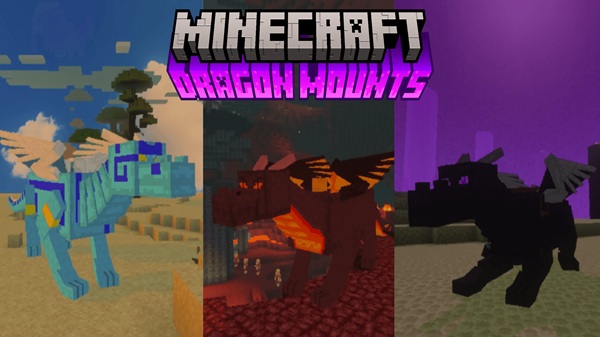
Common dragon types include elemental species such as Fire, Ice, Water, Forest, and Aether dragons. Some versions also feature Ghost dragons or a tameable Ender-style dragon. Each dragon offers unique visuals and a distinct atmosphere, giving your world more color, character, and life.
Notable species include:
-
Fire Dragon: Linked to heat and volcanic areas
-
Ice Dragon: Found in frozen biomes
-
Water Dragon: Connected to rivers and oceans
-
Aether Dragon: A sky-high hatchling born above the clouds
-
Forest Dragon: Associated with jungles and greenery
Collecting different species becomes a rewarding long-term goal for many players.
Hatching Your First Legendary Dragon
Hatching is where your Sky Rider journey truly begins. Understanding how to get eggs and set up the right environment ensures your dragon hatches successfully.
How to Obtain Dragon Eggs in Survival Mode
You can find eggs inside dragon nests, discover them in world structures, or use the End egg gained after defeating the final boss.
Getting Dragon Eggs in Creative Mode
Creative players can access dragon eggs directly from the spawn egg inventory, making it simple to test different breeds.
Preparing the Environment for Successful Hatching
Each dragon needs the right environmental conditions. This helps the addon determine which species emerges.
Element-Based Hatching Conditions
Examples include:
-
Fire Dragon → heat or lava
-
Water Dragon → underwater chambers
-
Ice Dragon → snow or ice platforms
-
Aether Dragon → high-altitude locations
-
Ghost Dragon → low-light underground areas
Step-by-Step Hatching Process
-
Place the egg.
-
Interact to begin incubation.
-
Watch for cracks or particles.
-
Wait for the hatchling to emerge.
Troubleshooting
If the egg doesn’t hatch, recheck your environment or ensure experimental features are enabled.
Your Baby Dragon’s First Moments
Your new hatchling is adorable but wild. This is the first moment where your bond begins.
Taming, Growing, and Bonding With Dragons
Once your dragon hatches, your next step is building trust. These simple interactions shape your long-term connection.
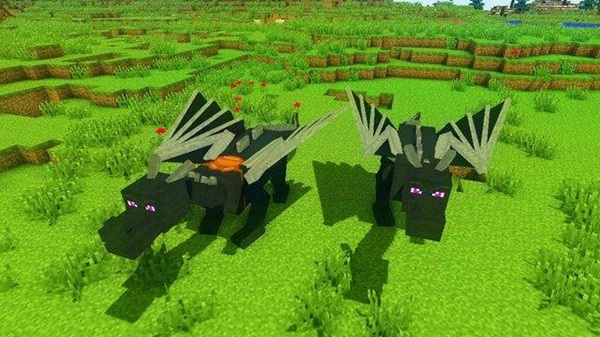
Tame your baby dragon with raw fish, then help it grow through three stages: Baby, Teen, and Adult. Feeding helps speed growth, but patience works too. Tamed dragons follow commands and develop loyalty over time, turning them into reliable companions for exploration and travel.
Riding and Mastering Dragon Flight
The highlight of the Dragon Mounts Addon is the freedom of flight. Learning to ride smoothly makes exploring your world more exciting.
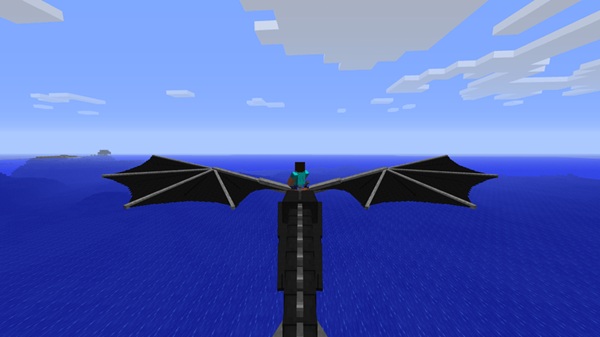
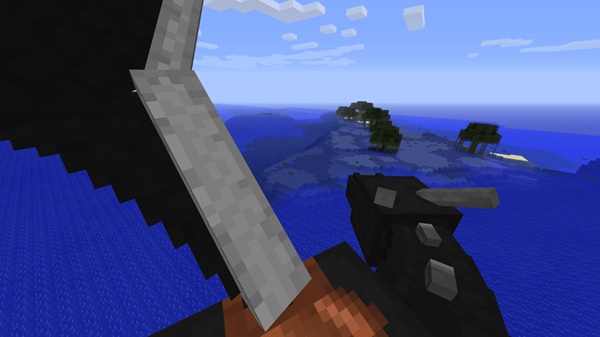
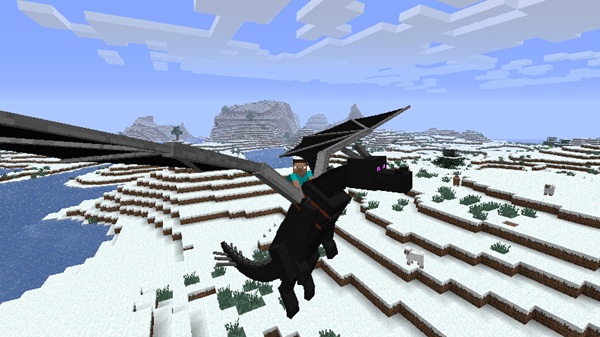
Equip a saddle, mount your adult dragon, and press Jump to take off. Tilt upward to rise, downward to descend, and steer with your controls. Flight enhances exploration, helps with building projects, and gives you a peaceful vantage point across your world.
Gear, Armor, and Dragon Upgrades
Some versions include optional upgrades that enhance your dragon’s abilities and appearance.
Armor sets such as Iron, Gold, or Diamond help protect your dragon, while storage features provide extra inventory space. These upgrades support survival play and personalization.
Compatibility & Performance Tips
To get the best performance, follow these simple guidelines.
-
Works best on MCPE/Bedrock 1.20–1.21+
-
Mid-range devices run smoothly
-
Limit multiple creature addons to reduce lag
-
All players need the addon for multiplayer worlds
Pro Tips for Becoming a True Sky Rider
These ideas help you get the most out of your dragons and expand your creativity.
-
Build a roost or sky platform
-
Name-tag your dragons
-
Try hatching rare species
-
Use dragons for worldbuilding, roleplay, or sky exploration
Conclusion: Your Journey as a Legendary Sky Rider Begins
The Dragon Mounts Addon transforms your Minecraft world into a place where dragons become trusted partners in exploration. From hatching your first dragon to soaring across mountains and biomes, this addon helps you create stories, moments, and worlds that feel uniquely your own. Your dragon is ready. Now it’s your turn to rise.
How to Install Dragon Mounts Addon on MCPE
Installation is quick and mobile-friendly, making it easy for anyone to start their Sky Rider journey.
-
Download the
.mcaddonor.mcpackfile. -
Open it to import into Minecraft.
-
Activate the Resource and Behavior Packs.
-
Enable required experimental options such as Holiday Creator Features.
-
Create or load your world and start exploring.











