
Duriblity Viewer 1.21+
Discover how the Duriblity Viewer Addon helps Minecraft Bedrock (MCPE) players monitor tool and armor health in real time. Play smarter, repair earlier, and enjoy smoother adventures with a clean durability HUD that keeps your gear ready for every challenge.

Duriblity Viewer Addon – Smarter Gear, Smoother Adventures
The Duriblity Viewer Addon is a game-changing upgrade for Minecraft Bedrock Edition (MCPE) players who want to manage their tools, armor, and weapons more efficiently. Instead of guessing when your pickaxe or sword will break, this addon adds a real-time durability display directly on your screen, giving you complete visibility over every item’s lifespan.
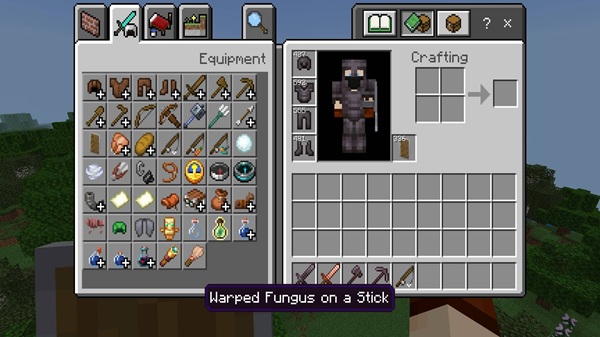
It bridges the gap between Java Edition’s durability system and Bedrock’s minimalist interface — creating a smoother, smarter, and frustration-free survival experience. Whether you’re mining deep underground or exploring vast biomes, this addon keeps you in control so you can focus on adventure, not maintenance.
Main Features – Smarter Gear at Your Fingertips
The Duriblity Viewer Addon focuses on simplicity, clarity, and performance. It provides detailed information without overloading your HUD, giving you complete awareness of your gear’s condition while keeping your gameplay fluid.
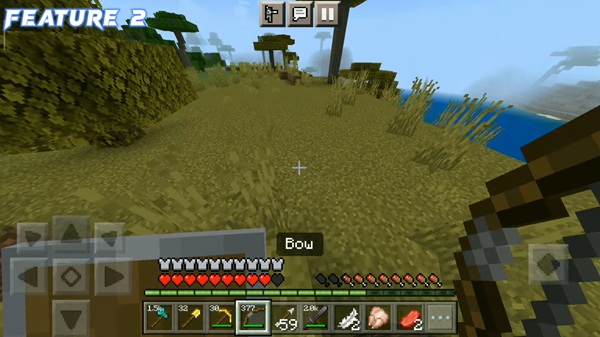
See your item’s condition live. The addon overlays precise durability values on your HUD (Heads-Up Display) that update instantly as you mine, fight, or build. No menus, no interruptions — just real-time insights into how long your gear will last.
A clear color system helps you act before it’s too late:
- Green – Safe durability
- Yellow – Moderate wear
- Red – Critical condition
This visual design works perfectly for mobile players who prefer quick, intuitive signals instead of numbers.
Track all equipped items — tools, armor, shields, and weapons — at once. The addon automatically monitors durability for everything you use, making resource management effortless.
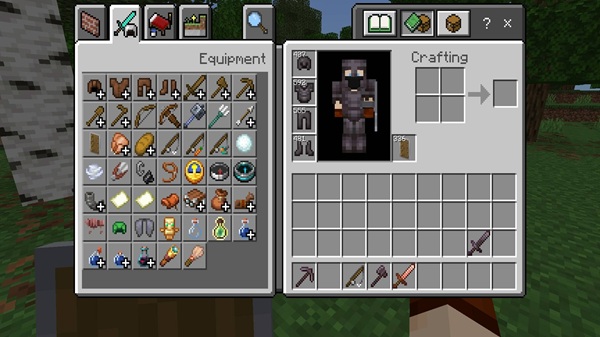
Choose the view that suits your style:
- Numeric Mode: Displays exact values for precision.
- Percentage Mode: Shows remaining durability as a percentage.
- Minimal Mode: Uses only color, ideal for lag-free play.
This flexibility makes the addon comfortable for every device, from smartphones to PCs.
The addon is designed for Bedrock Edition optimization, running smoothly even on older or low-end devices. It consumes minimal resources and ensures high FPS during intense gameplay sessions.
Your defense matters as much as your tools. This addon tracks each armor piece and shield separately, so you’ll never lose protection during your travels.
The Duriblity Viewer Addon only changes the display — not the mechanics. You can still earn achievements and play in survival mode without affecting your world’s integrity.
How It Works In-Game
The Duriblity Viewer Addon integrates automatically once enabled.
When you equip or hold an item, its durability value or color bar appears instantly on your HUD. As you use your tools or armor, the display updates in real time, showing how many uses remain.
When no item is equipped, the display hides itself to keep your screen clean. There’s no need for extra settings or commands — everything runs seamlessly in the background.
This system fits naturally into Bedrock’s interface, enhancing gameplay without disrupting immersion.
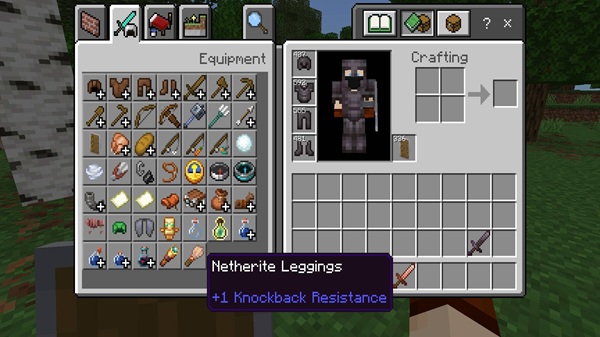
Compatibility and Performance
| Category | Details |
|---|---|
| Supported MCPE Versions | 1.20 – 1.21+ |
| Platforms | Android, iOS, Windows 10/11 |
| Performance Impact | Minimal – optimized for mobile and PC |
| Multiplayer Support | Works in Realms and local multiplayer (all players must activate it) |
| Achievement Safe | Yes – visual-only addon |
The Duriblity Viewer Addon receives regular updates to stay compatible with new MCPE versions, ensuring long-term stability and smooth gameplay across all platforms.
Tips for Smoother Adventures
The addon helps you plan and maintain your tools — but using it smartly makes it even more effective.
- Plan Repairs Early: Check durability before mining or exploring.
- Pair With Mending: Combine with Mending-enchanted tools to auto-repair while collecting XP.
- Rotate Tools: Switch gear once durability drops below 25% to extend lifespan.
- Optimize Display: Use minimal or percentage mode on older devices to improve performance.
- Combine Addons: Pair with other quality-of-life addons for better survival management.
These simple habits turn this addon into an essential tool for long-term success in Minecraft Bedrock.
Why Players Love Duriblity Viewer Addon
MCPE players love the Duriblity Viewer Addon because it eliminates guesswork while keeping gameplay authentic. It offers the precision of Java Edition’s durability feedback but maintains Bedrock’s smooth, accessible feel.
By merging clarity with simplicity, it gives players — from beginners to veterans — the confidence to adventure longer, build bigger, and manage their gear smarter. Its lightweight performance and clean HUD make it a trusted addition for both mobile and PC users.
Conclusion – Adventure With Confidence
The Duriblity Viewer Addon redefines how Minecraft Bedrock players experience survival. By showing exactly when to repair, replace, or rotate your gear, it removes uncertainty and improves resource management.
Lightweight, reliable, and visually elegant, it’s one of the best utility addons for anyone who values efficiency and control. Whether you’re mining diamonds, crafting tools, or exploring new dimensions, this addon ensures every adventure is — as its title promises — smarter, smoother, and endlessly enjoyable.
Installation Guide for Minecraft Bedrock (MCPE)
Installing the Duriblity Viewer Addon is straightforward and works across mobile and PC devices:
- Download the Addon – Save the
.mcpackor.mcaddonfile to your device. - Open the File – Tap or double-click it to launch Minecraft and start importing automatically.
- Apply the Addon – Go to Settings → Behavior Packs → My Packs, then activate the addon.
- Enable Experimental Features – Turn on Beta APIs under Experimental Gameplay for full compatibility.
- Start Your World – Open or create a new world to see durability information appear instantly.
Tip: If Minecraft doesn’t auto-import the file, open it manually through your file manager.











