
Dweller Girl 1.21+
Discover the Dweller Girl Addon for MCPE, featuring a reactive entity with adaptive behavior that transforms survival and creative worlds. Learn installation, gameplay strategies, and tips to maximize your Minecraft Bedrock experience.
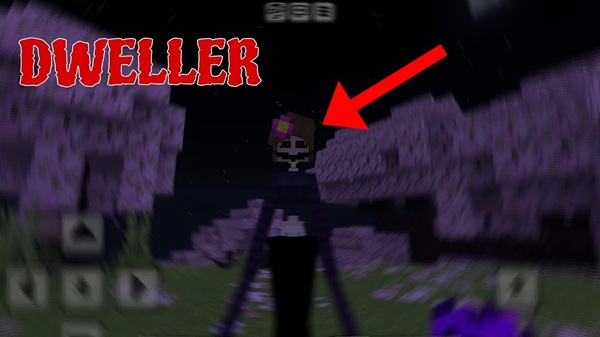
Dweller Girl Addon: Reactive Entity With Adaptive Behavior – MCPE Guide
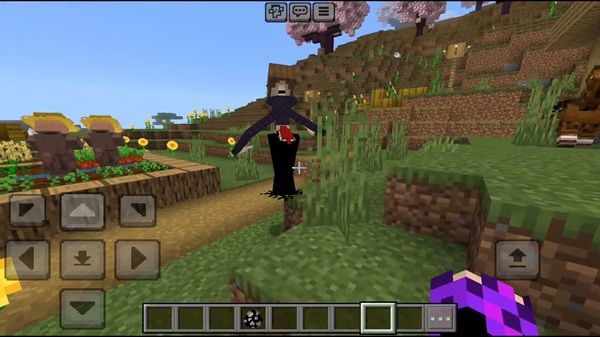
Minecraft Bedrock Edition (MCPE) has always thrived on creativity, exploration, and community-driven mods. One addon that stands out for both newcomers and veteran players is the Dweller Girl Addon. This unique mod introduces a reactive and adaptive entity into your world, transforming ordinary survival and creative gameplay into an interactive, strategic experience. Whether you enjoy crafting suspenseful roleplay stories or testing your survival skills, this addon brings dynamic encounters and immersive gameplay to your MCPE adventures.
Introduction
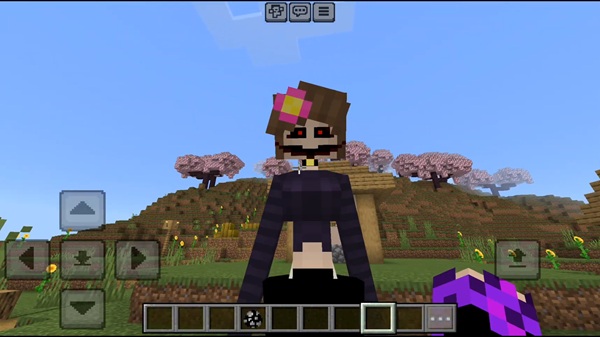
The Dweller Girl Addon is not just another mob pack—it’s designed to respond intelligently to your in-game actions. Unlike standard mobs, this entity reacts to movement, lighting, and environmental cues, making each encounter unpredictable and engaging. Players quickly learn that success relies on strategy, observation, and careful planning.
By adding the Dweller Girl to your world, you elevate your MCPE experience. From survival challenges to storytelling scenarios, her presence encourages players to think tactically and explore their environment in new ways.
Main Features
The strength of the Dweller Girl Addon lies in its smart AI and immersive design. Here’s what makes it unique:
Reactive Behavior
The Dweller Girl detects your movements and reacts accordingly:
-
Senses player motion, light, and nearby activity.
-
Adjusts her responses based on proximity.
-
Creates engaging and sometimes tense survival encounters.
Adaptive Mechanics
-
Behavior changes dynamically, including pursuit, avoidance, or idling.
-
Encourages players to adapt their strategies.
-
Promotes creative problem-solving during exploration or survival challenges.
Visual & Audio Design
-
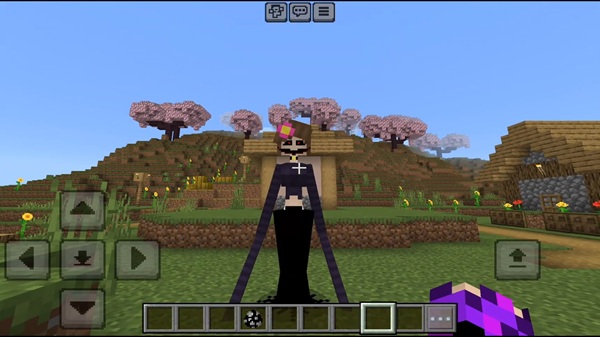
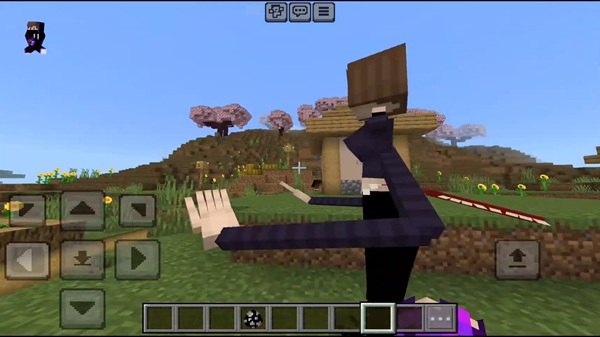
Animated entity model with distinct textures and detail.
-
Custom sounds signal her presence and add immersion.
-
Visual cues like subtle movements enhance realism without overwhelming the player.
Gameplay Integration
-
Spawns naturally in villages or specific biomes.
-
Spawn eggs allow controlled Creative Mode placement.
-
Compatible with both survival and creative worlds for versatility.
Replayability & Challenge
-
Each encounter feels fresh due to adaptive AI.
-
Encourages experimentation with lighting, movement, and terrain.
-
Keeps gameplay engaging and unpredictable over multiple sessions.
How It Works In-Game
Understanding the Dweller Girl’s behavior helps you plan effective strategies.
Encounter Dynamics
The addon follows a multi-phase interaction:
-
Detection Phase: Notices the player via light or movement.
-
Adaptive Phase: Behavior changes based on proximity and actions.
-
Resolution Phase: Outcome depends on player choices and preparation.
Survival & Strategy Tips
-
Use lighting to influence her reactions.
-
Plan movement routes and escape paths.
-
Leverage terrain or structures to your advantage.
-
Patience and tactical thinking increase survival chances in repeated encounters.
Compatibility & Optimization
Supported Versions
-
Fully compatible with Minecraft Bedrock 1.20 – 1.21+.
-
Older versions may require adjustments or may not work properly.
Device Compatibility
-
Mobile (Android/iOS): fully supported, performance depends on device.
-
Windows 10/11: standard installation.
-
Consoles: manual file transfer may be needed.
-
Lower-end devices may need performance tweaks.
Multiplayer Considerations
-
Works on Realms and LAN servers if all players have the addon installed.
-
Ensure all participants use the same addon version to avoid desync issues.
Optimization Tips
-
Lower render distance on low-end devices.
-
Avoid heavy shaders for smoother gameplay.
-
Close background apps to free up resources.
-
Place Dweller Girl Addon higher in load order when using multiple packs.
Gameplay Strategies & Creative Uses
Survival Strategies
-
Use adaptive AI patterns to guide exploration and defense.
-
Stealth movement and light management improve survival odds.
Roleplay & Storytelling
-
Integrate the Dweller Girl into adventure maps or custom narratives.
-
Dynamic behavior enhances story-driven experiences without extra setup.
Content Creation
-
Record chases, encounters, and strategic escapes for social media content.
-
Her unpredictable actions create natural, engaging moments.
Replayability
-
Each encounter is different, encouraging repeated exploration.
-
Experimenting with world seeds and strategies keeps gameplay fresh.
Tips for an Enhanced Experience
-
Play with sound enabled for full immersion.
-
Pair with shaders for cinematic visuals if desired.
-
Backup worlds before installing new addons.
-
Experiment with spawn points and environmental interactions.
-
Coordinate multiplayer sessions for shared gameplay experiences.
Conclusion
The Dweller Girl Addon brings MCPE players a smart, interactive entity that transforms ordinary worlds into engaging, replayable experiences. Its reactive and adaptive behavior makes encounters unpredictable and strategic, offering both survival challenges and storytelling opportunities.
Install the addon, explore the dynamic interactions, and see how the Dweller Girl can enhance your Minecraft Bedrock adventures today.
Installation Guide for MCPE (Bedrock Edition)
Getting the Dweller Girl Addon installed is straightforward when following these steps.
Required Files
-
Resource Pack and Behavior Pack are both needed.
-
Supported formats:
.mcaddonor.mcpack.
Step-by-Step Installation
Mobile (Android/iOS)
-
Download the addon files.
-
Tap the
.mcaddonfile to import automatically into Minecraft.
Windows 10/11
-
Double-click the
.mcaddonfile. -
The game imports the packs into the addon folder.
Console (Xbox/PlayStation/Switch)
-
Download the files via browser or connected device.
-
Transfer to the console’s Minecraft addon storage.
Activation & Settings
-
Enable Resource Pack and Behavior Pack in world settings.
-
Turn on experimental gameplay features:
-
Holiday Creator Features
-
Upcoming Creator Features
-
Beta APIs
-
Troubleshooting Tips
-
Confirm both packs are activated.
-
Ensure experimental features are enabled.
-
Use a fresh world if the addon does not appear.
-
Re-download or clear cache if import errors occur.











