
Dynamic Difficulty 1.21+
Discover how the Dynamic Difficulty Addon changes Minecraft Bedrock (MCPE) survival by scaling mob strength with your gear, enchantments, and progress. Learn how to install it, master combat strategies, and make every upgrade count in a world that evolves with you.

Dynamic Difficulty Addon: Gear Up, Mobs Level Up
When you play Minecraft Bedrock (MCPE) long enough, survival eventually becomes routine. Once you have enchanted gear and safe villages, mobs stop being threatening. The Dynamic Difficulty Addon changes that pattern completely. Instead of fixed modes like Easy or Hard, the world reacts to your progress. As you get stronger, mobs evolve with you — forcing real strategy, timing, and smart survival choices.
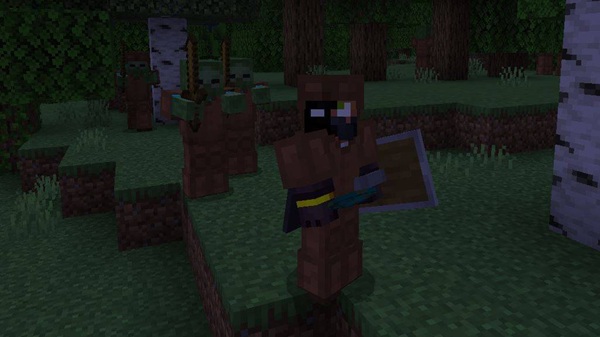
What This Addon Does in MCPE
Before diving into tiers and strategies, it’s important to understand how the Dynamic Difficulty Addon actually reshapes survival gameplay and mob behavior.
This addon introduces a scaling difficulty system where hostile mobs adapt to your power level. The more advanced your weapons, armor, and enchantments become, the stronger your enemies get. Instead of becoming overpowered, you’ll face battles that stay meaningful in every stage of your world.
Key effects of the addon:
-
Strong players face smarter, tougher mobs.
-
Normal enemies can eventually feel like “mini-bosses.”
-
Long-term worlds remain intense instead of easy farming.
The goal is fair challenge, not frustration, rewarding planning over brute force.
How Mob Scaling Works (Tier System Breakdown)
The Dynamic Difficulty Addon uses a tier-based system, increasing mob stats and behaviors according to your equipment, enchantments, and time spent surviving.
What Triggers Difficulty Growth?
-
Upgrading gear (iron → diamond → netherite)
-
Using powerful enchantments like Sharpness or Protection
-
Staying alive for long periods
-
High-level players entering multiplayer worlds
This means your progress is the fuel that powers enemy evolution.
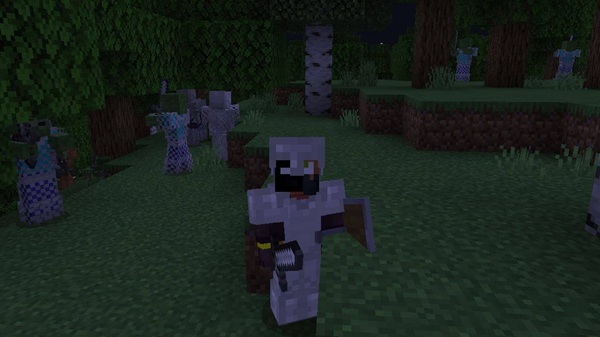
Tier 1–2: Early Game Adjustments
-
Slight health or damage boosts
-
Little to no armor or weapon upgrades
-
Teaches shield timing and early combat basics
Tip: Stick to iron early—jumping to diamond too soon accelerates scaling.
Tier 3–4: Mid-Game Combat Changes
-
Faster movement and higher damage
-
Mobs may spawn with armor or tools
-
Positioning and enchantments matter more than pure defense
At this stage, shields and terrain are essential tools.
Tier 5: Endgame Elite Threats
-
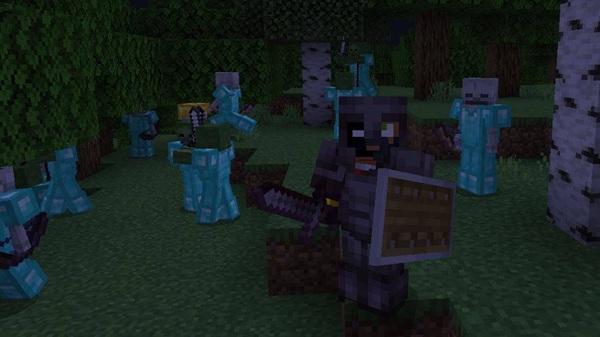
Enemies scale with your enchantments
-
Some mobs feel like elite warriors
-
Potions, gapples, ranged combat, and teamwork become necessary
Late game is no longer a grind; it’s a test of skill.
Why Mobs Don’t Drop Their Gear
-
Prevents farming infinite diamond/enchanted loot
-
Protects the progression curve
-
Makes gear something you earn, not exploit
How Scaling Affects Multiplayer Realms
-
The strongest player sets the threat level
-
New players need help, gear, and protection
-
Sharing resources and building defenses becomes meaningful
On Realms, this system naturally encourages team survival.
Gear Up, Mobs Level Up — Key Features
The Dynamic Difficulty Addon is designed for balanced progression, skill-based combat, and community-driven survival.
-
Adaptive difficulty that responds to your upgrades
-
Tier-based enemy evolution
-
Balanced gameplay—mobs never drop overpowered gear
-
Multiplayer-friendly scaling
-
Long-term replay value for MCPE survival worlds
This turns every upgrade into a strategic decision rather than a shortcut to safety.
Survival Strategies for MCPE Players
Smart planning keeps you one step ahead of scaling mobs. These strategies help you survive longer without triggering unfair difficulty spikes.
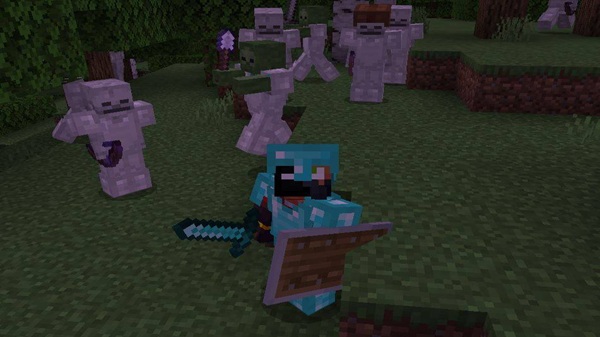
Smart Gear Progression
-
Prioritize iron gear with enchantments first
-
Use shields and bows before rushing diamond
-
Treat Netherite as a late milestone, not a priority race
Combat Tips Against Scaling Mobs
-
Learn shield timing instead of blocking randomly
-
Fight using terrain, barriers, and height advantage
-
Keep arrows, tridents, or fireworks to control battles
-
Carry blocks for improvised defenses
Base Defense & Village Protection
-
Wall off trading halls and farms
-
Use lighting to control spawn zones
-
Add iron golems and small choke points
A protected village becomes a valuable survival hub.
Device Compatibility & Addon Pairing
Best results come from using compatible versions and avoiding conflicting behavior packs that modify mob attributes.
Compatible:
-
MCPE/Bedrock 1.21+
-
iOS, Android, Windows 10/11, consoles via Realms
Pairs Well With:
-
Biome, structure, or decoration packs
Avoid Using With:
-
Mob difficulty packs
-
Loot-modifying addons
Performance Tip: Limit large mob farms on low-end devices.
FAQ — Common Player Questions
Does it lag?
Only on large farms on low-end devices.
Is it beginner-friendly?
Yes, early scaling is mild and teaches defensive play.
Do mobs drop better gear?
No, to prevent exploit-based progression.
Can new players join late-game worlds?
Yes, but they’ll need support and shared gear.
Final Thoughts — Earn Every Upgrade
The Dynamic Difficulty Addon turns survival into a meaningful journey. You don’t outgrow the world—you grow with it. Every upgrade brings new risks, smarter enemies, and higher rewards. If you enjoy long-term survival, strategy, and skill-based combat, this addon gives Minecraft Bedrock a whole new life.
Installation Guide (MCPE + Realms)
To make the Dynamic Difficulty Addon work correctly, enable these settings before creating or loading a world.
Steps:
-
Download and import the
.mcaddonfile. -
Enable both Resource Pack and Behavior Pack.
-
Turn ON:
-
Holiday Creator Features
-
Beta APIs
-
Molang Features
-
-
Restart world after activation.
For Realms: Every player must install the addon locally.











