
Dynamic Flashlight 1.21+
The Dynamic Flashlight Addon adds a portable light source to Minecraft Bedrock and MCPE, letting you explore caves, mine, and build at night with smooth lighting that follows you—no torch spam required.
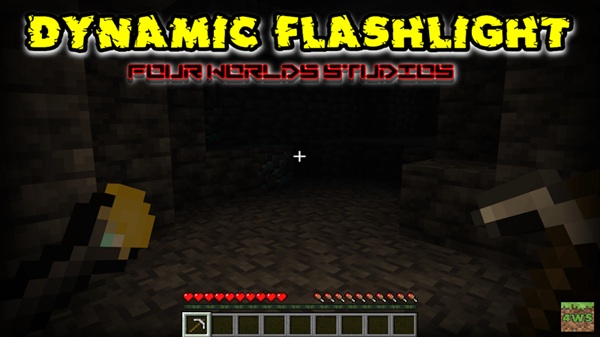
Dynamic Flashlight Addon – Light That Follows You
If you spend a lot of time exploring caves, mining underground, or building after sunset, lighting quickly becomes a constant task. The Dynamic Flashlight Addon is a practical solution designed for Minecraft Bedrock Edition and MCPE players who want better visibility without interrupting gameplay.
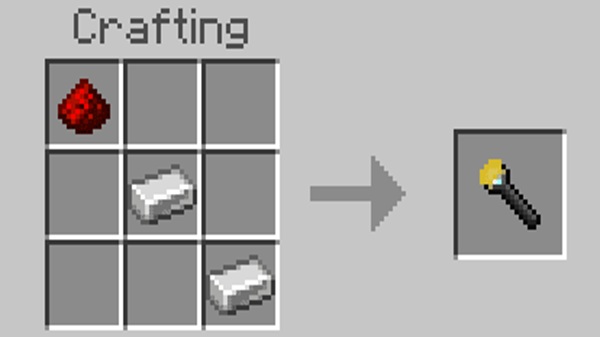
This addon introduces a portable flashlight that emits light as you move. Instead of placing and removing torches every few blocks, you carry the light with you. The result is smoother exploration, cleaner worlds, and a more comfortable experience—especially on mobile devices where visibility matters most.
Why MCPE Players Need a Portable Light
Lighting works differently in practice when you play on a phone or tablet. Smaller screens, touch controls, and limited brightness settings can turn dark areas into a real challenge. This is where a dynamic lighting addon makes a noticeable difference.
Common lighting problems in vanilla Bedrock
-
Constant torch placement slows exploration
-
Mining sessions get interrupted every few seconds
-
Cleaning up torches later feels tedious
-
Dark areas are harder to see on mobile screens
The Dynamic Flashlight Addon addresses these issues by giving you a temporary, player-based light source. You stay focused on what you are doing—mining, exploring, or building—without breaking the flow of gameplay.
Main Features
The real value of the Dynamic Flashlight Addon lies in how naturally it fits into survival gameplay. Each feature focuses on usability, balance, and performance, especially for MCPE users.
Dynamic Light That Follows the Player
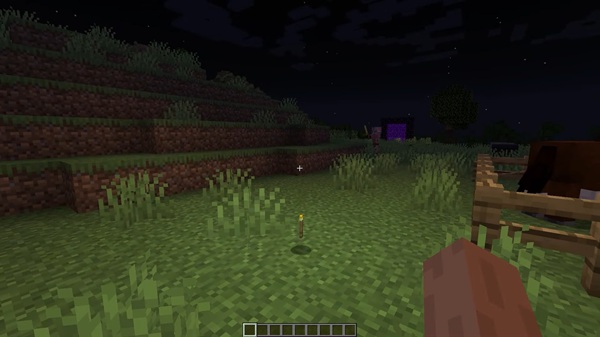
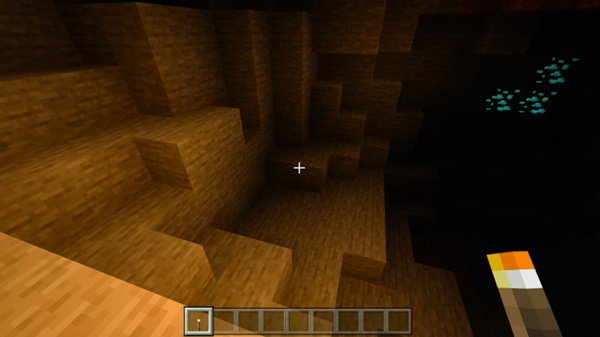
When the flashlight is equipped, it produces movement-based lighting that follows your character. As you walk, run, or turn, the light updates automatically around you. No blocks are placed, and nothing is left behind.
This makes cave exploration, tunnel digging, and nighttime travel feel continuous and smooth.
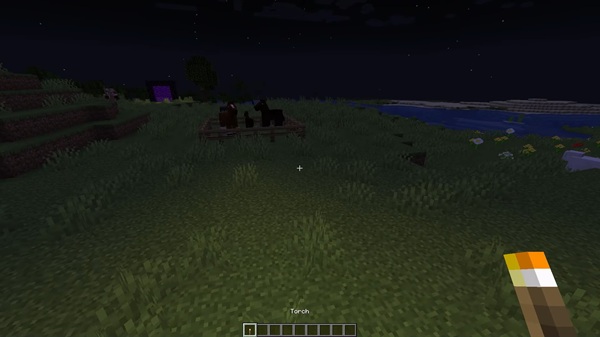
Off-Hand Flashlight Support
You can equip the flashlight in the off-hand slot, which means:
-
Your main hand stays free for tools or blocks
-
You can mine, build, or explore without switching items
-
Visibility stays consistent while you work
For MCPE players who rely on quick interactions, this feature adds real convenience.
Survival-Friendly and Craftable
The flashlight is not overpowered or free by default. It is designed to be crafted through normal survival progression, using balanced materials. This keeps the addon fair and aligned with vanilla gameplay expectations.
Optimized for MCPE Performance
Performance matters on mobile. This addon:
-
Uses lightweight systems instead of permanent light blocks
-
Avoids unnecessary world updates
-
Runs smoothly on most Android, iOS, and Windows devices
While performance always depends on your device, the design focuses on stability and efficiency.
Clean and Non-Intrusive Lighting
Once you unequip the flashlight, the light disappears instantly. There are:
-
No leftover light sources
-
No invisible lighting bugs
-
No permanent changes to terrain or builds
Your world stays clean, exactly as you left it.
How the Flashlight Works In-Game
The Dynamic Flashlight Addon is built to be simple to use, even for players who are new to addons.
Basic gameplay flow
-
Craft or obtain the flashlight item
-
Equip it in your main hand or off-hand
-
The surrounding area lights up automatically
-
Unequip the flashlight to remove the light
There are no complicated settings or manual toggles. Everything reacts naturally to how you play.
Compatibility & Requirements
Before using the addon, it helps to know where it works best.
Supported setup
-
Minecraft Version: Bedrock Edition 1.21+
-
Platforms: Android (MCPE), iOS, Windows 10/11
-
Multiplayer: Supported in singleplayer and multiplayer worlds
-
Consoles: Possible via Realms or local server setups
On older or low-end devices, performance may vary slightly depending on world size and active addons.
Tips for Best Experience
A few simple habits can help you get the most out of the Dynamic Flashlight Addon.
Practical tips
-
Use the flashlight for temporary lighting, not mob-proofing
-
Switch to torches for permanent bases and farms
-
Unequip the flashlight when not needed to save resources
-
Avoid stacking multiple dynamic lighting addons
-
Works best in survival and exploration-focused worlds
These small adjustments keep gameplay smooth and balanced.
Who This Addon Is Perfect For
The Dynamic Flashlight Addon fits naturally into many playstyles, especially if you value efficiency and comfort.
Recommended for:
-
Cave explorers and long mining sessions
-
Builders who work at night
-
Adventure and exploration players
-
MCPE users who want clearer visibility
-
Players who prefer vanilla-friendly addons
If you enjoy improving gameplay without changing its core rules, this addon is a strong fit.
Final Thoughts
The Dynamic Flashlight Addon is a simple idea executed with care. By giving you a light source that follows you, it removes unnecessary interruptions while keeping Minecraft Bedrock balanced and familiar.
Whether you are exploring deep caves, mining resources, or finishing a build after dark, this addon helps you focus on playing—not placing torches.
A smarter way to explore. A cleaner way to light your path.
How to Install on MCPE (Step-by-Step)
Installation follows standard Bedrock addon steps, but one setting is especially important.
Installation steps
-
Download the addon file
-
Format:
.mcaddonor separate Resource and Behavior Packs
-
-
Import into Minecraft
-
Tap the file on mobile or open it on PC
-
Minecraft will import the packs automatically
-
-
Activate the packs in world settings
-
Enable the Resource Pack
-
Enable the Behavior Pack
-
-
Enable Experimental Features
-
Turn on Beta APIs
-
Enable any required experimental options
-
Skipping experimental features may prevent the flashlight from working correctly.











