
Easy Cinematic 1.21+
Easy Cinematic Addon transforms your MCPE worlds into smooth, guided tours. With automated camera paths and clean transitions, you can showcase bases, cities, and maps like a pro without complex commands.
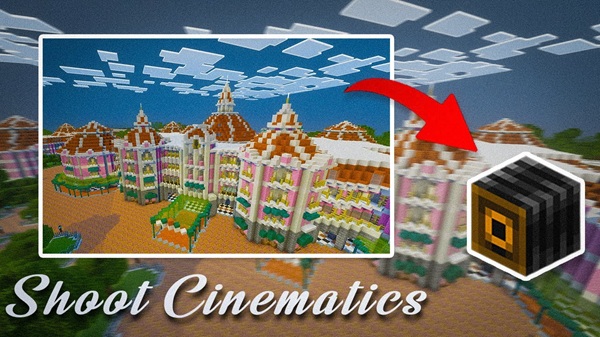
Easy Cinematic Addon – Smooth Pro Tours for MCPE Builders
Minecraft Bedrock and MCPE players have always dreamed of capturing their worlds like movie directors — smooth camera pans, guided tours, and dynamic shots that bring every build to life. Easy Cinematic Addon makes that dream a reality. Designed specifically for Bedrock Edition and mobile users, this addon transforms rough, manual flyarounds into clean, professional “pro tours.” Whether you’re a builder, map maker, or content creator, it’s your all-in-one camera tool for cinematic storytelling.
What Easy Cinematic Addon Does for MCPE Builders
Creating a cinematic experience in MCPE doesn’t need to be complicated. This section shows how Easy Cinematic Addon gives Bedrock players professional-level tools without scripts, mods, or external software — just pure creativity in-game.
Turn Ordinary Flyarounds into Guided Pro Tours
Most MCPE players show off builds by flying through them manually in Creative. It’s fast, messy, and hard to repeat. Easy Cinematic Addon replaces that with smooth, automated camera paths.
-
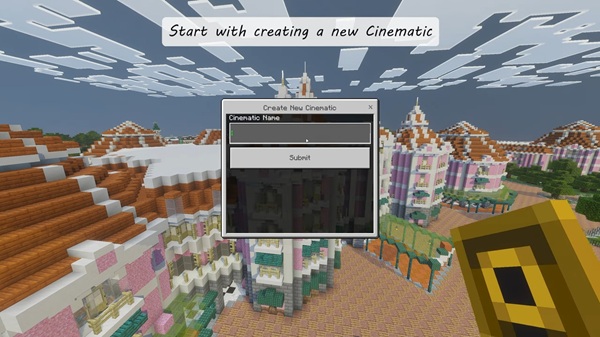
Set a few camera frames along your desired route.
-
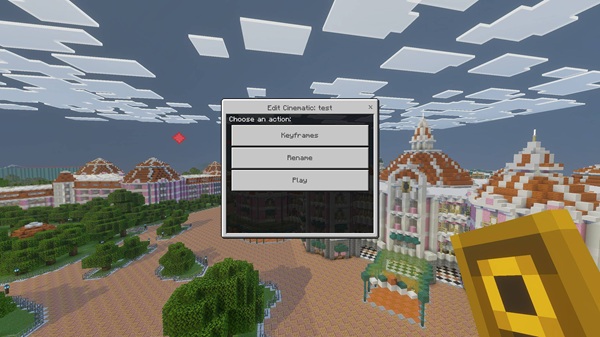
Adjust speed, timing, and angle using the built-in UI.
-
Let the addon move the camera for you — no hand controls required.
Your tour flows exactly how you want it: start point, mid-sequence, and perfect ending. The saved paths let you replay shots, record videos, or capture screenshots as often as you like.
Highlight Every Detail of Your MCPE Builds
Large builds, cities, and interior spaces often lose their impact in quick tours. With Easy Cinematic Addon, you can slow the pace and let your audience appreciate every block.
-
Focus on entrances, interiors, statues, or redstone designs.
-
Showcase scale and symmetry through steady, continuous movement.
-
Guide the viewer’s attention like a storyteller, not just a player.
Every camera move feels intentional. You decide what deserves attention, and the addon makes sure your viewers see it exactly that way.
Give Bedrock Players Cinematic Tools Without Complexity
Many cinematic mods were built for Java, leaving MCPE users without simple camera systems. Easy Cinematic Addon fills that gap with touch-friendly design and intuitive controls.
-
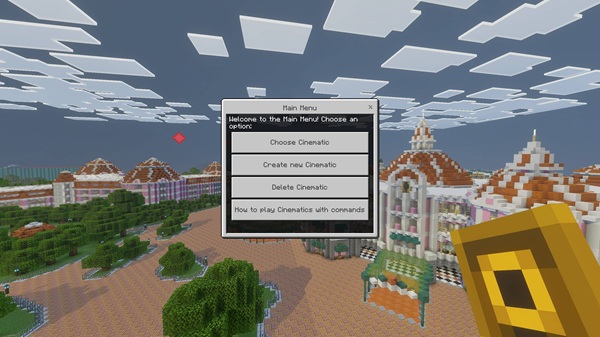
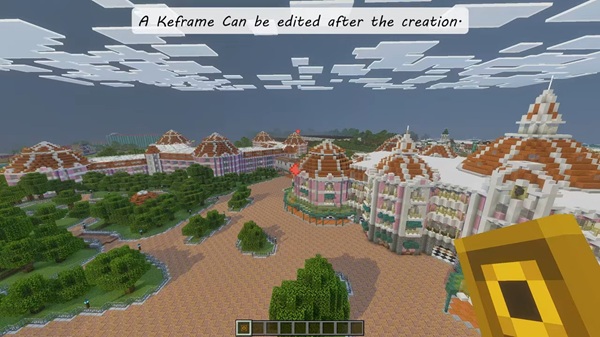
Use the Cinematic Controller item to set, edit, and preview camera frames.
-
No command blocks or code — just gameplay-based setup.
-
Works seamlessly on Android, iOS, and Windows Bedrock Edition.
It’s perfect for mobile players and younger creators who want cinematic control without technical setup. Everything happens through an elegant, easy-to-use interface.
Help Creators, Realm Owners, and Map Makers Stand Out
For content creators, this addon is a creative upgrade. Smooth camera movement adds polish to every video or showcase.
-
Creators can film intros, outros, and build tours that look professional.
-
Realm owners can set guided tours to introduce players to community builds.
-
Map makers can present their worlds like cinematic trailers.
A single clean camera path can change how others perceive your world. Smooth tours add that “wow” factor — making your content feel organized, creative, and worth remembering.
Fit Naturally into Everyday Building and Play
Easy Cinematic Addon doesn’t require extra setup or new worlds. It fits naturally into how MCPE builders already play.
-
Build first, then add a tour afterward.
-
Save camera paths and update them as your world grows.
-
Reuse tours to track base expansions or document project progress.
It turns your building routine into a full creative process: plan → build → decorate → tour. Each new structure becomes an opportunity to tell a story through camera motion.
Make MCPE Worlds Feel More Cinematic and Memorable
At its heart, Easy Cinematic Addon helps your world feel alive. Smooth transitions, gentle pans, and dramatic reveals make ordinary scenes unforgettable. Picture your base glowing under sunset lighting or a slow camera pullout revealing your completed megabuild — those moments hit differently.
With every tour, your creativity becomes visible. You start thinking like a director: Where should the viewer look? When should the camera move faster? What emotion should this angle capture? That mindset transforms how you design and experience Minecraft itself.
Key Benefits of Easy Cinematic Addon
Why MCPE players love it:
-
Simplicity – No commands or scripting. Just pure, in-game creativity.
-
Professional results – Smooth, replayable paths like a built-in replay mod.
-
Mobile optimization – Perfect for touch controls and Bedrock devices.
-
Creative freedom – Ideal for tours, trailers, or world showcases.
Easy Cinematic Addon isn’t just another MCPE addon — it’s a creative toolset that bridges gameplay and filmmaking.
Final Thoughts
For Minecraft Bedrock builders and creators, Easy Cinematic Addon changes how worlds are shared. It brings cinematic storytelling to mobile, giving every player the power to create smooth, guided tours with ease. Whether you’re recording your first base showcase or directing a full map trailer, this addon makes your Minecraft world feel like a living, breathing movie set — one block at a time.
How to Install Wasteland Addon on MCPE / Bedrock
Getting started is simple — just follow these steps:
-
Download the Addon Files
-
Obtain both the Behavior Pack (BP) and Resource Pack (RP) files.
-
-
Install on Your Device
-
Open the files with Minecraft to import them automatically.
-
-
Activate the Addon
-
In World Settings → enable both BP and RP.
-
Turn on all Experimental Features for full functionality.
-
-
Create a New World
-
Load in and watch your environment transform into the wasteland.
-
If you see missing blocks or mobs, double-check that both packs are active.











