Emerald Plus 1.21+
Emerald Plus Addon expands emerald usage in Minecraft Bedrock Edition by adding balanced emerald tools and armor for survival gameplay. Designed for MCPE, it integrates smoothly into vanilla worlds and progression.
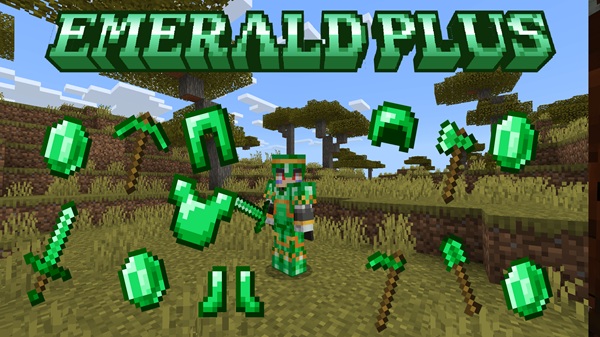
Emerald Plus Addon – Emerald Tools & Armor
Emerald Plus Addon is a vanilla-friendly Minecraft Bedrock addon that finally gives emeralds a meaningful role beyond villager trading. If you’ve ever mined emerald ore and felt unsure what to do with it next, this addon is designed for you. By introducing emerald tools and emerald armor, Emerald Plus Addon turns emeralds into a practical resource for survival progression.
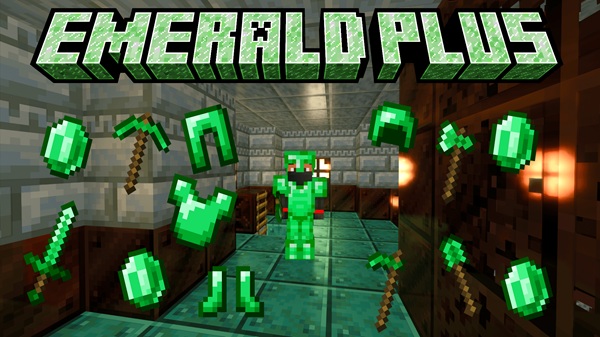
Built specifically for MCPE and Bedrock Edition, the addon blends smoothly into normal gameplay. It avoids complicated systems, commands, or heavy mechanics, making it easy to use on mobile devices while still adding depth to your survival world.
Key Features
Emerald Plus Addon focuses on clear, useful improvements rather than overwhelming changes. It enhances survival gameplay while keeping everything familiar.
-
Adds a full set of emerald tools and weapons
-
Introduces a complete emerald armor set
-
Balanced stats designed for survival progression
-
Uses standard vanilla crafting recipes
-
Fully compatible with enchantments
-
Optimized for MCPE and Bedrock performance
These features make the addon suitable for both casual players and long-term survival worlds.
Emerald Tools & Weapons
Emerald tools are the core of Emerald Plus Addon. This section explains how these tools fit into your survival journey and why they matter. Instead of replacing diamond tools, emerald tools create a useful mid-game option that feels natural and rewarding.
Emerald Tools Included
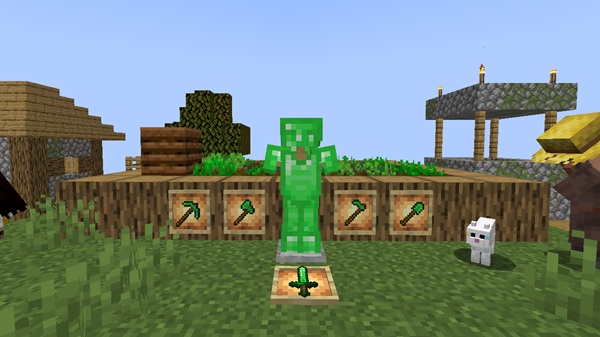
Emerald Plus Addon adds a complete tool set crafted entirely from emeralds:
-
Emerald Sword
-
Emerald Pickaxe
-
Emerald Axe
-
Emerald Shovel
-
Emerald Hoe
Each tool behaves like its vanilla counterpart, so you don’t need to learn anything new to start using them.
Tool Performance & Balance
Emerald tools are carefully balanced to fit between iron and diamond:
-
Durability similar to iron tools
-
Reliable performance for everyday survival tasks
-
Designed to avoid overpowering gameplay
This balance makes emerald tools a smart choice when you want efficiency without risking your best equipment.
Best Uses for Emerald Tools
In survival gameplay, emerald tools shine in practical situations:
-
Mining stone, ores, and building materials
-
Preparing farmland and clearing terrain
-
Large-scale projects where tool durability matters
-
Daily survival tasks that don’t require diamond gear
Many players use emerald tools to save diamonds for special moments.
Emerald Sword Overview
The Emerald Sword offers consistent performance for survival gameplay. It deals damage comparable to iron swords and supports all standard enchantments. For players who want a dependable weapon without using diamonds, the emerald sword fits naturally into early and mid-game progression.
Enchantments & Repair Options
All emerald tools support vanilla enchantments such as:
-
Efficiency (faster mining)
-
Unbreaking (slower durability loss)
-
Mending (automatic repairs using experience)
Tools can be repaired using emeralds through an anvil. With Mending, emerald tools can last indefinitely when paired with experience farms or regular gameplay.
Emerald Tools vs Vanilla Tools
Emerald vs Iron
-
Similar durability
-
Uses emeralds instead of iron
-
Ideal once emeralds become accessible
Emerald vs Diamond
-
Less powerful than diamond
-
Easier to replace in some worlds
-
Perfect for mid-game survival
This comparison helps emerald tools feel valuable without disrupting balance.
Emerald Armor Set
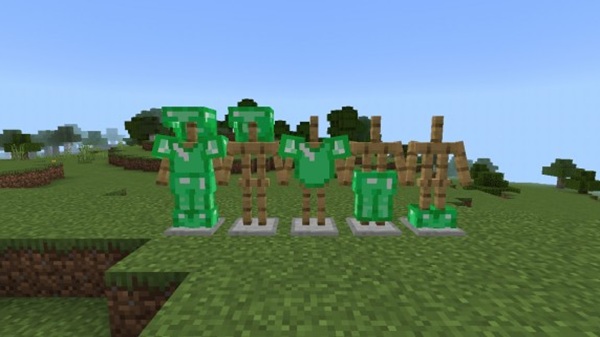
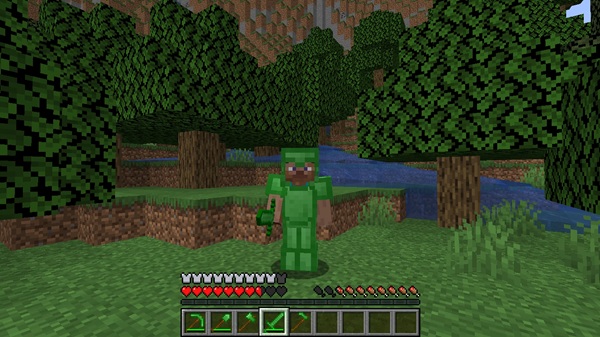
Emerald Plus Addon also adds a full emerald armor set, expanding survival progression beyond tools. The armor follows vanilla design principles, ensuring it looks and feels like part of the base game.
-
Emerald Helmet
-
Emerald Chestplate
-
Emerald Leggings
-
Emerald Boots
Protection levels sit between iron and diamond, making emerald armor a practical choice for players transitioning into more advanced gameplay. In supported versions, emerald armor also works with armor trims, allowing visual customization through the Smithing Table.
Crafting & Gameplay Mechanics
Emerald tools and armor use standard crafting patterns, replacing iron or diamond with emeralds. No new blocks, stations, or systems are introduced.
This design:
-
Encourages emerald mining
-
Supports villager trading progression
-
Keeps survival gameplay familiar
Everything integrates naturally into existing Minecraft mechanics.
Compatibility & Requirements
Emerald Plus Addon is designed for Minecraft Bedrock Edition and works across most platforms:
-
Mobile devices
-
PC Bedrock Edition
-
Consoles and Realms
It performs best on recent Minecraft versions. Conflicts may occur if other addons heavily modify emerald items or globally replace tools.
Tips for Players
To get the most from Emerald Plus Addon:
-
Use emerald tools as a mid-game upgrade
-
Save diamond tools for important tasks
-
Combine emerald gear with villager trading
-
Enchant tools for longer durability
-
Ideal for lightweight modded MCPE worlds
These strategies help you progress smoothly without wasting rare resources.
Common Issues & Fixes
Items not appearing
-
Confirm both Resource and Behavior Packs are active
Addon not working
-
Check Minecraft version compatibility
Import problems
-
Ensure files use the .mcpack format
Multiplayer issues
-
Make sure the world owner activated the packs
Most issues are resolved by rechecking pack settings.
Final Thoughts
Emerald Plus Addon transforms emeralds from a trading-only item into a valuable survival resource. By adding balanced emerald tools and armor, it enhances progression without complicating gameplay.
If you enjoy MCPE survival worlds and want emerald mining to feel worthwhile, Emerald Plus Addon is a clean, reliable choice that fits naturally into Bedrock Edition.
Installation Guide (MCPE / Bedrock)
Installing Emerald Plus Addon is simple and mobile-friendly. The addon requires both a Resource Pack and a Behavior Pack.
Installation steps:
-
Import the Resource Pack (.mcpack)
-
Import the Behavior Pack (.mcpack)
-
Create or edit a world
-
Activate both packs in world settings
-
Enable experimental features if required
-
Start the world
The addon works on Android, iOS (MCPE), and Windows 10/11 Bedrock Edition.