
Furnicraft 3D Block 1.21+
Furnicraft 3D Block Addon adds realistic, block-based furniture to Minecraft Bedrock and MCPE, helping you create detailed interiors that feel natural, stable, and perfect for creative or survival builds.
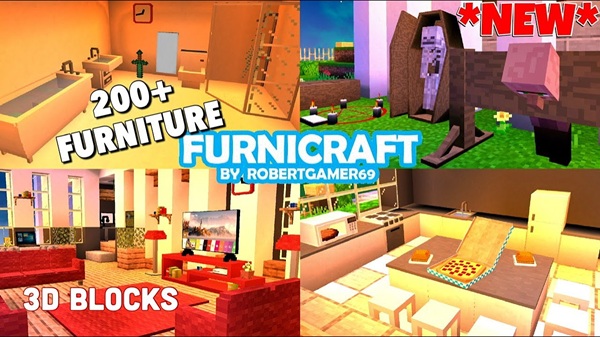
Furnicraft 3D Block Addon – Realistic Furniture Blocks
The Furnicraft 3D Block Addon is a popular furniture addon created for Minecraft Bedrock Edition (MCPE) players who want more realistic and functional interiors. If you enjoy building houses that look great on the outside but feel empty inside, this addon was made for you. It adds a wide collection of 3D furniture blocks that blend naturally with vanilla Minecraft while keeping performance stable on mobile devices.
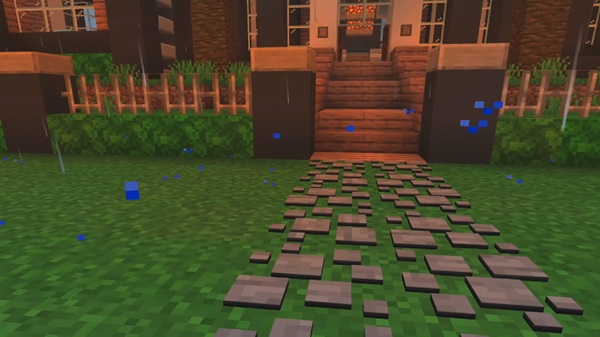
Instead of using flat decorations or complex entities, Furnicraft relies on block-based furniture, which feels familiar, reliable, and easy to use. Whether you play Creative or Survival, the Furnicraft 3D Block Addon helps turn simple structures into spaces that feel lived in and personal.
Key Features Overview
Before diving into details, it helps to understand what makes this addon stand out. The Furnicraft 3D Block Addon focuses on realism, usability, and compatibility with MCPE.
Main features include:
-
True 3D block furniture with proper depth
-
A wide variety of furniture for different interior styles
-
Support for Creative and Survival Mode
-
Optimized performance for mobile and Bedrock devices
-
Simple mechanics without commands or complex systems
These features make the addon easy to use while still offering enough depth for long-term building projects.
Realistic Furniture Blocks Explained
This section explains the core idea behind the Furnicraft 3D Block Addon and why its furniture feels different from many other MCPE furniture addons.
What “3D Block Furniture” Means in MCPE
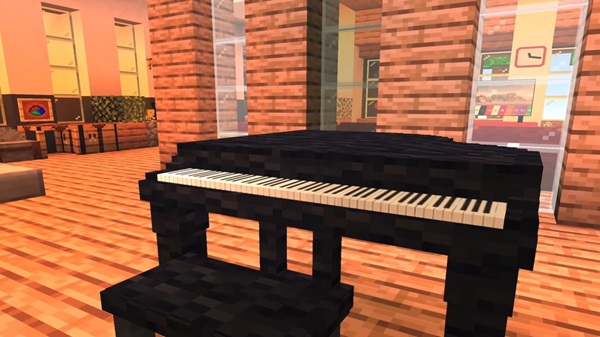
In this addon, furniture is built using actual Minecraft blocks rather than flat textures or entity models. Each chair, table, or cabinet occupies real space in the world, just like wood planks or stone blocks. This makes placement predictable and familiar, especially for MCPE players who rely on touch controls.
Because the furniture behaves like blocks, it integrates naturally into builds without special tools or commands.
Visual Depth and Interior Realism
The use of full 3D geometry gives furniture proper shape and thickness. A table has visible legs, a sofa has depth, and cabinets feel solid when placed against walls. This visual depth helps interiors look realistic from every angle, whether you’re decorating a small house or a large city apartment.
Rooms no longer feel flat or unfinished, even with simple layouts.
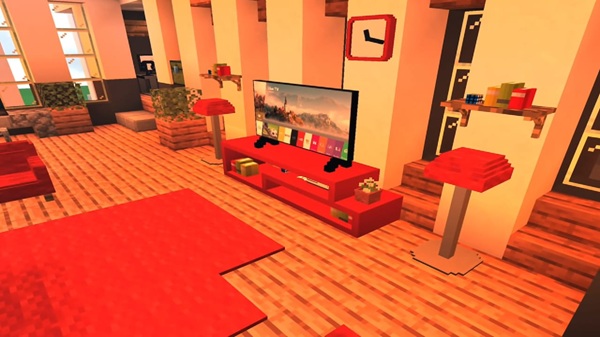
Placement, Rotation, and World Integration
Furniture placement follows standard Minecraft rules. When you place a block, it automatically rotates based on your position, allowing clean alignment with floors, walls, and corners. This makes decorating quick and intuitive, which is especially important on MCPE.
You don’t need extra controls or menus—just place furniture like any other block.
Why Block-Based Furniture Performs Better on Mobile
On mobile devices, performance matters. Block-based furniture is generally more stable than entity-based furniture, which can cause lag or visual glitches. With the Furnicraft 3D Block Addon, you get:
-
Fewer rendering issues
-
More consistent performance
-
Better stability in furnished areas
This makes it a practical choice for long-term MCPE worlds.
Difference Between Furnicraft and Flat Furniture Addons
Flat furniture often looks decorative but lacks realism when viewed from different angles. Entity furniture may look detailed but can affect performance. Furnicraft’s block-based approach offers a balance between visual quality and reliability, which suits Bedrock Edition well.
How Realistic Furniture Improves Gameplay Experience
Realistic furniture changes how you play. Kitchens feel purposeful, bedrooms feel personal, and living rooms feel welcoming. Many players find themselves spending more time decorating and improving interiors, turning building into a relaxing and creative part of gameplay.
Furniture Categories & Use Cases
Furnicraft offers furniture designed for everyday Minecraft interiors. This variety allows you to decorate different types of builds without repetition.
Common furniture categories include:
-
Living room furniture like sofas, chairs, and tables
-
Bedroom furniture such as beds and storage units
-
Kitchen and general interior decorations
-
Decorative blocks for modern or themed builds
These blocks work well in houses, apartments, city maps, and roleplay environments.
Gameplay Integration (Creative & Survival)
The Furnicraft 3D Block Addon fits smoothly into both major playstyles. In Creative Mode, furniture is easy to access for quick testing and design. In Survival Mode, furniture is crafted using Furnicraft’s systems, often involving a dedicated crafting bench.
There’s no need for commands, making the addon accessible even for new MCPE players.
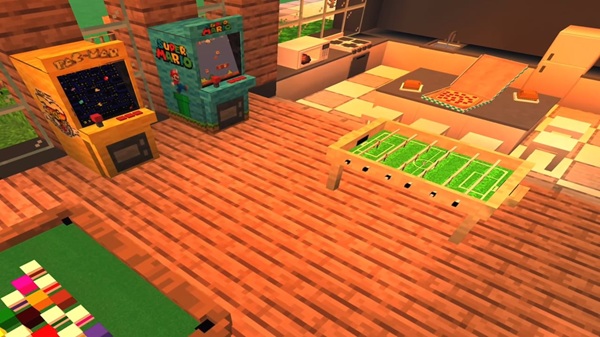
Compatibility & Performance
The addon supports modern versions of Minecraft Bedrock Edition and works on:
-
Android devices
-
iOS devices
-
Windows Bedrock Edition
Performance depends on your device. While the addon is optimized for MCPE, large furniture-heavy builds may affect low-end hardware. Spreading furniture across rooms helps maintain smooth gameplay.
Tips for Best Results
To get the most out of the Furnicraft 3D Block Addon:
-
Focus on interior builds where furniture shines
-
Combine with texture packs or light shaders for better visuals
-
Avoid mixing multiple furniture addons
-
Plan room layouts before placing large amounts of furniture
-
Test builds in Creative before committing in Survival
Common Issues & Quick Fixes
If something doesn’t work as expected:
-
Furniture not appearing: Confirm both packs are enabled
-
Broken textures: Re-import the Resource Pack
-
Crashes: Temporarily disable other addons
-
Missing items: Use the correct crafting system
Most issues are solved by double-checking world settings.
Final Thoughts: Who This Addon Is For
The Furnicraft 3D Block Addon is best suited for MCPE players who enjoy building, decorating, and creating realistic interiors. It works well for both Creative and Survival players and remains stable on mobile devices when used thoughtfully.
If you like turning empty rooms into meaningful spaces, this addon is a reliable and enjoyable choice for your Minecraft Bedrock worlds.
Installation Guide for MCPE / Bedrock
Installing the Furnicraft 3D Block Addon is straightforward. Follow these steps carefully to avoid issues:
-
Download the Resource Pack and Behavior Pack
-
Import both files into Minecraft
-
Create a new world
-
Enable both packs in world settings
-
Turn on Experimental Gameplay
-
Enter the world and confirm the addon is active
Creating a new world is recommended for best stability.











