
Giganium Expansion 1.21+
Discover the Giganium Expansion Addon, a survival-focused MCPE upgrade that introduces the Giganium biome, rare cyber materials, and craftable Elite Cyber Armor for late-game progression. Explore, mine, and build your way toward powerful futuristic gear.
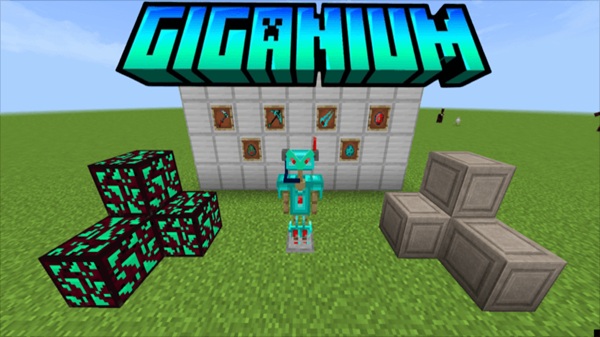
Giganium Expansion Addon – Craft Elite Cyber Armor Gear
The Giganium Expansion Addon introduces a new endgame challenge for Minecraft Bedrock Edition. Instead of dropping overpowered armor into your inventory, this addon encourages you to earn your upgrades the right way: by exploring a mysterious biome, mining rare Giganium ore, and crafting Elite Cyber Armor piece by piece. If you like survival progression that feels earned, this addon gives your world a valuable purpose beyond Netherite.
What Makes the Giganium Expansion Addon Unique?
This addon stands out because it expands progression without overpowering your world. It keeps Minecraft’s core systems intact—mining, refining, crafting—while giving you a late-game reward worth chasing. Before the armor ever touches your character, you’ll work for it, and that’s what makes the Giganium Expansion Addon truly satisfying.
Key Advantages
-
Encourages player-driven progression
-
Adds new tech-themed gameplay without breaking balance
-
Works naturally alongside vanilla items like diamond and Netherite
-
Rewards players who explore, gather, and plan ahead
This addon is perfect if you’ve reached Netherite and still want to grow stronger.
Explore the Giganium Lands Biome
To start your journey, you’ll need to visit a rare, high-tech biome known as the Giganium Lands. This location is the only place where you can collect the ore needed to craft Cyber Armor.
Biome Aesthetics & Theme
The biome feels like a futuristic fragment inside the natural world. You’ll notice:
-
Energy-infused terrain
-
Metallic and glowing vegetation
-
A sci-fi atmosphere that stands out without feeling out of place
It’s immersive without overwhelming your Bedrock world.
How to Find the Giganium Lands
The biome only generates in new or unexplored chunks, which means you’ll need to travel or load new terrain. To improve your search:
-
Bring food, torches, and tools
-
Mark the location once you find it
-
Save coordinates so you can return for more ore
-
Optional: You can use
/locate biomeif you want a shortcut
Reaching the biome is your first achievement on the path to elite armor.
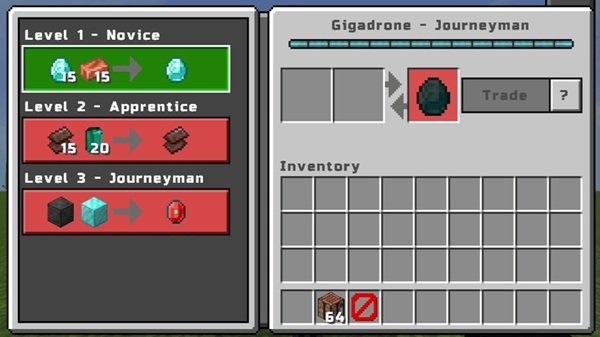
Mine Rare Giganium Ore for Survival Upgrades
Once you arrive, ore mining becomes your top priority. Giganium is powerful, but it demands patience.
Tool Requirements
You’ll need stone-tier tools or better to safely mine Giganium ore. Using the wrong pickaxe can destroy it, wasting your progress. If you have access to enchantments, a Fortune pickaxe helps increase drops, especially if you plan to craft your full armor set in one go.
Farming Tips for Faster Progression
Mining smart saves time:
-
Mark the biome with torches or colored blocks
-
Store ore in chests before refining
-
Avoid crafting small pieces too early
Think like a survivor preparing for something big.
How to Craft Elite Cyber Armor in MCPE
Crafting is the heart of the Giganium Expansion Addon. Once you have enough ore, it’s time to refine materials and build something powerful.
Materials Needed to Start Crafting
You’ll need:
-
Raw Giganium ore
-
Refined Giganium components
-
A standard crafting table (no special machines)
Each armor piece costs multiple refined items, so gather more ore than you think you’ll need.
Step-by-Step Crafting Progression Guide
-
Mine Giganium ore
-
Refine it into usable crafting components
-
Craft armor parts at the table
-
Combine components into armor pieces
Saving resources until you can craft efficiently helps you progress faster.
Cyber Armor Recipe Breakdown
You can craft the full set:
-
Helmet
-
Chestplate
-
Leggings
-
Boots
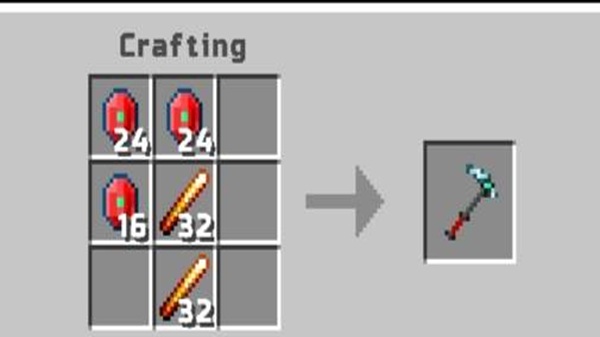
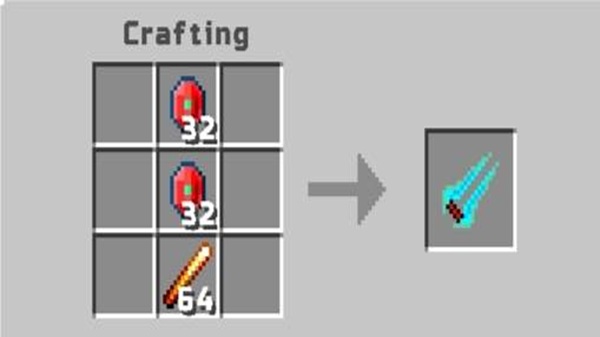
Visual recipes or icons make crafting easier—consider referencing in-game recipe screens or add-on visuals.
Which Piece to Craft First (Strategy Tip)
The Cyber Chestplate gives the biggest protection boost. Craft it first to:
-
Increase durability immediately
-
Stay safe on future ore runs
-
Avoid wasting precious components
Craft smart, not just fast.
Cyber Armor Advantages vs. Vanilla Gear
Cyber Armor offers:
-
Higher durability than Netherite
-
Strong protection suited for long-term survival
-
Futuristic visuals that fit sci-fi builds
It improves gameplay without making combat trivial.
Common Mistakes to Avoid When Crafting
Avoid:
-
Making boots or helmets first
-
Refining ore too early
-
Underestimating how many biome trips you’ll need
Plan upgrades just like you plan your survival base.
Device Compatibility & Performance Notes
You can use the addon on:
-
Android
-
iOS
-
Windows Bedrock
-
Consoles (if imported properly)
If your phone lags inside the biome:
-
Reduce render distance
-
Disable clouds and fancy graphics
-
Close unused applications
Small tweaks improve performance significantly.
Player Tips for Maximum Gear Progression
To get the most from the Giganium Expansion Addon:
-
Use Fortune when possible
-
Craft the chestplate first
-
Gather extra ore before refining
-
Test the addon alone to avoid biome conflicts
Minor optimizations help you progress faster toward elite armor.
Final Thoughts — Who Should Use This Addon?
The Giganium Expansion Addon is ideal if you:
-
Love survival progression
-
Enjoy crafting rewards over shortcuts
-
Prefer futuristic themes and purposeful upgrades
If you’re ready to explore, mine, and craft your way into a more advanced future, the Giganium Expansion Addon turns your survival world into a meaningful journey—not just another playthrough.
Installation Guide (Bedrock / MCPE 1.21+)
You don’t need technical experience to install the Giganium Expansion Addon. Just follow simple steps.
How to Install the Addon (.mcaddon)
-
Download the
.mcaddonfile -
Open it with MCPE
-
Wait for the “Import Successful” message
Enable Behavior + Resource Packs
-
Open your world’s settings
-
Activate both packs under Behavior and Resources
-
Save before launching the world
Required Experimental Features
Enable experimental gameplay options. If you skip this step, the biome and crafting system may not appear.











