
Glowstone Plus 1.21+
The Glowstone Plus Addon introduces a radiant gear set with built-in Dynamic Light, giving you glowing armor, luminous tools, and smoother exploration in MCPE. This addon enhances visibility, improves nighttime adventures, and adds a stylish glow to every survival or creative world.
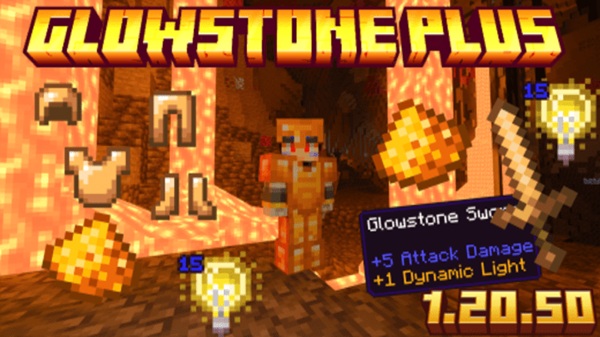
Glowstone Plus Addon – Radiant Gear Set with Dynamic Light
The Glowstone Plus Addon gives glowstone a new purpose in Minecraft Bedrock Edition by transforming it into a complete set of radiant gear. It introduces glowing armor, luminous tools, and a smooth Dynamic Light system that follows you wherever you go. If you enjoy exploring caves, traveling at night, or building atmospheric worlds, this addon adds a practical and visually appealing upgrade to your MCPE experience.
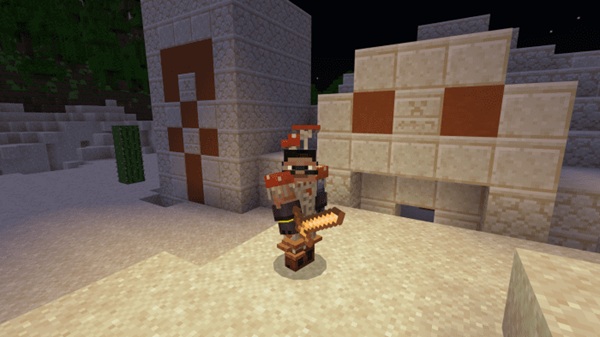
Introduction to the Glowstone Plus Addon
The Glowstone Plus Addon enhances glowstone’s role in your world, turning it into craftable armor and tools that shine with real-time light. It’s designed for players who want both style and utility without changing the core feel of vanilla Minecraft.
This addon resonates with different play styles—explorers searching for hidden tunnels, builders who enjoy designing at night, and anyone who likes feeling prepared when the world gets darker.
Radiant Gear Set Overview (Armor + Tools)
The Radiant Gear Set brings glowstone to life through gear that emits gentle, mobile light. Before diving into each piece, it helps to understand how the set functions as a whole.
Key highlights of the Radiant Gear Set:
-
Consistent glow that surrounds your character
-
Balanced stats suitable for mid-game survival
-
Easy crafting recipes accessible early in your world
-
Works seamlessly with MCPE lighting and movement
It’s a gear pack that feels natural in Minecraft while adding fresh visual energy to your adventures.
Glowstone Armor Breakdown
Glowstone armor is built for visibility first, protection second. Each piece contributes to your light radius, helping you navigate without constant torch placement.
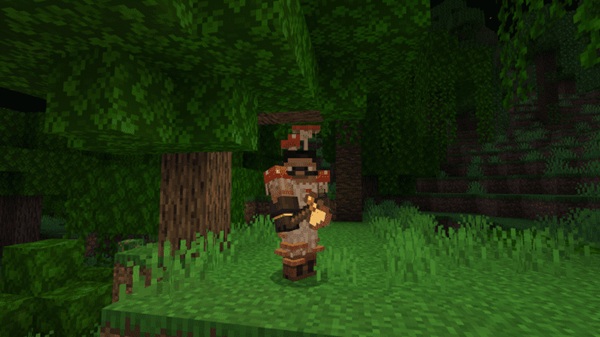
Glowstone Helmet
-
Emits light when worn
-
Ideal for cave scouting
-
Supports basic enchantments
Glowstone Chestplate
-
Brightest light source in the set
-
Strongest defensive piece
-
Useful during nighttime travel
Glowstone Leggings
-
Balanced stats
-
Contributes to the total glow effect
Glowstone Boots
-
Lightweight
-
Increases visibility while sprinting
Wearing the full set creates a radiant bubble around your character—perfect for dark areas.
Glowstone Tools Breakdown
The tools in the Glowstone Plus Addon offer a blend of practicality and soft, moving light. When equipped, each tool lights the area around you, improving visibility during everyday tasks.
Included tools:
-
Glowstone Sword – great for exploring at night
-
Glowstone Pickaxe – ideal for mining dark cave walls
-
Glowstone Axe – useful in shaded forests
-
Glowstone Shovel – brightens terrain clearing
-
Glowstone Hoe – supports nighttime farming
All tools feature mid-tier durability and enchantment compatibility, making them reliable for survival.
Dynamic Light System (Core Feature)
Dynamic Light is the standout mechanic of this addon. Below is a closer look at how it works and why it feels so natural in MCPE.
What Is Dynamic Light in MCPE?
Dynamic Light generates a moving glow around your character whenever glowstone gear is worn or held. This replaces the need for constant torch placement.
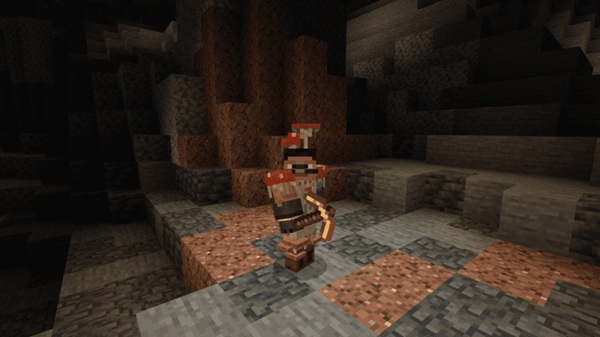
How Dynamic Light Enhances Exploration
-
Better visibility underground
-
Safer nighttime navigation
-
Clearer views in the Nether
Light When Using Tools
Holding a glowstone tool instantly illuminates your surroundings without interruptions.
Light When Wearing Armor
Even a single armor piece provides light; the full set amplifies the glow significantly.
Visual & Atmospheric Impact
Dynamic Light adds warm ambiance, making your world feel more alive during nighttime or cave exploration.
Performance on Mobile Devices
The system is optimized for MCPE, offering smooth performance on most mobile hardware.
Troubleshooting
If the glow doesn’t appear:
-
Activate both packs
-
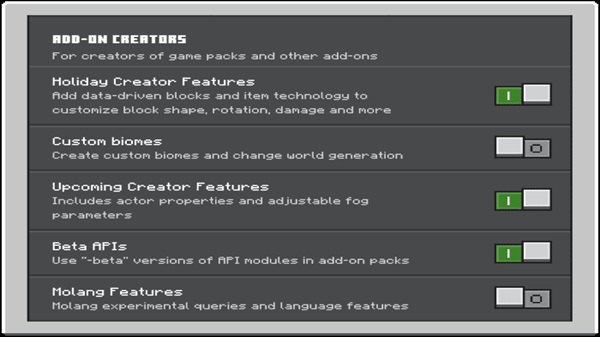
Enable experimental features
-
Restart MCPE
Crafting the Radiant Gear Set
To craft these items, gather glowstone blocks or dust and head to a crafting table. Recipes unlock automatically.
Helpful tips:
-
Use Silk Touch for easier glowstone collection
-
Create safe pathways in the Nether
-
Build a small outpost for bulk harvesting
Crafting feels intuitive and fits the vanilla crafting flow.
Compatibility & Device Support
This addon works on:
-
Android
-
iOS
-
Windows Bedrock
-
Xbox consoles
Compatible with versions 1.16–1.21+.
It works well with most vanilla-friendly addons. Some shaders may influence lighting, but overall performance remains stable.
Best Ways to Use the Radiant Gear Set
Use the Glowstone Plus Addon to enhance:
-
Nighttime exploration
-
Cave mining
-
Building in low-light areas
-
Creative roleplay with glowing characters
-
Multiplayer sessions where visibility matters
The gear becomes a portable light source that improves every part of gameplay.
Tips, Optimization & Player Recommendations
-
Reduce render distance if using older devices
-
Recommended enchantments: Unbreaking, Efficiency, Protection
-
Restart MCPE after installation for smooth performance
-
Use the gear for large builds needing consistent lighting
Conclusion
The Glowstone Plus Addon – Radiant Gear Set with Dynamic Light blends beauty, utility, and performance into a single MCPE enhancement. With glowing armor, luminous tools, and a player-friendly Dynamic Light system, it brings a brighter, more immersive survival experience. If you want to explore safely, build creatively, and enjoy a more atmospheric Minecraft world, this addon fits naturally into any Bedrock playthrough.
How to Install the Addon on MCPE (Step-by-Step)
-
Download the
.mcaddonor.mcpackfile. -
Open it to start the import process.
-
Activate the Glowstone Plus Addon in Behavior Packs and Resource Packs.
-
Enable required experimental features.
-
Enter your world and check the crafting table.
If installation fails, reimport or restart the game.











