
Gravity Guns 3D 1.21+
Step into a new level of gameplay with the Gravity Guns 3D Addon for Minecraft Bedrock Edition. Control gravity itself — lift, pull, and launch blocks or mobs with realistic motion physics. Designed for MCPE players, this addon combines stunning 3D visuals with smooth performance across all devices, making every world feel alive and interactive.
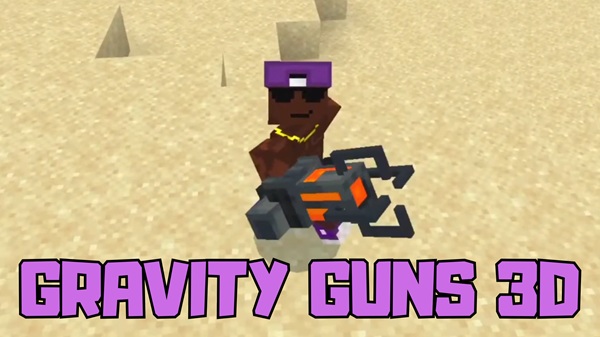
Gravity Guns 3D Addon – Redefining Physics in Bedrock Worlds
The Gravity Guns 3D Addon brings a new level of creativity and control to Minecraft Bedrock Edition. Imagine lifting blocks, pulling mobs, or launching objects through the air — all with the power of gravity in your hands. This isn’t just a visual gimmick; it’s a fully interactive experience that changes how you build, explore, and play.
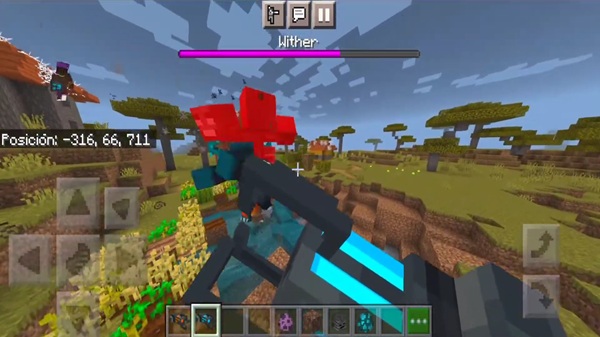
Designed specifically for MCPE players, this addon combines realistic motion physics with 3D visuals to create something truly unique. Whether you’re a builder, a Redstone engineer, or a casual player, it invites you to play Minecraft in an entirely new way — one where gravity itself becomes your greatest tool.
What Makes Gravity Guns 3D Addon Revolutionary
The Gravity Guns 3D Addon stands out because it doesn’t rely on simple knockback effects. Instead, it uses simulated motion, 3D rendering, and optimized scripting to deliver a smooth, realistic feel. It gives players something that’s rarely seen in Bedrock mods: true telekinetic control.
Let’s explore the features that make this addon revolutionary.
Advanced 3D Modeling and Visual Design
The Gravity Gun model was built from scratch to take advantage of Bedrock’s rendering system. It features glowing cores, animated energy pulses, and detailed textures that make it feel alive in your hands. When viewed in third person, the weapon moves naturally, fitting seamlessly with the Bedrock environment.
Realistic Gravity and Motion Mechanics
Instead of pre-set movements, the addon calculates motion in real time. You can lift, pull, and throw objects or mobs with believable momentum. Each interaction feels different depending on what you target — a cow moves differently than a sand block. It’s a small touch that adds huge depth to gameplay.
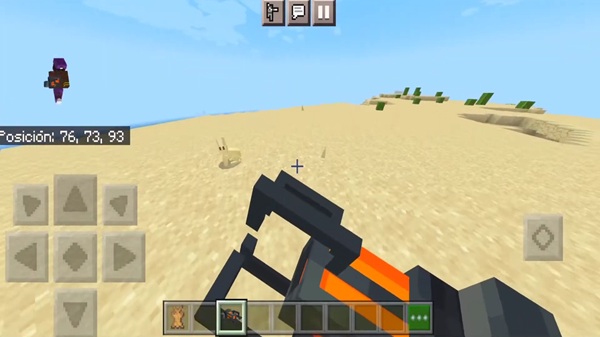
Dual Gravity Gun Variants
-
Standard Gravity Gun: Perfect for everyday use and safe experimentation in survival.
-
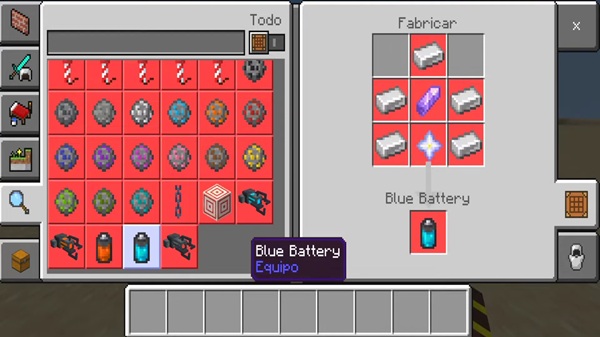
Blue (Supercharged) Gravity Gun: Greater range and force, ideal for creative building or large-scale effects.
Both versions encourage different playstyles, letting you choose between precision or power.
Optimized for Bedrock Devices
Every script in the addon is fine-tuned for performance. It runs smoothly on Android, iOS, Windows, Xbox, and even the Nintendo Switch. Mid-range devices handle it effortlessly, while high-end devices showcase its visual polish and animation quality.
Enhanced Interactivity and Creative Freedom
From moving mobs to crafting floating structures, the Gravity Guns 3D Addon expands what’s possible in Minecraft Bedrock. It’s not just a weapon — it’s a design tool for creative builders, adventure map creators, and anyone who loves experimenting with the laws of physics.
Core Features and Functionality
-
Physics-based motion: Realistic pull, push, and throw mechanics.
-
Full 3D weapon model: Animated, glowing, and visually detailed.
-
Creative and survival support: Works in all game modes.
-
Multiplayer-ready: All players can see gravity effects in shared worlds.
-
Simple controls: Tap, hold, and crouch actions for intuitive play.
Every feature contributes to a more immersive and flexible Bedrock gameplay experience.
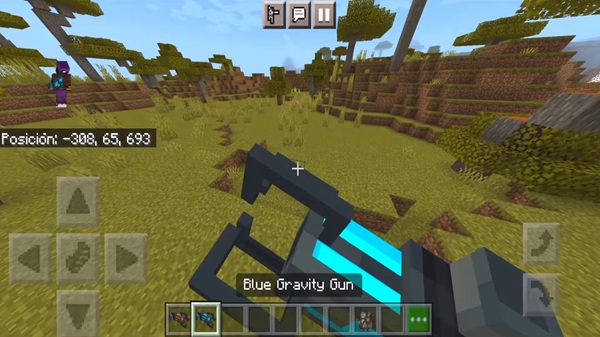
How It Works In-Game
To master the Gravity Guns 3D Addon, follow these quick steps:
-
Equip the Gravity Gun from your inventory.
-
Aim at a mob, item, or block.
-
Hold interact to pull it closer.
-
Crouch to push it away.
-
Release to drop or launch the target.
You’ll quickly notice how smooth and natural it feels — perfect for both quick fun and advanced creative setups.
Compatibility and Performance
-
Supported versions: Minecraft Bedrock 1.21 and newer.
-
Devices: Android, iOS, Windows 10/11, Xbox, and Switch.
-
Performance tips:
-
High-end devices handle heavy entity movement smoothly.
-
On mid-range devices, lower render distance if needed.
-
Avoid using it with multiple large addons to maintain FPS.
-
The addon balances advanced physics with efficient scripting, so everyone can enjoy smooth gameplay.
Creative Uses and Tips
-
Builders: Move heavy structures or create floating builds.
-
Adventure map creators: Add puzzles or physics-based challenges.
-
Video makers: Use gravity motion for cinematic storytelling.
Pro Tips:
-
Aim at the top of your target for best accuracy.
-
Use the Standard version for control and the Blue version for power.
-
Keep entity counts low to prevent lag during multiplayer sessions.
Players love showing off their creations — share yours using #GravityGuns3DAddon.
Why It Matters
The Gravity Guns 3D Addon proves that Minecraft Bedrock Edition can deliver advanced, physics-driven gameplay without mods or external tools. It gives creators freedom, builders precision, and players a brand-new experience.
By combining creative design with real motion effects, this addon blurs the line between imagination and physics — turning every Minecraft world into a playground of possibility.
Final Thoughts
The Gravity Guns 3D Addon isn’t just fun — it’s a milestone for Bedrock innovation. Lightweight, beautiful, and accessible, it empowers you to interact with your world like never before.
So go ahead — experiment, build, and take control of gravity itself.
Your next great Minecraft creation might just start with a single lift.
Installation Guide for MCPE/Bedrock
-
Download the addon file (
.mcaddonor.mcpack). -
Open it to import automatically into Minecraft.
-
In World Settings, activate both the Resource Pack and Behavior Pack.
-
Enable these Experimental Features:
-
Holiday Creator Features
-
GameTest Framework
-
Molang Features
-
-
Load your world and start experimenting with gravity.
If it doesn’t work correctly, check that both packs are active and experimental toggles are enabled.











