
GX 4 Renault Twingo 1.21+
Discover how the GX 4 Renault Twingo Addon transforms your MCPE world with a craftable compact car made for survival, modern city builds, roleplay, and smooth mobile gameplay. Learn how to install it, craft it, and drive it across your Minecraft Bedrock world with ease.
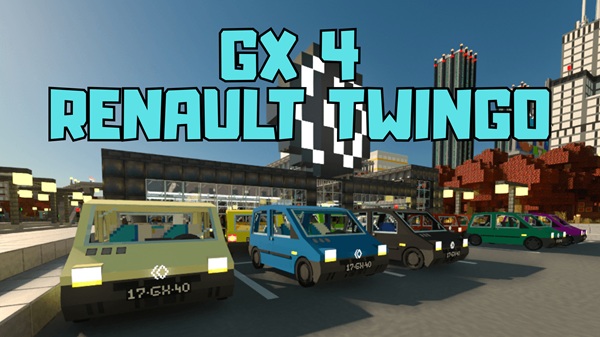
GX 4 Renault Twingo Addon – Craftable Everyday Car for MCPE
The GX 4 Renault Twingo Addon brings a small, practical city car into Minecraft Bedrock Edition. Unlike many vehicle mods that only work in Creative mode, this addon lets you craft and use the Twingo in Survival, making it a real part of your progression instead of a simple decoration item. If you enjoy exploring villages, building modern towns, or roleplaying with friends, this addon turns travel into something fun and natural in your MCPE world.
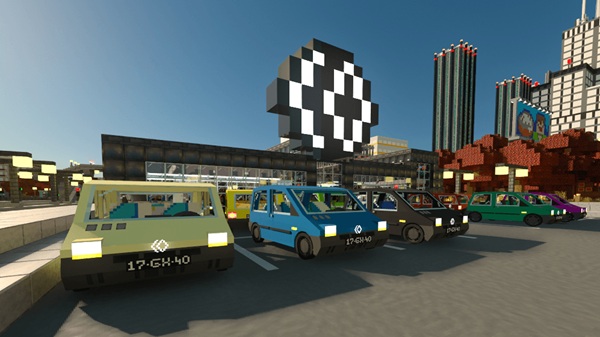
What Makes the Renault Twingo Perfect for MCPE?
The GX 4 Renault Twingo Addon focuses on usability, not flash. It’s built for players who want a realistic everyday vehicle that feels like it belongs in a survival world or a modern city map. Before getting into crafting and gameplay, it helps to understand why this compact car fits so well in Bedrock environments.
Why It Works Well in MCPE
-
Compact, true-to-scale model fits normal roads, garages, and parking spaces.
-
Lightweight performance avoids lag on mobile devices.
-
Simple controls match touchscreens, controllers, and keyboards.
-
Survival integration makes the car feel earned, not spawned instantly.
If you’ve ever tried a giant sports car addon and felt like it didn’t belong, you’ll immediately notice how naturally the Twingo blends into schools, suburbs, roleplay towns, and city streets.
Key Features of the GX 4 Renault Twingo Addon
This addon combines practical gameplay with immersive world-building. Here’s a quick overview before we dive into crafting:
-
Realistic urban vehicle inspired by the Renault Twingo
-
Smooth driving animation that responds well to MCPE controls
-
Survival crafting through a balanced recipe
-
Perfect fit for city builds and tight spaces
-
Optimized for mobile performance
-
Works in single-player survival, multiplayer, and roleplay servers
Most importantly, the GX 4 Renault Twingo Addon doesn’t overwhelm your device with heavy effects or unnecessarily large models.
How to Craft the Renault Twingo in Survival Mode
The defining feature of the GX 4 Renault Twingo Addon is its craftable gameplay. That means you can earn your vehicle through normal survival progression just like tools, weapons, or farm resources. Let’s break it down step by step.
Required Materials and Early-Game Resources
To build the Twingo, you’ll need a mix of items commonly obtained in early and mid-game:
-
Smelted metals or ores found underground
-
Basic components crafted from mob drops or farms
-
Utility items collected around your base
Tip: Start mining and smelting metals early. You’ll have everything ready once you unlock more survival mobility.
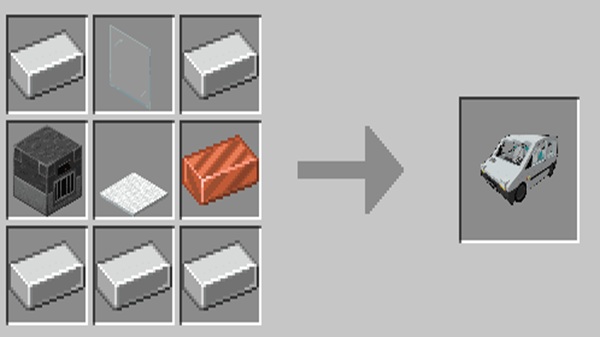
Crafting Recipe at the Crafting Table
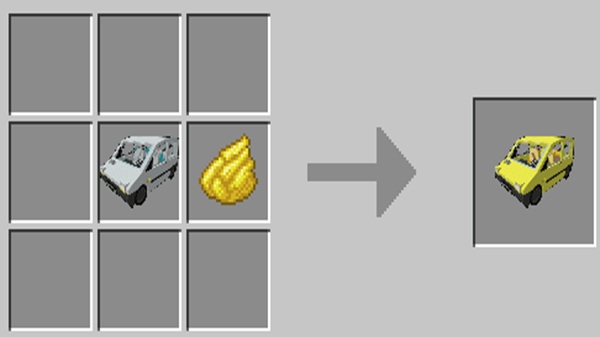
Once you gather your materials, open a crafting table and place the items in a 3×3 crafting grid. The correct pattern will show the Twingo as a result. If nothing appears, check for missing items or outdated versions.
Note: Recipes may change over time, so always review the current version inside the addon.
Spawning, Placing, and Entering the Vehicle
After crafting, the car appears as a placeable item. To drive:
-
Put the car on flat ground.
-
Tap or interact to enter.
-
Move using normal controls.
-
Exit by sneaking or pressing the exit button.
It automatically responds to:
-
Touchscreen controls on mobile
-
Mouse + keyboard on Windows
-
Controller buttons on console realms
Best Survival Uses for the Twingo
Once you have the Renault Twingo, you’ll quickly find more reasons to use it:
-
Travel faster between your farms, mines, and storage areas
-
Explore distant bases or expanding cities
-
Help friends in multiplayer survival
-
Roleplay as a taxi driver, delivery worker, citizen, etc.
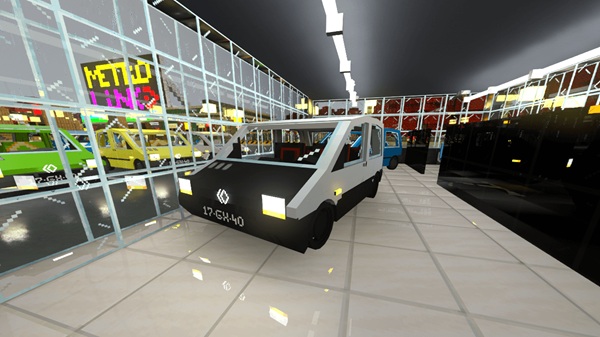
Consider building a car dealership or garage to store multiple Twingos and make your city feel alive.
Troubleshooting Crafting Problems
If the recipe doesn’t show or the car refuses to spawn:
-
Enable Resource Pack and Behavior Pack
-
Activate Holiday Creator Features
-
Restart Minecraft after activating the addon
-
Make sure all players have the addon installed (for multiplayer)
Compatibility & Performance Tips
-
Best Version: MCPE / Bedrock 1.20+
-
Supported Devices: Android, iOS, Windows, consoles via shared worlds
-
Minimum RAM: 2GB
-
Recommended: 3GB+ for heavy building maps
Optimizing for Low-End Devices
-
Lower render distance to 6–10 chunks
-
Turn off Fancy Graphics if needed
-
Avoid spawning too many vehicles in one place
Multiplayer Notes
-
All players must enable the addon
-
If packs deactivate on realms, turn them on again
-
Crafting only works when behavior packs are properly loaded
Conclusion
The GX 4 Renault Twingo Addon transforms a simple car into a meaningful part of your MCPE world. Its realistic scale, smooth driving, and survival crafting make it a perfect everyday vehicle for builders, survival players, and city roleplay fans.
Whether you’re building roads, exploring new homes, or cruising with friends, the Renault Twingo delivers a practical and enjoyable way to travel in Minecraft Bedrock.
Installation Guide (Mobile, Tablet, and Windows)
Just follow these steps to install the GX 4 Renault Twingo Addon:
-
Download the
.mcaddonfile. -
Open it to automatically launch Minecraft.
-
Wait until the game shows “Successfully imported.”
-
Open or create a world.
-
Activate both packs under Add-Ons.
-
Enable Holiday Creator Features and Custom Items (if visible).
-
Save and play.
Once installed, you’re ready to craft and drive.











