Heavy Gauntlet 1.21+
The Heavy Gauntlet Addon adds strategic, timing-based melee combat to Minecraft Bedrock Edition. Designed for MCPE players, it focuses on control, positioning, and skill-driven gameplay for Survival and PvP worlds.
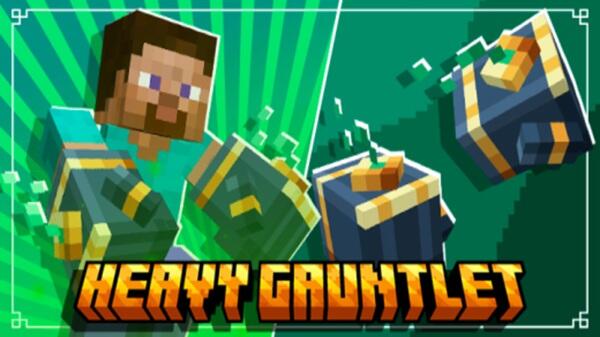
Heavy Gauntlet Addon – Strategic Melee Combat with Depth
The Heavy Gauntlet Addon brings a more thoughtful style of melee combat to Minecraft Bedrock Edition (MCPE). Instead of fast clicking or simple damage stacking, this addon encourages you to slow down, read the situation, and act with purpose. Every hit feels intentional, and every fight becomes a small test of timing and positioning.
If you enjoy combat that rewards awareness and practice, the Heavy Gauntlet Addon fits naturally into Survival worlds, PvP arenas, and custom maps on mobile and Bedrock platforms.
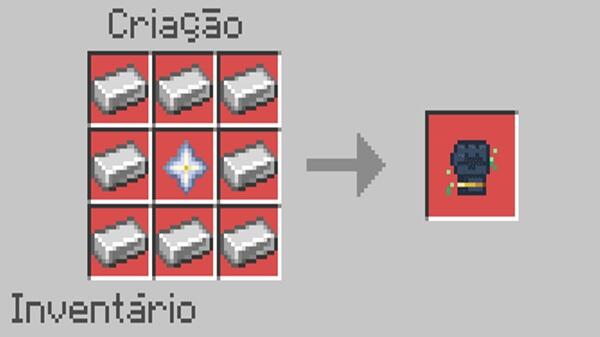
Core Gameplay Concept: Strategy, Timing, and Control
At the heart of the Heavy Gauntlet Addon is a clear idea: combat should feel controlled and meaningful. This section explains how the addon reshapes standard MCPE combat by focusing on decision-making rather than speed alone.
How the Heavy Gauntlet Changes Standard MCPE Combat
In vanilla gameplay, melee combat often relies on repeated swings. The Heavy Gauntlet Addon changes this flow by adding weight and pacing to each action. You no longer rush every encounter. Instead, you choose when to strike and when to wait, making battles feel more deliberate.
Charge Timing and Decision-Making
The gauntlet introduces a charge-based attack system. Holding the attack button prepares a stronger hit, while quick taps allow faster responses. This simple mechanic creates meaningful choices. Do you act quickly, or do you commit to a stronger move and accept the risk?
Positioning and Spatial Awareness
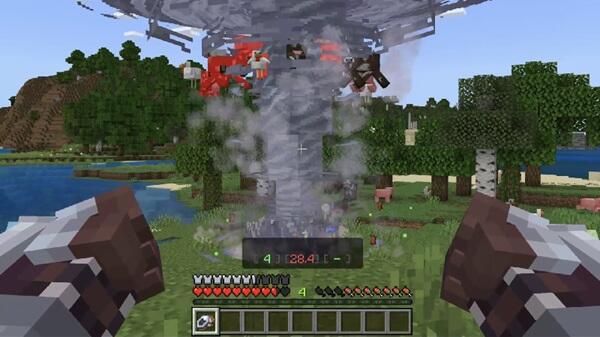
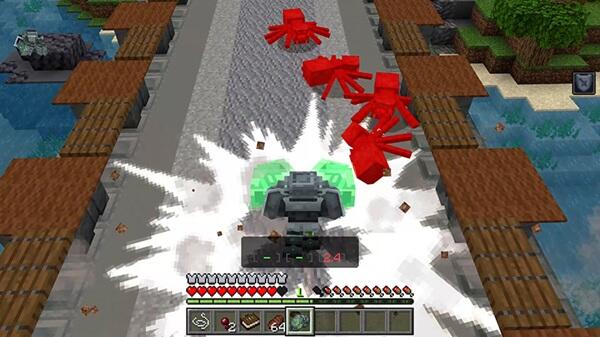
Where you stand matters. Charged attacks are most effective when enemies are grouped, encouraging smart movement and awareness of your surroundings. Hills, corners, and narrow spaces suddenly play a bigger role in combat strategy.
Risk–Reward Balance in Combat
Charging an attack leaves you open for a moment. If your timing is off, you may take damage. If your timing is right, the payoff feels satisfying. This balance keeps combat engaging without feeling unfair.
Learning Curve and Player Mastery
The Heavy Gauntlet Addon is easy to understand but rewarding to master. As you play, your timing improves, your positioning becomes smarter, and combat feels smoother. Progress happens naturally through experience.
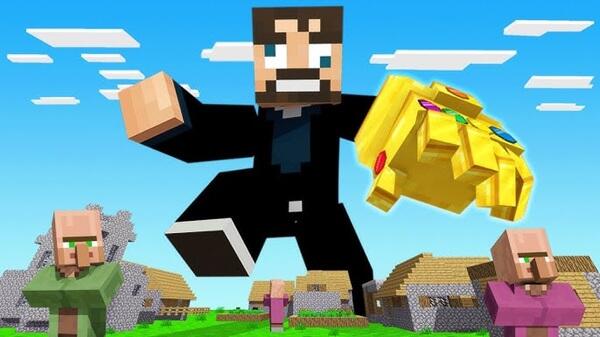
Strategic Use in Different Game Modes
-
Survival Mode: Encourages careful planning and resource use
-
PvP: Rewards prediction and timing over raw speed
-
Creative Mode: Ideal for practicing charge control and movement
Main Features & Mechanics
The Heavy Gauntlet Addon focuses on mechanics that add depth without overwhelming the player. Each feature supports the core idea of strategic melee combat.
-
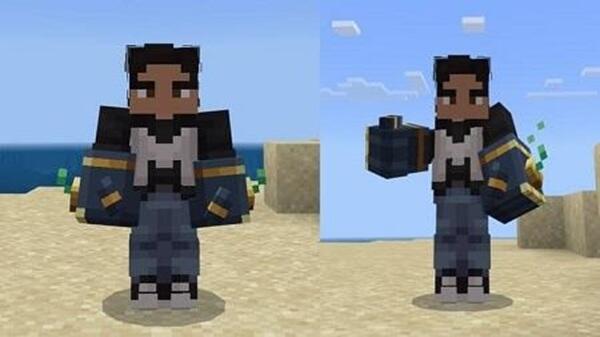
A unique Heavy Gauntlet melee weapon
-
Charge-based attacks with scalable impact
-
Area-of-effect attacks for managing groups
-
Smooth animations designed for Bedrock performance
-
Balanced gameplay suitable for Survival and PvP
Together, these mechanics create a combat system that feels fresh while remaining familiar.
How the Addon Feels in Real Gameplay
Once you start using the Heavy Gauntlet Addon, combat feels slower but more controlled. Fights become less chaotic and more readable. You begin to notice enemy movement, spacing, and timing more clearly.
Players often describe:
-
Higher engagement during battles
-
Clear feedback from attacks and movement
-
A stronger sense of control in combat situations
The addon enhances gameplay without changing the core identity of Minecraft.
Crafting & Progression System
Progression plays an important role in keeping the Heavy Gauntlet balanced. You must earn access to its power rather than receiving it instantly.
-
Mine Unstable Energy Ore using proper tools
-
Collect Unstable Energy as a crafting material
-
Fortune enchantments increase resource efficiency
-
Crafting costs support mid-to-late Survival balance
This system ensures the gauntlet feels valuable and worth protecting.
Compatibility & Performance
The Heavy Gauntlet Addon is built with MCPE performance in mind.
-
Supports modern Minecraft Bedrock versions
-
Works on Android, iOS, and Windows Bedrock
-
Optimized for mobile hardware
-
Stable performance on devices with 2GB+ RAM
-
Compatible with most resource packs and shaders
For best stability, avoid combining multiple combat overhaul addons.
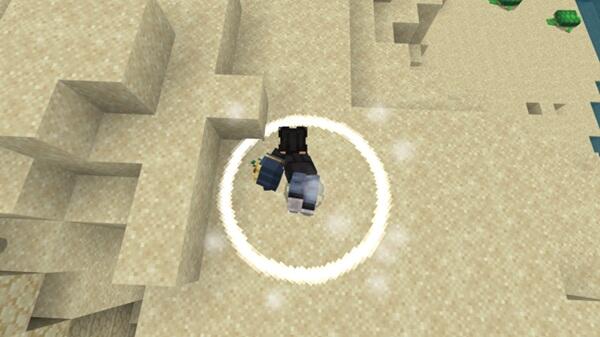
Tips for Strategic Use
A few smart habits can greatly improve your experience with the Heavy Gauntlet Addon:
-
Use quick attacks for single enemies
-
Save charged attacks for grouped targets
-
Stay mobile while charging
-
Practice timing in Creative mode
-
Pair with armor and movement effects
Learning when not to charge is just as important as knowing when to commit.
Who This Addon Is Best For
The Heavy Gauntlet Addon is a strong fit for players who:
-
Enjoy skill-based melee combat
-
Prefer thoughtful gameplay over rapid clicking
-
Play Survival or PvP regularly
-
Build custom maps or challenge worlds
-
Want balanced, long-term addons
It may not appeal to players looking for instant power or casual combat.
Final Thoughts: Why This Addon Adds Depth to MCPE Combat
The Heavy Gauntlet Addon redefines melee combat by focusing on strategy, timing, and player control. It adds depth without complexity, challenge without frustration, and variety without breaking balance.
If you want combat in Minecraft Bedrock Edition to feel more engaging and intentional, the Heavy Gauntlet Addon is a strong and reliable choice.
Photos
Installation Guide for MCPE / Bedrock
Installing the Heavy Gauntlet Addon follows standard Bedrock steps and works smoothly on mobile devices.
-
Import the
.mcaddonor.mcpackfile -
Activate both the Behavior Pack and Resource Pack
-
Enable required Experimental Features if prompted
-
Restart or create a world to apply changes
After setup, the addon integrates seamlessly into your world.
Your comment