Multi Backpack 1.21+
The Multi Backpack Addon adds survival-friendly, portable backpacks to Minecraft Bedrock Edition, helping MCPE players manage inventory more easily during mining, exploration, and building without breaking vanilla gameplay balance.
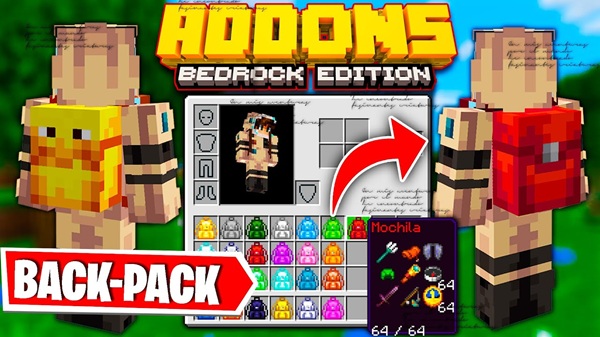
Multi Backpack Addon – Portable Storage That Fits Survival
If you play Minecraft Bedrock Edition regularly, especially on mobile, you already know the problem: your inventory fills up long before your adventure ends. Mining sessions get cut short, exploration becomes messy, and temporary chests start appearing everywhere. This is exactly where the Multi Backpack Addon fits in.
Designed for MCPE and Bedrock players, the Multi Backpack Addon introduces portable backpacks that expand your storage while respecting vanilla survival balance. It doesn’t change how Minecraft works—it simply makes survival more comfortable, organized, and enjoyable.
What Makes Multi Backpack Addon Survival-Friendly
Before adding any addon to a survival world, one question matters most: does it feel fair? This section explains why the Multi Backpack Addon works naturally within survival gameplay and doesn’t remove the challenge that makes Minecraft rewarding.
Balanced Crafting Recipes
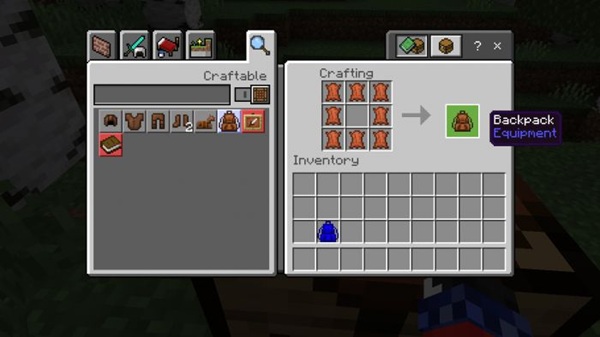
Backpacks are crafted using regular survival materials you already recognize. You still need to explore, gather resources, and plan ahead before crafting one. This keeps progression meaningful and avoids early-game advantages.
No Overpowered or Cheat-Like Features
The Multi Backpack Addon does not duplicate items, increase stack sizes, or bypass inventory rules. Storage space is helpful but controlled, so you gain convenience without breaking survival balance.
Works Naturally With Vanilla Gameplay
Backpacks behave like familiar storage containers. There are no new systems to learn, no complex interfaces, and no mechanics that feel out of place in Bedrock Edition.
Designed for Long Survival Sessions
Instead of removing difficulty, backpacks reduce unnecessary interruptions. You spend more time mining, exploring, or building—and less time walking back and forth to storage.
Safe for Singleplayer and Multiplayer Survival
Each backpack belongs to the player using it. Whether you play alone or with friends, storage stays predictable and consistent across sessions.
Lightweight and Mobile-Friendly Design
Built with MCPE in mind, the addon avoids heavy scripts and runs smoothly even on low-end devices.
Backpack Types & Customization Options
Minecraft is personal, and storage should be too. This section introduces the different backpack options and explains how customization stays visual rather than mechanical.
Basic and Dyeable Backpacks
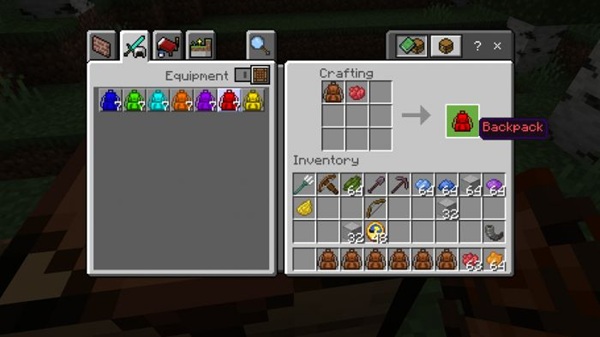
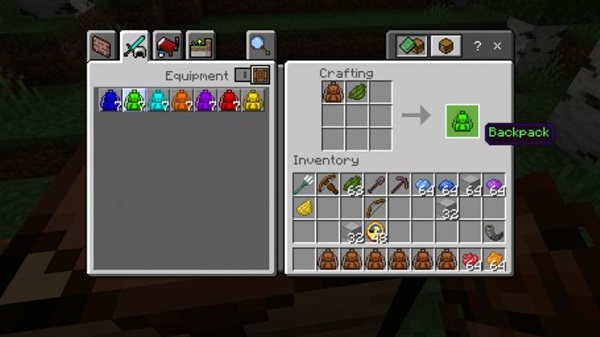
The basic backpack is easy to craft and available early in survival. You can dye it using standard Minecraft dyes to match your style or organize backpacks by color.
Special Themed Variants
Some backpacks feature unique visual themes. These variants look different but work exactly the same, keeping gameplay fair while adding variety.
How Backpacks Work In-Game (MCPE Controls)
Ease of use is essential for mobile players. Here’s how backpacks function during normal gameplay on MCPE and Bedrock platforms.
Simple Interaction System
-
Tap or interact to open backpack storage
-
Move items just like using a chest
-
Long-press on mobile or right-click on PC for interactions
-
Pick up placed backpacks without losing contents
No tools, no commands, and no complicated controls are required.
Practical Survival Use Cases
Backpacks become most valuable when used naturally during everyday survival activities. This section shows where the Multi Backpack Addon shines.
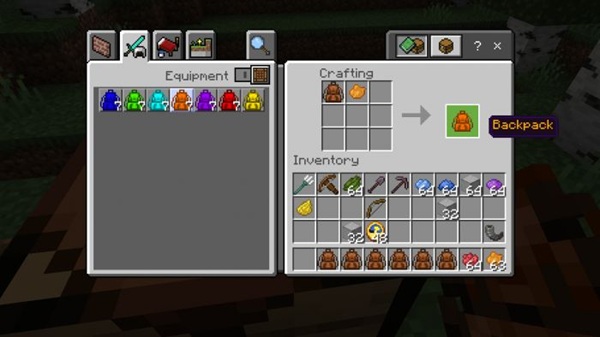
Real Gameplay Scenarios
-
Mining trips: Carry ores, tools, and blocks longer
-
Exploration: Store loot during long journeys
-
Building: Transport large amounts of materials
-
Organization: Separate food, tools, and resources
Players often assign backpacks by purpose, which keeps inventory clean and efficient.
Crafting & Progression Balance
A good survival addon should feel earned. This section explains how crafting and progression stay intact.
Natural Progression Design
-
Crafting encourages exploration and preparation
-
Storage upgrades come gradually, not instantly
-
Promotes smarter planning instead of unlimited space
The Multi Backpack Addon improves comfort without removing decision-making.
Compatibility & Performance on Mobile Devices
Before installing any addon, performance matters—especially on phones and tablets.
Supported Platforms
-
Minecraft Bedrock / MCPE (modern versions)
-
Android, iOS, and Windows Bedrock
-
Low-end and mid-range devices supported
-
Minimal impact on FPS and stability
The addon is built for everyday MCPE use.
Helpful Tips for Using Backpacks Safely
To protect your world and items, keep these tips in mind.
Best Practices
-
Empty backpacks before dyeing or modifying
-
Avoid placing backpacks inside other backpacks
-
Test the addon in a new or creative world first
-
Always back up survival worlds
These habits prevent common issues and item loss.
Final Thoughts: Who This Addon Is Best For
The Multi Backpack Addon is ideal if you enjoy survival but want smoother inventory management. It’s especially useful for MCPE players who mine often, explore far from base, or work on long-term building projects.
By offering portable storage that fits survival, this addon improves comfort without changing the core Minecraft experience. It’s a small upgrade that makes a noticeable difference—exactly what a good Bedrock addon should do.
How to Install Multi Backpack Addon on MCPE
Installing addons on MCPE should be simple and safe. Follow these steps to avoid issues.
Installation Steps
-
Download the addon file (
.mcpackor.mcaddon) -
Open it to import into Minecraft
-
Activate the Behavior Pack (and Resource Pack if included)
-
Enable Experimental Settings if required
-
Create or reload your world
Always confirm packs are active before entering the world.