
Instant Build Cloud Arena 1.21+
Transform your MCPE worlds with the Instant Build Cloud Arena Addon. Create epic sky arenas instantly for PvP, parkour, and creative challenges on Bedrock Edition.
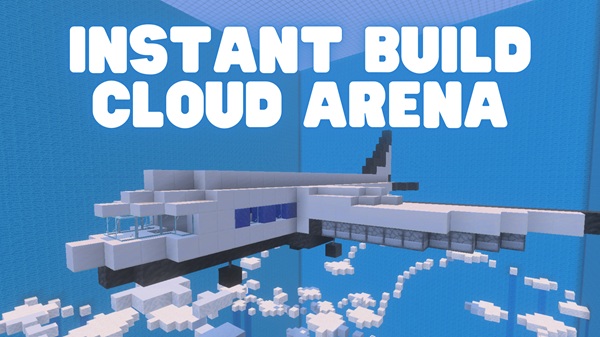
Instant Build Cloud Arena Addon Create Epic Sky Arenas Fast
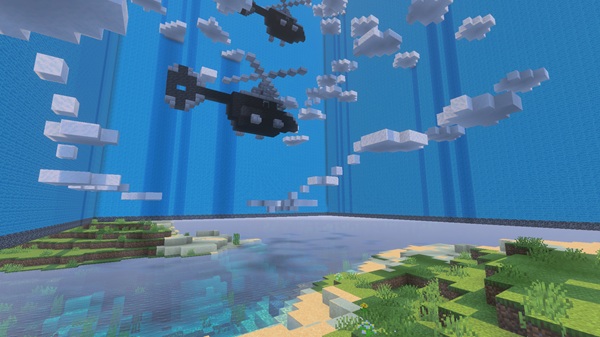
Building arenas in the sky is one of the most exciting ideas in Minecraft Bedrock Edition (MCPE), but it usually takes hours of scaffolding and block stacking. The Instant Build Cloud Arena Addon eliminates this grind. With just one command or tool, you can generate fully-formed floating arenas in seconds. Whether you enjoy PvP matches, parkour challenges, or creative build-offs, this addon turns your Minecraft world into a playground above the clouds — optimized for both mobile and multiplayer.
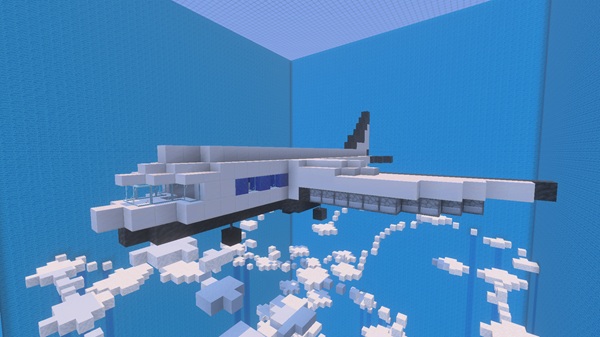
The addon is packed with tools that give you fast results, flexible customization, and reliable performance. Each feature is designed to help you save time while unlocking new ways to play.
One command or item is all you need to create a floating arena at your location. Instead of building scaffolds block by block, the addon instantly sets up a ready-to-use stage.
Choose between stone, wood, glass, or specialty blocks to match your world’s theme. You can scale arenas from compact 10×10 platforms for duels to massive 50×50 islands for large events.
- Creative Build-Off – Unlimited blocks and instant resets for design competitions.
- PvP Mode – Balanced arenas that level the playing field for fair duels.
- Parkour Mode – Includes checkpoint flags and countdown timers for obstacle races.

The addon runs smoothly on most devices, even mid-range phones or tablets. It minimizes lag while keeping gameplay stable, so you can focus on fun instead of performance issues.
Perfect for LAN, Realms, or Bedrock servers, the addon is built with multiplayer in mind. Reset and backup options make it easy to reuse arenas for tournaments, roleplay, or server events.
Using the addon feels natural and player-friendly. With just a few commands and tools, you can set up, play, and reset arenas as often as you like.
- Summon an Arena – Type
/summon cloud_arenato generate a platform right where you stand. - Build Instantly – Equip the Cloud Builder Tool to place blocks quickly at a distance, cutting out wasted time.
- Switch Game Modes – Use
/arena mode creative,/arena mode pvp, or/arena mode parkourto adapt gameplay instantly. - Reset and Replay – At the end of a session,
/arena resetclears the platform, ready for your next challenge.
The addon is designed to support most current Bedrock devices and versions. Here’s what you need to know:
-
Supported MCPE Versions: Tested on v1.22–1.25+; partially compatible with v1.20.x.
-
Device Requirements:
- Android 8.0+ / iOS 13+ / Windows 10–11
- At least 2 GB RAM; 4 GB+ recommended for smoother multiplayer play.
-
Multiplayer Support: Works on LAN, Realms, and servers. Hosts install the addon, and guests will auto-download when joining.
Once you’ve installed the addon, there are ways to enhance your experience and keep gameplay smooth.
- Balance Arena Size and Performance – Keep arenas under 30×30 for better performance on low-end devices.
- Use Backups – Run
/arena backupbefore tournaments or large creative events to save arena layouts. - Boost Visuals – Combine with shaders for glowing skies, cinematic PvP, or themed roleplay sessions.
- Customize Gameplay – Edit config files to adjust checkpoint intervals, rotate arenas, or create unique backgrounds.
- Creative Uses – Arenas aren’t only for battles. Use them for floating bases, roleplay hubs, or as backdrops for streaming and YouTube videos.
The Instant Build Cloud Arena Addon delivers exactly what its name promises: fast, epic sky arenas. It cuts down on tedious building and opens up new possibilities for PvP, parkour, creative build-offs, and multiplayer events. With customizable options and lightweight performance, it’s ideal for mobile and Bedrock players alike.
If you want to take your Minecraft sessions to new heights — literally — this addon is your gateway to endless fun above the clouds.
Photos


Installation Guide for MCPE
Installing the Instant Build Cloud Arena Addon is simple and works across devices.
-
Download the Addon File – Get the
.mcaddonor.mcpackfile from a trusted source. -
Import into Minecraft –
- Mobile: Tap the file to automatically launch and import into MCPE.
- PC: Double-click or drag the file into your Minecraft
com.mojangfolders forbehavior_packsandresource_packs.
-
Enable Packs in World Settings – Activate both the Behavior Pack and Resource Pack in the Add-Ons menu.
-
Start Playing – Load your world, summon your arena, and let the sky battles or challenges begin.
Your comment











