
Invisible Armor Model 1.21+
The Invisible Armor Model Addon lets you hide armor visuals while keeping full protection, durability, and enchantments intact. Perfect for MCPE and Bedrock players who want a clean look without changing survival gameplay.
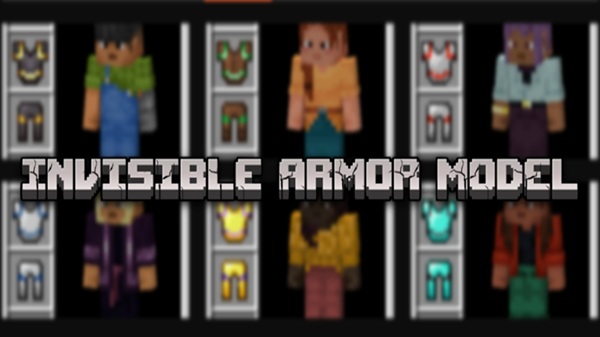
Invisible Armor Model Addon – Full Protection, Clean Look
If you enjoy Minecraft Bedrock or MCPE and care about how your character looks, you’ve probably faced the same issue many players do: armor covers your skin. The Invisible Armor Model Addon solves this problem in a clean, practical way. It hides the visual model of armor while keeping full protection, durability, and enchantments fully active.
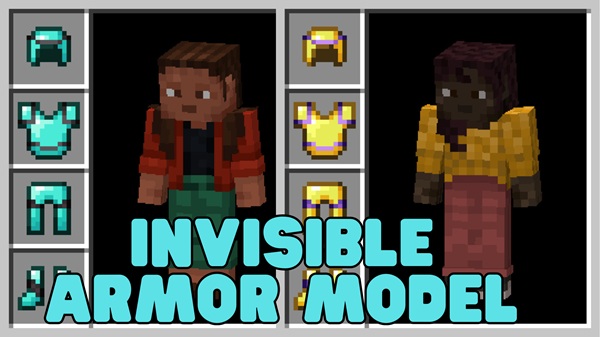
This addon focuses on appearance without changing how the game works. You still play survival normally, but your character keeps a clean, skin-first look. For players who invest time into custom skins, roleplay outfits, or visual presentation, this addon feels like a natural upgrade rather than a gameplay change.
Key Features at a Glance
Before going deeper, it helps to see what the Invisible Armor Model Addon offers at a quick glance. These features define how the addon fits into everyday MCPE gameplay.
-
Armor models are visually hidden on the player
-
Supports all standard Minecraft armor types
-
Protection, enchantments, and durability work as usual
-
Cosmetic-only addon with no balance changes
-
Lightweight and mobile-friendly
-
Compatible with Minecraft Bedrock Edition and MCPE
-
Works in singleplayer, multiplayer, and Realms
Clean Look Explained (Visual Impact)
Visual appearance is the main reason players install this addon. This section explains what changes visually and why it matters for MCPE players.
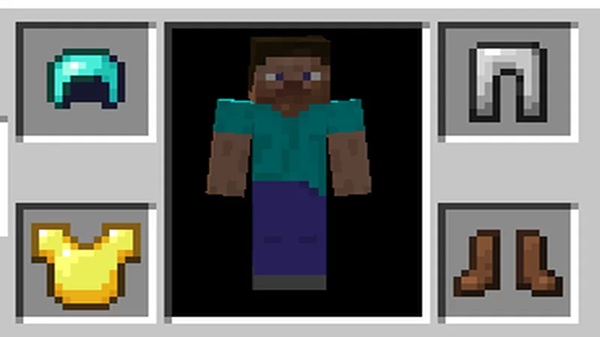
When you equip armor with the Invisible Armor Model Addon enabled, your character’s skin stays fully visible. Helmets, chestplates, leggings, and boots no longer appear on your player model. This creates a simpler and more consistent look during gameplay.
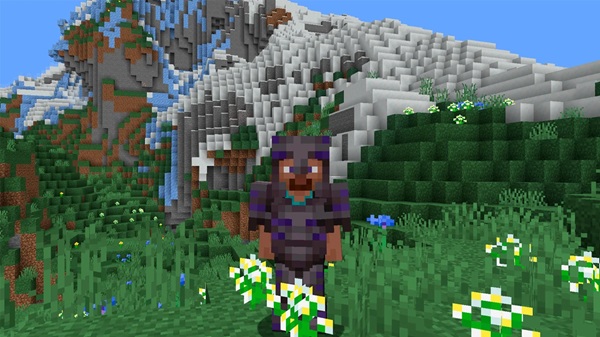
Why This Matters Visually
-
Your skin design remains visible at all times
-
Characters look more natural and less cluttered
-
Screenshots and recordings look cleaner
-
Roleplay outfits stay consistent in survival worlds
Some special items, such as unique movement gear, may remain visible depending on the version. This helps preserve clarity and intended visuals where needed.
Full Protection Explained (Gameplay Integrity)
Many players worry that visual addons might weaken gameplay. This section exists to clearly explain that protection remains unchanged.
The Invisible Armor Model Addon does not modify game mechanics. Armor works exactly as it does in vanilla Minecraft. Only the visual layer is affected.
Armor Defense Works Exactly the Same
Your armor still reduces damage the same way it normally would. The game fully recognizes armor as equipped, even though it is invisible.
Enchantments and Effects Remain Active
All enchantments on your armor continue to function. If you’re wearing enchanted gear, its effects still apply during gameplay.
Durability and Wear Are Unchanged
Armor durability decreases normally as you play. When armor reaches zero durability, it breaks just like standard armor.
No Changes to Survival Balance
This addon does not:
-
Increase stats
-
Reduce difficulty
-
Alter progression
-
Add hidden mechanics
It is purely cosmetic.
Cosmetic-Only Design Philosophy
The Invisible Armor Model Addon is built for players who want visual freedom without changing Minecraft’s core systems. It fits naturally into survival, creative, and roleplay playstyles.
Multiplayer & Realms Integrity
In multiplayer and Realms, gameplay behavior remains consistent. Visual appearance may depend on server settings, but mechanics stay fair and unchanged.
How It Works In-Game
Understanding how the addon behaves in real gameplay helps set expectations and builds trust.
Once enabled, armor becomes invisible immediately when equipped. Behind the scenes, the game still treats the armor as fully worn.
-
Armor stays equipped in your inventory
-
The visual model is hidden
-
Game logic remains untouched
-
Works across survival and creative modes
This approach keeps gameplay stable and predictable for MCPE players.
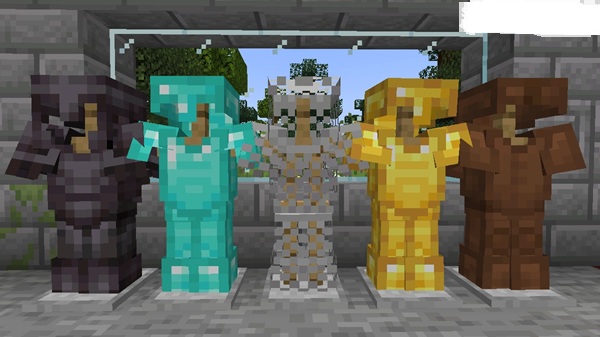
Compatibility & Platform Support
Compatibility is especially important for mobile players. This section helps you confirm whether the addon fits your setup.
The Invisible Armor Model Addon supports modern Minecraft Bedrock versions and is optimized for MCPE performance.
Supported platforms include:
-
Android (MCPE)
-
iOS (iPhone and iPad)
-
Windows 10 / 11 Bedrock Edition
-
Bedrock-based consoles
-
Minecraft Realms
The addon is lightweight and suitable for most devices used to play Minecraft today.
Helpful Tips & Best Use Cases
To get the most out of this addon, consider how and where you use it.
-
Best paired with detailed custom skins
-
Ideal for roleplay worlds and themed maps
-
Useful for creative builds and showcases
-
Great for screenshots and video content
-
Avoid combining with other armor-visual addons
-
Ensure resource packs are enabled in multiplayer
A player named Alex, for example, might use this addon in a roleplay city world to keep outfits consistent while still playing survival normally.
Common Questions & Troubleshooting
Even simple addons can raise questions. These quick checks solve most issues.
Armor is still visible
-
Confirm both the Resource Pack and Behavior Pack are enabled
Multiplayer looks different
-
Some servers require forced resource packs for visual consistency
Addon not working
-
Re-import the addon
-
Check pack order
-
Enable experimental features if required
Most problems are easy to fix and do not affect your world.
Final Summary – Who This Addon Is For
The Invisible Armor Model Addon is designed for players who want a clean look without losing protection. It respects Minecraft’s mechanics while improving visual clarity, making it ideal for MCPE and Bedrock players who care about style, immersion, and simplicity.
If you value:
-
Visible skins
-
Consistent character appearance
-
Cosmetic customization
-
Stable survival gameplay
This addon fits naturally into your Minecraft experience.
How to Install on MCPE (Simple Steps)
Installation is designed to be straightforward, even if you’re new to addons. Follow these steps carefully.
-
Download the addon file in
.mcaddonformat -
Open the file with Minecraft
-
Wait for the import message
-
Create a new world or edit an existing one
-
Enable both:
-
Resource Pack
-
Behavior Pack
-
-
Start the world
If your version requires experimental settings, enable them during world creation. Many versions work without experiments.











