
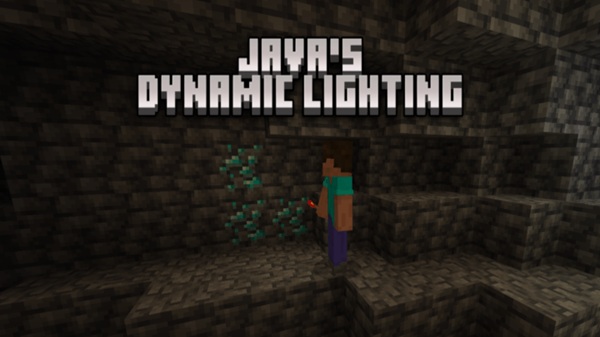
Java’s Dynamic Lighting Addon – Light That Moves With You
Exploring deep caves, traveling after sunset, or working inside large underground bases can quickly become frustrating on mobile. Stopping every few seconds to place torches interrupts your flow and makes gameplay feel slower than it needs to be. Java’s Dynamic Lighting Addon offers a simple solution by letting light move with you, turning visibility into a natural part of movement rather than a constant task.
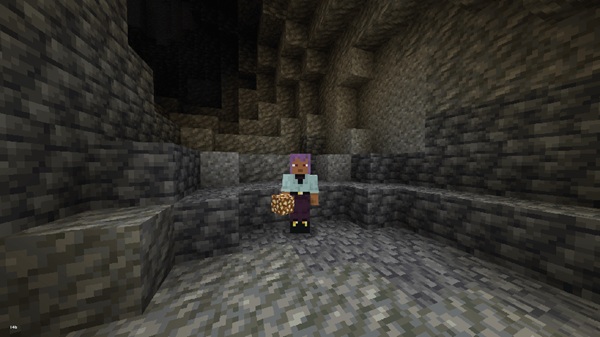
Designed specifically for Minecraft Bedrock Edition and MCPE, this addon focuses on comfort, immersion, and smooth survival gameplay. It does not replace core mechanics or add complexity. Instead, it enhances how lighting behaves, making everyday exploration feel more fluid and intuitive.
What This Addon Changes in Gameplay
Lighting affects nearly every part of Minecraft, from exploration to building. This section explains how Java’s Dynamic Lighting Addon changes the way you experience the game without changing how the game works.
From Static Torches to Moving Light
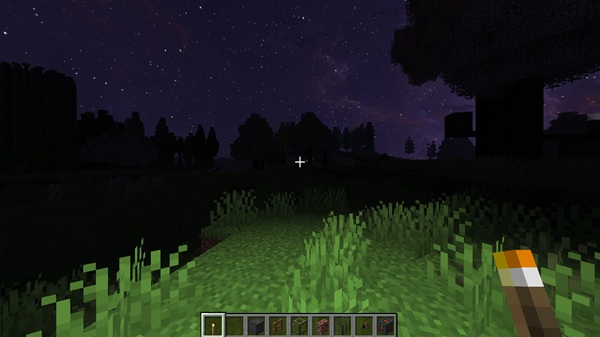
In vanilla Minecraft, light stays where you place it. With Java’s Dynamic Lighting Addon, light becomes player-centered. When you hold a supported light-emitting item, illumination follows you as you move.
This shift removes the need to constantly stop and place torches, allowing exploration to continue naturally.
Smoother Exploration on Mobile
On MCPE, placing blocks accurately takes more effort due to touch controls. Dynamic lighting reduces interruptions by letting you see clearly while moving.
If you enjoy long mining trips or deep cave exploration, this small change makes sessions feel smoother and less tiring.
Cleaner Builds and Natural Lighting
Permanent torches often disrupt interior designs. Because the light from this addon is temporary and tied to the player, you can move through dark builds without altering their appearance.
Builders benefit from cleaner visuals and better control over atmosphere.
Better Visibility Without Changing Difficulty
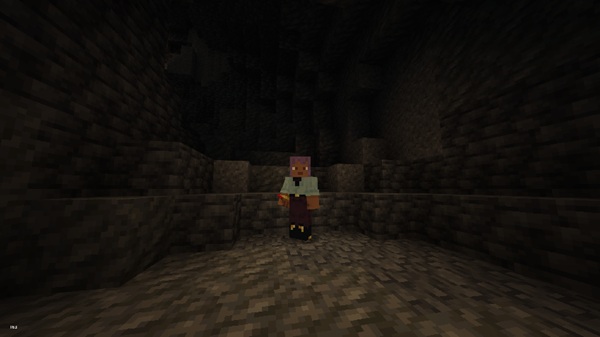
Java’s Dynamic Lighting Addon improves visibility only. It does not affect mobs, progression, or survival balance.
You still play Minecraft the same way—you can simply see your surroundings more clearly while moving.
A Quality-of-Life Upgrade, Not a Gameplay Overhaul
This addon introduces no new systems to learn. There are no commands, menus, or custom mechanics.
You enable it, play normally, and enjoy a smoother experience.
Core Features at a Glance
Before diving into technical details, here’s a quick overview of what Java’s Dynamic Lighting Addon offers:
-
Dynamic light follows the player while holding supported items
-
Fully compatible with Survival Mode
-
Uses familiar vanilla light sources
-
No custom UI or controls required
-
Designed to remain lightweight and unobtrusive
These features work together to enhance gameplay without drawing attention to themselves.
How Dynamic Lighting Works in Bedrock
Because Minecraft Bedrock Edition does not support native dynamic lighting, this addon recreates the effect using in-game systems that update light near the player.
Simple In-Game Behavior
When you hold a supported item, a light source updates around your position as you move. This creates the illusion of moving light without adding new blocks or commands.
What You’ll Notice While Playing
-
Your surroundings stay visible while walking or mining
-
Light updates smoothly during normal movement
-
On lower-end devices, updates may appear slightly delayed
The system is designed to balance visual clarity and mobile performance.
Where the Addon Feels the Best
Some situations benefit more from dynamic lighting than others. This section highlights where Java’s Dynamic Lighting Addon makes the biggest difference.
Ideal Use Cases
-
Underground caves and ravines
-
Nighttime surface travel
-
Large interiors and underground bases
-
Long mining sessions
-
Exploration-focused survival worlds
Anywhere frequent torch placement slows you down, dynamic lighting improves flow.
Supported Light Sources
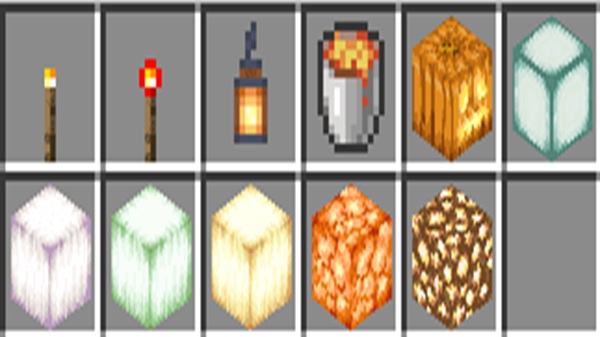
To keep gameplay familiar, Java’s Dynamic Lighting Addon works with vanilla light-emitting items you already use in survival mode.
Practical Lighting Choices
Different items may emit different brightness levels, encouraging smart selection depending on where you are. Keeping a light source in your hotbar makes switching fast and reliable during exploration.
Supported items may vary by version, so it’s always best to test in-game.
Compatibility & Performance
Understanding compatibility helps avoid issues before you start playing.
Supported Platforms and Versions
-
Minecraft Versions: Modern Bedrock releases (1.20.x, 1.21+, depending on update)
-
Devices: Android, iOS/iPadOS, Windows 10/11
-
Multiplayer: Works with LAN, servers, and Realms when installed correctly
Performance Notes
-
Minimal performance impact on most devices
-
Slight light update delays on low-end phones
-
Heavy shaders or multiple lighting addons may reduce performance
Tips, Notes, and Common Fixes
Most issues are easy to resolve with a few simple adjustments.
Helpful Tips
-
Keep your light source in a consistent hotbar slot
-
Switch items if lighting does not update immediately
-
Rejoin the world to reset light behavior
-
Avoid combining multiple lighting-related behavior packs
-
Lower render distance on older devices if needed
These steps resolve the majority of reported problems.
Who This Addon Is For
Java’s Dynamic Lighting Addon is ideal if you:
-
Play survival mode regularly
-
Explore caves and underground areas often
-
Use MCPE or other mobile platforms
-
Prefer subtle, reliable improvements
-
Care about clean builds and smooth gameplay
It is designed for comfort and immersion, not drastic changes.
Final Thoughts
Java’s Dynamic Lighting Addon – Light That Moves With You enhances Minecraft Bedrock Edition by making lighting feel natural and responsive. Instead of stopping to place torches, you carry light with you, allowing exploration and building to flow smoothly—especially on MCPE.
If you enjoy quality-of-life improvements that respect vanilla gameplay, this addon fits naturally into your world.











