
LittleMaidMob 1.21+
The LittleMaidMob Addon brings smart NPC helpers to MCPE who can cook, defend, brew potions, and manage your base. Discover how these maid companions transform survival and make your world feel more alive.
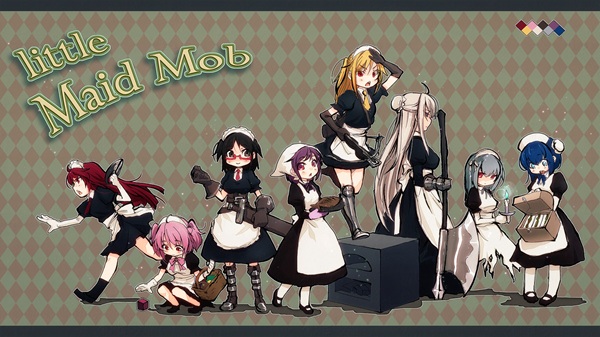
LittleMaidMob Addon – Smart NPC Maids for Every Task
The LittleMaidMob Addon transforms Minecraft Bedrock/MCPE by adding smart companion maids who can help with combat, crafting, lighting, farming tasks, potion brewing, and more. Instead of being simple decorative mobs, they behave like mobile assistants who can manage chores, defend you, and bring a lively, cozy atmosphere to your base. If you like friendly automation without redstone, or you enjoy building a world that feels alive, this addon fits perfectly into your gameplay.
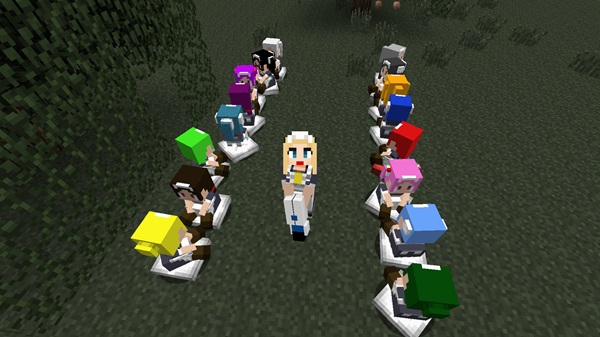
What Is the LittleMaidMob Addon?
The LittleMaidMob Addon introduces NPC helpers with role-based jobs, activated by items you give them. They’re easier to manage than villagers and more useful than tamed animals. Each maid has different tasks, abilities, and working behaviors that adapt to your needs. This makes the addon valuable for survival players, builders, role-players, and mobile users who want simple automation.
SAPO:
Before exploring job roles, it’s important to understand how maids follow commands in MCPE. Their behavior is controlled through simple tools, sugar, and easy inventory interactions.
Smart NPC Maids: How They Work in MCPE
Maids don’t require commands or menus. They follow a simple activation system based on items and sugar, making the addon easy to use even on a phone.
Tool-Based Modes
Each maid switches jobs depending on the item placed in her first inventory slot:
-
Sword → Combat role (Fencer)
-
Torches → Automatic lighting
-
Charcoal → Cooking support
-
Bow + arrows → Ranged protection
This gives you control without complicated menus.
Sugar System
Sugar is the maid’s core resource:
-
Switches job roles
-
Heals the maid
-
Keeps active behaviors running
A small sugar cane farm becomes essential for long-term play.
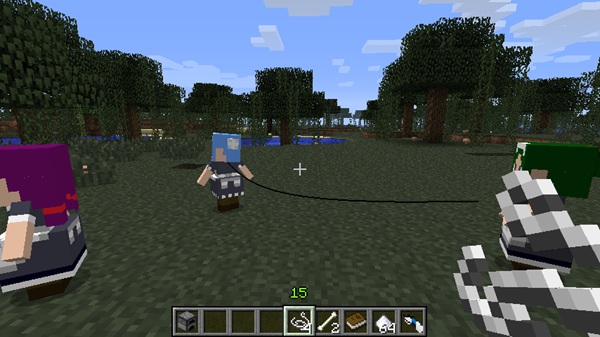
Easy Controls for Mobile Players
On MCPE devices, you interact via:
-
Tapping to feed or switch modes
-
Long-press to open inventory
-
Giving tools or food directly
No typing or commands needed — just play naturally.
Internal Inventory
Maids have private storage for tools and resources:
| Items You Can Store | Purpose |
|---|---|
| Torches | Lighting |
| Food | Healing |
| Coal/Charcoal | Cooking |
| Bows/Arrows | Ranged combat |
| Brewing items | Potion support |
This helps automate tasks while you explore, mine, or build.
Maid Job Roles Explained (Every Task They Can Do)
Each maid can perform specialized roles that support your survival world. These tasks make your base safer, more productive, and more lively.
Combat & Protection Roles
Maids can defend you without aggressive behavior, acting like loyal guards.
-
Fencer Maid (Sword): Protects you in close-range combat, ideal for caves and early survival.
-
Archer Maid (Bow): Shoots mobs from a distance, ideal for dealing with ranged enemies.
-
Axe Mode (Heavy Hits): Boosts damage against tougher mobs, useful when facing harder enemies.
These maids support you — they don’t replace your gameplay.
Utility & Task Helpers
They can automate basic chores without redstone.
-
Torch Worker: Automatically lights dark areas; reduces mob spawns around your base.
-
Shear Maid: Collects wool but also stays alert during farming trips.
-
Smelting Cook: Smelts ores and food near a furnace while you do other tasks.
Support & Resource Assistants
These roles help during long adventures or resource preparation.
-
Healer Maid: Uses food or potions to restore health, helping during explorations.
-
Potion Assistant: Uses stored items to brew potions automatically.
Lifestyle & Base Management
These roles make your base feel organized and alive.
-
Follow Mode: Collects dropped items and walks with you.
-
Standby Mode: Guards a specific location like a gate, kitchen, or storage.
-
Freedom Mode: Roams your base, adding life and personality.
How to Tame, Manage, and Organize Your Maids
Taming and managing maids is simple, especially on mobile.
-
Tame maids with cake (forms a contract instantly).
-
Feed sugar to change roles and heal them.
-
Use dyes to color hair based on roles (example: red = fighter, yellow = torch worker).
-
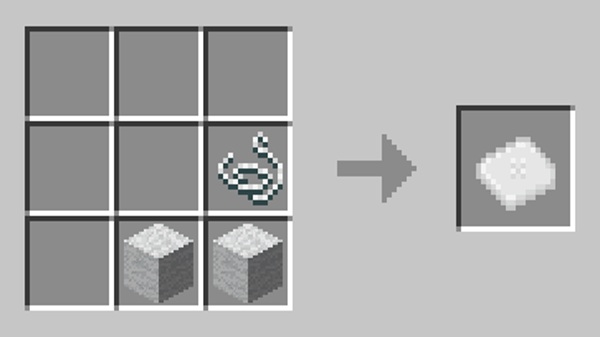
Place them using leashes or cushions to organize your base visually and efficiently.
This creates a well-structured home where every NPC has a job and workplace.
Best Maid Setups for Survival & Creative Play
Different players benefit from different team combinations. Here are recommended setups:
Beginner Survival Setup
✔ Torch Worker + Fencer + Cook
Safe nights, automatic cooking, and mob prevention.
Creative Builder/Base Setup
✔ Shear Maid + Smelting Cook + Potion Assistant
Perfect for themed towns, kitchens, or workshop builds.
Exploration Team
✔ Archer + Healer + Follow Mode Collector
Long cave runs, safe biome exploration, automatic item pick-up.
Roleplay Village Staff
Use dyes to assign “uniforms” and place maids in:
-
Farms
-
Crafting rooms
-
Kitchens
-
Guard posts
-
Storage areas
A fun way to turn your world into a living community.
Compatibility, Performance & Helpful Tips
-
Best performance on Minecraft Bedrock 1.20–1.21+
-
Too many maids may slow older mobile devices
-
Build a sugar cane farm early for healing + role switching
-
Back up worlds when using experimental options
-
Keep maids organized by zones for smoother gameplay
Final Thoughts
The LittleMaidMob Addon brings personality, automation, and companionship to MCPE without overwhelming players. These smart NPC maids make your base feel alive, reduce repetitive tasks, and improve survival safety — all while keeping Minecraft’s creative spirit intact. Whether you want a cozy household, a lively town, or simply helpful assistants for everyday tasks, this addon helps you create a world that feels truly yours.
Installation Guide for MCPE (Mobile + Bedrock)
-
Download the .mcaddon or .mcpack file.
-
Open the file to import it to MCPE.
-
Go to Behavior Packs + Resource Packs and activate both.
-
Enable Experimental Features if required.
-
Enter the world and find maids spawning naturally.
Works on:
-
Android & iOS
-
Tablets
-
Windows Bedrock
-
Supported consoles











