
Luminous Beast 1.21+
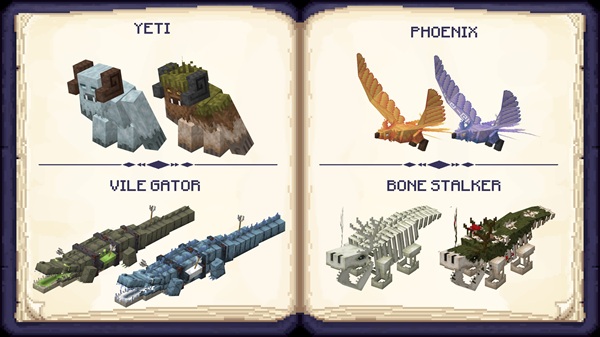
The Luminous Beast Addon brings 24 legendary creatures to Minecraft Bedrock Edition, each with unique abilities and biome-specific spawns. Explore forests, deserts, oceans, icy lands, and the Nether to discover rare beasts, collect trophies, and enhance your MCPE survival experience. With easy installation and exciting rewards, this addon transforms your Minecraft world into a truly adventurous playground
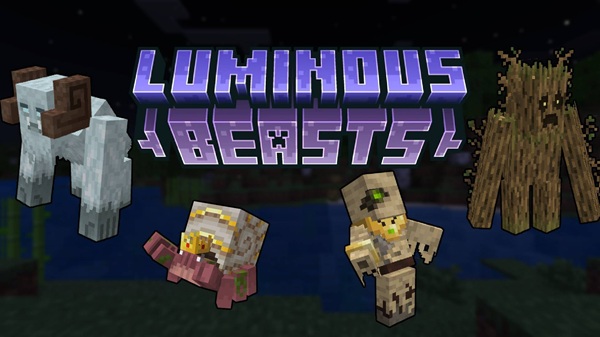
Luminous Beast Addon: Explore Rare Beasts Across Every Biome
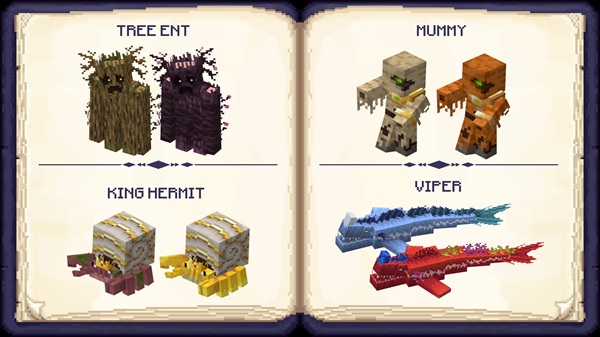
Minecraft Bedrock Edition just got an exciting boost with the Luminous Beast Addon, designed to bring a new level of adventure and discovery to MCPE players. This addon introduces 24 legendary creatures, each tied to specific biomes and offering unique rewards. Whether you explore alone or team up with friends, the addon enriches your world with rare creatures, collectibles, and immersive gameplay.
In this guide, you’ll discover everything about the addon—from its features and installation to tips on encountering beasts and collecting rewards across every biome.
What the Luminous Beast Addon Adds
The Luminous Beast Addon isn’t just another mod—it transforms how you experience survival in Minecraft. By introducing biome-specific legendary creatures, it encourages exploration while offering meaningful rewards.
Key Features of the Addon
-
24 Legendary Beasts: Each creature is distinct, with unique designs and behaviors to make exploration unpredictable and exciting.
-
Biome-Specific Spawns: Beasts appear in forests, deserts, oceans, icy biomes, and Nether zones, giving each area of your world a special purpose.
-
Collectibles & Rewards: Defeated creatures drop trophies, rare items, and artifacts tracked in the Bestiary, giving you tangible goals.
-
Interactive Mechanics: Some creatures can be summoned using crafted items, adding strategic depth.
-
Optimized for MCPE/Bedrock: The addon performs smoothly on mobile, console, and Windows platforms.
This combination of exploration, collection, and interaction makes the addon a must-have for adventurous players.
How to Encounter and Explore Beasts
Finding and interacting with these creatures is the heart of the Luminous Beast Addon. Understanding spawns and efficient exploration strategies will maximize your adventure.
Understanding Creature Spawns
-
Natural Spawns: Most beasts appear in their designated biomes based on in-game conditions.
-
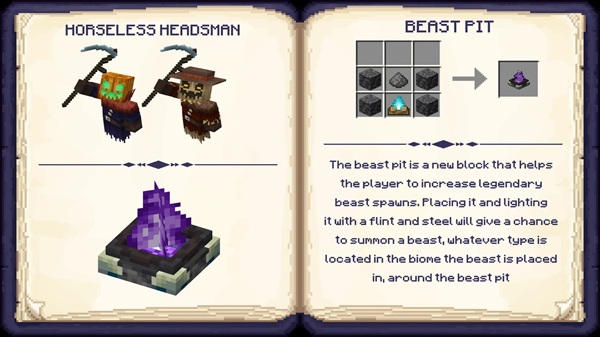
Summoning Mechanics: Some creatures require crafting items to summon them in specific locations.
-
Rare Variants: Certain creatures only spawn in special biomes or under unique environmental conditions, rewarding careful exploration.
Tips for Efficient Biome Exploration
-
Plan routes to cover multiple biomes efficiently.
-
Equip gear suitable for each biome, such as boats for oceans or warm gear for icy areas.
-
Use in-game maps or markers to track where you’ve encountered creatures, preventing missed spawns.
Rare and Special Variants
-
Look out for rare beasts with distinct appearances or behaviors.
-
These creatures often provide extra rewards, encouraging repeated exploration.
-
Discovering them contributes to completing your Bestiary and trophy collection.
Collecting Rewards and Trophies
-
Defeated beasts drop items, trophies, and artifacts to enhance your survival world.
-
Periodically revisit biomes to ensure all collectibles are acquired.
-
Some items can be used in crafting or summoning other creatures, adding layers of gameplay depth.
Multiplayer Exploration Strategies
-
Divide tasks among friends in Realms or co-op servers for faster exploration.
-
Share discoveries to complete the Bestiary collaboratively.
-
Coordinate hunting rare creatures to maximize rewards efficiently.
Gameplay Tips & Best Practices
Maximizing your Luminous Beast Addon experience requires smart planning and strategy.
-
Efficient Exploration: Visit multiple biomes per trip and track which creatures you’ve encountered.
-
Collect Rewards: Prioritize completing your Bestiary to unlock all trophies and rare items.
-
Multiplayer Coordination: Team up with friends to share tasks and discoveries.
-
Performance Optimization: Lower render distance or graphics on mobile to reduce lag during large spawns.
-
Preparation: Always carry essential tools, food, and armor suited for each biome.
Biome Guide (Quick Reference)
| Biome Type | Example Creatures | Rare Drops / Rewards |
|---|---|---|
| Forest | Tree Ent, Cherry Beast | Wood trophies, rare seeds |
| Desert | Sand Serpent, Scorpion Beast | Desert artifacts, rare loot |
| Ocean | Sea Viper, Coral Guardian | Shells, aquatic trophies |
| Ice Biomes | Frost Yeti, Ice Phoenix | Ice shards, rare feathers |
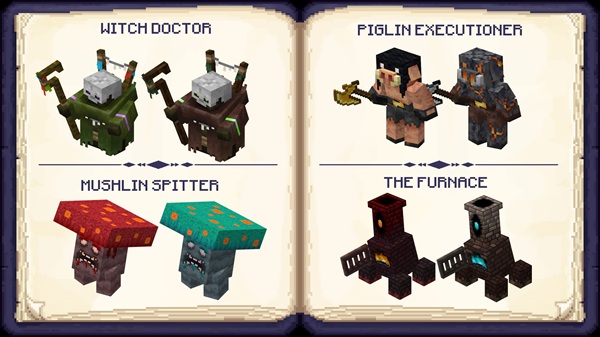
| Nether | Piglin Executioner, Lava Beast | Fire crystals, Nether trophies |
Use this guide to plan exploration efficiently and know what to expect in each biome.
Conclusion
The Luminous Beast Addon brings new life to MCPE by combining adventure, exploration, and collectible rewards. With 24 legendary creatures, biome-specific spawns, and rare items, it gives players a reason to explore every corner of their world.
Start your journey today—discover rare beasts, collect trophies, and make each biome feel truly alive.
Installation & Setup Guide (MCPE/Bedrock)
Getting the addon ready is straightforward, even for newer players.
-
Device Requirements: Compatible with Windows, Android, iOS, Xbox, and Switch.
-
Download Safely: Always use legitimate sources to avoid corrupted files.
-
Step-by-Step Installation:
-
Download the
.mcaddonor.mcpackfile. -
Open it with Minecraft Bedrock to import the addon.
-
Enable Behaviour Packs and Resource Packs in your world settings.
-
Activate experimental features if prompted.
-
-
Multiplayer/Realm Setup: Ensure all players have the addon installed to experience synchronized spawns and rewards.
-
Troubleshooting: If beasts don’t appear or performance lags, check your world settings or reinstall the addon.











