
Magic Mirrors 1.21+
The Magic Mirrors Addon adds a simple, survival-friendly fast travel system to Minecraft PE and Bedrock Edition. Using a special mirror item, you can teleport to saved locations without commands or cheats, making large worlds easier to explore and manage on MCPE.
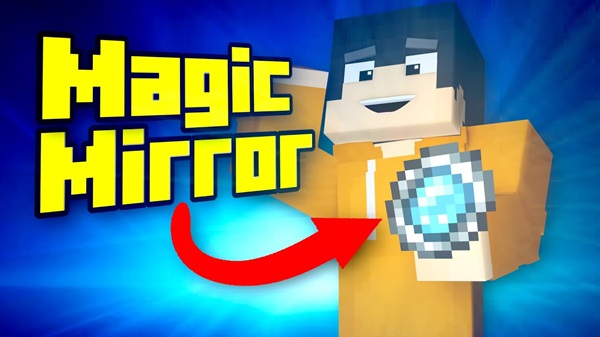
Magic Mirrors Addon – Fast Travel Without Commands
The Magic Mirrors Addon is a practical and immersive fast-travel solution designed specifically for Minecraft PE and Bedrock Edition. If you enjoy large survival worlds but feel slowed down by constant long-distance travel, this addon offers a clean alternative—teleporting without commands, cheats, or complex setup.
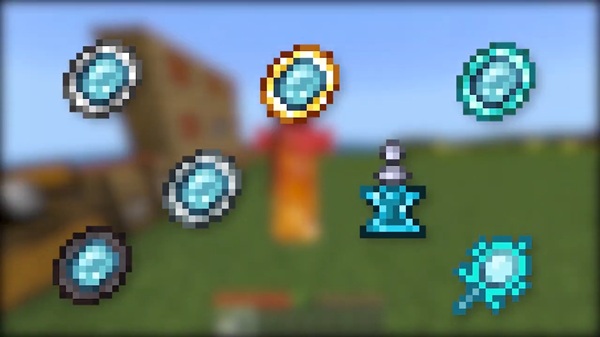
Using a special mirror item, you can instantly return to important locations like your base, village, or build site. The Magic Mirrors Addon blends smoothly into normal gameplay, making fast travel feel like a natural Minecraft mechanic rather than an external tool.
Magic Mirrors Addon Overview
At its core, the Magic Mirrors Addon focuses on simplicity and balance. Instead of relying on chat commands or admin permissions, it introduces an item-based teleport system that works naturally in survival, creative, and multiplayer worlds.
This section explains what the addon does at a high level and why it feels comfortable to use, especially for MCPE players who value ease of use and performance.
The Magic Mirrors Addon:
-
Adds a mirror item that remembers a location
-
Allows fast travel through normal gameplay
-
Keeps survival progression intact
-
Works smoothly on mobile devices
The goal is simple: help you spend more time building, exploring, and playing—less time walking back and forth.
Why Fast Travel Without Commands Matters in MCPE
Fast travel solves a real problem in Minecraft Bedrock, but commands are not always the right answer. Many MCPE players play in survival worlds where commands are disabled or on shared Realms where cheats are not allowed.
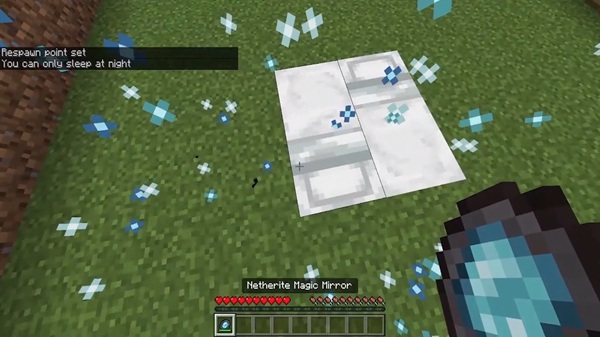
This section connects that common frustration with the solution provided by the Magic Mirrors Addon.
In MCPE:
-
Commands can disable achievements
-
Typing commands on mobile is inconvenient
-
Shared worlds often restrict admin tools
By offering fast travel without commands, the Magic Mirrors Addon:
-
Preserves immersion
-
Keeps gameplay fair
-
Feels accessible to all players
For example, if you explore thousands of blocks away to find a rare biome, the mirror lets you return home instantly—without changing how your world is played.
Main Features
The Magic Mirrors Addon includes several focused features that work together to create a smooth fast-travel experience. This section highlights what you get without overwhelming you with technical detail.
Key features include:
-
Magic Mirror Teleportation – Travel instantly to a saved location
-
Location Binding System – Each mirror remembers a specific spot
-
Survival-Friendly Design – Balanced for long-term worlds
-
No Commands Required – Works naturally in gameplay
-
Mobile-Optimized Performance – Lightweight for MCPE
-
Multiplayer Support – Suitable for Realms and shared worlds
Each feature is designed to support everyday gameplay rather than replace it.
How the Addon Works In-Game
This is the most important section for players. It shows exactly how the Magic Mirrors Addon behaves during real gameplay, step by step, without assumptions.
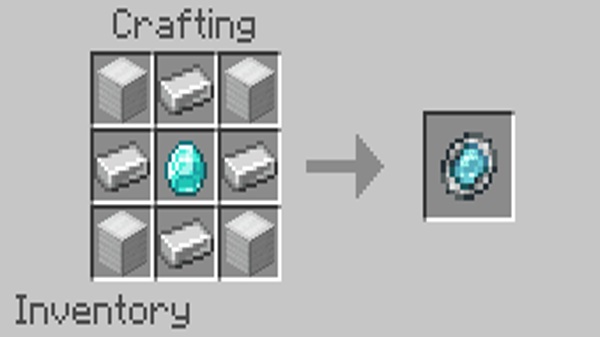
Obtaining the Magic Mirror
You can obtain the Magic Mirror in two common ways:
-
Craft it in survival mode (if crafting is enabled)
-
Find it directly in the creative inventory
The mirror is meant to feel special but not overpowered, fitting naturally into a normal Minecraft progression.
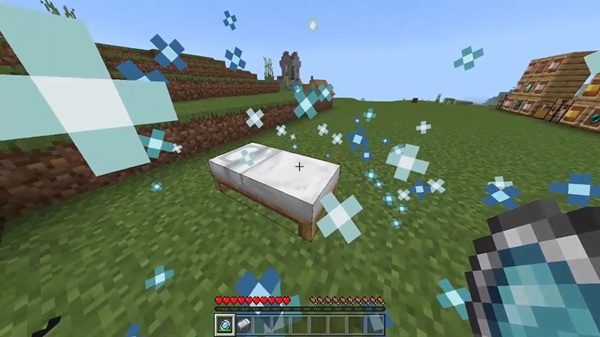
Binding a Location to the Mirror
Once you have a mirror, binding a location is simple:
-
Stand at the place you want to return to
-
Use the Magic Mirror
-
The location is saved
There are no menus, commands, or external settings. The mirror remembers the spot and becomes your personal return point.
Using the Mirror for Fast Travel
After binding:
-
Use the mirror anywhere in the world
-
You teleport instantly to the saved location
This is especially useful for:
-
Returning to your base after mining
-
Moving between distant build projects
-
Managing villages or farms
The Magic Mirrors Addon keeps this process consistent and reliable.
Limitations and Balance (If Any)
To maintain balance, some versions of the addon may include:
-
Cooldowns between uses
-
One saved location per mirror
-
Restrictions in certain situations
These limits help ensure the addon enhances gameplay without removing challenge.
Single-Player vs Multiplayer Behavior
The Magic Mirrors Addon works consistently across:
-
Single-player worlds
-
Multiplayer servers
-
Realms (with packs enabled)
Behavior remains predictable, which is important for shared worlds and cooperative play.
Compatibility & Requirements
Understanding compatibility helps players avoid issues before installing. This section clearly outlines what is supported.
-
Minecraft Version: Bedrock 1.19 or newer
-
Supported Devices:
-
Android
-
iOS
-
Windows 10 / 11
-
-
Console Support: Depends on file access
-
Game Modes: Survival, Creative, Multiplayer, Realms
The Magic Mirrors Addon is optimized for MCPE performance, including lower-end devices.
Tips for Best Experience
A few practical tips can help you get the most out of the addon:
-
Always activate both packs
-
Back up worlds before adding addons
-
Use mirrors in loaded chunks
-
Test in a new world if needed
-
Combine with RPG or survival-focused addons
These small steps improve stability and enjoyment.
Who This Addon Is For
The Magic Mirrors Addon is best suited for:
-
Survival players with large worlds
-
MCPE players who avoid commands
-
Builders managing multiple locations
-
Realms owners and group players
-
Casual players who value convenience
If you enjoy exploring far without worrying about the trip back, this addon fits naturally into your playstyle.
Final Summary
The Magic Mirrors Addon – Fast Travel Without Commands offers a clean, survival-friendly way to move around Minecraft Bedrock worlds. By replacing commands with a simple mirror item, it saves time while keeping gameplay immersive and balanced.
For MCPE players who want convenience without compromise, the Magic Mirrors Addon is a smart and reliable upgrade.
How to Install Magic Mirrors Addon on MCPE
Installing the Magic Mirrors Addon is straightforward and beginner-friendly. This section ensures players can start using it without confusion.
Steps:
-
Download the Magic Mirrors Addon (.mcaddon)
-
Open the file with Minecraft
-
Let the game import the addon
-
Create or edit a world
-
Activate:
-
Behavior Pack
-
Resource Pack
-
-
Enable experimental features if required
-
Start the world
Once activated, the addon works automatically in-game.











