
MagiCraft 1.21+
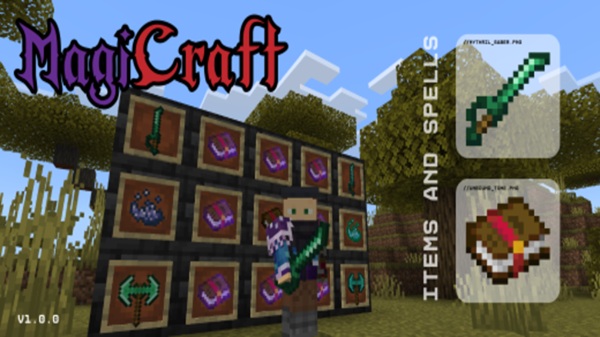
Transform your Minecraft Bedrock survival experience with the MagiCraft Addon. Cast powerful spells, wield unique weapons, explore magical structures, and master strategic gameplay for a more exciting and challenging MCPE adventure.
MagiCraft Addon – Strategic Magic Built for Survival
Minecraft Bedrock Edition offers endless worlds to explore, survive, and build in, but sometimes survival can feel repetitive. The MagiCraft Addon transforms your Minecraft experience by introducing strategic magic, RPG-style progression, and tactical combat, making survival more engaging and rewarding. With spells, new weapons, magical materials, and exciting structures, this addon adds depth for both new and experienced MCPE players.
Introduction
MagiCraft Addon is more than just a magic pack—it’s a complete gameplay enhancement for survival-focused Minecraft. Unlike addons that give instant powers, MagiCraft encourages strategy, resource management, and progressive mastery, meaning every spell, weapon, and structure interacts with your survival choices. Whether you want to cast healing spells during a mob encounter or summon magical allies for exploration, this addon adds purposeful depth to MCPE worlds.
This addon works seamlessly across mobile devices, Windows PCs, and consoles via Realms, so your strategic magic experience stays consistent no matter how you play.
What is MagiCraft Addon?
To understand why MagiCraft Addon is unique, think of it as a behavior and resource pack combination that overlays a magical system on top of standard Minecraft survival.
-
Nine spell tomes with abilities ranging from healing and resistance to summoning allies
-
Six weapon types, each with distinct speed, damage, and tactical uses
-
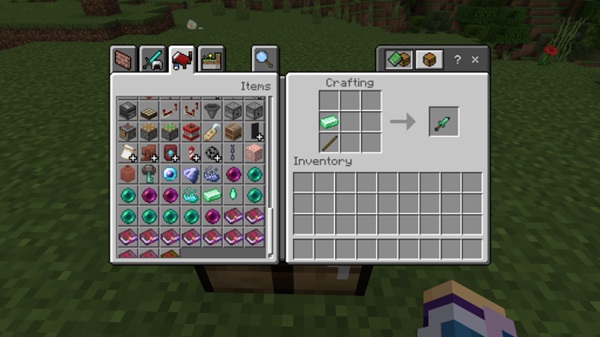
Three magical materials: Life Essence, Mythril, and Darkbloom
-
Multiple structures like dungeons, shelters, and trading outposts to explore
This addon is beginner-friendly: even new players can cast their first spell within minutes. At the same time, advanced users can strategically combine spells, weapons, and resources for complex survival strategies.
Core Features of MagiCraft Addon
The heart of MagiCraft lies in its feature set, which blends magic, survival, and tactical gameplay. Below is a closer look at its components:
Spellcasting System
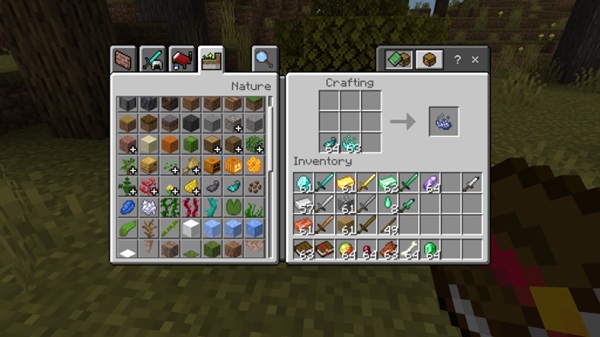
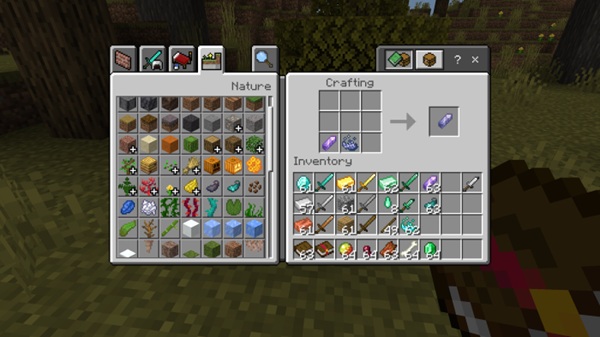
Spells in MagiCraft are learned through tomes crafted with Life Essence, a rare material dropped by mobs. As you gain experience:
-
Early-game spells: Healing, Resistance, Fire Protection
-
Mid-game spells: Summon Familiar, Reanimate Dead, Fang Evocation
-
Late-game spells: Summon Thunder, high-level mastery with no penalties
Spells consume energy linked to hunger, making resource management essential. Cooldown groups prevent spamming, encouraging strategic planning in combat.
Weapons and Combat
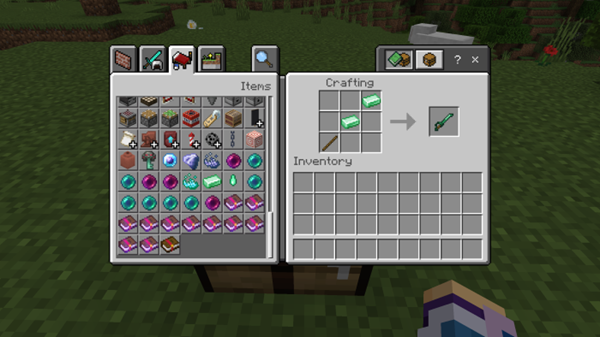
MagiCraft adds six weapon types that complement spellcasting:
| Weapon | Speed | Use Case |
|---|---|---|
| Daggers | Fast | Quick farming & mobility |
| Sabers | Moderate | Balanced melee attacks |
| Standard Swords | Standard | General survival combat |
| Greatswords | Slow | High damage for bosses |
| Battleaxes | Slowest | Heavy combat & resource gathering |
Players can switch between spells and weapons strategically, adapting to enemies or exploration challenges.
Magical Materials
Materials in MagiCraft are central to progression:
-
Life Essence: Essential for crafting spells and Darkbloom items
-
Mythril: Advanced crafting material for weapons and armor
-
Darkbloom: Supports offensive and utility spells
Gathering these resources encourages exploration, farming, and tactical decision-making.
Structures and Exploration
The addon adds eight structures that enrich survival:
-
Tree Shelter & Desert Shelter – starter bases
-
Acacia Mine – mining and loot opportunities
-
Cultist Dungeon & Lost Tomb – challenging adventures
-
Waypoint Hut & Buried Marketplace – trading and resources
These structures allow strategic exploration and make survival worlds feel more alive and dynamic.
How MagiCraft Works In-Game
Early Game (Levels 1–5): Focus on gathering Life Essence and casting basic spells like Healing or Resistance. Energy management is crucial.
Mid-Game (Levels 6–20): Unlock advanced tomes, craft Mythril and Darkbloom items, and combine weapons with spells for tactical combat.
Late Game (Levels 21–35): Achieve spell mastery, tackle dungeons efficiently, and coordinate spells with teammates in multiplayer environments.
All mechanics are integrated with vanilla MCPE tools and enchantments, so your gameplay remains familiar while enriched.
Tips for Strategic Survival
-
Start with Healing or Resistance for safety.
-
Combine Daggers for farming and Greatswords for bosses.
-
Farm Life Essence in caves or dark biomes.
-
Build Spell Towers or defensible bases.
-
Coordinate spells in multiplayer for tactical advantage.
Compatibility & Performance
-
Versions: MCPE 1.19+ (recommended 1.21+)
-
Platforms: Android, iOS, Windows, consoles via Realms
-
Compatible with most texture packs and mob addons
-
Optimize mobile performance: reduce render distance and keep only necessary packs active
Common Issues & Troubleshooting
-
Addon won’t import: Check file integrity.
-
Spells not appearing: Ensure both packs are active and Experimental Gameplay is enabled.
-
Crashes: Disable conflicting addons first.
-
Life Essence rare: Use Looting weapons and farm in darker areas.
-
Progression not working: Avoid Creative mode; kill mobs naturally.
Why Choose MagiCraft Addon for MCPE
-
Adds strategic magic and tactical depth
-
Balanced progression for beginners and experts
-
Free, cross-platform, and maintained
-
Encourages exploration, combat strategy, and replayability
Conclusion
MagiCraft Addon reinvents survival in Minecraft Bedrock, offering spellcasting, strategic combat, magical crafting, and exploration. By combining spells, weapons, and structures, players gain a deep, immersive, and rewarding MCPE experience.
Ready to master your magical survival world? Download MagiCraft Addon and bring tactical magic into your Minecraft adventures today!
Installation Guide for MCPE / Bedrock
Windows 10 / 11
-
Download the
.mcaddonfile. -
Double-click to import into Minecraft.
-
Activate Behavior Pack and Resource Pack.
-
Enable Experimental Gameplay.
-
Create your world and start exploring strategic magic.
Android / iOS
-
Download
.mcaddonvia browser. -
Open in Minecraft app or Files app.
-
Activate both packs and enable Keep Inventory if desired.
Console Compatibility
-
Create the world on PC or mobile first.
-
Transfer via Minecraft Realms.
-
Marketplace support is limited, Realms ensures full functionality.











