
Mailboxes 1.21+
The Mailboxes Addon brings a fast, secure, and user-friendly mail system to Minecraft Bedrock Edition. With instant item delivery, customizable mailboxes, and full multiplayer support, this addon makes sending resources easier than ever in your MCPE world.
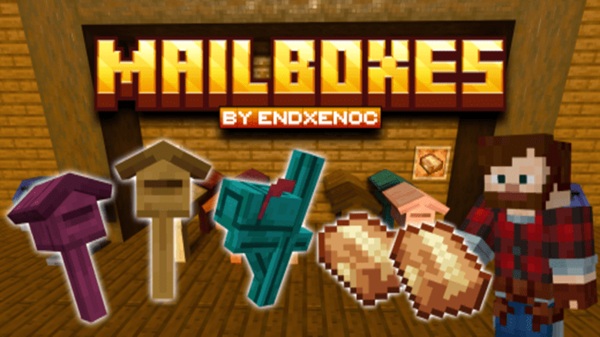
Mailboxes Addon – Reliable Mail System with Instant Transfer
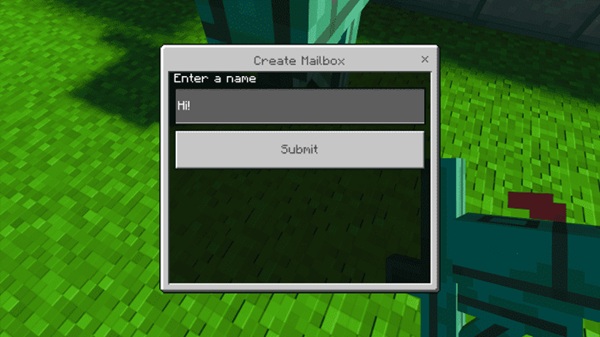
The Mailboxes Addon gives your Minecraft Bedrock world something every player eventually wishes they had: a fast, safe, and simple way to send items across long distances. Instead of dropping items on the ground or running back and forth between bases, you can deliver packages instantly with zero risk of losing anything. Whether you play survival, run an SMP, or build creative roleplay towns, this addon brings a smooth, reliable delivery system to your world.
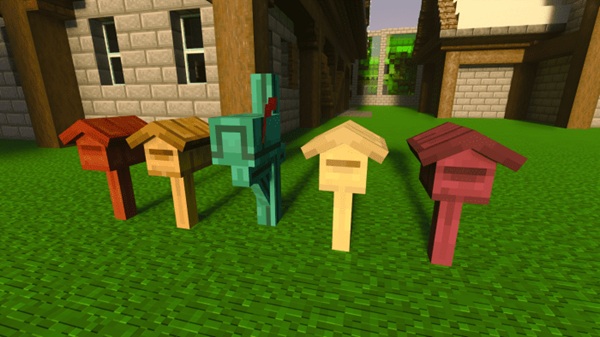
Overview of the Mailboxes Addon
The Mailboxes Addon introduces a complete postal system designed for MCPE players who want better item transport without using teleport commands or complicated redstone. You can set up mailboxes anywhere, name them, and use them to receive packages instantly. This system fits naturally into survival gameplay, multiplayer trading, and creative builds where communication matters.
It’s easy to use, lightweight on performance, and friendly for players of all ages—making it a great quality-of-life improvement for any Bedrock Edition world.
Main Features of the Addon
Before you dive into building your first postal network, here’s a quick look at the features that make the Mailboxes Addon stand out.
Reliable Wooden Mailboxes
Mailboxes act as delivery stations. You can name them anything—“Alex’s Base,” “Storage Room,” “Trading Hub”—and choose whether only you can access them or if they’re open to everyone.
Instant Transfer Packages
Place your items in a Post Box, and they’re wrapped into a package that travels instantly to the destination. No walking. No loading chunks. No item loss.
Smart Shipping Form Interface
A clean menu lets you pick the mailbox, read package contents, check available space, and add optional messages.
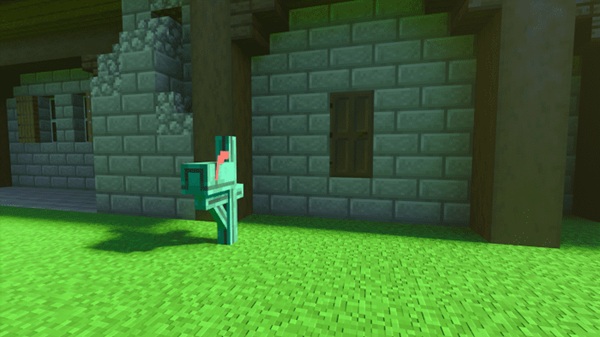
Message & Note Support
Send quick messages with your package—helpful for SMP trades, quests, or friendly surprises.
Full Item Data Preservation
Everything stays intact: enchantments, custom names, durability, written books, banners, and more.
Multiplayer-Friendly Design
Perfect for servers and Realms. Players can trade safely even when they’re not online at the same time.
Secure Delivery Verification
If a mailbox is full, the system refuses the delivery instead of deleting items.
Works in Any Game Mode
Creative builders can use mailboxes as decorative props or city utilities. Survival players gain a practical transport tool.
How the Mail System Works In-Game
This section helps you understand the full workflow from setup to delivery.
Setting Up Your First Mailbox
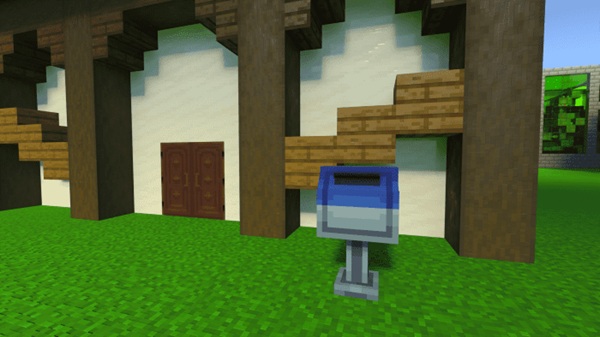
Place a mailbox block, give it a memorable name, and choose who can access it.
Preparing Packages
Drop items into your Post Box. Everything inside becomes part of the outgoing shipment.
Sending and Receiving Mail
Interact with the package, open the shipping form, choose a mailbox, and send. The items appear instantly on the other end.
Multiplayer Workflow
Trading becomes safer and more organized. No more stolen items, despawns, or lost resources.
Compatibility & Requirements
-
Works with Minecraft Bedrock 1.20–1.21+
-
Supported on Android, iOS, Windows, and consoles
-
Compatible with multiplayer worlds and Realms
-
Uses tickingareas—rarely affects other systems
-
Requires both resource and behavior packs enabled
Best Use Cases in MCPE Worlds
Survival Worlds
Send tools, food, or resources between distant bases.
SMP Servers
Perfect for trading, player shops, and cooperative projects.
Roleplay Builds
Create post offices, courier jobs, and delivery quests.
Events & Minigames
Use packages for rewards, clues, or hidden gifts.
Storage Networks
Expand item management without complicated automation.
Tips, Tricks, and Optimization
-
Use clear mailbox names
-
Add backup mailboxes for high-traffic areas
-
Keep mail systems centralized in SMPs
-
Limit mailbox clusters on low-end devices
-
Test setups in Creative mode
Troubleshooting & FAQ
-
Delivery fails? The destination mailbox is likely full
-
Mailbox missing? Ensure both packs are active
-
Import issues? Reinstall and check your MCPE version
-
Duplicate names cause confusion
-
Addon conflicts? Test in a backup world
Final Thoughts
The Mailboxes Addon is one of the most reliable and practical quality-of-life addons you can install in MCPE. It improves communication, simplifies item transport, and fits naturally into any Minecraft world. Whether you're running a big SMP or relaxing in solo survival, this addon gives you a smoother, smarter way to manage resources and share items.
Installation Guide for MCPE/Bedrock Edition
Before using the Mailboxes Addon in your world, follow these steps to install it properly.
Downloading the Addon
Download the .mcaddon file from a trusted MCPE addon source.
Importing the Addon
Open the file using Minecraft. Both the behavior pack and resource pack will import.
Activating the Packs
Inside World Settings, activate the Mailboxes Addon in both the Behavior Packs and Resource Packs tabs.
Experimental Gameplay (If Needed)
Some older versions may require experimental toggles. Newer ones usually don’t.
First-Time Setup
When you enter your world, you may receive a guidebook explaining the basics.











