
Mega Vanilla Delight 1.21+
Discover the Mega Vanilla Delight Addon, the ultimate expansion for Minecraft Bedrock Edition (MCPE). This addon enhances your vanilla experience with smoother gameplay, smarter mobs, richer biomes, and new crafting options — all optimized for mobile performance. Enjoy a refreshed, immersive world that feels authentic, balanced, and full of creative possibilities.
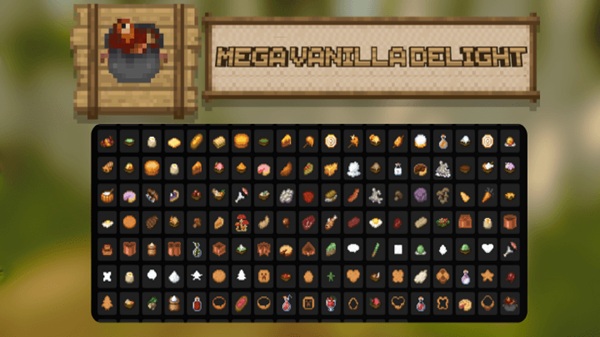
Mega Vanilla Delight Addon – The Ultimate Vanilla Expansion
If you’ve ever wanted Minecraft to feel new again without losing its classic appeal, the Mega Vanilla Delight Addon is made for you. This Minecraft Bedrock (MCPE) addon enhances your world while keeping it faithful to the vanilla experience. It doesn’t replace the game you love — it refines it.
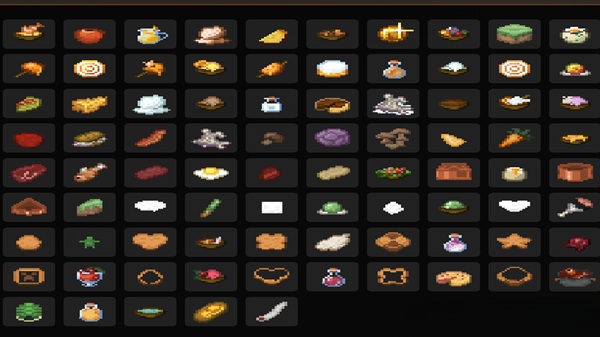
With smoother gameplay, expanded crafting, and richer biomes, this addon transforms your adventures into something fresh yet familiar. Whether you’re surviving your first night or building your dream base, Mega Vanilla Delight Addon makes every moment feel more immersive and rewarding.
What Makes It the “Ultimate Vanilla Expansion”
The Mega Vanilla Delight Addon focuses on balance, simplicity, and depth. It’s designed to expand Minecraft’s possibilities while keeping every element intuitive and true to the game’s identity.
Each improvement — from crafting tweaks to performance optimization — blends naturally into the vanilla environment. Nothing feels forced or out of place. You’ll notice subtle yet meaningful upgrades that make exploration, crafting, and combat feel smoother, richer, and more alive.
Key Features & Enhancements
This section introduces the heart of the addon — the improvements that make Mega Vanilla Delight such a well-rounded experience for MCPE players. Each feature is carefully tuned to enhance immersion without breaking the game’s balance.
Expanded Crafting System
-
Unlock new recipes for items like saddles, chainmail armor, and name tags.
-
Access decorative blocks and refined materials for more creative building.
-
Progress naturally with balanced crafting mechanics that reward exploration.
All recipes work directly through the regular crafting interface, keeping your experience pure and intuitive.
Smarter Mobs and Wildlife
-
Passive mobs move, graze, and react more naturally in their environments.
-
Hostile mobs show better AI responses, creating fairer and smoother encounters.
-
Subtle new wildlife blends seamlessly into the world, enhancing atmosphere.
The result is a world that feels more authentic, reactive, and full of life — without any performance loss.
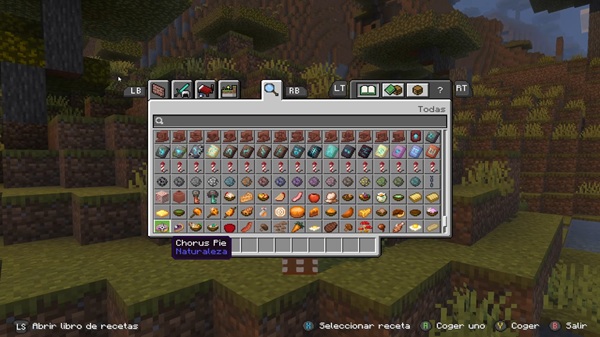
Enhanced World Generation
-
Discover landscapes filled with new plants, terrain details, and biome variety.
-
Experience better weather transitions and a more dynamic sky.
-
Enjoy naturally formed environments that feel handcrafted and alive.
You’ll still recognize every biome — but each one now tells its own visual story.
Visual & Environmental Upgrades
-
Refined lighting and sound design make gameplay more cinematic and relaxing.
-
Subtle weather effects and improved ambiance enrich your world.
-
Works perfectly with resource packs and mobile shaders for added depth.
These upgrades create a stronger emotional connection with your world while maintaining MCPE’s signature look and feel.
Mobile Optimization & Performance
-
Built for smooth, stable gameplay across Android, iOS, Windows 10/11, and console.
-
Optimized code ensures low lag and high FPS even on lower-end devices.
-
Fully compatible with Realms and local multiplayer, supporting shared adventures.
This makes Mega Vanilla Delight Addon ideal for players who want high performance without compromises.
How It Feels In-Game
From the moment you spawn, the difference is clear. The Mega Vanilla Delight Addon makes each step, sound, and structure feel more meaningful. Villages feel alive, caves hold subtle surprises, and your builds stand out against vibrant landscapes.
You don’t need to learn new systems — everything integrates smoothly. It’s the Minecraft you know, simply improved in every direction.
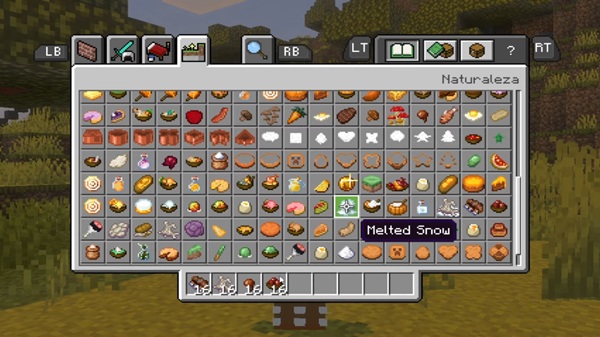
Compatibility & Technical Details
| Category | Details |
|---|---|
| Supported Versions | Minecraft Bedrock / MCPE 1.20.x – 1.21.x |
| Platforms | Android, iOS, Windows 10/11, Xbox |
| File Type | .mcaddon (includes both resource & behavior packs) |
| Performance Impact | Low – optimized for mobile |
| Multiplayer Support | Yes, works on Realms and LAN |
Tip: Place this addon below heavy modpacks or behavior-changing addons to avoid conflicts.
Tips, Tricks & Player Recommendations
Make the most of your Mega Vanilla Delight Addon experience:
-
Enable Fancy Graphics and Smooth Lighting for full visual detail.
-
Pair with a soft shader or simple texture pack for a natural upgrade.
-
Try it in survival or creative worlds for different experiences.
-
Share your world builds — this addon makes every screenshot shine.
Why Players Love Mega Vanilla Delight
Players love this addon because it stays true to what makes Minecraft special — its simplicity and creativity. You’re not installing a new game; you’re upgrading the one you already adore.
It’s often described as “the Minecraft update we always wanted.” The Mega Vanilla Delight Addon adds realism and immersion while remaining easy to use, lightweight, and compatible with everything Bedrock players enjoy.
Conclusion – The Spirit of Vanilla, Perfected
The Mega Vanilla Delight Addon captures the heart of Minecraft and redefines it for modern players. Every detail — from smarter mobs to balanced crafting — feels intentional and natural.
If you love the comfort of vanilla but crave more depth and atmosphere, this addon is your ideal companion. Dive in, explore, and rediscover the world you thought you knew — because with Mega Vanilla Delight Addon, vanilla has never felt this good.
Installation Guide (Bedrock / MCPE)
You can install Mega Vanilla Delight Addon in minutes — no tools or complicated steps needed:
-
Download the
.mcaddonfile. -
Tap or double-click it to import directly into Minecraft.
-
Wait for the confirmation: “Successfully imported Mega Vanilla Delight Addon.”
-
Activate both Behavior Pack and Resource Pack in Settings → Packs.
-
Load your world and enjoy your enhanced vanilla experience.
Tip: Restart Minecraft after installation to ensure all textures load correctly.











