
Mimicer Nightmare Remastered 1.21+
Discover how the Mimicer Nightmare Remastered Addon transforms Minecraft Bedrock with suspenseful AI, player-like illusions, and immersive survival challenges. This guide covers its core features, behavior, installation steps, and tips to enhance your MCPE world.

Mimicer Nightmare Remastered Addon: Shadow of the Familiar
The Mimicer Nightmare Remastered Addon reshapes how you explore Minecraft Bedrock by introducing a creature that feels familiar, yet never fully safe. Instead of jumpscares or loud encounters, this addon leans into atmosphere—quiet footsteps, still silhouettes, and the unsettling sense that something is following you. It’s perfect for players who enjoy suspense, mystery, and immersive survival storytelling in MCPE.
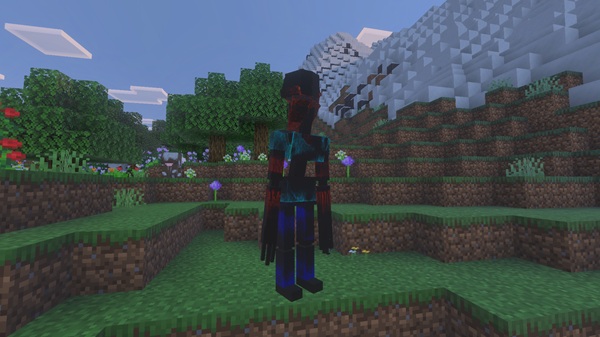
Introduction: The Presence That Looks Like You
This section sets the tone and prepares you for the strange, player-like entity at the heart of this addon.
The “Shadow of the Familiar” theme focuses on the uncanny—something that looks almost like you but behaves just differently enough to feel wrong. The Mimicer Nightmare Remastered Addon uses this idea to create tension through refined AI, smoother animations, and clever movement rules. If you want an atmospheric mob that changes the way you mine, explore, and travel at night, this addon fits naturally into your world.
Core Concept: The Familiar That Isn’t
Here’s where the illusion takes shape, blending familiarity with subtle distortion.
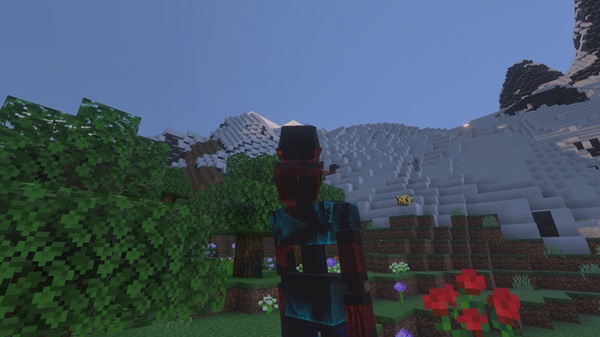
The Mimicer resembles a player from afar. That’s what makes it effective. When you spot a still figure in a forest or at the end of a cave tunnel, your first instinct might be to assume it’s another player. But once you notice the stiff posture or the way it holds its head, the moment shifts. The addon plays with recognition, using the natural shapes of MCPE characters to create quiet tension without relying on graphic or extreme effects.
Key Features of the Mimicer Nightmare Remastered Addon
These features define how the addon behaves and how it fits into your gameplay loop.
-
Adaptive AI that watches, follows, and reacts to player distance
-
Smooth animations that make its movements feel lifelike yet unnatural
-
Atmospheric sound cues, including soft steps or shifting ambience
-
Shadow-aware positioning, where the Mimicer uses dark areas to remain hidden
-
Controlled spawn behavior, appearing in caves, forests, and low-light locations
Together, these features make every encounter feel intentional and meaningful.
In-Game Behavior: How the Shadow Follows You
This is the core experience—how the Mimicer appears, approaches, and reacts to you in MCPE.
The Mimicer’s Presence: How It First Appears
You may notice a still figure watching from a distance. It doesn’t rush or roar—its quiet posture is what grabs your attention.
Observation Phase
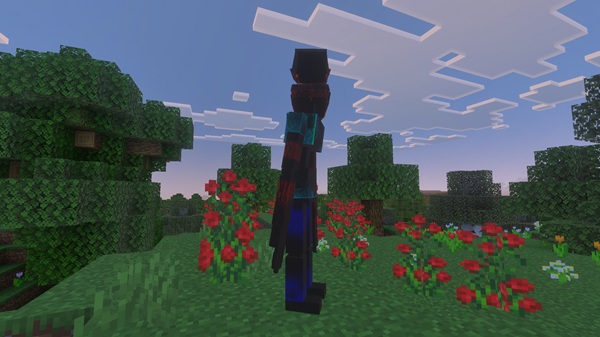
It studies your movement but stays motionless until you look away. Small posture shifts reveal that it’s tracking you.
Approach Phase
When you turn your back, it moves. Slowly. Quietly. Consistently closing the gap.
Engagement Phase
Triggers include proximity, eye contact, or specific actions. When active, it becomes noticeably faster.
Mimicking Familiar Silhouettes
Its player-like shape makes identification tricky, especially in dark areas.
Day vs. Night Behavior
Nighttime gives it more cover, but it can appear in dim spaces at any hour.
Multiplayer Identity Mix-ups
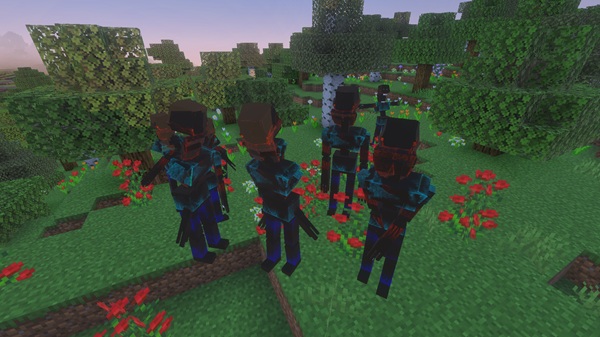
In group play, teammates often confuse it for another player, creating surprising moments.
Escape & Evasion
Sneaking reduces detection, while climbing or using elevation helps you break its line of sight.
Survival Guide: How to Stay Safe
These simple strategies keep you one step ahead of the familiar shadow.
-
Listen for soft ambient sounds
-
Carry glass blocks for emergency shelters
-
Build upward when threatened
-
Move cautiously through caves and forests
-
Confirm player identities in multiplayer
These habits help you stay calm and in control.
Compatibility & Performance
Smooth performance and stable behavior across most MCPE devices.
-
Works best on MCPE 1.20–1.21+
-
Runs well on mobile, Windows, and cross-platform worlds
-
Compatible with most shaders and texture packs
-
Avoid stacking multiple animation mods to prevent conflicts
Gameplay Enhancements: Who Will Love This Addon
The Mimicer Nightmare Remastered Addon appeals to players who enjoy:
-
Atmospheric exploration
-
Survival with unpredictable elements
-
Multiplayer surprises
-
Custom adventure maps
-
Lore-heavy or story-driven gameplay
Its subtle approach to suspense makes it accessible yet captivating.
Creative Uses & Worldbuilding Ideas
You can integrate this addon into many different types of worlds:
-
Mystery adventure maps
-
Stealth or detection-based challenges
-
Lore-driven survival worlds
-
Multiplayer roleplay sessions
-
Shadow-themed storytelling maps
This flexibility keeps the addon engaging long after installation.
Closing Thoughts: The Shadow That Changes Your World
The Mimicer Nightmare Remastered Addon adds atmosphere, identity-based mystery, and subtle tension to Minecraft Bedrock. Its quiet movements and familiar silhouette reshape how you explore your world—turning ordinary mining runs and nighttime walks into memorable encounters. If you enjoy immersive mobs and psychological tension, “Shadow of the Familiar” is a natural fit for your MCPE gameplay.
Installation Guide for MCPE (Bedrock Edition)
Follow these quick steps to ensure the addon loads correctly in your game.
Download & Import
-
Download the
.mcaddonor.mcpackfile -
Open it directly to import into Minecraft
Required Experimental Toggles
Enable:
-
Holiday Creator Features
-
Custom Biomes (if needed)
-
Molang Features
Pack Activation
Activate both the Behavior Pack and Resource Pack before entering your world.











