
Minecraft Helden 1.21+
The Minecraft Helden Addon transforms your MCPE world with a thrilling limited-life survival system. Explore smarter, compete with friends, and experience Minecraft with new strategy and depth—all through a lightweight, easy-to-install addon designed for Bedrock Edition players.
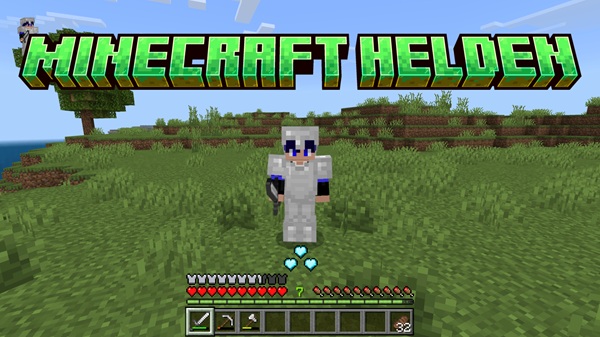
Minecraft Helden Addon – Enhanced Limited-Life Survival Mode
The Minecraft Helden Addon brings a refreshing twist to MCPE by introducing a three-life survival system that makes every moment feel more meaningful. Instead of endlessly respawning, you’ll need to plan ahead, take calculated risks, and work with your friends in new, exciting ways. If you enjoy challenge-based survival or want to add more purpose to your Minecraft Bedrock worlds, this addon delivers exactly that.
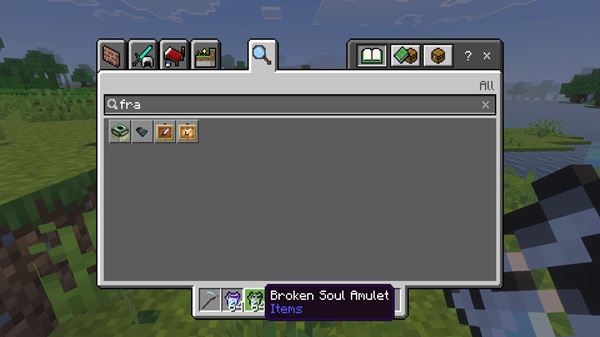
Introduction to the Minecraft Helden Addon
With the Minecraft Helden Addon, your survival journey starts with just three lives. Each death removes one life, and once they’re gone, you smoothly transition into spectator mode. This mechanic makes survival more strategic without adding unnecessary complexity.
This addon is perfect for players who want structured challenges, group events, or Helden-style gameplay sessions. Because it’s lightweight and simple to understand, it blends into your worlds naturally—no complex setup, and no overwhelming mechanics.
If you enjoy thoughtful survival, competitive group play, or creating fun moments with your friends, this addon fits your style.
Core Features of the Enhanced Limited-Life System
This section gives you a clear look at how the three-life system works and why it changes the way you experience MCPE.
The Three-Life Survival Mechanic
You begin with three lives. Each time you die—whether from mobs, falls, or other hazards—you lose one. When your final life is gone, the addon automatically shifts you to spectator mode, keeping the experience fair and engaging.
Dynamic Heart Counter UI
A clean heart counter stays visible on your screen, showing how many lives you have left. This helps you track your status without interrupting gameplay.
Smooth Spectator Mode Transition
Instead of removing you from the world, the addon places you in spectator mode after your last life. You can still observe, explore, and cheer on your friends.
Combat Rules & Life-Loss Triggers
You lose a life from:
-
Any type of death
-
PvP encounters
-
Logging out during active combat
These rules keep multiplayer play fair and fun.
Multiplayer Behavior
Each player has their own life counter, making the addon ideal for Realms, servers, or friend groups running limited-life events.
Customization for Admins
World owners can adjust settings to match their preferred difficulty or event style, offering flexibility for different play scenarios.
Lightweight and Smooth
The addon requires very little storage and runs smoothly on most mobile devices, even older ones.
Stability and Reliability
Built with consistency in mind, the addon keeps gameplay stable and avoids unwanted life loss or interruptions.
How the Addon Changes Your MCPE Gameplay Experience
The Minecraft Helden Addon naturally shifts how you think, build, and explore.
Survival With Real Stakes
You’ll think twice before taking risky jumps or exploring dangerous caves. Every decision matters, making victories more rewarding.
Multiplayer and Realm Dynamics
In group settings, the addon encourages alliances, roleplay moments, and community-driven rules. You’ll see natural stories unfold as players approach their final life.
Strategic Thinking
Players adapt quickly—building safer bases, gathering resources more thoughtfully, and planning long-term survival routes.
Activating Packs
In your world settings, activate both the Resource Pack and Behavior Pack, then load your world.
Compatibility & Technical Requirements
The Minecraft Helden Addon works across the full Bedrock ecosystem.
Supported Versions
Compatible with MCPE 1.20+, and optimized for version 1.21 and above.
Supported Platforms
Works on:
-
Android & iOS
-
Windows 10/11
-
Consoles via Realms
-
Private multiplayer worlds
Performance Notes
The addon is lightweight and stable, even on lower-end devices.
Tips & Best Practices for Players
Use these ideas to get the most out of your limited-life worlds.
Smart Early-Game Strategy
Secure tools fast, build a basic shelter, and avoid unnecessary risks in the first few days.
Tips for Realm Groups
Set fair rules, safe zones, and structured rounds to keep sessions enjoyable.
Helping New Players
Explain how the life system works and offer early support so newcomers don’t lose their lives too quickly.
Recommended Settings
Enable coordinates, adjust difficulty based on experience, and consider customizing world rules.
Creative Ideas for Using the Addon
-
Host limited-life seasons with your friends
-
Create role-play events or survival competitions
-
Record cinematic spectator footage
-
Combine with adventure or survival maps
Troubleshooting & FAQ
-
No heart UI: Check experimental toggles
-
Packs missing: Re-import and restart
-
Spectator issues: Verify game version
-
Multiplayer desync: Ensure all players installed the addon
Final Thoughts
The Minecraft Helden Addon adds depth, tension, and purpose to MCPE survival. Whether you’re building a Realm event, running a group challenge, or just spicing up your solo worlds, the three-life system encourages smarter play and more memorable adventures. It’s simple to install, easy to understand, and endlessly fun to experiment with.
Installation Guide for MCPE (Bedrock Edition)
Installing the Minecraft Helden Addon is simple and only takes a minute.
Downloading the .mcaddon File
Download the addon file in .mcaddon format and make sure it’s the latest version.
Importing Into MCPE
Tap the file on mobile or double-click it on Windows. Minecraft will import it automatically.
Enabling Experimental Features
Turn on:
-
Upcoming Creator Features
-
Beta APIs
These options ensure full functionality.











