MITA Miside 1.21+
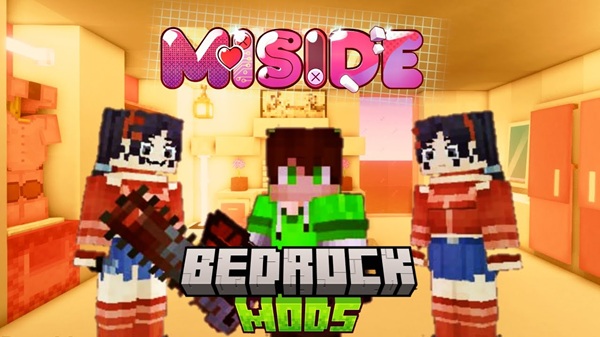
The MITA Miside Addon adds multiple Mita variants to Minecraft Bedrock/MCPE, giving players new character-based mob encounters designed for survival, custom maps, and mobile-friendly gameplay.
MITA Miside Addon – Mita Variants for MCPE
The MITA Miside Addon is a custom Minecraft Bedrock addon created specifically for MCPE players who want fresh mob interactions without overcomplicating gameplay. Inspired by the MiSide universe, this addon introduces several Mita variants that expand your world with character-driven encounters while staying compatible with vanilla Minecraft mechanics.
If you enjoy testing new addons on mobile, building themed maps, or adding controlled challenges to survival, the MITA Miside Addon offers a balanced and accessible way to refresh your experience on Bedrock Edition.
Main Features
At its core, the MITA Miside Addon focuses on variety, clarity, and mobile performance. Instead of overwhelming players with systems, it delivers well-defined features that are easy to understand and easy to use. The following highlights explain what makes this addon practical for MCPE.
Multiple Mita Variants
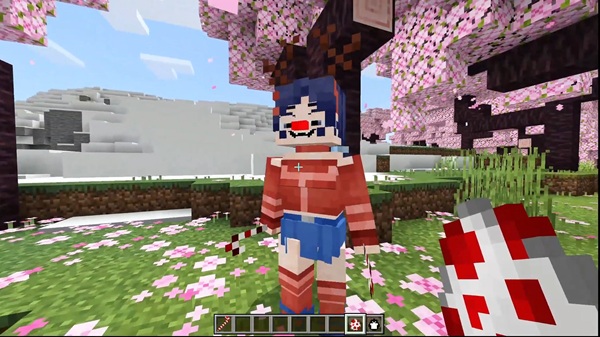
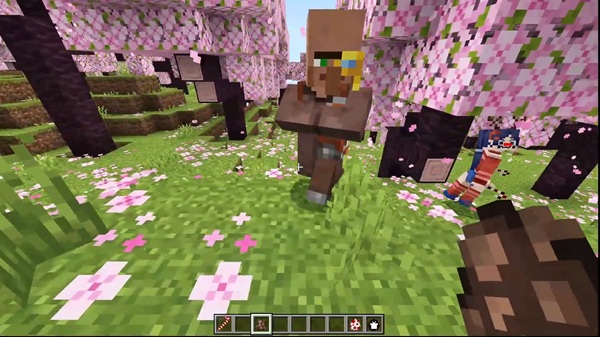
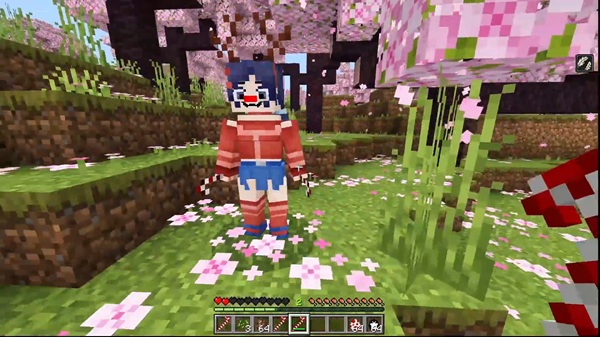
The addon adds multiple versions of the Mita character, each designed with a specific role in mind. This approach gives you flexibility. Rather than relying on one mob type, you can choose different variants depending on your world or playstyle.
Variant Behavior Differences
Each Mita variant behaves differently. Some are designed for calm, neutral interactions, while others introduce higher pressure during encounters. These differences help keep gameplay interesting without breaking Bedrock survival balance.
Visual Design and Style
The Mita models use a stylized but lightweight design that fits naturally into Minecraft Bedrock. Textures are optimized for mobile screens, which helps maintain stable performance on both Android and iOS devices.
Survival and Custom World Support
The MITA Miside Addon works well in:
-
Survival worlds
-
Custom adventure maps
-
Roleplay or story-driven builds
It does not replace existing mobs or alter world generation, so you can safely add it to most setups.
MCPE-Focused Optimization
Everything is designed with mobile limits in mind. The addon avoids heavy animations or complex systems, making it suitable for a wide range of MCPE devices.
Mita Variants Explained
Understanding how each variant fits into gameplay helps you use the MITA Miside Addon more effectively. This section breaks down their intended roles in simple terms.
Neutral / Passive Variant
This version of Mita is designed for low-pressure interactions. It works well for:
-
Map decoration
-
Roleplay scenarios
-
Storytelling builds
If you enjoy creating atmosphere without constant combat, this variant is a good fit.
Challenge-Oriented Variants
Other Mita variants are designed to increase difficulty. These versions may move faster or apply more pressure during encounters. They are best used in:
-
Survival challenge worlds
-
Controlled test areas
-
Custom adventure maps
Variant Use in Gameplay
Because the addon includes multiple variants, you can decide how to use them:
-
Test behaviors in Creative Mode
-
Add selective difficulty to survival
-
Design custom experiences for players
This flexibility is one of the addon’s biggest strengths.
How the Addon Works in MCPE
The MITA Miside Addon integrates smoothly into Minecraft Bedrock Edition without modifying core systems. This makes it friendly for both new and experienced MCPE players.
Accessing the Mobs
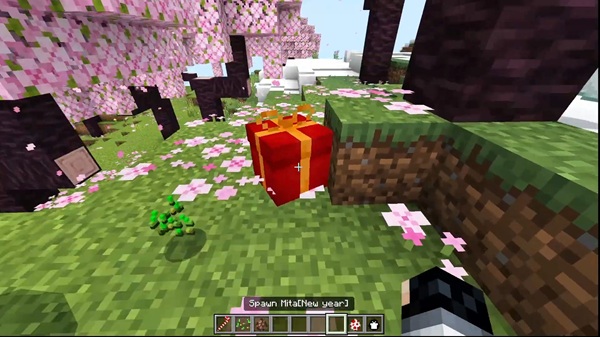
Most players access Mita variants using spawn eggs, especially when testing in Creative Mode. This lets you quickly understand how each variant behaves before adding it to a survival world.
Survival World Integration
In survival mode, the addon acts as additional content, not a replacement. You stay in control of pacing, difficulty, and world balance.
Compatibility with Vanilla Gameplay
The addon works alongside standard Minecraft features, including:
-
Vanilla combat mechanics
-
Existing mobs and items
-
Default world settings
This ensures a stable experience on MCPE.
Compatibility & Performance Information
This section helps you understand where the MITA Miside Addon works best and how to keep performance stable on MCPE.
Supported Versions
The addon is designed for Minecraft Bedrock Edition 1.21+. Older versions may not fully support all behaviors.
Supported Platforms
-
Android (MCPE)
-
iOS (MCPE)
-
Windows 10/11 Bedrock
-
Supported Bedrock consoles
Performance Considerations
-
Reduce render distance on lower-end devices.
-
Avoid using many large addons at once.
-
Large texture packs may affect performance on mobile.
MCPE Player Tips
To get the best experience with the MITA Miside Addon:
-
Test in a new Creative world first.
-
Back up important survival worlds.
-
Adjust graphics settings for smoother gameplay.
-
Add addons one at a time to avoid conflicts.
-
Use controlled areas when experimenting with new mobs.
Final Notes
The MITA Miside Addon – Mita Variants for MCPE is a practical, character-focused addon built for Minecraft Bedrock players who value clarity, stability, and flexibility. It fits naturally into survival worlds, custom maps, and roleplay projects without overwhelming mobile devices.
With proper setup and thoughtful use, the MITA Miside Addon can become a reliable addition to your MCPE addon collection.
How to Install MITA Miside Addon on MCPE
Installing the MITA Miside Addon follows the standard Bedrock addon process and works on both Android and iOS.
Step-by-Step Installation
-
Download the
.mcaddonfile. -
Open the file to import it into Minecraft.
-
Create a new world or edit an existing one.
-
Enable:
-
Behavior Pack
-
Resource Pack
-
-
Turn on Experimental Features if required.
-
Test the addon in Creative Mode before long-term use.
Android and iOS Notes
-
Android: You may need a file manager to open the addon file.
-
iOS: Use the Files app and open the file with Minecraft.
Testing first helps avoid issues later.