
Mob Battles 1.21+
The Mob Battles Addon lets you instantly create dynamic encounters, custom scenarios, and interactive setups in Minecraft Bedrock Edition. Whether you enjoy worldbuilding, designing arenas, or experimenting with mob behavior, this addon gives you fast, flexible tools to bring your ideas to life.
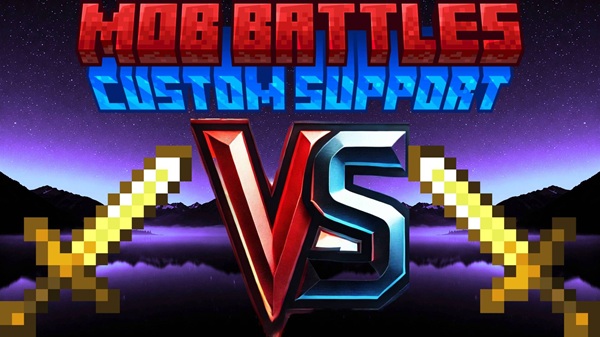
Mob Battles Addon – Build Dynamic Encounters Instantly
The Mob Battles Addon brings fast, flexible, and creative encounter-building to Minecraft Bedrock Edition. Instead of depending on natural mob behavior, you can instantly design your own interactive scenes, team setups, or customized challenges. If you enjoy worldbuilding, experimenting with mob attributes, or creating fun interactive spaces in MCPE, this addon gives you simple tools to bring your ideas to life.
Introduction: What Is the Mob Battles Addon?
The Mob Battles Addon is a creation-focused toolset that lets you set up structured encounters in seconds. It replaces guesswork with control, letting you assign roles, configure behaviors, and customize mobs without using commands. This makes it ideal for players who want a quick way to build interactive scenarios in their MCPE worlds.
This addon works especially well for:
-
Creative players shaping detailed worlds
-
MCPE users who want simple, tap-based tools
-
Content creators building demonstrations or showcases
-
Families exploring playful in-game interactions
-
Builders designing arenas, themed areas, or mini-games
Compatible with Minecraft Bedrock 1.21+, it runs smoothly across mobile, tablet, PC, and console platforms.
Core Idea: Build Dynamic Encounters Instantly
Dynamic encounters are the heart of this addon.
This section explains how the system transforms mob interactions into fast, repeatable setups that fit any MCPE world.
Instant, Flexible, and Player-Friendly
With the Mob Battles Addon, you can:
-
Configure roles quickly
-
Adjust stats without code
-
Create repeatable encounters
-
Trigger interactions when you choose
Roles such as Red Team or Blue Team help you build organized scenarios. Custom stats and gear allow you to shape encounters around your imagination. Everything loads instantly, making it perfect for mobile players who prefer simple workflows.
Tools Overview: The System Behind Your Encounters
This addon includes seven key tools. Below is a quick look at how each tool helps you customize your encounters.
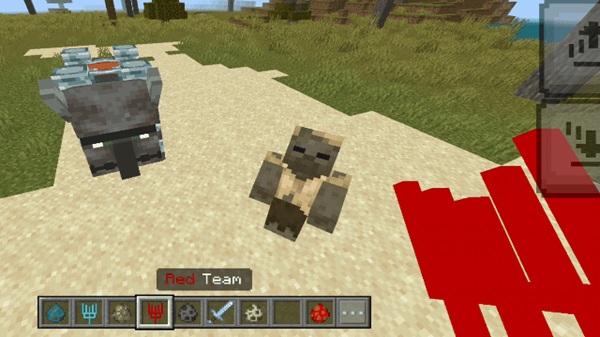
Red Team Stick
Assigns mobs to the Red Team for group-based scenarios.
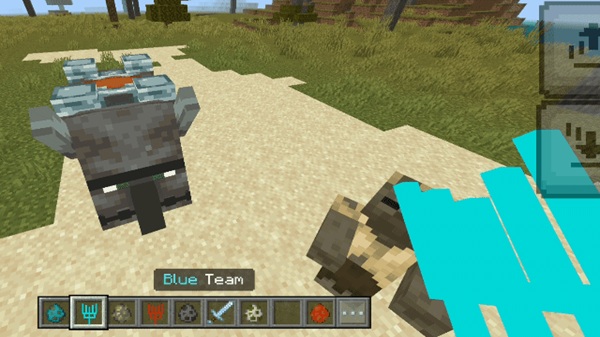
Blue Team Stick
Assigns mobs to the Blue Team for organized, two-side setups.
Target Setter Stick
Creates focused 1v1 interactions by linking one mob to another.
Team Remover Stick
Resets team assignments instantly so you can rebuild encounters.
Equipment Editor
Lets you equip mobs with armor or tools for themed setups.
Stats Debug Stick
Adjusts health, speed, or strength to shape unique mob variations.
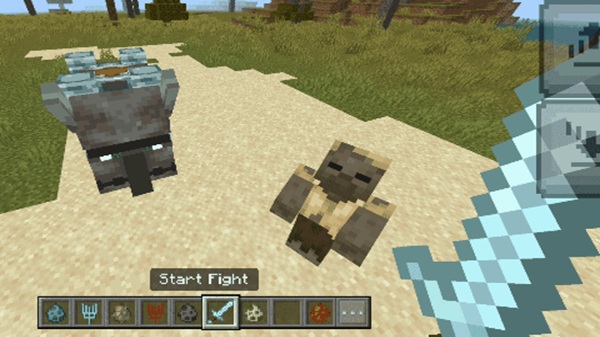
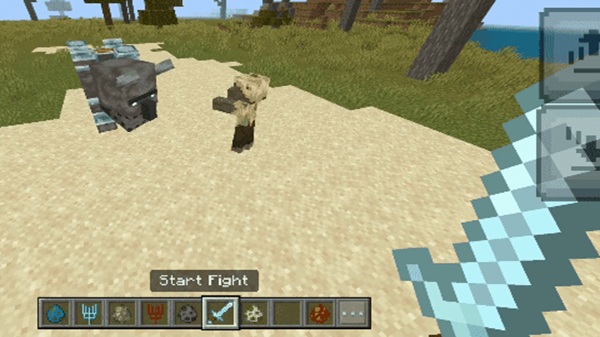
Start Fight Item
Triggers your encounter when you’re ready, preventing accidental interactions.
How to Build Encounters (Step-by-Step)
This section shows you exactly how to build encounters quickly and cleanly using the Mob Battles Addon.
Preparing Your World
To load the tools properly:
-
Enter Creative Mode
-
Activate both the resource and behavior packs
-
Enable experimental features:
-
Holiday Creator Features
-
Additional Modding Capabilities
-
GameTest Framework
-
Setting Up a Quick 1v1 Encounter
-
Spawn two mobs.
-
Use the Target Setter Stick on each mob.
-
Activate the encounter with the Start Fight item.
This setup is perfect for quick demonstrations or testing behavior differences.
Creating Team-Based Encounters
-
Assign Red Team mobs.
-
Assign Blue Team mobs.
-
Trigger the encounter when ready.
Team setups work well in arenas or open-design areas.
Designing Custom Encounter Scenarios
-
Mix different mob types
-
Build platforms or themed rooms
-
Add environmental interaction points
-
Combine 1v1 and team tools for hybrid setups
Enhancing Encounters with Custom Gear
Use the Equipment Editor to create:
-
Class-based mobs
-
Training-style setups
-
Themed groups for creative builds
Modifying Mob Attributes
With the Stats Debug Stick, you can:
-
Increase health
-
Adjust speed
-
Lighten or strengthen interactions
Building Reset-Friendly Encounters
Use the Team Remover Stick to:
-
Clear roles
-
Reassign mobs
-
Reuse your arena without rebuilding
Best Practices for Smooth Setup
-
Avoid overcrowding
-
Use flat worlds or open arenas
-
Enable experiments in every world
Creative Encounter Ideas for MCPE Players
Training Rooms
Shape skill-based encounters using custom stats.
Themed Arenas
Build forest, desert, ice, or futuristic zones for encounters.
Interactive Roleplay Scenes
Use mobs as part of your in-world storytelling.
Mini-Games for Friends
Create playful, structured challenges for multiplayer.
Showcase Areas
Record demonstrations for social content or personal projects.
Compatibility & Performance Notes
-
Best on Minecraft Bedrock 1.21+
-
Smooth on Android, iOS, Windows, and consoles
-
Low performance impact for small encounters
-
Larger groups may require stronger devices
-
Usually compatible with other addons
Troubleshooting & Common Fixes
Tools not appearing?
Activate both packs and re-check experiments.
Interactions not starting?
Use the Start Fight item.
Conflicts appearing?
Temporarily disable other behavior packs.
Multiplayer issues?
Ensure every player has the same packs installed.
Why This Addon Enhances Minecraft Bedrock
The Mob Battles Addon gives you more control, more creativity, and more repeatable interactions than the base game provides. It turns mob setups into a flexible toolkit for building scenes, testing ideas, and shaping interactive spaces. Whether you're designing arenas or exploring new gameplay possibilities, this addon supports your imagination with simple and effective tools.
Conclusion
The Mob Battles Addon is a clean, user-friendly addition to any MCPE world. With instant setup, customizable tools, and smooth cross-platform performance, it helps you create dynamic encounters that feel fun, interactive, and personal. If you’re looking to add more creativity and control to your Minecraft Bedrock experience, this addon is an excellent place to start.
Installation Guide for MCPE Users
Required Files
-
Behavior Pack
-
Resource Pack
Android
Tap each file to import.
iOS
Use the Files app to open and import.
Windows
Double-click .mcpack files.
Consoles
Transfer via world import or shared world.
Enable all required experimental features for full functionality.











