
Mob Catcher and Generators 1.21+
The Mob Catcher and Generators Addon gives you a smarter way to manage mobs, automate drops, and build efficient resource setups in MCPE. This guide walks you through its features, upgrades, installation steps, and the best strategies to use it in your survival world.
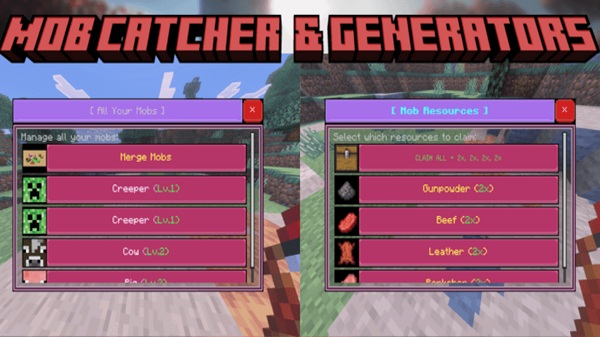
Mob Catcher and Generators Addon – Build Powerful Resource Setups
The Mob Catcher and Generators Addon gives Minecraft Bedrock players a smarter way to manage mobs and automate valuable drops. Instead of building complicated redstone farms or grinding endlessly, you can capture mobs, place them inside generators, and create efficient resource systems that run quietly in the background. If you enjoy survival progression, world-building, or simplifying your gameplay loop, this addon fits perfectly into your MCPE experience.
Key Features Overview
This addon includes several interconnected systems that turn mobs into a stable source of materials. Below are the features that define how the addon works and why it enhances your survival world.
-
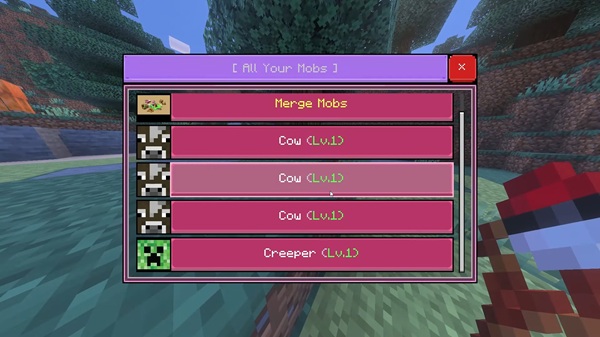
Mob Catcher Tool: Safely capture weakened mobs for transport or farming.
-
Generator Blocks: Produce mob drops automatically without redstone.
-
Fusion Upgrades: Combine identical mobs to double efficiency.
-
Tier Progression: Unlock stronger, faster generator tiers over time.
-
Bedrock Optimization: Lightweight mechanics designed for mobile performance.
These tools make the addon both practical and powerful for everyday MCPE gameplay.
Mob Catcher System Explained
Before building your resource setups, you’ll use the catcher tool to collect the mobs you want to farm. This system is simple, reliable, and accessible to players at any skill level.
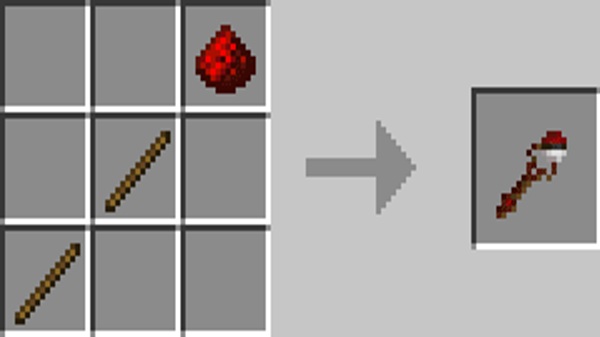
Crafting the Tool
You’ll craft the catcher using Nano String (made by shearing white wool), Mesh, and other basic resources. These components keep crafting fair while giving players an early-game advantage.
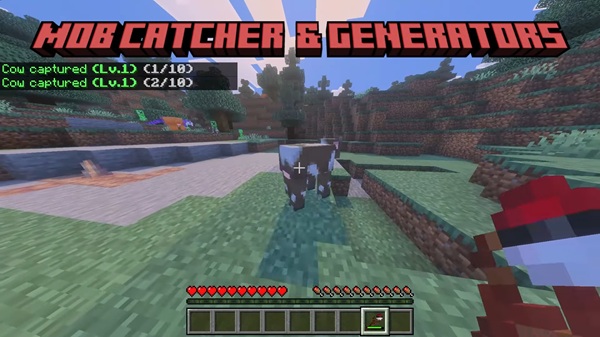
Capturing Mobs
To capture a mob:
-
Lower its health below 50 HP.
-
Use the catcher (tap on mobile or right-click on PC).
-
The mob is stored inside the tool.
-
Select between stored mobs if you’ve captured several.
Most mobs can be captured, giving you flexibility in building farms and setups.
Spawning Mobs
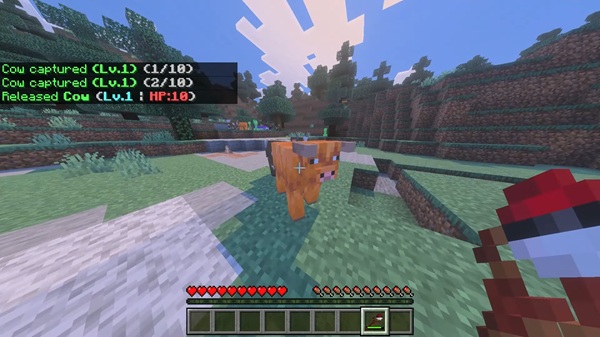
Placing a mob is as simple as using the catcher on the ground. The addon preserves nametags, gear, attributes, and custom stats—making it ideal for moving villagers or special creatures.
Generators and Resource Production
Once you have your mob, generators turn them into automated sources of loot. This system replaces bulky farms and keeps your world running smoothly.
Types of Generators
Different generators produce different items, such as:
-
Bones
-
String
-
Gunpowder
-
Slimeballs
-
Blaze rods
-
Ender pearls
Each generator is tied to the mob inside it.
How Generators Work
Place a generator, insert a mob, and let it run. Drops accumulate over time and can be collected manually. Because no redstone is required, performance stays stable across devices.
Fusion & Upgrade System
Fusing two identical mobs upgrades them, doubling resource output while reducing the number of generators needed. This system balances power with performance.
Tier System
Generators progress from Stone → Iron → Netherite, giving you higher output and better farming efficiency as your world advances.
How to Build Powerful Resource Setups
With the core systems explained, here’s how you can design strong, efficient setups that match your playstyle and device performance.
Choosing the Best Mobs
-
Early: Chickens, cows, skeletons
-
Mid: Slimes, spiders, zombies
-
Late: Blazes, endermen, rare high-value mobs
Choose mobs based on what you craft most.
Optimizing Placement
-
Use active chunks for consistent production
-
Spread generators to reduce lag
-
Light the area to avoid surprise spawns
Fusion & Tier Strategy
Fuse mobs when possible and upgrade tiers instead of building excessive low-level generators.
Storage & Collection
Simple chests work early on; add hoppers later for automation. Avoid clutter by organizing drops by type.
Scaling Your Setup
Start small, then expand into dedicated generator rooms or underground layouts that keep your base clean and efficient.
Compatibility & Performance Notes
This section ensures smooth gameplay and helps you avoid conflicts with other addons.
-
Optimized for MCPE 1.20–1.21+
-
Works on Android, iOS, Windows, Xbox, and Switch
-
Avoid combining with similar mob-catching addons
-
Keep generator clusters small on older devices
Tips, Tricks & Troubleshooting
These final tips help you get the most out of the addon and solve common issues.
Best Practices:
-
Prioritize high-value mobs
-
Collect drops often
-
Keep setups compact
Quick Fixes:
-
If mobs won’t capture: check HP
-
If generators stop: reinsert mob
-
If textures fail: reinstall both packs
Conclusion
The Mob Catcher and Generators Addon gives you the power to automate farming, organize your world, and build efficient resource setups without heavy redstone. It’s simple enough for new players and strategic enough for veterans—making it a versatile tool for any Bedrock survival world.
Installation Guide for MCPE
Installing the Mob Catcher and Generators Addon is simple and works across all Bedrock platforms.
Easy Import
-
Download the addon files.
-
Open them to import automatically.
-
Enable both packs and activate Experimental Features.
Manual Install
Place files into behavior_packs and resource_packs if auto-import fails.











