
More Doors 1.21+
Discover how the More Doors Addon transforms Minecraft Bedrock with over 150 new door designs, secret entrances, automatic systems, and survival-friendly crafting options. Perfect for creative builders who want more control, style, and customization in their MCPE worlds.
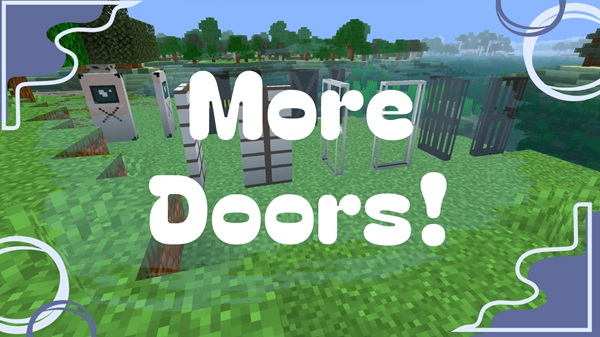
More Doors Addon – Ultimate Collection for Builders
If you love building in Minecraft Bedrock Edition and want more creative control over your worlds, the More Doors Addon is one of the best upgrades you can install. This addon expands your building toolbox with over 150 door designs, giving you more ways to shape entrances, improve base layouts, and express your architectural style. From hidden passages to garage-style sliding doors, it brings extra personality to your builds without complicating gameplay.
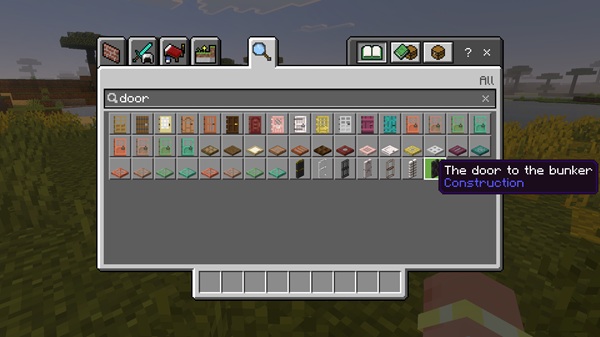
Core Features Overview
This section introduces the essential features that make the More Doors Addon such a useful resource for creative and survival players. Each feature is designed to give you more building options, smoother interactions, and better visual cohesion.
Custom Door Styles for Every Build Theme
You can craft doors inspired by wood, stone, metal, glass, and dozens of other block types. This variety helps you match entrances to medieval builds, futuristic bases, cozy villages, or fantasy-themed worlds.
Secret Doors for Hidden Rooms and Smooth Integration
Secret doors blend into surrounding walls, making them ideal for hidden storage, puzzle paths, or private hideouts. They use existing block textures, so they disappear naturally into your structure.
Automatic Doors and Double-Door Synchronization
Enable automatic mode by sneaking and interacting with a door. Doors then open as you approach, great for farms, labs, or clean modern builds. Double doors also sync automatically for smoother entryways.
Large-Scale Garage Doors With Sliding Animation
These multi-block doors open vertically, perfect for industrial bases, workshops, and vehicle-themed builds. They animate cleanly and work well with Redstone for automated entrances.
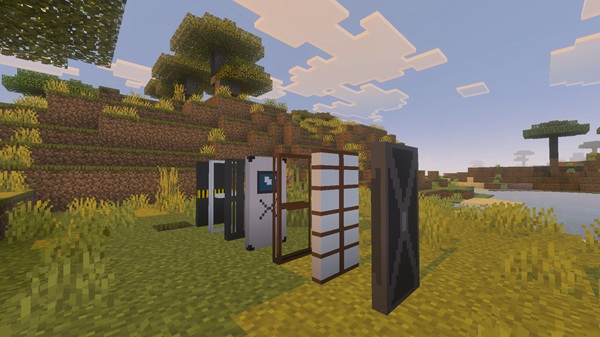
Redstone-Compatible Door Mechanics
All doors respond to pressure plates, buttons, levers, and Redstone circuits. Even if you're not a technical player, simple contraptions work smoothly.
Dyeable and Customizable Door Variants
Some door types support color changes through dyes or tinted glass, helping you organize builds with color-coded rooms and themed districts.
Texture Pack–Friendly Door Rendering
The addon adapts automatically to your active resource pack so doors match your world’s visual style.
Fully Craftable in Survival Mode
Recipes follow familiar vanilla patterns. Most designs require a base door and basic materials, making them easy to craft early in a survival world.
Door Types Breakdown (By Category)
This section helps you understand the different door categories so you can choose the best designs for your builds.
Decorative Doors
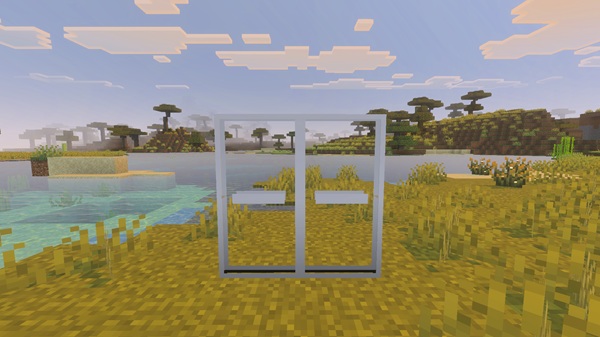
Great for creative builders. Choose from wood-pattern doors, glass-panel doors, reinforced doors, fantasy-inspired doors, and more.
Functional & Automatic Doors
Ideal for labs, futuristic bases, or map rooms. These open and close without needing buttons.
Secret Doors
They mirror nearby blocks, making them perfect for hidden bases or cinematic storytelling inside adventure maps.
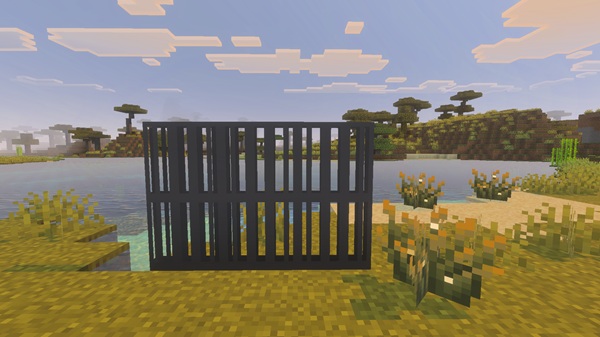
Large & Garage Doors
Use these in industrial areas, storage halls, or anywhere that needs a large, dramatic entrance.
Customizable & Dyeable Doors
These help you match colors and themes in detailed builds such as towns, hotels, or large survival bases.
How the Addon Enhances Building in MCPE
The More Doors Addon gives you more control over structure design, helping your builds feel intentional and unified. Players often use these doors to:
-
Match architectural themes
-
Create cinematic entrances
-
Build puzzle paths or adventure challenges
-
Organize bases with color-coded rooms
-
Add personality to survival and creative builds
The extra variety makes worlds feel fuller and more immersive.
Crafting & In-Game Usage Guide
Here’s how to work efficiently with the More Doors Addon:
-
Craft most doors using a vanilla door + extra materials
-
Glass or metal doors use iron ingots and optional dyes
-
Garage doors require Redstone dust
-
Toggle auto mode with sneak + interact
-
For secret doors, aim precisely at the correct placement surface
All doors work in both Creative and Survival Mode without commands.
Compatibility & Performance Notes
-
Works with MCPE 1.19–1.21+
-
Supports all major platforms
-
Multiplayer and Realms compatible
-
Texture packs and shaders work smoothly
-
Lower render distance helps older devices
Tips for Builders Using the Addon
-
Match doors to your build’s theme
-
Use dyeable doors for organization
-
Add secret doors for fun surprises
-
Label storage with item frames
- Explore door styles in Creative Mode first
Common Issues & Troubleshooting
-
Missing textures → Re-enable the Resource Pack
-
Auto mode not working → Sneak + interact
-
Secret door misplacement → Adjust aiming angle
-
Redstone issues → Connect power directly
-
Addon not loading → Re-import and check game version
Conclusion — Why This Is the Ultimate Door Collection for Builders
With its huge selection of door designs, smooth animations, intuitive crafting, and compatibility across devices, the More Doors Addon gives builders the freedom to transform their worlds. Whether you're designing a cozy survival base or a large adventure map, this addon helps you shape your Minecraft world with more style, structure, and creativity.
Installation Guide (MCPE / Bedrock Edition)
Mobile & Windows:
-
Download the
.mcaddonfile -
Open it with Minecraft
-
Wait for the import message
Consoles:
-
Find the addon in the Marketplace
-
Download to your account
Activate the Packs:
-
Go to Settings → Resource Packs / Behavior Packs
-
Move both packs to "Active"
-
Enable creator features if necessary
Your world is now ready.











