
More Explosive TNT 1.21+
The More Explosive TNT Addon upgrades TNT mechanics in Minecraft Bedrock Edition with stronger blasts, new TNT variants, and smoother performance. If you want faster terrain clearing, creative world-building tools, or more exciting in-game experiments, this high-impact TNT upgrade expands your MCPE experience in powerful and easy-to-use ways.
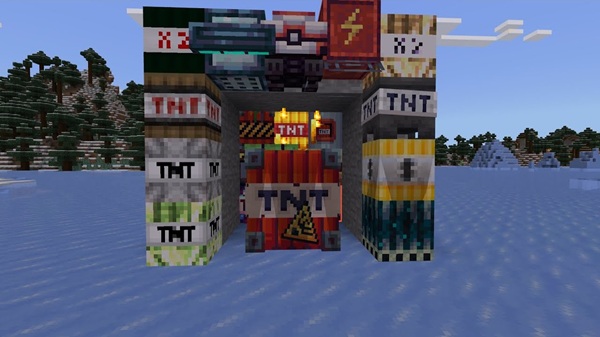
More Explosive TNT Addon – High-Impact TNT Upgrade
The More Explosive TNT Addon introduces a powerful and creative way to enhance explosions in Minecraft Bedrock Edition. If you’ve ever wished TNT could clear terrain faster, reshape landscapes more efficiently, or simply bring more variety to your gameplay, this addon delivers a noticeable upgrade. With new TNT variants, improved explosion behaviors, and a smooth MCPE experience, it gives you more ways to build, mine, experiment, and explore.
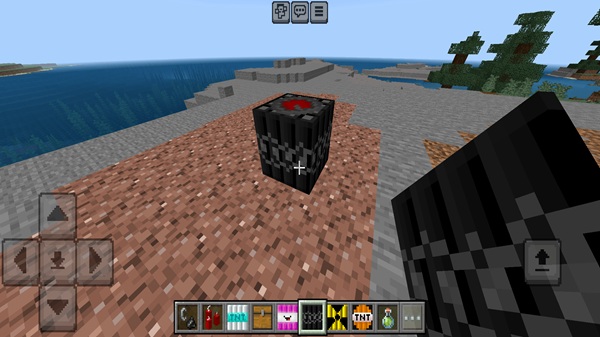
Introduction to the More Explosive TNT Addon – High-Impact TNT Upgrade
The High-Impact TNT Upgrade expands how TNT behaves in MCPE by adding stronger blast effects and new explosion types. It’s built for players who enjoy large-scale projects, quick mining sessions, or creative map ideas. Whether you're a builder preparing a mega base or someone who likes testing TNT mechanics just for fun, this addon offers extra flexibility and excitement without complicating gameplay.
Key Features of the High-Impact TNT Upgrade
This section highlights what the More Explosive TNT Addon actually brings to your world. These features set the foundation for every experiment, build, or adventure you create with upgraded TNT.
Enhanced TNT Blast Power
-
Larger explosion radius than standard TNT
-
Faster terrain clearing for big building areas
-
Stable, optimized blast behavior for MCPE devices
Multiple TNT Variants with Unique Behaviors
-
Different power levels for different needs
-
Effect-based TNT options that modify terrain in creative ways
-
Designed for experimentation and player-driven testing
Survival-Friendly Crafting Integration
-
Recipes available directly in your crafting menu
-
Balanced material requirements
-
Smooth progression for long-term survival worlds
Improved User-Friendly Mechanics
-
Works just like normal TNT: place, ignite, step back
-
No commands or extra steps required
-
Fully compatible with Creative and Survival gameplay
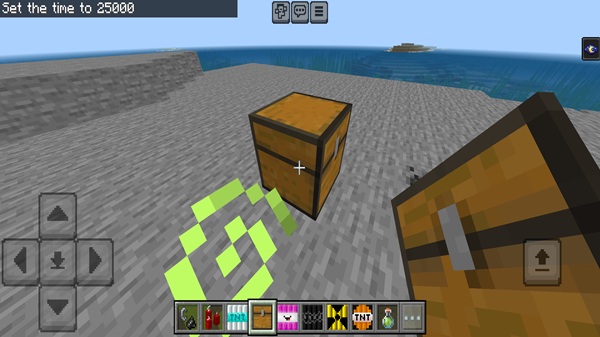
Optimized Performance for MCPE Devices
-
Efficient explosion calculations
-
Works well on mobile, tablet, and Windows
-
Simple settings adjustments help maintain smooth FPS
Designed for Creative Builders and Map Makers
-
Rapid terrain shaping
-
Useful for challenge maps, crater themes, or custom worlds
-
Great toolset for experimenting with landscape design
Seamless Integration with Other Addons
-
Minimal conflict risk
-
Multiplayer-friendly as long as all players install the pack
-
Functions independently without altering core mechanics
How the Addon Works In-Game
Here’s how you’ll actually use the More Explosive TNT Addon once you load into a world. Everything is designed to feel familiar, so you can jump in quickly.
TNT Placement and Activation
-
Place TNT like any normal block
-
Ignite using flint and steel, fire, fire charges, or redstone
-
Standard fuse timing keeps gameplay predictable
Explosion Behavior and Visual Effects
-
Each TNT type offers distinct blast shapes and strengths
-
Some create deeper craters while others spread wider
-
Visual effects help you understand each TNT’s purpose
Ideal Uses for High-Impact TNT
-
Large-area clearing for bases
-
Quick terrain shaping and mining
-
Custom mini-games and creative challenges
-
Fun experiments with friends
Compatibility & Performance Notes
Before playing, here are a few important details about version support and performance.
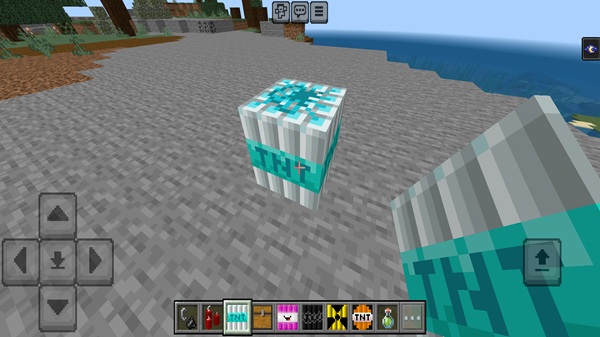
Supported MCPE Versions
-
Fully compatible with MCPE 1.20+
-
Updated for 1.21 and later builds
Device Compatibility
-
Mobile (Android, iOS/iPadOS)
-
Windows 10/11 Bedrock Edition
-
Consoles require a Realm-based import workaround
Performance Optimization Tips
-
Use moderate render settings
-
Avoid lighting huge clusters of TNT at once
-
Test TNT away from builds to prevent unnecessary lag
Tips for Getting the Most Out of the Addon
If you want smoother builds, better mining results, or more creative fun, try these suggestions.
Best Practices for Terrain Shaping & Building
-
Use lighter TNT for smoothing
-
Reserve strong TNT for large excavations
-
Test TNT varieties in a flat world first
Survival Mode Efficiency Tips
-
Place TNT strategically to expose resources
-
Avoid detonating near valuable builds
-
Keep extra crafting materials ready
Creative Ideas for Fun Experiments
-
Pattern explosions for artistic craters
-
TNT races with friends
-
Chain-reaction experiments to learn blast behavior
Troubleshooting & FAQ
-
Addon not appearing: Restart the game and re-import.
-
TNT not igniting correctly: Enable all experimental features.
-
Import fails: Check that the file uses
.mcaddon. -
Multiplayer issues: All players must install the addon.
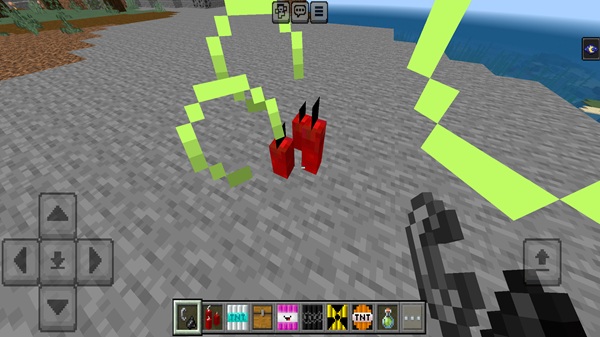
Final Thoughts
The More Explosive TNT Addon offers a fresh, practical, and enjoyable way to upgrade TNT mechanics in Minecraft Bedrock Edition. Whether you’re clearing land, experimenting with blast effects, or crafting new creative ideas, this addon gives you more flexibility and more fun without complicating your gameplay. It’s simple, powerful, and built for MCPE players who want their worlds to feel bigger, faster, and more dynamic.
Installation Guide for Minecraft Bedrock Edition (MCPE)
Installing the More Explosive TNT Addon is simple. Follow these steps to get it working smoothly in your world.
Downloading the Addon (.mcaddon Format)
-
Ensure the file has the correct
.mcaddonextension -
Save it to your device for easy access
Importing the Addon into Minecraft
-
Tap the file on Android/iOS or double-click on Windows
-
Minecraft automatically imports the packs
Activating the Addon in a World
-
Create or edit a world
-
Enable the Resource Pack
-
Enable the Behavior Pack
-
Confirm they appear under “Active”
Required Experimental Settings
-
Enable Beta APIs
-
Enable Upcoming Creator Features
-
These allow advanced TNT behavior to function properly











