
More Fences 1.21+
The More Fences Addon expands your building options in Minecraft Bedrock Edition with over 40 new craftable fence styles. Whether you build in Survival or Creative mode, this addon gives you more detail, better themes, and smoother visual variety for every project.
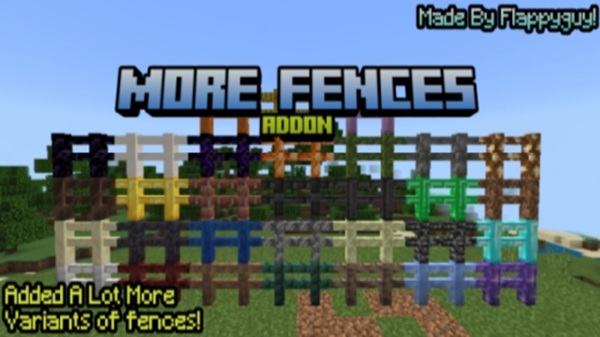
More Fences Addon – Ultimate Fence Expansion
If you’ve ever tried building in Minecraft Bedrock Edition and felt held back by the limited fence options, the More Fences Addon is the upgrade you’ve been waiting for. This addon expands your building toolkit with a wide range of craftable fence styles—perfect for Survival players, Creative builders, and anyone who enjoys shaping their world with more detail and personality.
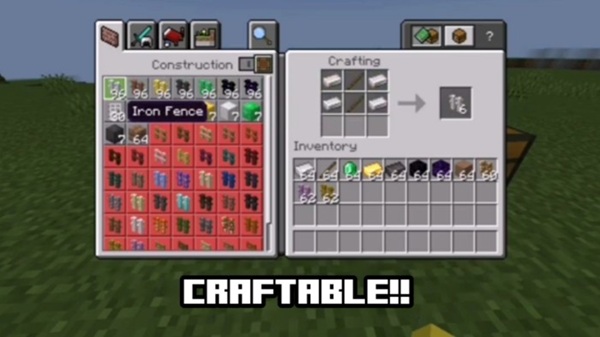
Overview of More Fences Addon – Ultimate Fence Expansion
The More Fences Addon introduces over 40 new fence variants that blend naturally into MCPE’s visual style. It solves a familiar problem: vanilla fences rarely match the blocks you actually want to build with. By offering more materials, textures, and themes, this addon makes your structures feel more polished and intentional.
You’ll find it especially useful if you like crafting themed villages, decorating farms, or designing detailed bases. It adds variety without changing core mechanics, so you can jump right in and start building—no commands or complicated systems required.
Key Features & What’s Included
This section introduces what makes the More Fences Addon truly feel like a full “Ultimate Fence Expansion”—a building upgrade designed for MCPE players who want more creative control.
Massive Expansion of Fence Types
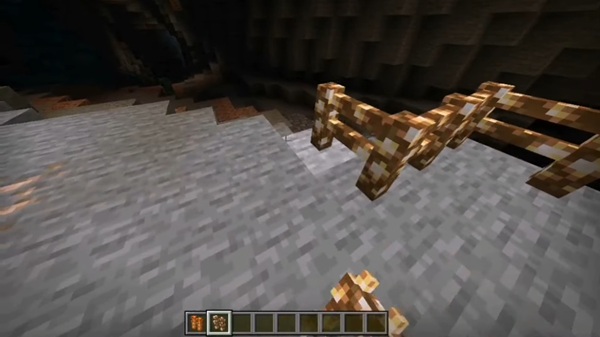
The addon adds more than 40 fences made from popular MCPE materials, including stone blocks, minerals, Nether-themed textures, and even glowing blocks. Each fence matches the look of its parent material.
Survival-Friendly Crafting System
Every fence can be crafted directly in Survival mode with simple recipes. If you can collect the material, you can craft its fence—keeping gameplay balanced and progression-based.
Complete Material Categories
You’ll have access to fences made from:
-
Stone and Overworld materials
-
Nether and End-inspired blocks
-
Metals and minerals
-
Decorative and glow-based materials
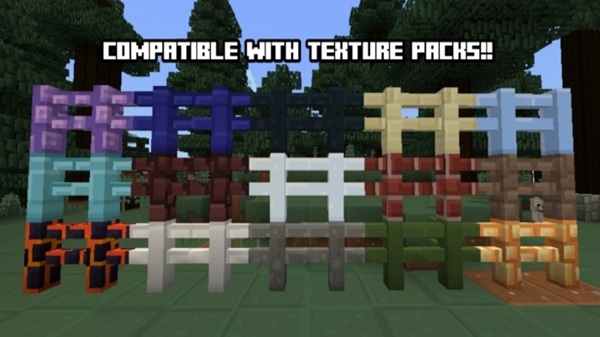
Texture Pack Compatibility
Fences automatically adopt the textures from your active resource pack, ensuring a consistent look across your world.
Seamless MCPE Integration
These fences connect like vanilla fences, block mobs, and place without bugs, keeping gameplay smooth and familiar.
Lightweight & Mobile-Optimized
The addon is optimized for low-end and mid-range devices, making it ideal for mobile players.
Complete Fence List by Material Category
This section previews the variety you’ll find inside the More Fences Addon, organized by material for easy browsing.
Stone & Overworld
Deepslate, Blackstone, Cobblestone, Tuff, Moss, Packed Mud, Basalt, Stonebrick, Amethyst, Dripstone, Calcite
Nether-Themed
Crying Obsidian, Obsidian, Soul Soil, Basalt variants, other Nether stone styles
Metallic & Mineral
Gold, Iron, Copper, Raw Ore blocks, Lapis, Emerald, Netherite
Light-Based & Decorative
Glowstone, Shroomlight, Froglights, Snow, Prismarine, Sculk
These categories support a wide range of creative themes—medieval cities, fantasy estates, Nether fortresses, and more.
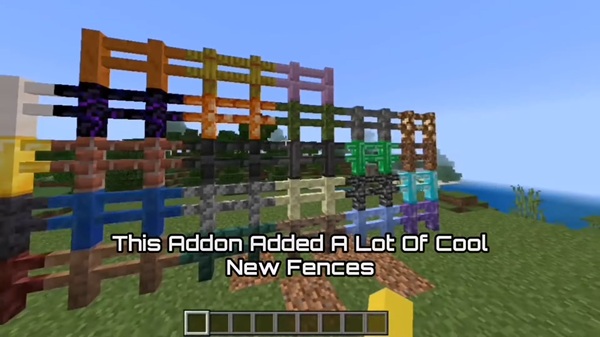
How the Addon Works In-Game
Every fence behaves like a standard MCPE fence, so the learning curve is minimal. Fences connect cleanly to blocks, gates, and other fences. Crafting follows familiar patterns using stick-like components and material-based items. Visual transitions are smooth because each fence inherits its block’s texture.
Required Settings & Compatibility Notes
The addon supports MCPE 1.20+ and works on Android, iOS, Windows, and consoles (via LAN). It’s lightweight, stable, and ideal for Survival or long-running worlds. Because it uses experimental features, it can’t be used on Realms.
Building Tips, Creative Uses & Survival Strategies
To get the most from the More Fences Addon:
-
Match fence materials to build themes (Deepslate for medieval, Copper for modern, Amethyst for fantasy).
-
Use glowing fences like Froglights or Shroomlight for atmospheric lighting.
-
Combine materials to add depth and create layered designs.
-
Progress through materials in Survival to mark milestones in your world.
Troubleshooting & Common Fixes
If fences appear invisible, ensure both packs are active. For missing dependencies, activate the addon again. If the addon doesn’t load, verify your experimental settings. Conflicts with other addons can be resolved by disabling overlapping packs.
Why This Addon Stands Out
The More Fences Addon enhances creativity without complicating gameplay. It offers more materials, better aesthetics, and smoother integration than many small building-focused addons. If you care about detail, theme, or visual cohesion, this addon is a must-have.
Final Thoughts
The More Fences Addon – Ultimate Fence Expansion brings practical, aesthetic upgrades that make building in MCPE more enjoyable. With its wide range of materials, Survival crafting support, and seamless behavior, it’s a natural fit for any world—especially if you love customizing your builds.
Installation Guide for MCPE / Bedrock
To use the More Fences Addon, install the .mcaddon file and let Minecraft import it automatically.
-
Mobile: Tap the file after downloading.
-
Windows: Double-click the file.
-
Consoles: Join a LAN world hosted on a device with the addon installed.
Activate both the Resource Pack and Behavior Pack, then enable Holiday Creator Features and Upcoming Creator Features before entering your world.











