
NameTag Hidden 1.21+
The NameTag Hidden Addon transforms your MCPE world with a clean, zero-label player experience. By removing nametags and enhancing immersion, it’s perfect for roleplay, mini-games, and creators who want smoother, more cinematic gameplay.
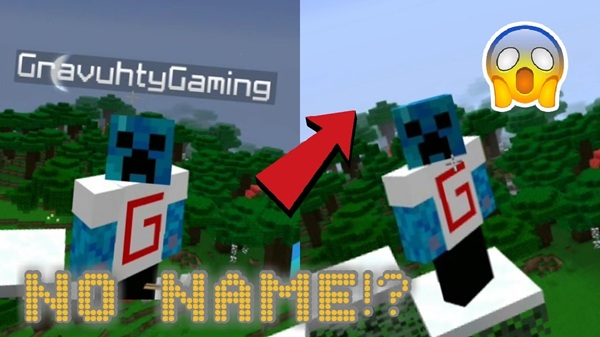
NameTag Hidden Addon – Immersive Zero-Label Player Experience
The NameTag Hidden Addon gives you a fresh way to experience Minecraft Bedrock by removing one of the most distracting elements in multiplayer worlds: floating name labels. Once those tags disappear, your world suddenly feels cleaner, deeper, and more cinematic—almost like stepping into a new dimension of MCPE. This addon is made for players who enjoy roleplay, stealth gameplay, adventure maps, or simply a more immersive environment where the world—not the UI—takes the spotlight.
What Is NameTag Hidden Addon?
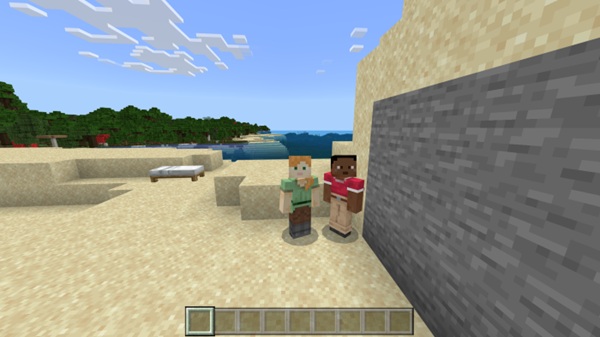
This section introduces the addon and sets the stage for how it works in real MCPE gameplay.
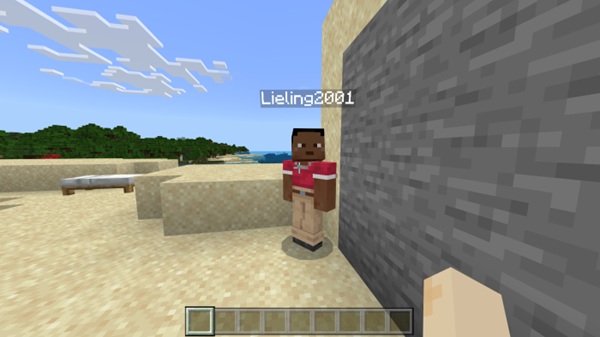
The NameTag Hidden Addon is a lightweight behavior pack that hides player nametags globally across your Minecraft Bedrock world. Instead of relying on individual video settings, this addon enforces a universal visibility rule, meaning every player follows the same experience. It blends immersion with practicality by revealing a nametag only when you look directly at another player—an elegant solution that balances realism with convenience.
This makes the addon perfect for mobile users, multiplayer communities, and anyone who wants consistent, distraction-free gameplay.
Core Features & Mechanics
Explore the essential systems that make the NameTag Hidden Addon powerful, intuitive, and MCPE-friendly.
Zero-Label Visibility System
All player nametags are hidden the moment you enter the world. Nobody can toggle name visibility on their own device, creating fair rules for every player.
Crosshair-Triggered Nametag Reveal
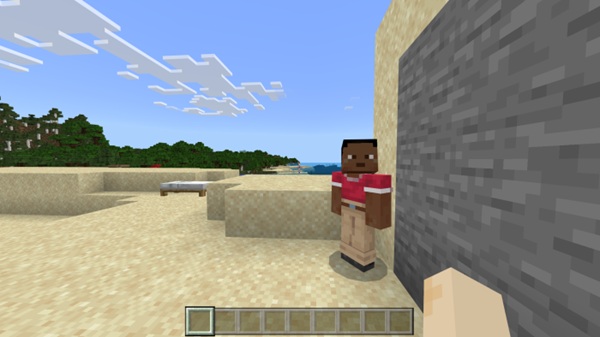
If you point your crosshair at someone, their nametag briefly appears. This keeps interactions natural—useful in teams, mini-games, or exploration.
Distance-Based Nametag Behavior
Nametags stay hidden at long distances. Players must engage more intentionally, which adds tension and realism to hide-and-seek or survival worlds.
Obstruction-Aware Visibility Logic
No name labels show through walls, blocks, or terrain. This prevents accidental reveals and supports stealth-oriented gameplay.
Lightweight Mobile-Friendly Performance
The addon avoids heavy scripts, so even older phones run it smoothly. It’s reliable across all Minecraft Bedrock platforms.
Automatic, Command-Free Operation
Once activated, everything runs quietly in the background. Even younger or newer players can use it without setup.
Multiplayer & Realm-Ready Functionality
The host controls the addon, and all players share the same experience. It works consistently in Realms, LAN worlds, and multiplayer sessions.
How It Enhances the Player Experience
Here’s where the NameTag Hidden Addon truly shines—by transforming how you interact with your world and other players.
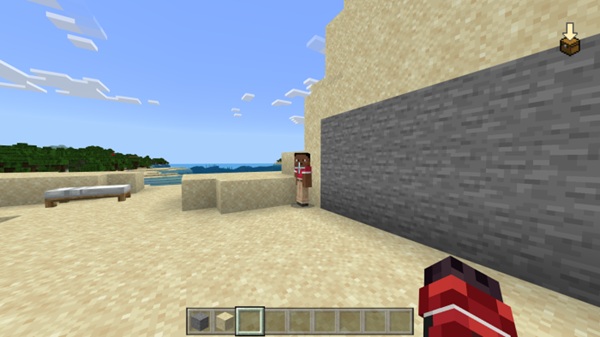
Removing nametags instantly increases immersion. Forest paths feel mysterious. Villages look more alive. Even simple survival moments feel more grounded when labels don’t float above everyone’s heads.
Multiplayer sessions become more meaningful. Instead of relying on nametags, you and your friends notice armor, movement, and behavior. Content creators also benefit—screenshots, machinimas, and cinematic scenes become cleaner, making the world feel closer to a movie set than a video game.
This addon also encourages teamwork, communication, and strategic play, especially in mini-games like adventure maps, stealth challenges, or hide-and-seek.
Compatibility & Addon Requirements
Designed for modern MCPE, but flexible enough for most devices.
The NameTag Hidden Addon is optimized for Minecraft Bedrock 1.21 and supports all platforms: Android, iOS, Windows, Xbox, PlayStation, and Switch. It works well with most texture packs, shader packs, and UI modifications. Only addons that alter player visibility may conflict.
Multiplayer behavior is reliable—the host activates the addon, and all players follow the same rules automatically.
Best Use Cases for Zero-Label Gameplay
This addon adapts beautifully to different play styles and creative goals.
-
Roleplay worlds: More immersive storytelling.
-
Adventure maps: More tension, mystery, and authenticity.
-
Mini-games: Cleaner and fairer gameplay.
-
Content creators: Cinematic visuals without UI editing.
-
Builders: Better screenshots and showcase sessions.
Tips for Maximizing Immersion
Enhance your experience with these simple ideas.
-
Pair with shaders or cinematic texture packs.
-
Lower HUD elements for a cleaner screen.
-
Use creative camera angles for recording.
-
Build areas that rely on stealth and line-of-sight.
-
Encourage communication and teamwork during gameplay.
Troubleshooting & FAQ
Quick solutions for common questions.
-
Nametags still visible: Enable experiments and confirm the addon is active.
-
Crosshair reveal not working: Move closer and ensure nothing blocks your view.
-
Addon not activating: Re-import the file or check MCPE version.
-
Multiplayer support: Yes—works for all players automatically.
-
Mob nametags: The addon focuses on player nametags.
Conclusion: A Cleaner, More Immersive MCPE Experience
The NameTag Hidden Addon reshapes your Minecraft Bedrock world by offering a simple but impactful upgrade: a clean, zero-label experience where your environment and your creativity take center stage. Whether you're hosting a server, filming a cinematic scene, or exploring with friends, this addon helps your world feel more natural, more focused, and more alive.
Installation Guide for MCPE (Mobile & Bedrock)
Installation is simple and works the same across all Bedrock platforms.
-
Download the .mcpack file for the NameTag Hidden Addon.
-
Open the file on your device:
-
On Android/iOS, tap the file to import it.
-
On Windows, double-click to add it automatically.
-
-
Activate the addon:
-
Open your world → Behavior Packs → choose NameTag Hidden Addon → activate it.
-
-
Enable Experimental Features (if needed):
-
Turn on Holiday Creator Features to support advanced behavior.
-
-
Test the addon by loading the world and checking nametag behavior.











